
Introduction
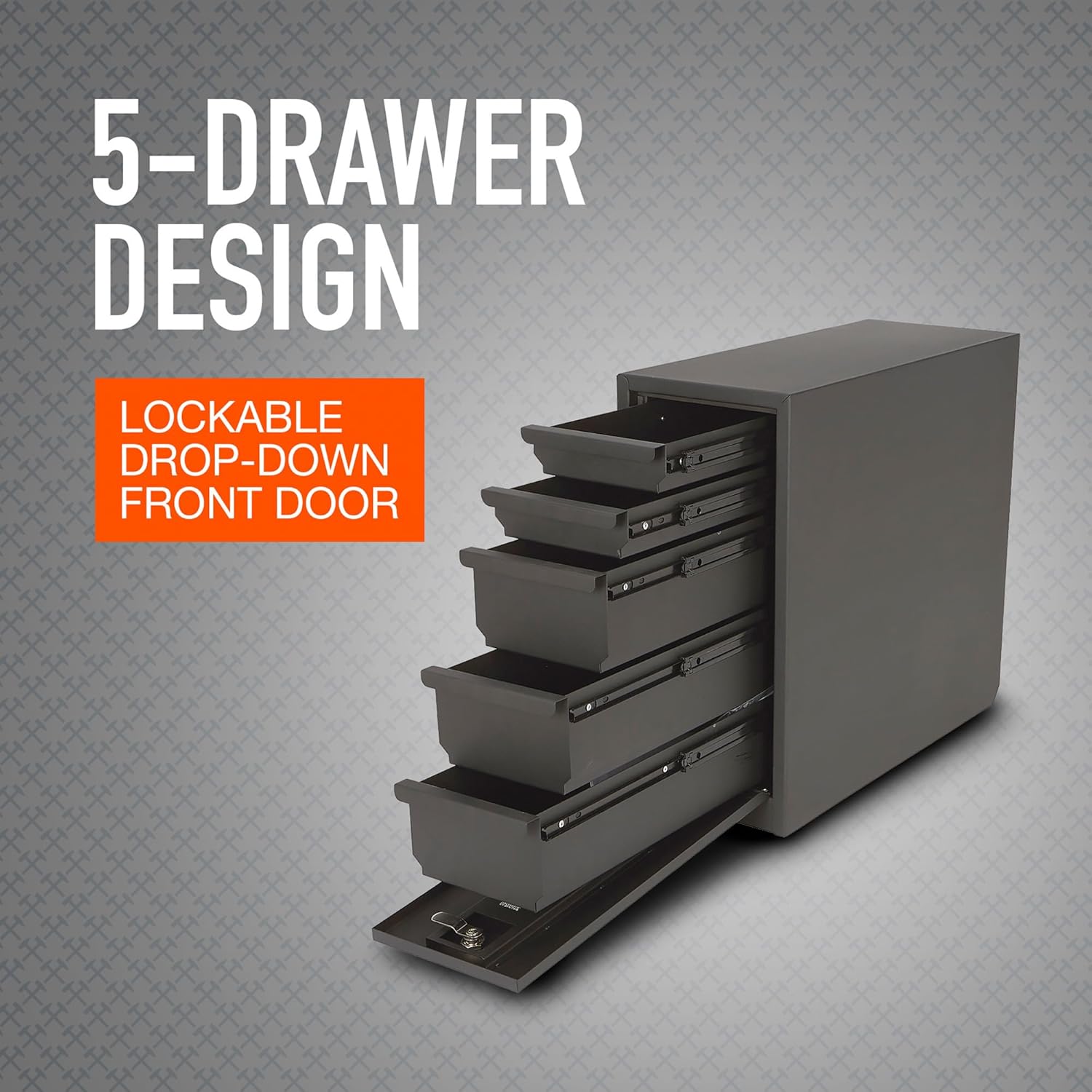
This manual provides instructions for the safe and effective use of your Ironton 5-Drawer Sidebed Storage Truck Tool Box. This steel tool box is designed for secure storage of hand tools, tie-downs, parts, and other items in a truck bed. It features a quick-release base for easy removal and a lockable drop-down front door for security.
Important Safety Information
Please read and understand all instructions before assembly and use. Failure to follow these instructions may result in personal injury or property damage.
- Always ensure the tool box is securely mounted in the truck bed before driving.
- Do not overload drawers. Distribute weight evenly.
- Keep hands clear of moving parts, especially when opening and closing drawers or the front door.
- Ensure the front door is locked when the vehicle is in motion or unattended to prevent contents from spilling or theft.
- This product is not water resistant. Protect contents from moisture.
Package Contents
Verify that all components are present before beginning installation:
- Ironton 5-Drawer Sidebed Storage Truck Tool Box
- Installation Hardware
- Keys for Mechanical Latch Lock
Setup and Installation
The Ironton 5-Drawer Sidebed Storage Truck Tool Box is designed for easy installation and removal in an 8-foot truck bed, compatible with bed liners, Tonneau covers, and bed caps.
Mounting the Tool Box
- Position the tool box in your truck bed, typically on either side of the wheel well, ensuring it does not obstruct other functions or safety features.
- Secure the quick-release base to the truck bed using the provided installation hardware. Ensure all fasteners are tightened securely.
- Align the tool box with the secured quick-release base and engage the locking mechanism to firmly attach the tool box to the base.

Removing the Tool Box (Quick-Release Feature)
To remove the tool box when more bed space is needed:
- Locate the quick-release mechanism on the base of the tool box.
- Disengage the quick-release mechanism. This typically involves pulling a lever or sliding a latch.
- Carefully lift the tool box off the base. The base remains secured in the truck bed.


Operating Instructions
Accessing Drawers
The tool box features five drawers: three larger drawers and two smaller drawers. Each drawer is equipped with easy-glide ball bearing sliders for smooth operation.
- Unlock the front drop-down door using the provided key.
- Lower the front door completely to expose the drawers.
- Pull the desired drawer outward to access its contents. Push the drawer back in until it is fully closed.

Locking the Tool Box
The tool box is equipped with a mechanical latch lock to secure your items.
- Ensure all five drawers are fully closed.
- Raise the front drop-down door until it is fully closed.
- Insert the key into the lock and turn it to the locked position. Remove the key.

Product Overview Video
Maintenance
Regular maintenance will ensure the longevity and optimal performance of your tool box.
- Cleaning: Wipe down the exterior with a damp cloth and mild detergent as needed. Avoid abrasive cleaners that could damage the powder-coat finish.
- Drawer Sliders: Periodically inspect the ball bearing sliders for debris. Clean and apply a light lubricant (e.g., silicone spray) if drawers become stiff or noisy.
- Lock Mechanism: Keep the lock mechanism clean and free of dirt. If the lock becomes difficult to operate, apply a small amount of graphite lubricant.
- Hardware: Periodically check all mounting hardware and fasteners for tightness. Retighten as necessary.
Troubleshooting
| Problem | Possible Cause | Solution |
|---|---|---|
| Drawers are stiff or difficult to open/close. | Debris in sliders; lack of lubrication; overloaded drawer. | Clean sliders and apply lubricant. Reduce weight in the drawer. |
| Front door does not close or lock properly. | Drawers not fully closed; debris in lock mechanism; damaged latch. | Ensure all drawers are pushed in completely. Clean lock mechanism and lubricate. Inspect latch for damage. |
| Tool box feels loose in the truck bed. | Mounting hardware loose; quick-release not fully engaged. | Check and tighten all mounting hardware. Ensure the quick-release mechanism is fully engaged. |
Specifications
- Brand: Ironton
- Model Number: b5b3eb5d-d717-4a17-bb4d-3df22586ac02
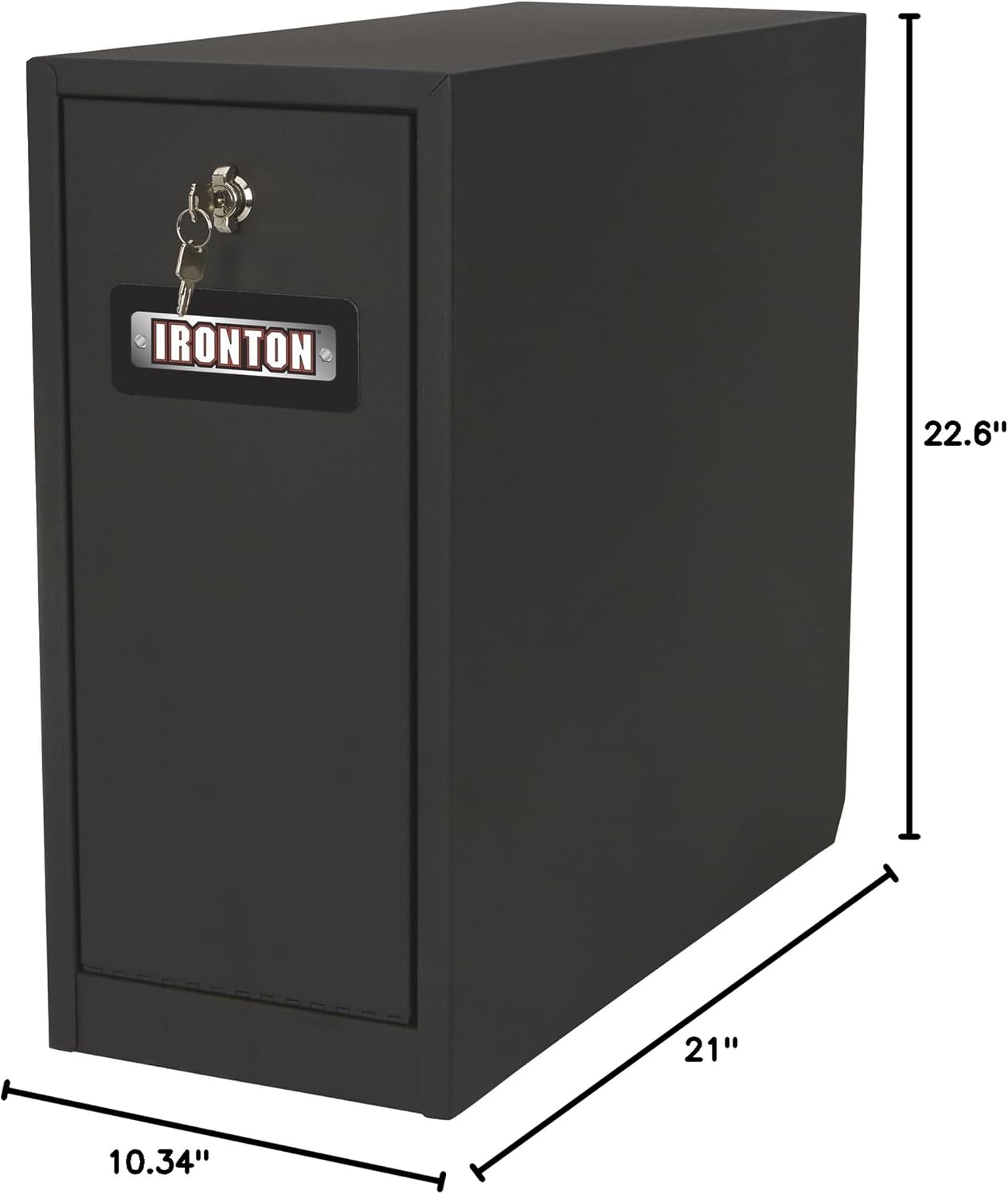
- Product Dimensions: 21"D x 10.34"W x 22.6"H
- Lock Type: Mechanical Latch Lock
- Material: Alloy Steel
- Finish: Powder Coated
- Mounting Type: Floor Mount (Quick-Release Base)
- Item Weight: 48.2 Pounds
- Water Resistance Level: Not Water Resistant
- Number of Drawers: 5
Warranty and Support
Warranty Information
For specific warranty details, please refer to the documentation included with your purchase or contact the retailer/manufacturer directly. Keep your proof of purchase for any warranty claims.
Customer Support
If you have questions, require assistance, or need to order replacement parts, please contact Ironton customer support or visit the official Ironton website for further information.
