
1. Introduction
This manual provides essential information for the setup, operation, and maintenance of your Samsung Galaxy S8+ smartphone, model SM-G955U. Please read this guide thoroughly to ensure proper use and to maximize the device's capabilities.
The Samsung Galaxy S8+ is designed for communication, multimedia, and internet browsing, featuring an immersive display and advanced security options.
2. What's in the Box
Verify that the following items are included in your product package:
- Samsung Galaxy S8+ (SM-G955U) Smartphone
- Charger
Note: Other accessories may be sold separately.
3. Device Layout
Familiarize yourself with the physical components of your Samsung Galaxy S8+.
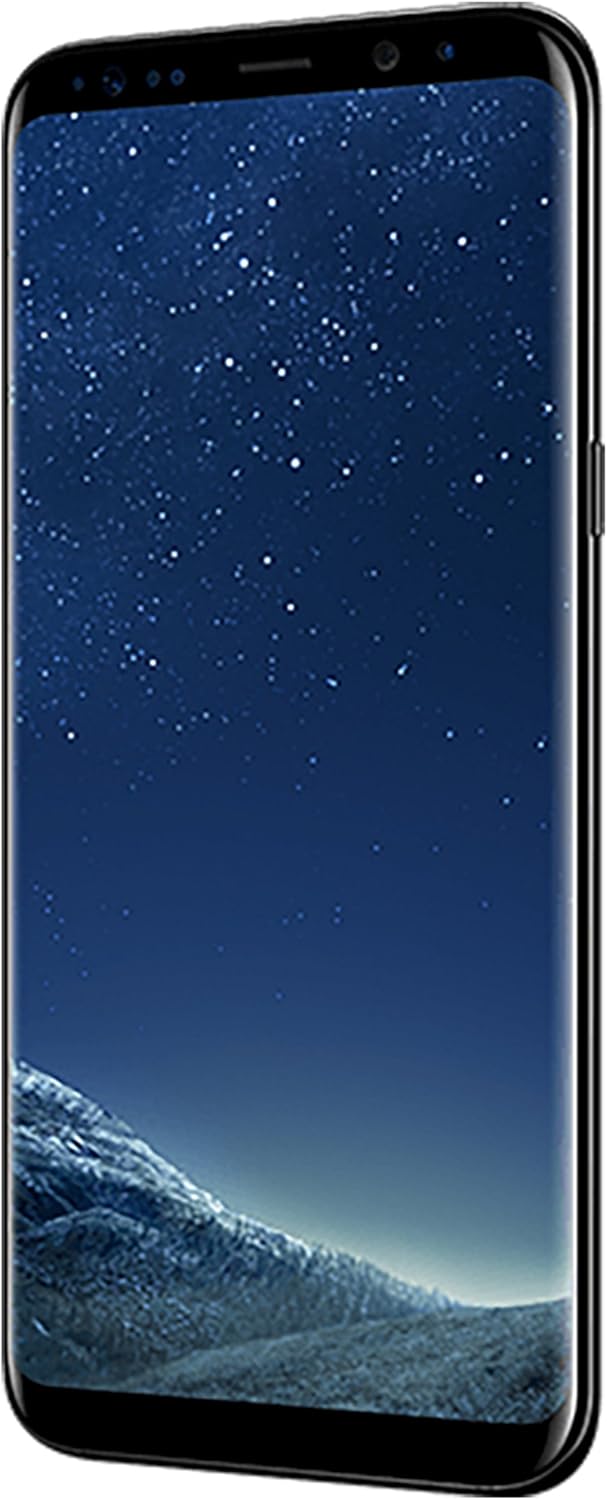
Figure 3.1: Front view of the Samsung Galaxy S8+ with its curved display.
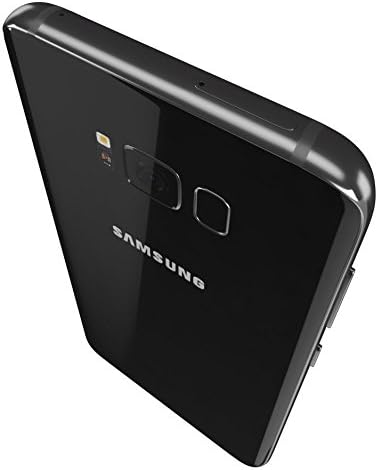
Figure 3.2: Rear view of the Samsung Galaxy S8+ showing the camera and sensor layout.
4. Setup
4.1. Inserting the SIM Card
- Locate the SIM card tray on the side of the device.
- Use the provided ejection tool to open the SIM card tray.
- Place the Nano SIM card into the tray with the gold contacts facing down.
- Carefully reinsert the tray into the device.
4.2. Powering On/Off
- To Power On: Press and hold the Power/Side key until the Samsung logo appears.
- To Power Off: Press and hold the Power/Side key, then select "Power off" from the options on the screen.
4.3. Initial Setup
Upon first power-on, follow the on-screen prompts to configure your device, including language selection, Wi-Fi connection, Google account setup, and security features.
5. Operating Instructions
5.1. Basic Navigation
- Touchscreen: Interact with the device by tapping, swiping, pinching, and spreading on the display.
- Home Screen: Access apps, widgets, and notifications from the customizable home screen.
- Navigation Bar: Use the on-screen buttons for Home, Back, and Recent Apps.
5.2. Security Features
The Galaxy S8+ offers multiple biometric security options:
- Facial Recognition: Unlock your phone by looking at the front camera.
- Iris Scanner: Unlock your phone using your unique iris patterns.
- Fingerprint Scanner: Use your fingerprint to unlock the device and authorize purchases.
5.3. Camera Operation
The device features a 12 MP rear camera with dual pixel technology and an 8 MP front camera for selfies.
- Open the Camera app from the home screen or lock screen.
- Tap the shutter button to capture photos or videos.
- Switch between front and rear cameras as needed.
5.4. Connectivity and Communication
- Wi-Fi: Connect to wireless networks for internet access.
- 4G LTE: Utilize the cellular network for data and calls.
- Video Calls: Engage in video conversations.
- Wi-Fi Calling: Make and receive calls over a Wi-Fi connection.
- HD Voice: Experience clear voice quality during calls.
5.5. Virtual Reality Integration
The Samsung Galaxy S8+ is compatible with the Samsung Gear VR headset, allowing users to explore virtual reality environments. Refer to the Gear VR manual for specific usage instructions.
6. Maintenance
6.1. Cleaning Your Device
- Use a soft, lint-free cloth to gently wipe the screen and body of the phone.
- Avoid using harsh chemicals, abrasive materials, or compressed air.
6.2. Battery Care
- Charge the device using only the provided charger or a Samsung-approved charger.
- Avoid exposing the device to extreme temperatures.
- For optimal battery longevity, avoid fully discharging the battery frequently.
6.3. Water Resistance
The Samsung Galaxy S8+ is water-resistant. However, this is not a permanent condition and resistance might decrease as a result of normal wear. Avoid intentional submersion and exposure to high-pressure water.
7. Troubleshooting
If you encounter issues with your device, try the following steps:
- Restart the Device: A simple restart can resolve many minor software glitches.
- Check Connections: Ensure SIM card is properly inserted and charger is securely connected.
- Software Updates: Ensure your device's software is up to date.
- Factory Reset: As a last resort, you may perform a factory data reset. Warning: This will erase all data on your device. Back up important information before proceeding.
For persistent issues, contact Samsung customer support or your service provider.
8. Specifications
| Feature | Specification |
|---|---|
| Model Name | Galaxy S8 Plus (SM-G955U) |
| Operating System | Android 7.0 |
| CPU Model | Snapdragon |
| Memory Storage Capacity | 64 GB |
| Screen Size | 6.2 Inches |
| Resolution | 2960 x 1440 |
| Rear Camera Resolution | 12 MP |
| Battery Power | 3500 mAh (Lithium-Ion) |
| Item Dimensions (LxWxH) | 6.28 x 2.89 x 0.32 inches |
| Item Weight | 1 Ounces |
| Wireless Carrier | AT&T |
| Water Resistance Level | Water Resistant |
| Biometric Security | Face Recognition, Iris Scanner |
9. Warranty and Support
For information regarding your product's warranty, please refer to the warranty card included with your purchase or visit the official Samsung support website. For technical assistance, contact Samsung customer service or your wireless carrier, AT&T.
Samsung Support: www.samsung.com/us/support/
AT&T Support: www.att.com/support/


