
Satechi ST-TCENM
Satechi Aluminum Type-C Gigabit Ethernet Adapter
Model: ST-TCENM
Product Overview
The Satechi Aluminum Type-C Gigabit Ethernet Adapter provides a reliable and high-speed wired network connection for your USB-C enabled devices. This adapter is designed for seamless integration, offering a stable internet connection where Wi-Fi may be unreliable or unavailable.
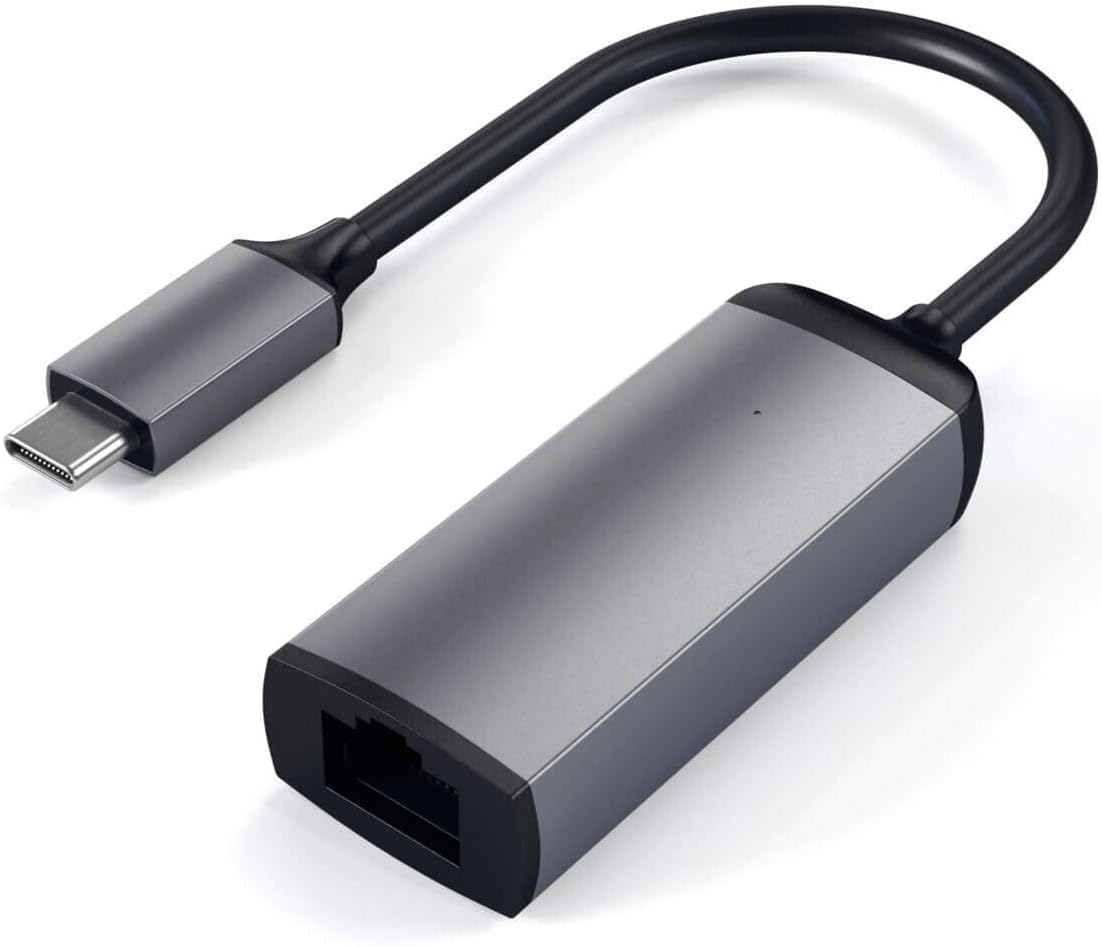
Image: The Satechi Aluminum Type-C Gigabit Ethernet Adapter, showcasing its compact design and USB-C connector.
Key Features:
- Wired Network Connection: Transforms your USB-C port into an Ethernet hub for fast, wired network connectivity.
- Gigabit Ethernet Speeds: Supports 10/100/1000Mbps Ethernet for quick data transfer and large file downloads.
- Sleek, Slim Design: Compact and modern brushed aluminum design complements your other devices.
- Plug and Play: No additional drivers or software installation necessary; simply insert your Ethernet cable and connect.
- Wide Compatibility: Compatible with a broad range of USB-C Thunderbolt 3-4, USB4 devices, including various MacBook Pro/Air, iPad Pro, iMac, Microsoft Surface, Google PixelBook Go, and more.
Setup Guide
Setting up your Satechi Aluminum Type-C Gigabit Ethernet Adapter is straightforward due to its plug-and-play functionality.
- Locate an available USB-C port on your compatible device (e.g., laptop, tablet).
- Insert the USB-C connector of the Satechi adapter firmly into the USB-C port of your device.
- Connect a standard RJ45 Ethernet cable from your router or network switch into the Ethernet port on the Satechi adapter.
- Your device should automatically detect the wired network connection. No additional drivers are typically required.

Image: The Satechi adapter connected to a MacBook's USB-C port, ready for an Ethernet cable connection.

Image: The Satechi adapter connected and actively in use with a laptop, indicated by a blue LED light.
Operation
Once connected, the Satechi Aluminum Type-C Gigabit Ethernet Adapter operates automatically. Your device will prioritize the wired Ethernet connection over Wi-Fi when available, providing a stable and high-speed internet experience. The adapter supports full Gigabit speeds (1000Mbps), ensuring optimal performance for demanding network tasks such as streaming high-definition content, online gaming, and large file transfers.
Care and Maintenance
To ensure the longevity and optimal performance of your Satechi Aluminum Type-C Gigabit Ethernet Adapter, follow these simple care guidelines:
- Cleaning: Use a soft, dry, lint-free cloth to clean the adapter. Avoid using harsh chemicals, cleaning solvents, or strong detergents.
- Storage: Store the adapter in a cool, dry place away from direct sunlight and extreme temperatures.
- Handling: Avoid dropping the adapter or subjecting it to strong impacts. Do not bend or twist the cable excessively.
- Moisture: Keep the adapter away from water and other liquids.
Troubleshooting
If you encounter issues with your Satechi Aluminum Type-C Gigabit Ethernet Adapter, try the following troubleshooting steps:
- No Network Connection:
- Ensure the USB-C connector is fully inserted into your device's port.
- Verify that the Ethernet cable is securely connected to both the adapter and your router/switch.
- Try using a different Ethernet cable to rule out a faulty cable.
- Test the adapter on a different USB-C port on your device, if available.
- Restart your computer/device and your router/modem.
- Slow Network Speed:
- Ensure your Ethernet cable is rated for Gigabit speeds (Cat5e or Cat6 recommended).
- Check your internet service provider's speed and your router's capabilities.
- Ensure there are no other applications or devices consuming significant bandwidth on your network.
- Adapter Not Recognized:
- Disconnect and reconnect the adapter.
- Try connecting the adapter to a different compatible device to determine if the issue is with the adapter or the original device.
- Ensure your device's operating system is up to date.
Technical Specifications
| Feature | Specification |
|---|---|
| Model Number | ST-TCENM |
| Product Dimensions | 4.96 x 0.39 x 0.24 inches |
| Item Weight | 0.212 ounces (6 Grams) |
| Hardware Interface | Ethernet, USB |
| Data Link Protocol | Ethernet, Fast Ethernet, Gigabit Ethernet, USB |
| Data Transfer Rate | 1 Gigabits Per Second |
| Color | Space Gray |
| UPC | 879961007010 |
Warranty and Support
Satechi products are covered by a 2-year limited warranty against defects in materials and workmanship under normal use. This warranty ensures peace of mind regarding the quality and durability of your product.
For customer service, technical support, or warranty claims, please visit the official Satechi website or contact their customer support team directly. Details can typically be found on the Satechi support page or within the product packaging.
When contacting support, please have your product model number (ST-TCENM) and proof of purchase readily available.
Ask a question about this manual
Ask about setup, troubleshooting, compatibility, parts, safety, or missing instructions. Manuals+ will review the question and use this page’s manual context to help answer it.