
Introduction
This instruction manual provides detailed guidance for assembling and caring for your KAWADA Paper Nano Jellyfish Building Set, model PN129. Paper Nano kits are designed for intricate paper crafting, allowing you to create detailed miniature models using laser-cut paper parts.
The Jellyfish set features a translucent jellyfish bell and delicate tentacles, set against a colorful coral reef backdrop within a display shadow box. This kit is suitable for ages 10 and up.
What's in the Box
Carefully unpack the contents and ensure all items are present:
- Laser-cut paper sheets for all model components.
- Full-color step-by-step assembly instructions.
- Display shadow box components.
Note: Additional tools such as tweezers, craft glue, and a craft knife (for advanced users) are recommended but not included.
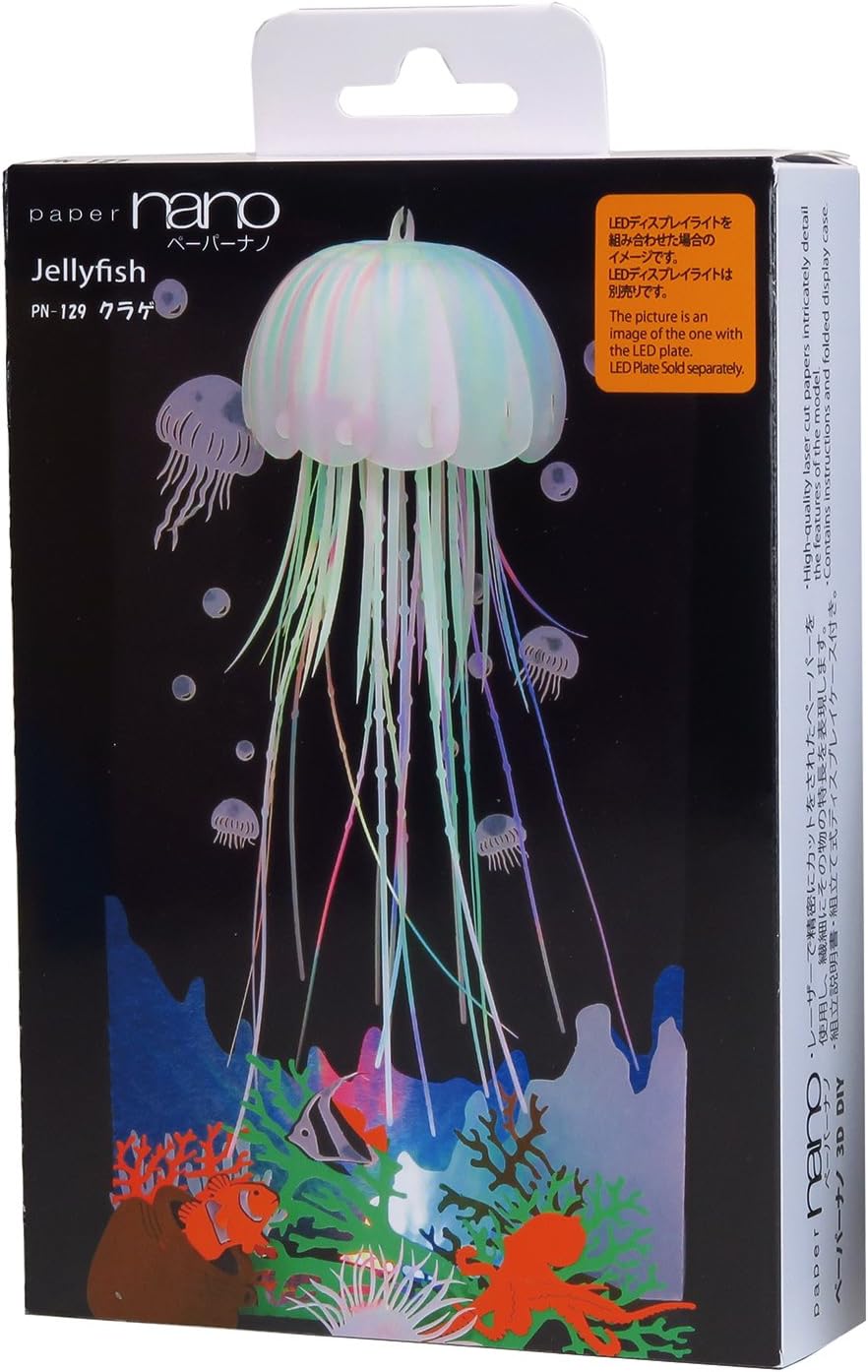
Image 1: Product Packaging. This image shows the retail packaging for the KAWADA Paper Nano Jellyfish Building Set, model PN129. The box displays the finished jellyfish model and highlights key features of the Paper Nano series.
Setup and Assembly
Follow these steps carefully to assemble your Paper Nano Jellyfish model. Patience and precision are key for optimal results.
- Preparation:
Clear a well-lit, flat workspace. Gather necessary tools such as fine-tip tweezers, craft glue (PVA or similar quick-drying, clear-drying adhesive), and a cutting mat if using a craft knife.
- Review Instructions:
Before starting, thoroughly read through the entire full-color instruction manual provided in the kit. Familiarize yourself with the symbols, folding techniques, and assembly sequence.
- Punching Out Parts:
Carefully punch out the laser-cut paper parts from their sheets. Use tweezers for smaller, more delicate pieces to avoid tearing. Keep parts organized by their corresponding numbers or sections as indicated in the instructions.
- Folding and Shaping:
Following the instructions, fold, crease, curl, and bend the paper components. Pay close attention to fold lines and designated shaping points. For curved parts, gently roll the paper around a thin cylindrical object (e.g., a pen or toothpick) to achieve the desired curvature.
- Assembling the Jellyfish:
Begin assembling the jellyfish bell and tentacles according to the sequential steps. Apply small amounts of glue to the designated tabs or connection points. Hold pieces together firmly until the glue sets. Ensure the translucent bell components are aligned correctly to achieve the desired effect.
- Building the Coral Reef Base:
Assemble the coral reef elements and other underwater scenery. These typically form the base and background within the display box. Attach them to the designated areas of the shadow box interior.
- Integrating the Jellyfish:
Once the jellyfish and reef components are complete, carefully integrate the jellyfish into the display box, attaching it at the specified suspension points to create a floating effect.
- Assembling the Display Shadow Box:
Finally, assemble the shadow box itself, enclosing your finished Paper Nano model. Ensure all tabs are securely fastened to create a stable display case.

Image 2: Assembled Model. This image displays the fully assembled KAWADA Paper Nano Jellyfish Building Set, showcasing the jellyfish suspended within its coral reef environment inside the shadow box.
Operating (Display)
The Paper Nano Jellyfish Building Set is designed as a static display model. Once assembled, place the shadow box on a stable, flat surface away from direct sunlight, excessive heat, or moisture.
An optional LED display light base (sold separately) can be used to illuminate the model, enhancing its visual appeal. If using an LED base, ensure the shadow box is placed securely on it.

Image 3: Model with LED Base. This image shows the KAWADA Paper Nano Jellyfish model displayed on an optional LED light base, which illuminates the jellyfish and coral reef elements.
Maintenance
To ensure the longevity and appearance of your Paper Nano model:
- Dusting: Gently dust the model and display box regularly with a soft, dry brush or a can of compressed air. Avoid using wet cloths or abrasive cleaners.
- Environment: Keep the model in a stable indoor environment. Avoid areas with high humidity, extreme temperature fluctuations, or direct sunlight, which can cause fading or warping of the paper.
- Handling: Handle the display box carefully. Avoid touching the delicate paper components directly to prevent damage.
Troubleshooting
Here are solutions to common issues encountered during assembly or display:
| Problem | Solution |
|---|---|
| Parts Tearing During Punch-Out: | Use fine-tip tweezers to gently separate parts. If a tear occurs, use a tiny amount of craft glue to repair it discreetly. |
| Glue Not Holding: | Ensure you are using a suitable craft glue that dries clear and quickly. Apply a small, even amount and hold the pieces together firmly for the recommended drying time. Avoid excessive glue. |
| Model Appears Crooked/Unstable: | Review the assembly steps, particularly those involving the display box and the main jellyfish suspension. Ensure all tabs are fully engaged and glue points are secure. |
| Paper Fading/Warping: | This is often due to environmental factors. Move the display to an area away from direct sunlight, high humidity, or heat sources. |
Specifications
| Feature | Detail |
|---|---|
| Model Number: | PN129 |
| Product Dimensions (Assembled): | 3.5 x 2 x 5.5 inches (approximately) |
| Item Weight: | 1.6 ounces |
| Recommended Age: | 10 - 15 years |
| Material: | Laser-cut paper |
| Manufacturer: | KAWADA (Distributed by Schilling Toys) |
| ASIN: | B071SKJCWM |
Warranty Information
Specific warranty details for the KAWADA Paper Nano Jellyfish Building Set are not provided in the product information. For inquiries regarding manufacturing defects or missing parts, please refer to the contact information below.
Support and Contact
For further assistance, questions, or to report missing components, please contact the distributor or manufacturer directly. Contact information is typically found on the product packaging or their official websites.
Manufacturer: KAWADA Co., Ltd.
Distributor (in some regions): Schilling Toys
Please have your model number (PN129) and ASIN (B071SKJCWM) ready when contacting support.