
1. Introduction
The ASTRO Gaming A10 Headset is engineered for gaming, offering durable construction and extended comfort for prolonged use. It features ASTRO Audio for clear and precise sound, an omnidirectional microphone with flip-up mute functionality, and in-line volume control for a comprehensive audio experience.
2. What's in the Box
Upon unboxing your ASTRO Gaming A10 Headset, you should find the following components:
- ASTRO Gaming A10 Headset
- A10 Volume Cable (3.5mm jack)

3. Product Features
- Durability: The A10 Headset is constructed with a durable headband made of anodized aluminum and a damage-resistant polycarbonate blend, designed to withstand rigorous use.
- Comfort: Featuring extended comfort memory foam ear-cushions, the headset is designed to minimize fatigue during long gaming sessions.
- Communication: An omnidirectional microphone with flip-up mute functionality and in-line volume control ensures clear communication with teammates.
- Sound Quality: Tuned with ASTRO Audio, the A10 delivers immersive and accurate audio, providing low latency and precise voice communication.
- Compatibility: The headset is compatible with multiple platforms including PS5, PC/MAC, XBOX SERIES X|S, NINTENDO SWITCH, VR, and streaming devices.

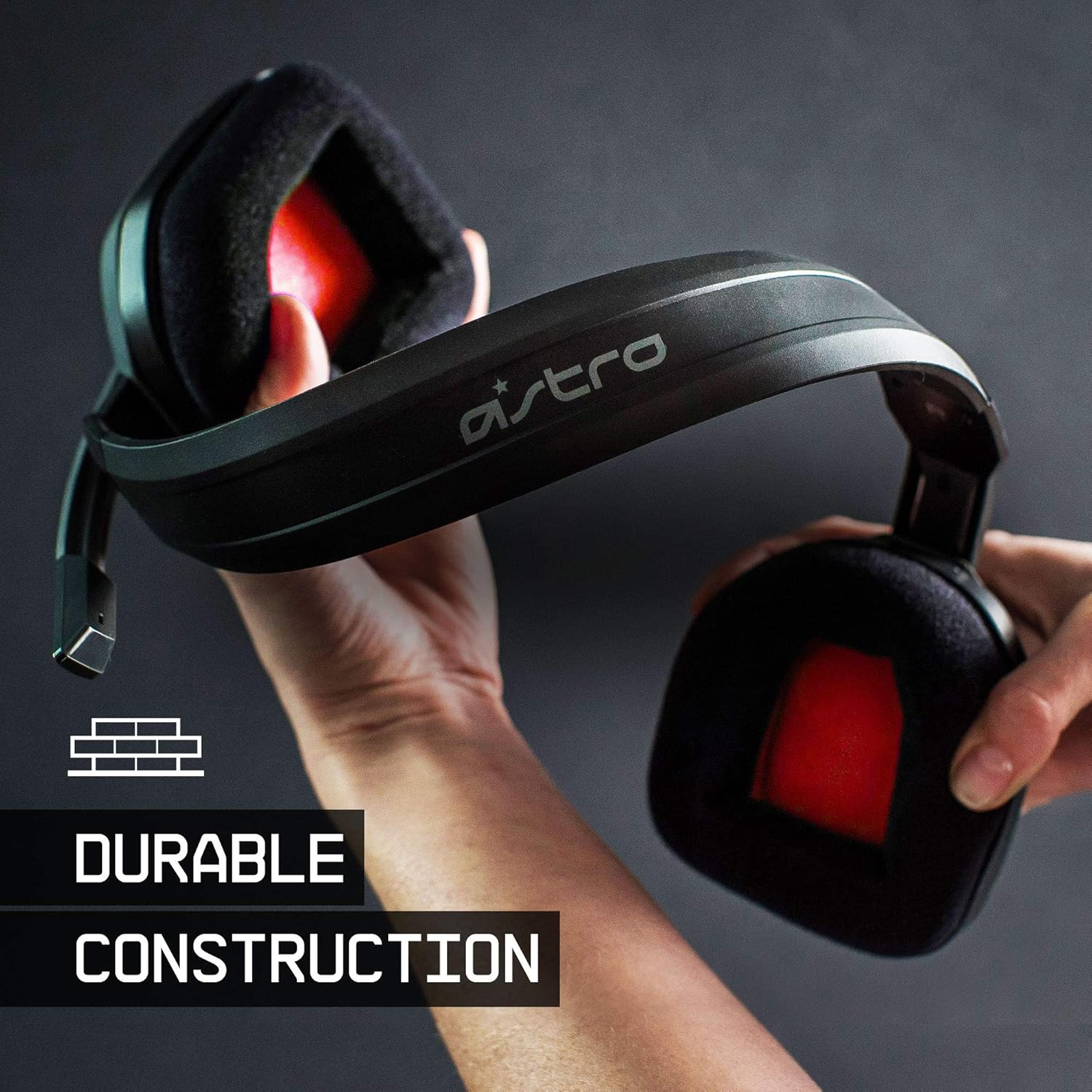


4. Setup Instructions
- Connect the A10 Volume Cable: Insert the smaller end of the A10 Volume Cable into the 3.5mm port located on the left earcup of the ASTRO A10 Headset. Ensure it is securely connected.
- Connect to Device: Plug the larger end of the A10 Volume Cable into the 3.5mm headphone jack on your gaming controller (e.g., Xbox, PlayStation), PC, Mac, Nintendo Switch, or other compatible device.
- Adjust Volume: Use the in-line volume control wheel on the A10 Volume Cable to adjust the audio level to your preference.
- Position Microphone: Lower the microphone boom arm to activate the microphone. Position it appropriately for clear voice capture.

5. Operating Instructions
Microphone Usage (Flip-to-Mute)
The ASTRO A10 Headset features a convenient flip-to-mute microphone. To activate the microphone, simply lower the boom arm into the speaking position. To mute the microphone, flip the boom arm upwards until it clicks into the vertical position. This action instantly mutes your voice input.
Volume Control
Adjust the audio volume using the in-line control wheel located on the A10 Volume Cable. Rotate the wheel upwards to increase volume and downwards to decrease volume.
6. Compatibility
The ASTRO Gaming A10 Headset is designed for broad compatibility across various gaming and media platforms:
- PlayStation 5 (PS5)
- PlayStation 4 (PS4)
- Xbox Series X|S
- Xbox One
- Nintendo Switch
- PC
- Mac
- VR devices
- Streaming devices
- Most mobile phones and tablets with a 3.5mm jack

7. Maintenance
- Cleaning: Use a soft, dry cloth to clean the headset. Avoid using harsh chemicals or abrasive materials.
- Storage: Store the headset in a cool, dry place away from direct sunlight and extreme temperatures.
- Cable Care: Avoid sharp bends or excessive pulling on the cable to prevent damage.
- Ear Cushions: Periodically check ear cushions for wear and tear. Replacement cushions may be available from the manufacturer.
8. Troubleshooting
- No Audio / Low Audio:
- Ensure the 3.5mm cable is fully inserted into both the headset and the device.
- Check the in-line volume control and ensure it is turned up.
- Verify that the audio output settings on your device are correctly configured for the headset.
- Test the headset with another device to rule out a device-specific issue.
- Microphone Not Working:
- Ensure the microphone boom arm is fully lowered into the speaking position (not flipped up for mute).
- Check the microphone input settings on your device to ensure the headset microphone is selected and not muted.
- Test the microphone with another application or device.
- Static or Distorted Audio:
- Ensure the 3.5mm cable connections are secure and free from debris.
- Try using a different 3.5mm cable if available, to rule out a faulty cable.
- Reduce the volume on your device or headset if the audio is clipping.
9. Specifications
| Feature | Detail |
|---|---|
| Brand | ASTRO Gaming |
| Model Name | ASTRO Gaming A10 |
| Model Number | 939-001508 |
| Connectivity Technology | Wired |
| Headphone Jack | 3.5 mm Jack |
| Item Weight | 12.35 Ounces |
| Frequency Range | 20 Hz - 20 kHz |
| Audio Driver Type | Dynamic Driver |
| Enclosure Material | Aluminum |
| Additional Features | Microphone Included, Volume Control |
| Compatible Devices | PS5, PC/MAC, XBOX SERIES X|S, NINTENDO SWITCH, VR, STREAMING, most mobile phones, tablets |
10. Warranty and Support
The ASTRO Gaming A10 Headset comes with a 2-year manufacturer's warranty. For warranty claims, technical support, or additional product information, please visit the official ASTRO Gaming website or contact their customer service directly.
11. Product Videos
ASTRO A10 Experience
Video: An official video showcasing the overall experience and key aspects of the ASTRO A10 Headset. This video provides a visual overview of the product's design and functionality.
