1. Introduction
The Night Owl WNVR201-44P-B is a 4-channel 1080p wireless smart security hub designed to provide reliable surveillance. This system incorporates Dual Sensor Technology, which detects both motion and heat, aiming to reduce false alerts. This manual will guide you through the installation, configuration, and daily use of your security system.

Figure 1: Night Owl WNVR201-44P-B Security System components, including the NVR and four wireless cameras.
2. What's in the Box
Verify that all components are present in your package:
- 1 x 4 Channel 1080p HD NVR with pre-installed 1 TB Hard Drive
- 4 x 1080p Indoor/Outdoor Wireless Infrared IP Cameras
- 12 x Mounting Hardware and Screws
- 1 x 6 ft. HDMI Cable
- 1 x RJ-45 Cable (Ethernet)
- 1 x 9 ft. Wi-Fi Extender Antenna
- 1 x Support Material Packet
- 4 x Camera Antennas (1 per Camera)
- 4 x 9 ft. Camera Power Adapters
- 1 x NVR Power Adapter
- 2 x NVR Antennas
- 3 x Night Owl Security Stickers
- 1 x USB Mouse
3. Setup
Follow these steps to set up your Night Owl security system:
- Connect the NVR: Connect the NVR to a power source using the provided NVR power adapter. Attach the two NVR antennas to the back of the unit. Connect the NVR to a monitor or TV using the HDMI cable.
- Connect Cameras: Each camera requires its own power adapter. Connect the camera power adapters to the cameras and then to an electrical outlet. Attach one camera antenna to each camera.
- Position Cameras: Strategically place your cameras for optimal coverage. The wireless signal has a range of up to 300 ft. For areas with weaker signals, utilize the included Wi-Fi extender antenna.
- Initial Configuration: Follow the on-screen prompts on your connected monitor to complete the initial setup of the NVR. This typically includes setting the date, time, and network preferences.

Figure 2: NVR rear panel connections for setup.

Figure 3: Wireless camera connected to an AC power source.

Figure 4: System connection diagram.
4. Operating Instructions
4.1 Remote Viewing
To view your cameras remotely from a computer or smart device, an internet connection is required for the NVR. Download the free Night Owl X app for iOS and Android devices. The app features Smart Auto Detection for easy connection to devices on the same network. You can playback footage, save videos and images, and share recordings.

Figure 5: Remote viewing and playback via the Night Owl X app.
4.2 Two-Way Audio
Each 1080p wireless camera includes two-way audio functionality. This allows you to pick up and record audio from up to 20 feet away and use the camera as a virtual intercom through the Night Owl X App on your smart device.
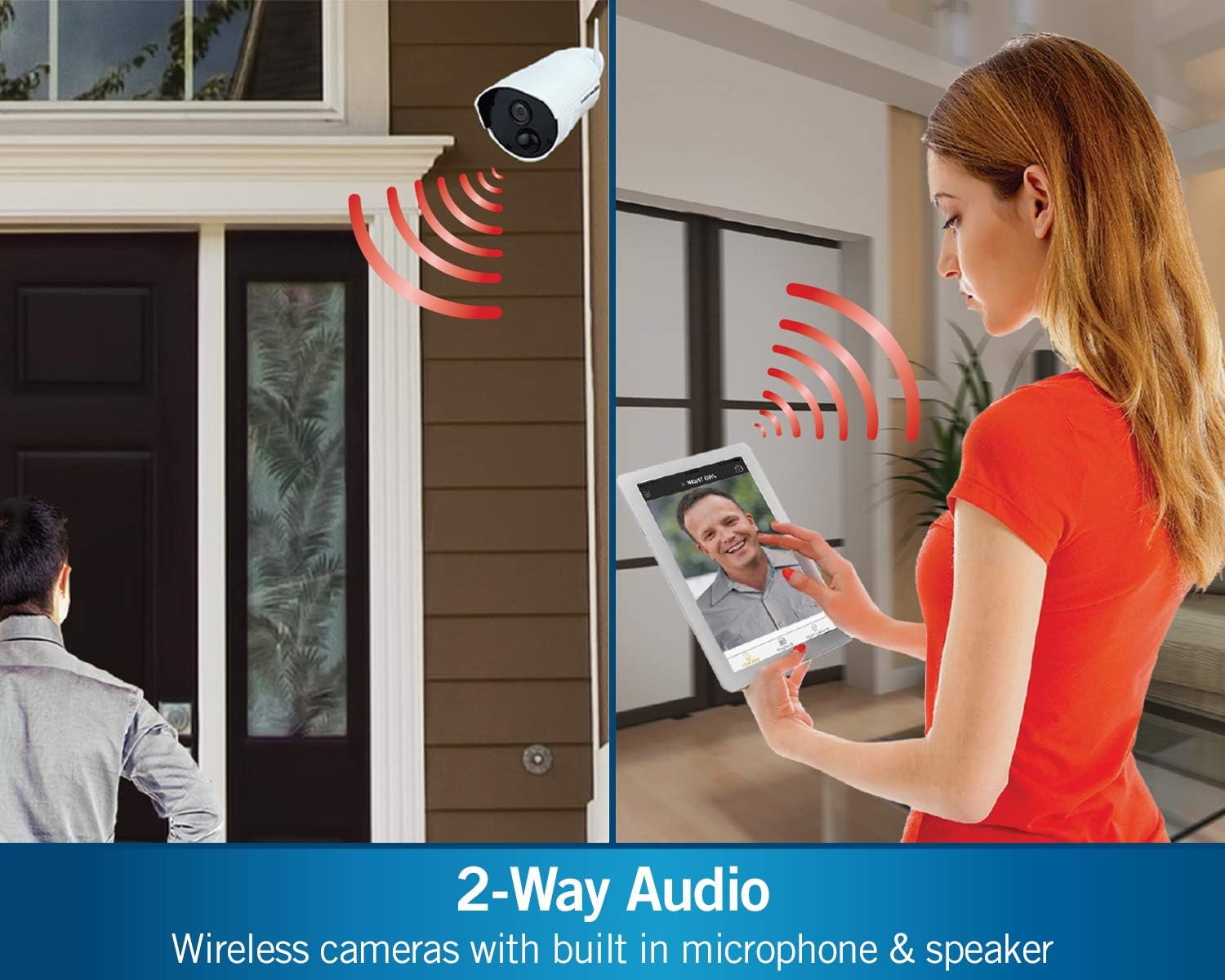
Figure 6: Two-way audio communication through the security camera.
4.3 Smart Motion Detection
The system utilizes Dual Sensor Technology, which requires both heat and motion to be detected simultaneously. This significantly reduces false alarms that can occur from environmental factors like insects, cobwebs, or strong winds.

Figure 7: Smart Motion Detection using dual sensors.
4.4 Recording Options
The NVR comes with a pre-installed 1 TB hard drive for local storage. You can configure your cameras for 24/7 continuous recording, scheduled recording, or motion-activated recording. Pre-recording options are also available to ensure critical moments are captured.

Figure 8: The 1TB hard drive provides local storage for recordings.
4.5 Night Vision
The 1080p indoor/outdoor cameras are equipped with night vision capabilities, providing clear images up to 100 feet in low-light conditions. The system offers full-color day vision and black & white night vision.

Figure 9: Day vision (color) versus night vision (black & white) comparison.
5. Maintenance
Regular maintenance ensures optimal performance of your security system:
- Camera Lens Cleaning: Periodically clean camera lenses with a soft, damp cloth to remove dust and smudges that may affect image clarity.
- Connection Check: Ensure all power and network cables are securely connected to prevent interruptions in service.
- Software Updates: Check the Night Owl website or app for any available firmware or software updates for your NVR and cameras to ensure you have the latest features and security enhancements.
- Hard Drive Management: The 1TB hard drive will overwrite older footage as it fills. Regularly back up important recordings if needed.
6. Troubleshooting
If you encounter issues with your Night Owl security system, consider the following troubleshooting steps:
- No Video Signal: Ensure cameras are powered on and within range of the NVR. Check all cable connections. If using Wi-Fi, verify signal strength in the NVR settings.
- Weak Wireless Signal: Reposition cameras or the NVR to improve signal strength. Utilize the Wi-Fi extender antenna for cameras located further away or through obstructions.
- Incorrect Date/Time: Access the NVR settings to manually adjust the date and time or ensure it is configured to synchronize with an NTP server if connected to the internet.
- False Motion Alerts: Adjust the sensitivity settings for motion detection in the NVR menu. Ensure Dual Sensor Technology is active to minimize alerts from non-human/non-vehicle sources.
- Remote Viewing Issues: Verify the NVR has an active internet connection. Check your router settings and ensure the Night Owl X app is updated to the latest version.
For further assistance, contact Night Owl Technical Phone Support, available 24/7.
7. Specifications
| Feature | Detail |
|---|---|
| Brand | Night Owl |
| Model Number | WNVR201-44P-B |
| Connectivity Technology | Wired, Wireless |
| Video Capture Resolution | 1080p |
| Number of Channels | 4 |
| Memory Storage Capacity | 1 TB (pre-installed) |
| Color | White |
| Power Source | AC Powered (Cameras and NVR) |
| Item Dimensions (L x W x H) | 15.51 x 8.7 x 7.6 inches |
| Recommended Uses | Indoor, Outdoor |
| Night Vision Range | 100 Feet |
| Wireless Range | Up to 300 ft. (Max 500 ft.) |
| Manufacturer | Night Owl Security |
| UPC | 810830025643 |
8. Safety Information
ATTN CA RESIDENTS: WARNING: This product can expose you to Polybrominated biphenyls, which is known to the State of California to cause Cancer and birth defects or other reproductive harm. For more information go to www.p65warnings.ca.gov
9. Warranty and Support
Night Owl provides 24/7 Technical Phone Support for assistance with your security system. For specific warranty details and terms, please refer to the documentation included with your product or contact Night Owl customer service directly.


