
1. Introduction
This manual provides detailed instructions for the proper installation, operation, and maintenance of your Icom SP37 Marine Hailer Horn. Please read this manual thoroughly before using the product to ensure safe and optimal performance. The Icom SP37 is a 40-watt horn speaker designed for marine applications, providing clear audio output for communication and signaling.
2. Safety Information
WARNING: The Icom SP37 Marine Hailer Horn is NOT waterproof. Exposure to direct water spray or submersion will cause damage and void the warranty. Install in a protected location.
- Always disconnect power before installation or maintenance.
- Ensure all wiring connections are secure and properly insulated to prevent short circuits.
- Do not operate the hailer horn at excessively high volumes for prolonged periods, as this may cause hearing damage.
- Mount the hailer horn securely to prevent it from dislodging during vessel movement.
- Refer to local regulations regarding the use of marine signaling devices.
3. Package Contents
Verify that all items are present in the package:
- Icom SP37 Marine Hailer Horn (40 Watt)
If any items are missing or damaged, please contact your dealer or Icom customer support.
4. Setup and Installation
4.1 Mounting the Hailer Horn
The Icom SP37 is designed for boat mount installation. Select a suitable location on your vessel that is protected from direct water exposure, yet allows for clear sound projection. The mounting surface should be sturdy enough to support the horn's weight (approximately 3 pounds).
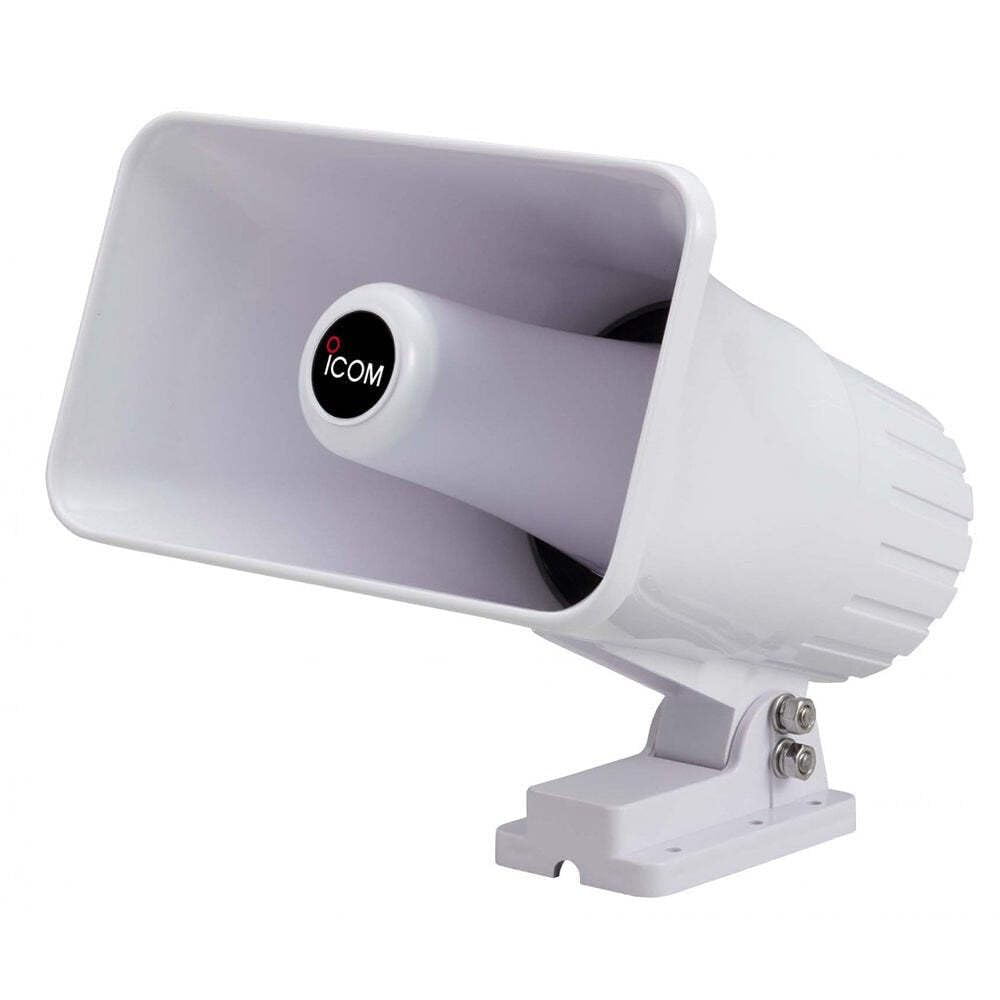
Image 1: Icom SP37 Marine Hailer Horn. This image shows the front view of the Icom SP37 hailer horn, featuring its rectangular shape and horn-like opening for sound projection. The mounting bracket is visible at the base.
- Choose Location: Identify a secure, flat surface for mounting. Consider the horn's dimensions (approximately 10 inches L x 2.6 inches W x 6 inches H) and ensure adequate clearance.
- Mark Holes: Use the mounting bracket as a template to mark the positions for the mounting bolts.
- Drill Holes: Drill appropriate pilot holes for the mounting hardware.
- Secure Horn: Attach the hailer horn using suitable marine-grade bolts, nuts, and washers (not included). Ensure the horn is firmly secured to withstand marine conditions.
4.2 Wiring Connections
The SP37 is a wired device with coaxial connectivity, requiring a battery-powered source. It has an impedance of 4 Ohms.
- Power Source: Connect the hailer horn to a stable 12V DC power source on your vessel. Ensure the power source can provide sufficient current for a 40-watt speaker.
- Audio Input: Connect the coaxial cable from your marine radio or communication system to the hailer horn's input. Ensure the connection is tight and protected from moisture.
- Test Connection: Before finalizing the installation, briefly test the hailer horn to confirm proper operation.
5. Operation
The Icom SP37 functions as a horn speaker, primarily controlled by an external marine radio or communication system. Some systems may offer app-based control for features like volume or tone.
- Power On: Ensure your marine radio or communication system is powered on.
- Volume Control: Adjust the volume through your connected marine radio or communication system. The SP37 has a maximum output power of 40 watts.
- Audio Output: The horn will project audio from your connected device, suitable for hailing other vessels, foghorn signals, or public address functions.
- App Control (if applicable): If your connected system supports app control, refer to that system's manual for instructions on controlling the SP37 via an app.
6. Maintenance
Regular maintenance ensures the longevity and reliable performance of your Icom SP37 Marine Hailer Horn.
- Cleaning: Periodically wipe the exterior of the horn with a soft, damp cloth. Do not use harsh chemicals or abrasive cleaners.
- Inspection: Regularly inspect the mounting hardware for tightness and signs of corrosion. Check all wiring for wear or damage.
- Protection: As the unit is not waterproof, ensure its installed location remains protected from direct rain, spray, or submersion. Consider a protective cover when the vessel is not in use, especially if the mounting location is exposed.
7. Troubleshooting
If you experience issues with your Icom SP37, refer to the following common troubleshooting steps:
| Problem | Possible Cause | Solution |
|---|---|---|
| No sound output | No power to the connected radio/system; Loose or incorrect wiring; Faulty radio/system output. | Ensure the connected radio/system is powered on. Check all wiring connections for security and correct polarity. Test the radio/system with another speaker if possible. |
| Distorted sound | Volume too high; Damaged wiring; Interference. | Reduce the volume on the connected radio/system. Inspect wiring for damage. Check for sources of electrical interference. |
| Low volume | Volume setting too low; Insufficient power. | Increase the volume on the connected radio/system. Verify the power supply is adequate and stable. |
If the problem persists after attempting these solutions, contact Icom customer support or a qualified marine electronics technician.
8. Specifications
| Feature | Detail |
|---|---|
| Model Name | Icom SP37 |
| Speaker Type | Horn Speaker (listed as Subwoofer in some data) |
| Recommended Uses | Marine Communication, Signaling |
| Compatible Devices | Boat, Ship (Marine Radios/Communication Systems) |
| Included Components | Icom SP37 Hailer Horn, 40 Watt |
| Item Dimensions (LxWxH) | 10 x 2.6 x 6 inches |
| Item Weight | 3 Pounds |
| Impedance | 4 Ohms |
| Waterproof | FALSE (Not waterproof) |
| Control Method | App (via connected system) |
| Power Source | Battery Powered (12V DC) |
| Audio Driver Type | Dynamic Driver |
| Connectivity Technology | Wired, Coaxial |
| Indoor/Outdoor Usage | Outdoor (protected location recommended) |
| Manufacturer | ICOM |
| Speaker Maximum Output Power | 40 Watts |
| Audio Output Mode | Horn Speaker Audio Output |
| Mounting Type | Boat Mount |
| UPC / GTIN | 731797027115 |
9. Warranty and Support
Icom products are manufactured to high-quality standards. For specific warranty information, please refer to the warranty card included with your product or visit the official Icom website. Keep your purchase receipt as proof of purchase for warranty claims.
For technical support, service, or inquiries, please contact Icom customer service through their official channels. Contact information can typically be found on the Icom website or in the product packaging.