
1. Introduction
Thank you for choosing the Mistral MTF121 Table Fan. This manual provides important information regarding the safe operation, installation, maintenance, and troubleshooting of your new fan. Please read this manual thoroughly before using the appliance and retain it for future reference.
The Mistral MTF121 is a 12-inch table fan designed to provide cooling airflow in various indoor settings. Its compact size makes it suitable for placement on desks, tables, or other flat surfaces.
2. Important Safety Instructions
To reduce the risk of fire, electric shock, or injury, always follow these basic safety precautions:
- Read all instructions before using this fan.
- Ensure the power supply voltage matches the rating label on the fan.
- Always unplug the fan from the power outlet before cleaning, servicing, or moving it.
- Do not insert fingers or any other objects through the fan guard when the fan is operating.
- Do not use the fan near windows, in bathrooms, or in any wet or damp locations.
- Do not operate the fan with a damaged cord or plug. If the cord or plug is damaged, contact qualified service personnel for repair or replacement.
- Keep the fan away from curtains, drapes, or any objects that may get caught in the fan blades.
- This appliance is not intended for use by persons (including children) with reduced physical, sensory, or mental capabilities, or lack of experience and knowledge, unless they have been given supervision or instruction concerning use of the appliance by a person responsible for their safety.
- Children should be supervised to ensure that they do not play with the appliance.
- Place the fan on a stable, flat surface to prevent it from tipping over.
3. Package Contents
Upon opening the package, please ensure all items listed below are present and in good condition:
- 1 x Mistral MTF121 Table Fan Unit
- 1 x Instruction Manual (this document)
4. Product Overview
Familiarize yourself with the components of your Mistral MTF121 Table Fan.

Figure 4.1: Front view of the Mistral MTF121 Table Fan, showing the fan blades, front grill, and base.
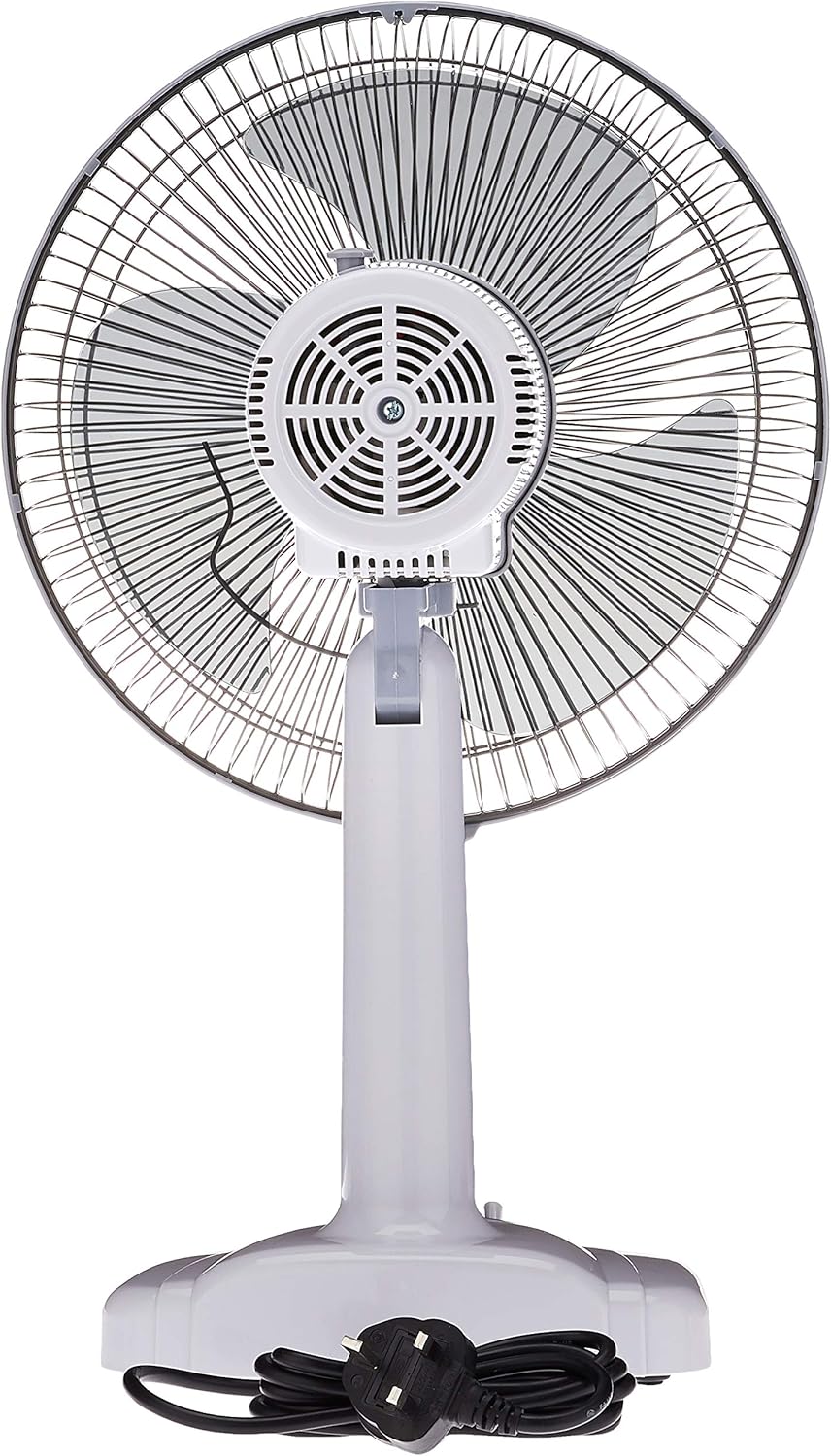
Figure 4.2: Rear view of the Mistral MTF121 Table Fan, showing the motor housing, rear grill, and power cord.

Figure 4.3: Control panel located on the fan base, featuring a rotary switch with settings 0 (Off), 1 (Low), 2 (Medium), and 3 (High).

Figure 4.4: The Mistral MTF121 Table Fan shown next to a human figure, illustrating its compact size and approximate height of 23 inches (57 cm).
5. Setup and Installation
The Mistral MTF121 Table Fan typically comes pre-assembled. Follow these steps for initial setup:
- Unpack: Carefully remove the fan from its packaging. Retain packaging materials for future storage or transport.
- Placement: Place the fan on a firm, level, and stable surface. Ensure there is adequate space around the fan for proper airflow and oscillation (if applicable). Avoid placing it directly against walls or furniture that might obstruct air intake or output.
- Power Connection: Ensure the fan's control switch is in the "0" (OFF) position. Plug the power cord into a standard 240V AC electrical outlet.
6. Operating Instructions
Operating your Mistral MTF121 Table Fan is straightforward:
- Power On/Off: Locate the rotary switch on the fan base (refer to Figure 4.3). Turn the switch from "0" (OFF) to your desired speed setting.
- Speed Selection:
- "0": Fan is OFF.
- "1": Low speed setting for gentle airflow.
- "2": Medium speed setting for moderate airflow.
- "3": High speed setting for maximum airflow.
- Oscillation (Swing Function): To activate the oscillation feature, locate the oscillation knob/pin on top of the motor housing at the rear of the fan. Push the knob down to engage oscillation. Pull the knob up to stop oscillation and direct airflow in a fixed direction.
- Adjusting Tilt: The fan head can be tilted up or down to direct airflow. Loosen the adjustment knob on the side of the fan stand, adjust the head to the desired angle, and then tighten the knob securely.
- Power Off: To turn off the fan, rotate the control switch back to the "0" position. For extended periods of non-use, unplug the fan from the power outlet.
7. Maintenance and Cleaning
Regular cleaning and maintenance will ensure optimal performance and extend the lifespan of your fan.
- Always unplug the fan from the power outlet before cleaning.
- Exterior Cleaning: Wipe the exterior surfaces of the fan with a soft, damp cloth. Do not use abrasive cleaners, waxes, or solvents as these may damage the finish.
- Grill and Blades Cleaning: Dust can accumulate on the fan blades and grills, reducing airflow efficiency.
- For light dust, use a vacuum cleaner with a brush attachment or a soft brush to clean the grills.
- For more thorough cleaning, the front grill may need to be removed. Consult the assembly diagram (if provided) or gently unclip the grill fasteners. Clean the blades and grills with a damp cloth, then dry thoroughly before reassembling.
- Storage: When not in use for extended periods, store the fan in its original packaging or cover it to protect it from dust. Store in a cool, dry place.
- No Lubrication Required: The fan motor is permanently lubricated and requires no additional oiling.
8. Troubleshooting
If you encounter issues with your fan, refer to the following common problems and solutions:
| Problem | Possible Cause | Solution |
|---|---|---|
| Fan does not turn on. |
|
|
| Weak airflow. |
|
|
| Fan is noisy. |
|
|
If the problem persists after attempting these solutions, please contact customer support.
9. Product Specifications
| Feature | Detail |
|---|---|
| Brand | MISTRAL |
| Model | MTF121 |
| Type | Table Fan |
| Fan Size | 12 inches |
| Speed Settings | 3 (Low, Medium, High) |
| Voltage | 240 Volts |
| Power Source | Corded Electric |
| Material | Plastic |
| Product Dimensions (L x W x H) | 14.57 x 10.83 x 19.49 cm (approx. 3.56 kg) |
| Mounting Type | Tabletop |
| Country of Origin | Malaysia |
10. Warranty and Customer Support
Warranty Information:
This Mistral MTF121 Table Fan comes with a 1 Year Local (Singapore) Manufacturer Warranty from the date of purchase. Please retain your proof of purchase (receipt or invoice) to validate your warranty. The warranty covers manufacturing defects under normal use. It does not cover damage resulting from misuse, accident, unauthorized repair, or normal wear and tear.
Customer Support:
For technical assistance, warranty claims, or general inquiries, please contact Mistral customer service. Refer to the official Mistral website or your purchase documentation for the most current contact information.
When contacting support, please be prepared to provide your product model number (MTF121) and the date of purchase.