
1. Introduction
Thank you for choosing the Sandinrayli MD-4030 Metal Detector. This device is designed for detecting various types of metals, making it suitable for treasure hunting and locating metallic objects. It features two operation modes, an adjustable stem, a waterproof search coil, and clear audio and visual indicators for detected items. Please read this manual thoroughly before operating the device to ensure proper use and to maximize your detection experience.
2. Safety Information
- Do not operate the metal detector near live electrical wires or in areas with known underground utilities without proper verification.
- Always obtain permission before searching on private property.
- Exercise caution when digging to avoid injury or damage to property.
- Keep the device away from extreme temperatures and direct sunlight for prolonged periods.
- Remove batteries if the device will not be used for an extended period to prevent leakage.
- The search coil is waterproof, but the control box is not. Do not submerge the control box in water.
3. Package Contents
Upon opening the package, please verify that all components are present and in good condition.
- 1 x Sandinrayli MD-4030 Metal Detector Unit
- 1 x User Manual
- (Batteries are not included and must be purchased separately)
4. Product Overview
Familiarize yourself with the main components of your MD-4030 Metal Detector.

Figure 4.1: Fully assembled Sandinrayli MD-4030 Metal Detector, showing the control box, adjustable stem, and search coil.
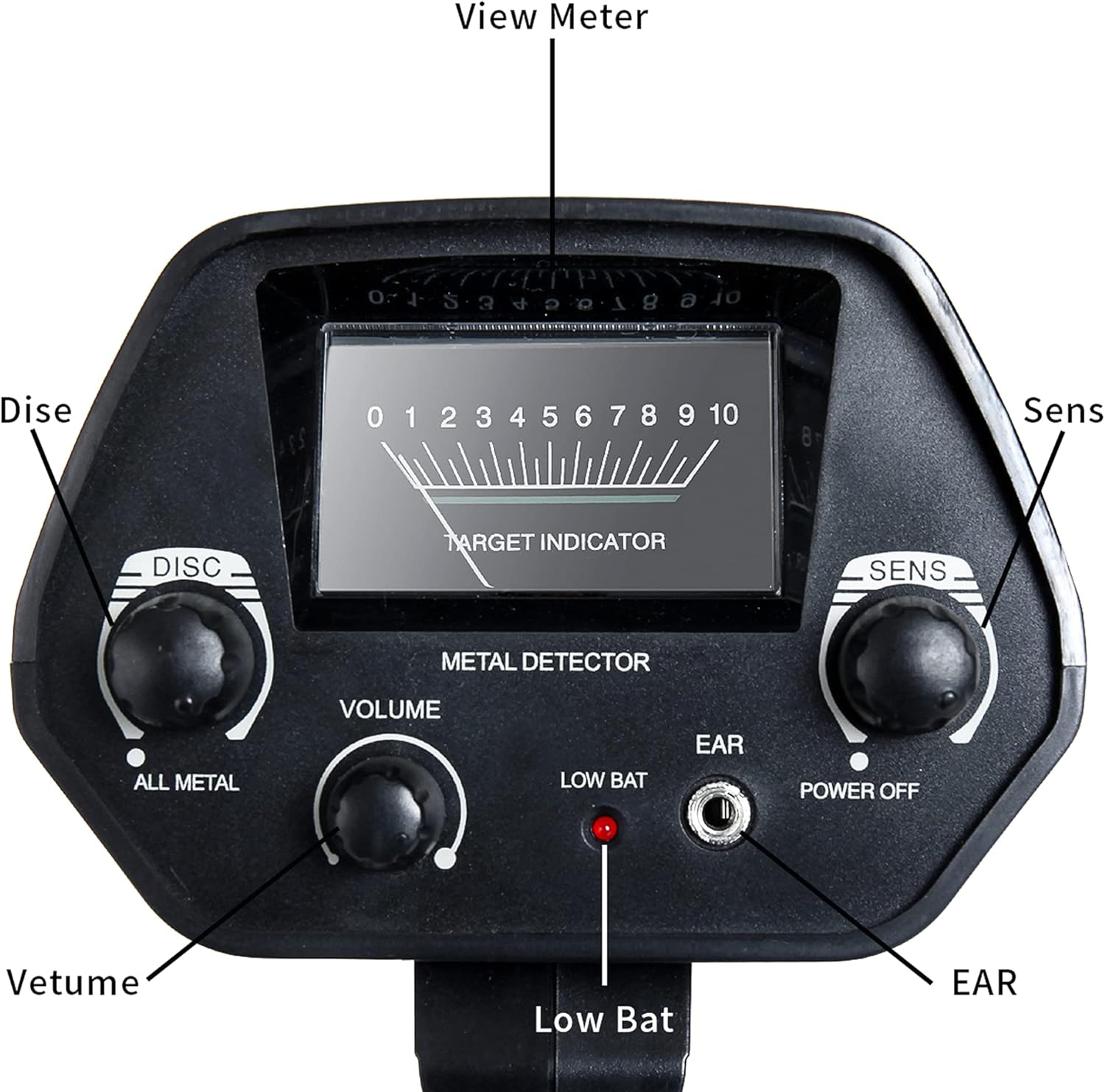
Figure 4.2: Close-up view of the MD-4030 control panel, highlighting the View Meter, DISC/ALL METAL knob, SENS (Sensitivity) knob, VOLUME knob, LOW BAT indicator, EAR (earphone jack), and POWER OFF switch.
- Control Box: Contains the electronics, display, and controls.
- Adjustable Stem: Allows for length adjustment to suit different users and search conditions.
- Search Coil: The waterproof component that detects metallic objects.
- Armrest: Provides comfort and stability during use.
5. Setup and Assembly
5.1 Battery Installation
The MD-4030 requires two 9V batteries (not included).
- Locate the battery compartment on the underside of the control box.
- Slide open the battery compartment cover.
- Insert two 9V batteries, ensuring correct polarity (+/-).
- Close the battery compartment cover securely.

Figure 5.1: View of the battery compartment on the underside of the control box, showing where to insert two 9V batteries.
5.2 Assembling the Detector
Follow these steps to assemble your metal detector:
- Attach the search coil to the lower stem using the provided bolt and knob.
- Connect the lower stem to the middle stem.
- Attach the upper stem (with the control box and armrest) to the middle stem.
- Adjust the stem length to a comfortable position using the adjustment collar. Ensure the stem is securely locked.
- Wrap the search coil cable around the stem, leaving enough slack for coil movement, and plug the connector into the control box.

Figure 5.2: The MD-4030 Metal Detector, illustrating the adjustable stem and waterproof search coil, key components for assembly and use.
6. Operating Instructions
6.1 Powering On and Basic Operation
- Turn the POWER OFF knob clockwise to power on the detector. The detector will emit a short tone.
- Adjust the VOLUME knob to a comfortable listening level.
- Adjust the SENS (Sensitivity) knob. Start with a medium setting and increase if needed. High sensitivity can detect smaller objects or deeper targets but may also increase false signals.
- Hold the detector with the search coil parallel to the ground, about 1-2 inches above the surface.
- Sweep the search coil slowly from side to side in overlapping motions.
- When a metallic object is detected, the detector will emit an audio tone, and the TARGET INDICATOR on the LCD will show a reading.

Figure 6.1: An individual operating the MD-4030 Metal Detector, demonstrating the typical posture and sweep motion during use.
6.2 Operation Modes: DISC and ALL METAL
The MD-4030 offers two distinct operation modes controlled by the DISC/ALL METAL knob.
- ALL METAL Mode: In this mode, the detector will respond to all types of metal, including iron, aluminum, gold, silver, and copper. This mode offers the highest sensitivity and is ideal for general searching when you want to find any metallic object.
- DISC (Discrimination) Mode: This mode allows you to discriminate against certain types of metal, typically iron or other unwanted junk metals. By adjusting the DISC knob, you can set the detector to ignore specific metals, focusing only on more valuable targets. Turn the knob clockwise to increase the discrimination level.
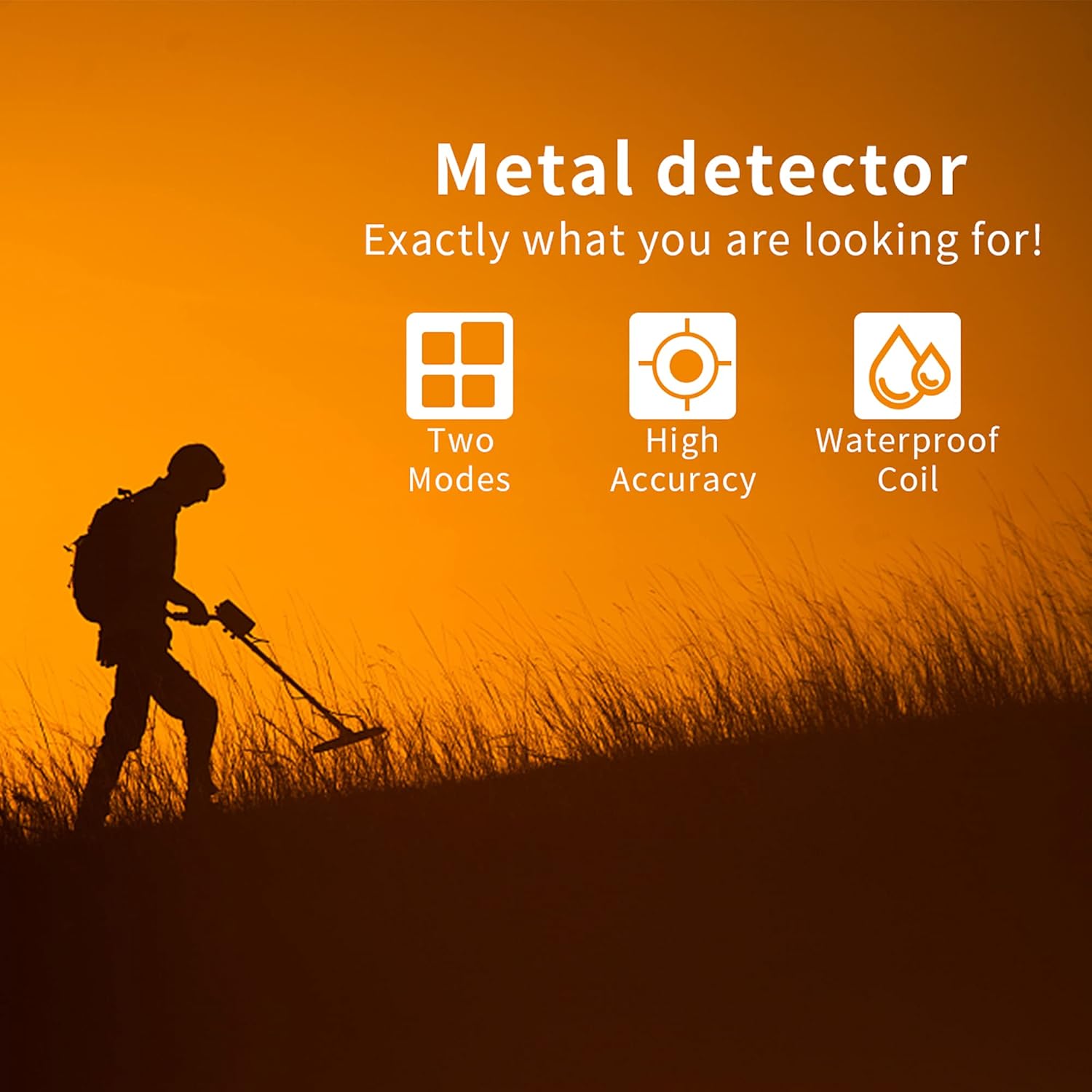
Figure 6.2: Visual representation of key features: Two Modes (ALL METAL and DISC), High Accuracy, and Waterproof Search Coil.
6.3 Understanding Audio and Visual Indicators
- Audio Tone: The detector will emit a distinct audio tone when metal is detected. The pitch or intensity of the tone may vary depending on the type and depth of the metal.
- Target Indicator (LCD): The LCD screen features a target indicator that provides a visual representation of the detected signal strength, which can correlate to the size or proximity of the target.
- LOW BAT Indicator: A red LED light will illuminate when the batteries are low and need to be replaced.
6.4 Using the Earphone Jack
For a clearer audio signal and to avoid disturbing others, you can plug standard 3.5mm headphones into the EAR jack on the control panel. This can help in identifying subtle target signals.