
AW A700BL
AWEI A700BL Bluetooth Sports Headphone User Manual
Model: A700BL
Introduction
This manual provides comprehensive instructions for the safe and efficient use of your AWEI A700BL Bluetooth Sports Headphone. Please read this manual thoroughly before operating the device and retain it for future reference.
The AWEI A700BL is a versatile headphone designed for both wired and wireless connectivity, featuring deep subwoofer audio and active noise cancellation.
Safety Information
- Do not expose the headphones to extreme temperatures or humidity.
- Avoid dropping or subjecting the headphones to strong impacts.
- Do not disassemble or attempt to repair the headphones yourself. This may void the warranty and cause damage.
- Clean the headphones with a soft, dry cloth. Do not use harsh chemicals or abrasive materials.
- Listen at moderate volume levels to prevent hearing damage.
Package Contents
Verify that all items are present in the package:
- AWEI A700BL Bluetooth Sports Headphone
- USB Charging Cable
- 3.5mm Audio Cable
- User Manual (this document)
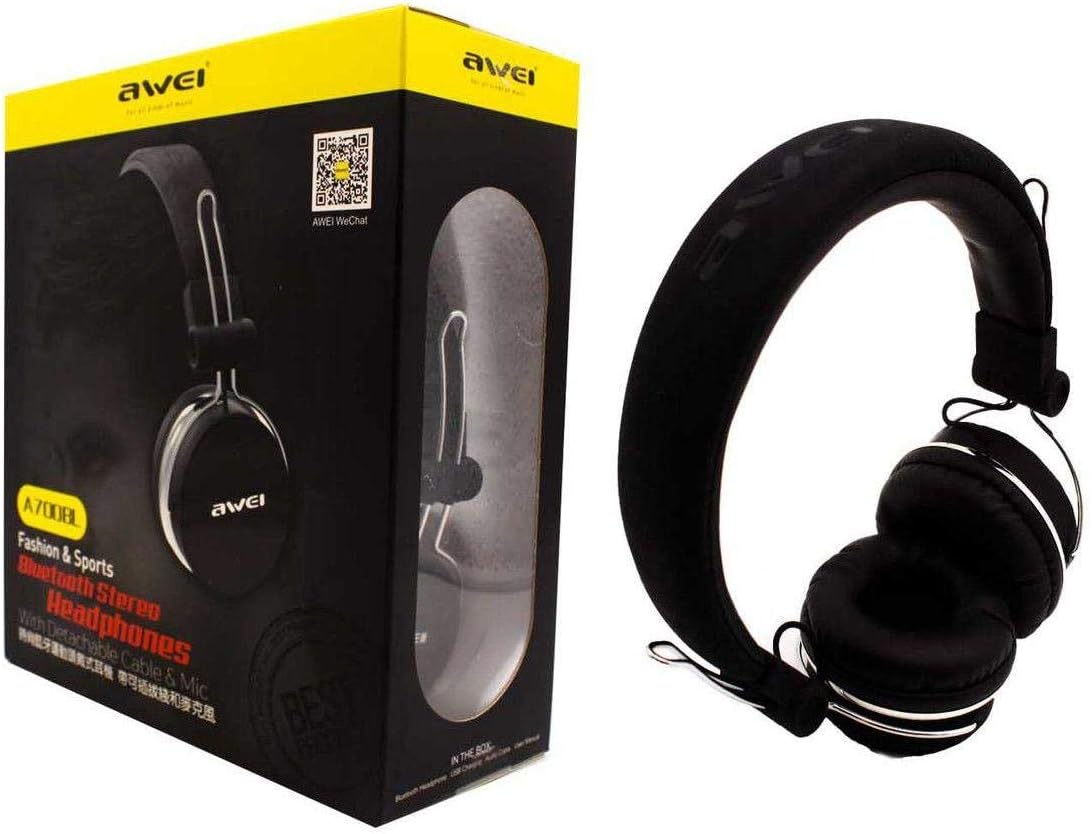
Image: The AWEI A700BL headphone shown alongside its retail packaging, illustrating the product and its box contents.
Setup
1. Charging the Headphones
Before first use, fully charge the headphones. Connect the micro USB end of the charging cable to the charging port on the headphone and the USB-A end to a compatible USB power source (e.g., computer USB port, wall adapter).
- The LED indicator will illuminate during charging.
- The LED indicator will change color or turn off once charging is complete.
- A full charge typically takes approximately 2-3 hours.
2. Powering On/Off
- To Power On: Press and hold the Power button for approximately 3 seconds until the LED indicator flashes.
- To Power Off: Press and hold the Power button for approximately 3-5 seconds until the LED indicator turns off.
Operating Instructions
1. Bluetooth Pairing (Wireless Mode)
- Ensure the headphones are fully charged and powered off.
- Press and hold the Power button for approximately 5-7 seconds until the LED indicator flashes red and blue alternately, indicating pairing mode.
- On your mobile device (smartphone, tablet, etc.), enable Bluetooth and search for available devices.
- Select "AWEI A700BL" from the list of found devices.
- Once paired, the LED indicator will flash blue slowly, and you may hear a confirmation tone.
- If prompted for a password, enter "0000".
Note: The headphones will automatically attempt to reconnect to the last paired device when powered on.
2. Wired Connection (Aux Mode)
To use the headphones in wired mode, connect one end of the 3.5mm audio cable to the headphone's audio jack and the other end to the 3.5mm audio output of your device. The headphones do not need to be powered on for wired use.
3. Basic Controls
| Button/Action | Function |
|---|---|
| Power Button (Long Press) | Power On/Off |
| Power Button (Short Press) | Play/Pause music, Answer/End call |
| Volume Up (+) | Increase volume (short press), Next track (long press) |
| Volume Down (-) | Decrease volume (short press), Previous track (long press) |
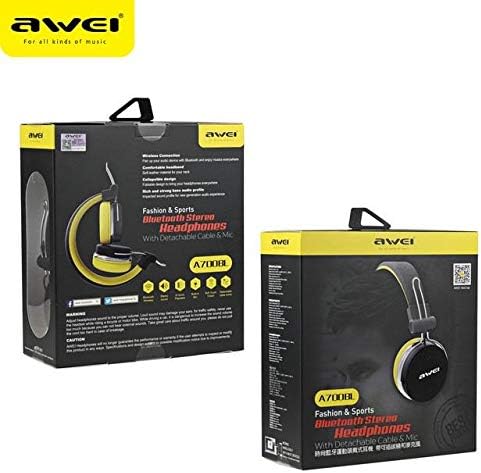
Image: Side view of the AWEI A700BL headphone, highlighting the location of control buttons and ports.
Maintenance
- Cleaning: Use a soft, dry, lint-free cloth to clean the headphone surfaces. Do not use liquid cleaners or aerosols.
- Storage: When not in use, store the headphones in a cool, dry place, away from direct sunlight and extreme temperatures.
- Battery Care: To prolong battery life, avoid fully discharging the battery frequently. Charge the headphones regularly, even if not in constant use.
Troubleshooting
| Problem | Possible Solution |
|---|---|
| Headphones do not power on. | Ensure the headphones are charged. Connect to a power source and try again. |
| Cannot pair via Bluetooth. |
|
| No sound in wireless mode. |
|
| No sound in wired mode. |
|
Specifications
| Feature | Detail |
|---|---|
| Model Number | A700BL |
| Brand | AW (Awei) |
| Connectivity | Bluetooth (Wireless), 3.5mm Jack (Wired) |
| Headphones Form Factor | On Ear |
| Noise Control | Active Noise Cancellation |
| Material | Plastic |
| Battery Type | Lithium Ion (1 required) |
Warranty and Support
For warranty information or technical support, please refer to the documentation provided with your purchase or contact your retailer. Keep your proof of purchase for warranty claims.
Note: Disassembling the product may void the warranty.
Ask a question about this manual
Ask about setup, troubleshooting, compatibility, parts, safety, or missing instructions. Manuals+ will review the question and use this page’s manual context to help answer it.