
MARVO CH-106RD
MARVO CH-106 Gaming Chair User Manual
Model: CH-106RD
Introduction
Welcome to the user manual for your new MARVO CH-106 Gaming Chair. This manual provides essential information for the proper assembly, operation, maintenance, and troubleshooting of your product. Please read this manual thoroughly before assembly and use to ensure safe and optimal performance.
The MARVO CH-106 is an ergonomic gaming chair designed for comfort and support during extended periods of use, featuring adjustable components and durable construction.
Product Features
The MARVO CH-106 Gaming Chair is equipped with several features to enhance your comfort and gaming experience:
- Ergonomic Design: Contoured shape for optimal body support.
- Adjustable Backrest: Reclines to various angles, including a lying position, for versatile use.
- Height Adjustment: Features a 100 mm gas cylindrical lifting system for easy seat height customization (44 - 54 cm).
- 360-Degree Swivel: Allows for full rotation for freedom of movement.
- Removable Cushions: Includes two removable cushions for cervical (neck) and lumbar (lower back) support.
- Sturdy Base & Wheels: Equipped with a stable base and durable polyurethane wheels for smooth movement.
- Durable Material: Constructed with synthetic leather for a premium finish and easy maintenance.

Figure 1: Front view of the MARVO CH-106 Gaming Chair, showcasing its red and black design with the MARVO lumbar pillow.
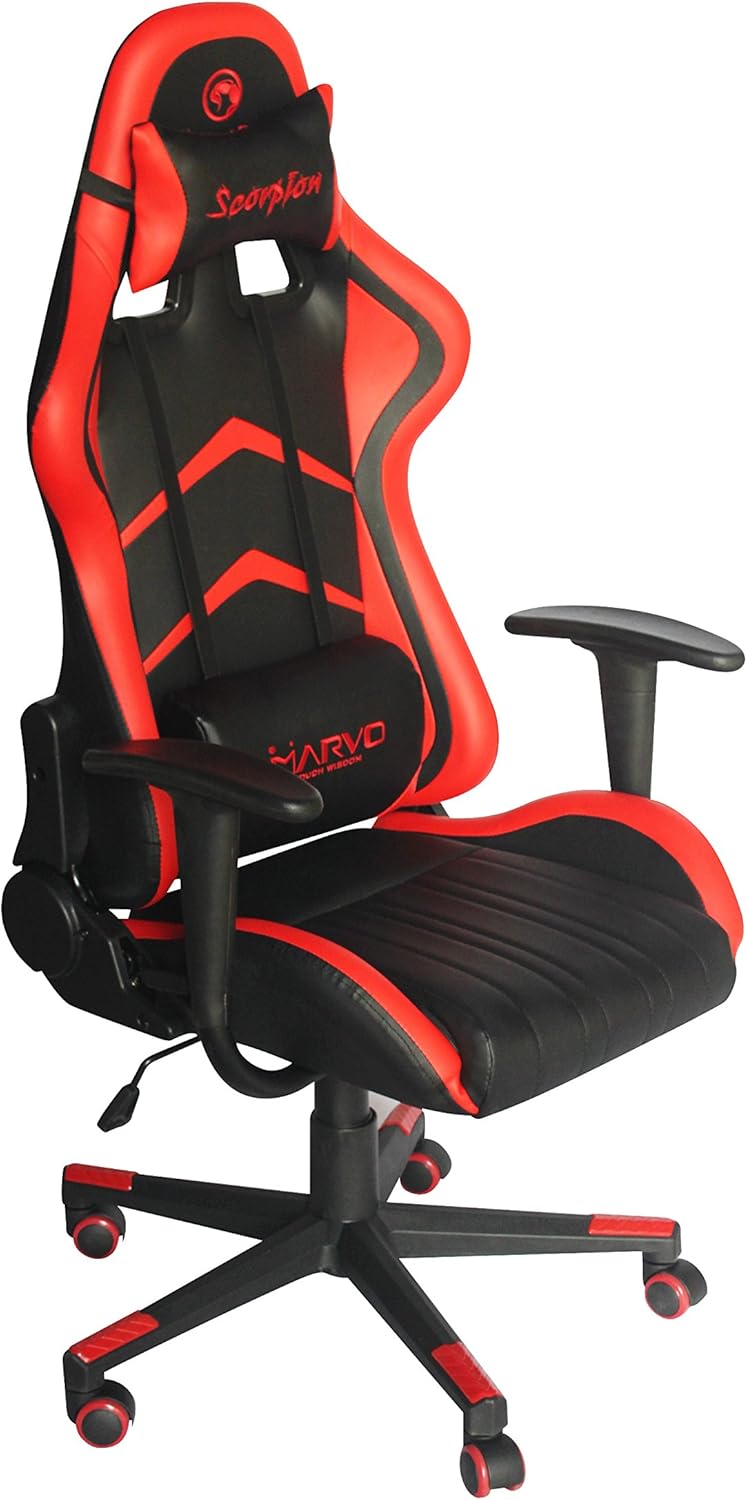
Figure 2: Angled front view of the MARVO CH-106 Gaming Chair, highlighting its ergonomic shape and armrests.

Figure 3: Close-up view of the removable MARVO branded lumbar support pillow, attached to the chair back.
Safety Information
Please observe the following safety guidelines to prevent injury or damage to the chair:
- Maximum Weight Capacity: Do not exceed the maximum load of 150 kg (approximately 330 lbs). Exceeding this limit can cause damage to the chair and potential injury.
- Proper Use: This chair is designed for sitting. Do not stand on the chair, use it as a step stool, or for any purpose other than its intended use.
- Children and Pets: Keep children and pets away from the chair during assembly. Supervise children when they are near or using the chair.
- Assembly: Ensure all screws and bolts are securely tightened before use. Periodically check and re-tighten fasteners as needed.
- Movement: When moving the chair, lift it rather than dragging it to prevent damage to the base or floor.
- Avoid Sharp Objects: Keep sharp objects away from the synthetic leather to prevent punctures or tears.
Assembly Instructions (Setup)
Assembly is required for the MARVO CH-106 Gaming Chair. Please follow these general steps. While specific tools are typically included, ensure you have a Phillips head screwdriver and an Allen wrench if not provided.
- Unpack Components: Carefully remove all parts from the packaging and lay them out on a clean, soft surface to prevent scratches. Verify all components are present according to the packing list (not provided in this manual, refer to your product's packaging).
- Attach Wheels to Base: Insert the durable polyurethane wheels into the holes on the five-star chair base until they click securely into place.
- Install Gas Lift: Place the gas lift cylinder into the center hole of the five-star base. Ensure it is seated firmly.
- Assemble Seat Mechanism: Attach the seat mechanism to the underside of the seat cushion using the provided screws. Ensure the front of the mechanism aligns with the front of the seat.
- Attach Armrests: Secure the armrests to the sides of the seat cushion using the designated screws.
- Connect Backrest to Seat: Align the backrest with the mounting brackets on the seat cushion and secure it using the appropriate screws.
- Place Assembled Top onto Gas Lift: Carefully place the assembled seat and backrest onto the gas lift cylinder, ensuring the center hole of the seat mechanism aligns with the top of the gas lift. Press down firmly to secure.
- Attach Cushions: Position the cervical and lumbar support cushions as desired. They are typically attached with straps.
- Final Check: Before use, ensure all screws are tightened and the chair feels stable.
Operating Instructions
Familiarize yourself with the adjustments available on your MARVO CH-106 Gaming Chair:
- Seat Height Adjustment: To raise the seat, lift the lever located under the right side of the seat while taking your weight off the chair. To lower the seat, lift the same lever while seated. Release the lever to lock the height.
- Backrest Recline: The backrest can be reclined by pulling the lever on the right side of the chair, near the seat. Lean back to the desired angle and release the lever to lock the backrest in place. To return to an upright position, pull the lever and lean forward.
- Swivel Function: The chair is designed to rotate 360 degrees on its base. Simply push off the floor with your feet to rotate.
- Lumbar and Cervical Support: The two removable cushions can be adjusted vertically along the backrest using their elastic straps to provide support where you need it most.
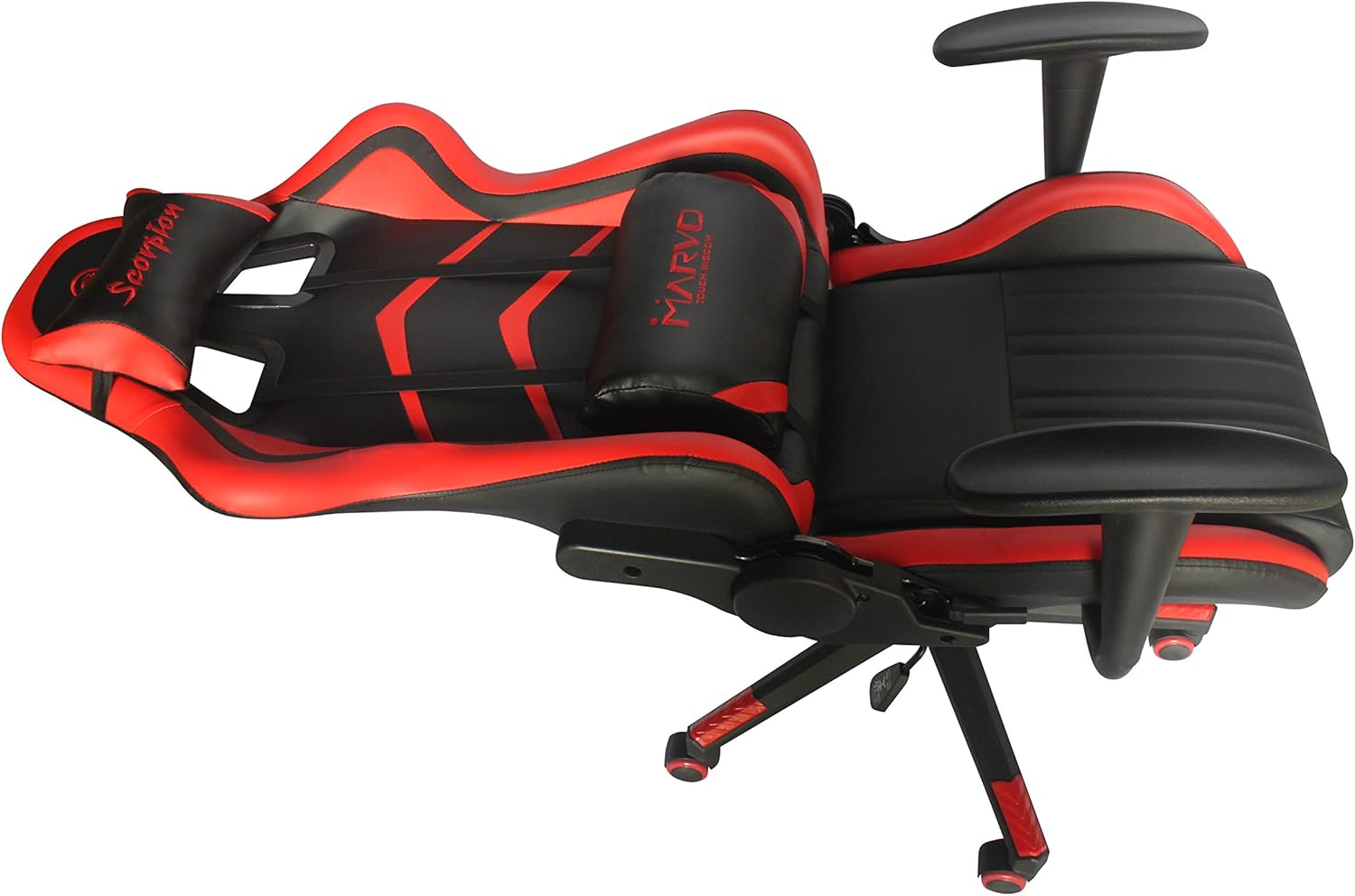
Figure 4: Side view of the MARVO CH-106 Gaming Chair demonstrating its reclined capability.
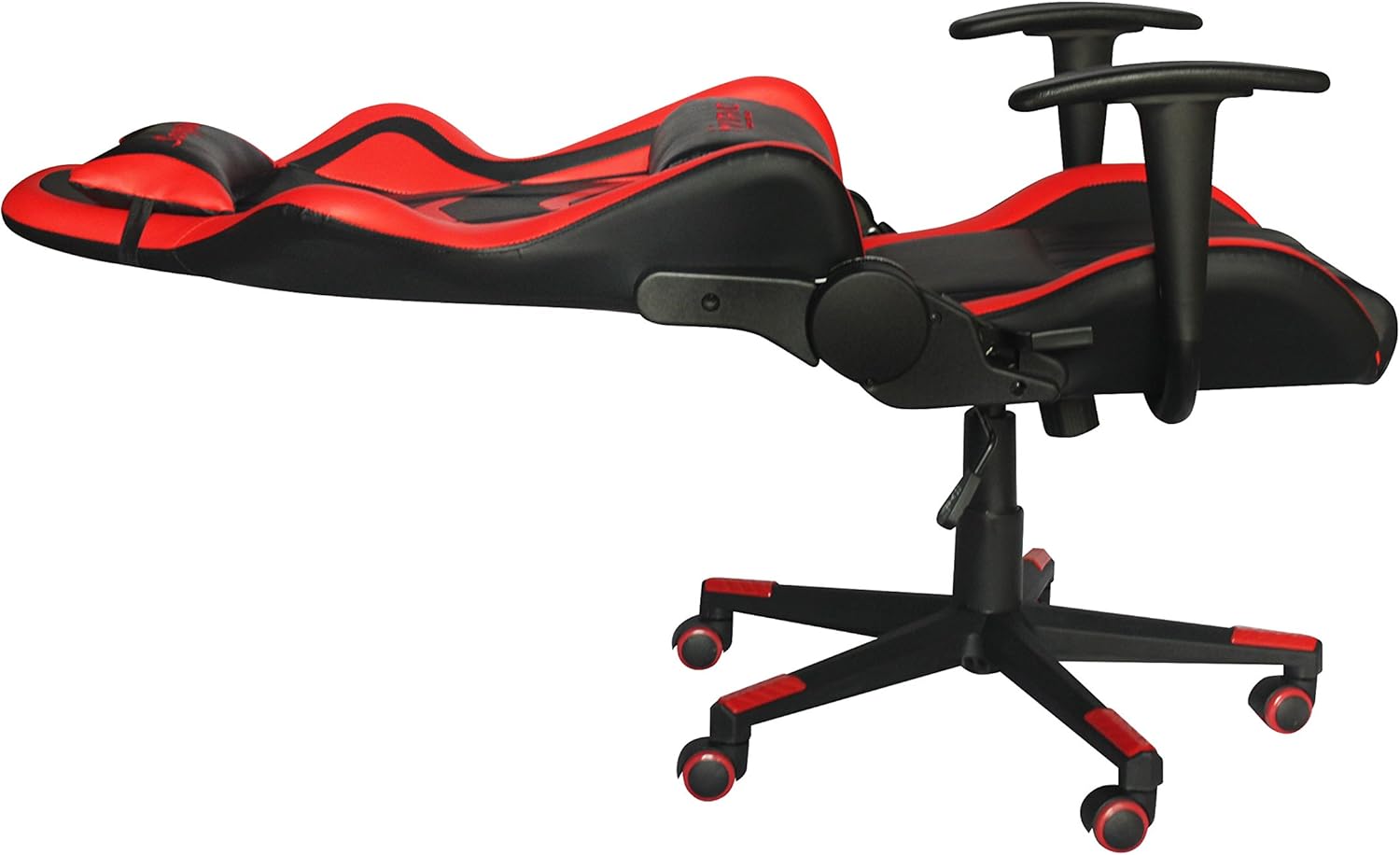
Figure 5: The MARVO CH-106 Gaming Chair shown in its maximum reclined position, suitable for resting.
Maintenance and Care
Proper care will extend the life and appearance of your MARVO CH-106 Gaming Chair:
- Cleaning: Wipe clean with a damp cloth. For tougher spots, use a mild soap solution and then wipe with a clean, damp cloth. Avoid harsh chemicals, abrasive cleaners, or solvents as they can damage the synthetic leather.
- Regular Checks: Periodically inspect all bolts and screws to ensure they are tight. Re-tighten if necessary to maintain stability and safety.
- Avoid Direct Sunlight: Prolonged exposure to direct sunlight can cause the synthetic leather to fade or crack. Position your chair away from direct sunlight if possible.
- Spill Management: Clean spills immediately to prevent staining. Blot liquids with a clean, dry cloth.
Troubleshooting
If you encounter any issues with your MARVO CH-106 Gaming Chair, refer to the following common problems and solutions:
| Problem | Possible Cause | Solution |
|---|---|---|
| Chair wobbles or feels unstable. | Loose screws or uneven floor. | Check and tighten all assembly screws. Ensure the chair is on a flat, even surface. |
| Chair does not adjust height. | Gas lift malfunction or lever not engaged. | Ensure the height adjustment lever is fully engaged. If the issue persists, the gas lift may need replacement (contact support). |
| Backrest does not recline or lock. | Recline mechanism jammed or lever not engaged. | Check for obstructions around the recline mechanism. Ensure the recline lever is fully pulled/released. |
| Wheels do not roll smoothly. | Debris in wheels or damaged wheels. | Clean any hair or debris from the wheel casters. If wheels are damaged, they may need replacement. |
Specifications
Detailed specifications for the MARVO CH-106 Gaming Chair:
- Brand: MARVO
- Model Name: CH-106RD
- Color: Red
- Product Dimensions (D x W x H): 12.6"D x 25.59"W x 33.46"H (approx. 32cm D x 65cm W x 85cm H)
- Overall Dimensions (Height): 129 - 139 cm (50.8 - 54.7 inches)
- Seat Height Adjustment: 44 - 54 cm (17.3 - 21.3 inches)
- Backrest Height: 85 cm (33.5 inches)
- Seat Depth: 50 cm (19.7 inches)
- Seat Width (dimensioned): 51 cm (20.1 inches)
- Rear Width: 57 cm (22.4 inches)
- Handle Height: 34 cm (13.4 inches)
- Maximum Weight Recommendation: 150 Kilograms (330 lbs)
- Item Weight: 39.6 pounds (approx. 18 kg)
- Material: Synthetic Leather (Padded finish)
- Base Movement: Swivel
- Special Features: Adjustable Backrest, Adjustable Height, Ergonomic, Swivel, Reclining, Padded, Pivot, Tilt, Upholstered.
- Assembly Required: Yes
- Country of Origin: China

Figure 6: Rear and side view of the MARVO CH-106 Gaming Chair, showing the backrest mechanism and overall structure.
Warranty and Support
For warranty information and customer support regarding your MARVO CH-106 Gaming Chair, please refer to the warranty card included with your purchase or contact the retailer where you purchased the product. You may also visit the official MARVO website or their Amazon store for further assistance:
Visit the MARVO Store on Amazon
Please have your model number (CH-106RD) and purchase details ready when contacting support.
Related documentsCH-106RD


Ask a question about this manual
Ask about setup, troubleshooting, compatibility, parts, safety, or missing instructions. Manuals+ will review the question and use this page’s manual context to help answer it.