
Billboard BB744
Contents
Billboard BB744 IPX5 Water-Resistant Bluetooth Wireless Speaker User Manual
Model: BB744
Introduction
Thank you for purchasing the Billboard BB744 IPX5 Water-Resistant Bluetooth Wireless Speaker. This manual provides essential information for setting up, operating, and maintaining your speaker. Please read it thoroughly before use to ensure proper function and longevity of your device.
Safety Information
- Do not expose the speaker to extreme temperatures or direct sunlight for extended periods.
- While IPX5 water-resistant, do not submerge the speaker in water. IPX5 protects against low-pressure water jets from any direction.
- Keep the speaker away from strong magnetic fields.
- Do not attempt to disassemble or modify the speaker. This will void the warranty and may cause damage.
- Use only the provided charging cable or a certified equivalent.
- Clean the speaker with a soft, dry cloth. Do not use abrasive cleaners or solvents.
Package Contents
Please check the box for the following items:
- Billboard BB744 Bluetooth Wireless Speaker
- USB Charging Cable
- User Manual (this document)
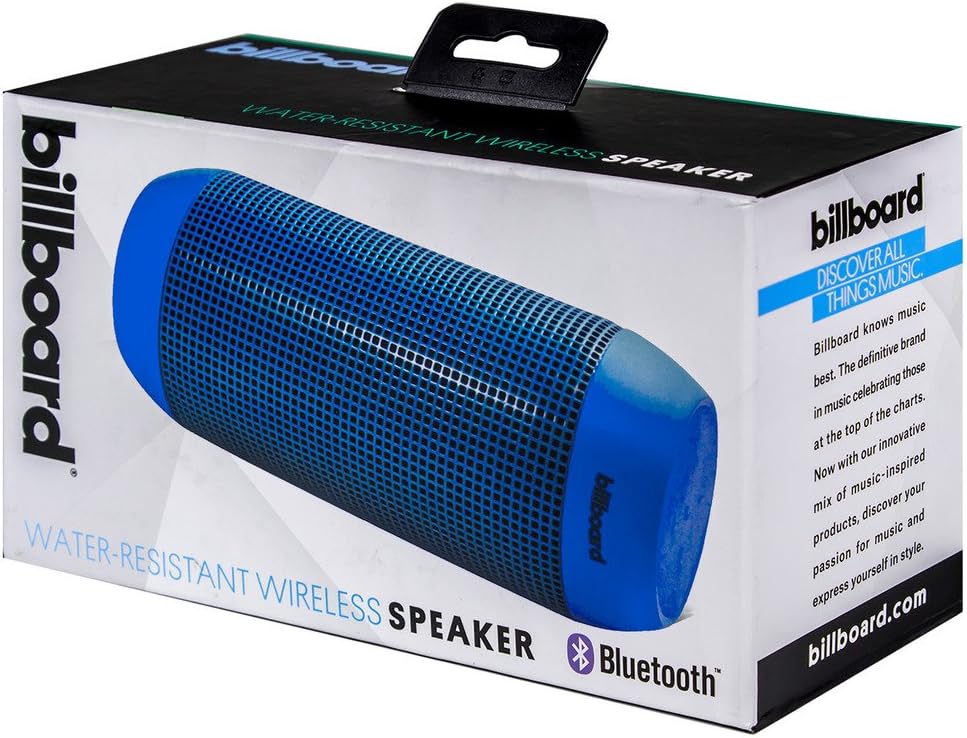
Image: The retail packaging box for the Billboard BB744 speaker, showing the speaker inside.
Product Overview
Familiarize yourself with the various parts and controls of your BB744 speaker.
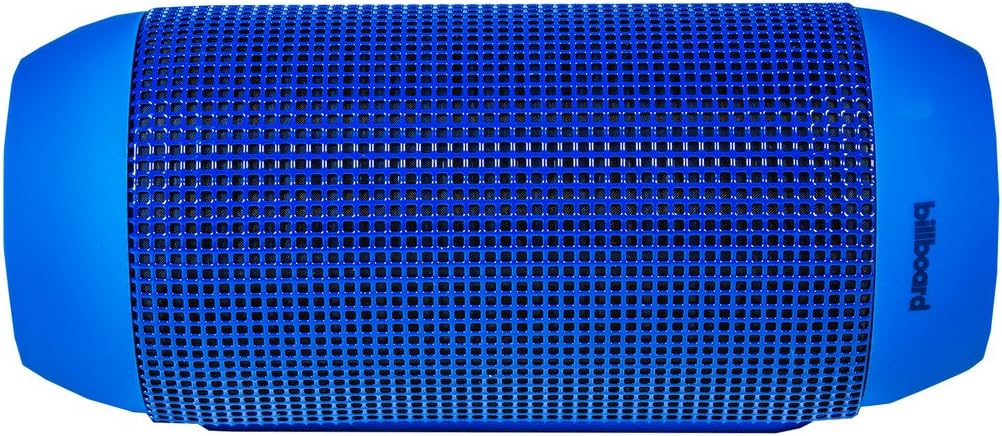
Image: Front view of the blue Billboard BB744 speaker, showcasing its cylindrical shape and mesh grille.

Image: Top view of the Billboard BB744 speaker, showing the control panel with buttons for power, play/pause, volume up/next track, and volume down/previous track.

Image: Side view of the Billboard BB744 speaker, revealing the USB port, SD card slot, and Aux-in port, protected by a rubber flap.
Control Buttons and Ports:
- Power Button: Turns the speaker on/off.
- Play/Pause Button: Controls music playback and answers/ends calls.
- Volume Up / Next Track Button: Increases volume with a short press, skips to next track with a long press.
- Volume Down / Previous Track Button: Decreases volume with a short press, goes to previous track with a long press.
- USB Port: For USB drive playback.
- SD Card Slot: For SD card playback.
- AUX-in Port: For connecting external audio devices via a 3.5mm audio cable.
- Charging Port: For charging the speaker's internal battery.
Setup
Charging the Speaker:
- Locate the charging port on the side of the speaker, usually protected by a rubber flap.
- Connect the small end of the provided USB charging cable to the speaker's charging port.
- Connect the larger end of the USB cable to a USB power adapter (not included) or a computer's USB port.
- The charging indicator light will illuminate. Charging typically takes approximately 2 hours for a full charge.
- Once fully charged, the indicator light may change or turn off. Disconnect the charging cable.
A full charge provides approximately 7 hours of playtime.
Powering On/Off:
- To Power On: Press and hold the Power button for a few seconds until you hear an audible prompt or see an indicator light.
- To Power Off: Press and hold the Power button again for a few seconds until the speaker powers down.
Operating Instructions
Bluetooth Pairing:
- Ensure the speaker is powered on and in Bluetooth pairing mode (it will usually announce "The Bluetooth device is ready to pair" or similar).
- On your smartphone, tablet, or other Bluetooth-enabled device, go to the Bluetooth settings.
- Enable Bluetooth and search for available devices.
- Select "BB744" from the list of found devices.
- Once paired, the speaker will confirm with an audible prompt (e.g., "The Bluetooth device is connected successfully").
- You can now play audio from your device through the BB744 speaker. The effective Bluetooth range is approximately 33 feet (10 meters).
Using USB & SD Inputs:
- Insert a USB flash drive or an SD card (with supported audio files) into the respective port on the speaker.
- The speaker should automatically switch to USB or SD card mode and begin playing audio.
- Use the Play/Pause, Volume Up/Next Track, and Volume Down/Previous Track buttons to control playback.
Using Mini Stereo (Aux-in) Input:
- Connect one end of a 3.5mm audio cable (not included) to the AUX-in port on the speaker.
- Connect the other end of the audio cable to the headphone jack or audio output of your external device (e.g., MP3 player, computer).
- The speaker should automatically switch to AUX mode. Control playback and volume primarily from your connected device.
Making/Receiving Calls (Built-in Microphone):
- When connected via Bluetooth to your smartphone, the speaker's built-in microphone allows for hands-free calling.
- To Answer a Call: Press the Play/Pause button once.
- To End a Call: Press the Play/Pause button once during a call.
- To Reject a Call: Press and hold the Play/Pause button.
Volume Control:
- Increase Volume: Short press the Volume Up (+) button.
- Decrease Volume: Short press the Volume Down (-) button.
- Volume can also be adjusted from your connected Bluetooth device.
Maintenance
- Cleaning: Wipe the speaker with a soft, dry, lint-free cloth. For stubborn dirt, slightly dampen the cloth with water. Do not use harsh chemicals, cleaning solvents, or strong detergents.
- Water Resistance Care: Ensure the rubber flap covering the charging and input ports is securely closed when using the speaker near water to maintain its IPX5 water resistance. After exposure to water, wipe the speaker dry before opening the flap or charging.
- Storage: When not in use for extended periods, store the speaker in a cool, dry place away from direct sunlight and extreme temperatures. It is recommended to charge the battery at least once every three months to maintain battery health.
Troubleshooting
| Problem | Possible Cause / Solution |
|---|---|
| Speaker does not turn on. | Battery might be depleted. Charge the speaker fully. Ensure the power button is pressed and held long enough. |
| Cannot pair with Bluetooth device. |
|
| No sound or low volume. |
|
| Sound distortion or static. |
|
| Speaker not charging. |
|
Specifications
| Feature | Detail |
|---|---|
| Model Name | BB744 |
| Speaker Type | Outdoor |
| Water Resistance | IPX5 (Water-resistant) |
| Connectivity Technology | Bluetooth, SD Card, USB, AUX-in |
| Bluetooth Range | Up to 33 feet (10 meters) |
| Battery Life | Up to 7 hours playtime |
| Charging Time | Approximately 2 hours |
| Built-in Microphone | Yes |
| Power Source | Battery Powered |
| Dimensions (L x W x H) | 8 x 2.5 x 4.5 inches (approx.) |
| Weight | 1.47 pounds (approx.) |
Warranty and Support
The Billboard BB744 speaker comes with a Limited Warranty. Please refer to the warranty card included in your package for specific terms and conditions. For technical support or warranty claims, please contact the manufacturer, ESI Cellular, through their official channels or the retailer where the product was purchased.
For further assistance, you may visit the Billboard Store on Amazon.
Documents and downloads
Ask a question about this manual
Ask about setup, troubleshooting, compatibility, parts, safety, or missing instructions. Manuals+ will review the question and use this page’s manual context to help answer it.