
1. Important Safety Instructions
Please read these instructions carefully before using the appliance and keep them for future reference. Incorrect use can lead to electric shock, fire, or serious injury.
- Always ensure the voltage indicated on the appliance matches your mains voltage before connecting.
- Do not immerse the iron or boiler unit in water or any other liquid.
- Keep the appliance out of reach of children and pets.
- Do not touch hot surfaces. Use handles and knobs.
- Exercise caution when filling or emptying the water tank, as hot water or steam may be present.
- Never open the safety cap while the iron is hot or under pressure. Allow the unit to cool down completely before opening.
- Unplug the iron from the power outlet when not in use and before cleaning.
- Do not operate any appliance with a damaged cord or plug, or after the appliance malfunctions or has been damaged in any manner.
- Use the iron on a stable, heat-resistant surface.
- Never direct steam towards people or animals.
2. Product Overview
The DPM RB-DPM738 is a steam iron with a separate boiler unit, designed for efficient ironing. Familiarize yourself with its components:
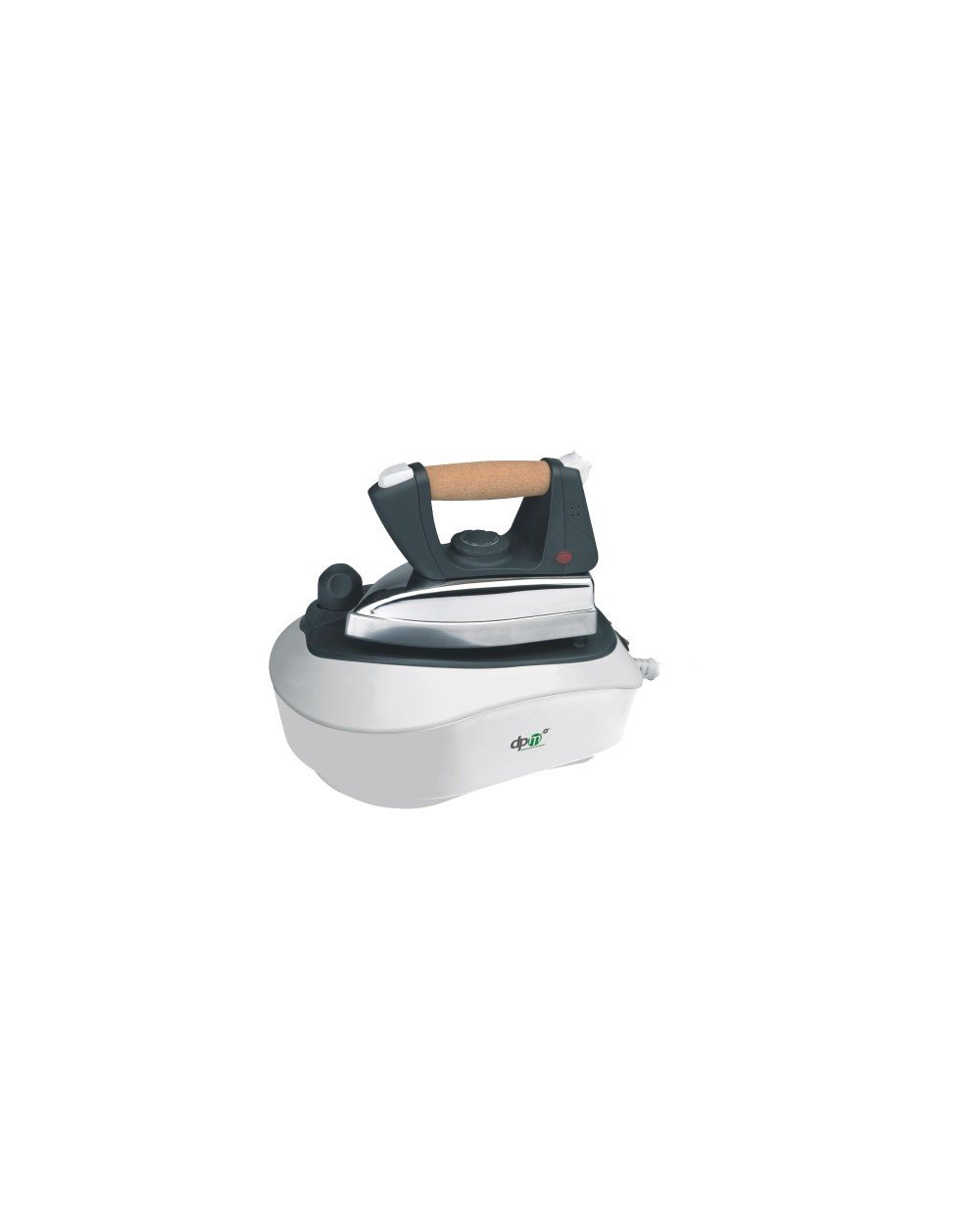
Image showing the DPM RB-DPM738 steam iron with its boiler unit, highlighting the compact design and main components.
- Iron Unit: Features an aluminum soleplate for heat resistance and optimal steam production.
- Cork Handle: Provides a comfortable grip during use.
- Temperature Control Dial: For adjusting the iron's temperature according to fabric type.
- Steam Quantity Adjustment: Allows control over the amount of steam released.
- Boiler Unit: Compact stainless steel water tank with 0.7-liter capacity.
- Safety Cap: Located on the boiler, equipped with a pressure relief valve for safety.
- On/Off Switch with Indicator Light: For power control and status indication.
- Non-slip Support Surface: For safely resting the iron unit.
3. Setup
- Unpacking: Carefully remove all packaging materials. Ensure all components are present and undamaged.
- Positioning: Place the boiler unit on a stable, flat, and heat-resistant surface. Ensure there is enough space for comfortable ironing.
- Filling the Water Tank:
- Ensure the appliance is unplugged and cool.
- Unscrew the safety cap on the boiler unit by turning it counter-clockwise.
- Fill the stainless steel water tank with clean tap water up to the maximum fill line. Do not overfill. The 0.7-liter capacity is sufficient for approximately 50 minutes of use.
- Securely screw the safety cap back on by turning it clockwise until tight.
- Connecting to Power: Plug the power cord into a grounded 230V, 50Hz electrical outlet.
4. Operating Instructions
- Power On: Press the On/Off switch. The indicator light will illuminate, signaling that the appliance is heating up.
- Adjust Temperature: Turn the temperature control dial on the iron to the desired setting based on the fabric type you are ironing. Refer to garment care labels.
- Wait for Heating: Allow the iron and boiler to heat up. This may take a few minutes. The indicator light may turn off or change color when the desired temperature and steam pressure are reached.
- Adjust Steam Quantity: Use the steam quantity adjustment control to select the appropriate steam level for your fabric.
- Ironing: Begin ironing. Press the steam button on the iron handle (if applicable) to release steam as needed. The 3.5 bar steam pressure ensures effective wrinkle removal.
- Resting the Iron: When not actively ironing, place the iron on its non-slip support surface.
- Power Off: After use, press the On/Off switch to turn off the appliance. Unplug the power cord from the outlet.
5. Maintenance and Cleaning
Regular maintenance ensures optimal performance and extends the life of your steam iron.
- Cool Down: Always allow the appliance to cool down completely before cleaning or storing.
- Empty Water Tank: Once cool, carefully unscrew the safety cap and empty any remaining water from the boiler unit.
- Cleaning the Soleplate:
- Wipe the aluminum soleplate with a damp cloth. For stubborn stains, use a non-abrasive iron cleaner.
- Do not use abrasive scourers or chemical cleaners, as these can damage the soleplate.
- Cleaning the Exterior: Wipe the exterior of the iron and boiler unit with a soft, damp cloth.
- Descaling: Depending on water hardness, periodic descaling of the boiler may be necessary. Consult a qualified technician or refer to specific descaling instructions if provided by DPM.
- Storage: Store the iron and boiler unit in a dry, safe place, away from direct sunlight and moisture. Ensure the power cord is neatly wrapped.
6. Troubleshooting
If you encounter issues with your DPM RB-DPM738 steam iron, refer to the following common problems and solutions:
| Problem | Possible Cause | Solution |
|---|---|---|
| Iron does not heat up. | Not plugged in; On/Off switch not activated; Faulty power outlet. | Check power connection; Ensure On/Off switch is pressed; Test outlet with another appliance. |
| No steam or insufficient steam. | Water tank empty; Not enough heating time; Steam quantity adjustment too low; Safety cap not fully tightened. | Fill water tank; Allow more time for heating; Increase steam setting; Tighten safety cap securely. |
| Water leaks from soleplate. | Temperature too low for steam; Overfilled water tank. | Increase iron temperature; Do not overfill the water tank. |
| Safety cap difficult to open. | Boiler is still under pressure or hot. | Allow the appliance to cool down completely and release any residual pressure before attempting to open. |
If the problem persists after trying these solutions, contact DPM customer support or a qualified service technician.
7. Specifications
| Feature | Detail |
|---|---|
| Brand | DPM |
| Model | RB-DPM738 |
| Power Consumption | 2000 Watts |
| Voltage | 230 Volts |
| Frequency | 50 Hz |
| Boiler Capacity | 0.7 Liters (approx. 50 min use) |
| Steam Pressure | 3.5 Bars |
| Soleplate Material | Aluminum |
| Water Tank Material | Stainless Steel |
8. Warranty and Support
For warranty information, please refer to the warranty card included with your product or visit the official DPM website. Keep your proof of purchase for any warranty claims.
If you require technical assistance or have questions not covered in this manual, please contact DPM customer support. Contact details can typically be found on the product packaging or the manufacturer's website.
Availability of spare parts information is not available.