1. Introduction
The Avari 600 is a compact tabletop personal air purifier designed to improve air quality in your immediate environment. It utilizes an advanced electrostatic charged filter system, which is effective at capturing airborne particles such as pollen, smoke, mold spores, dust, and pet dander, providing cleaner and healthier air.
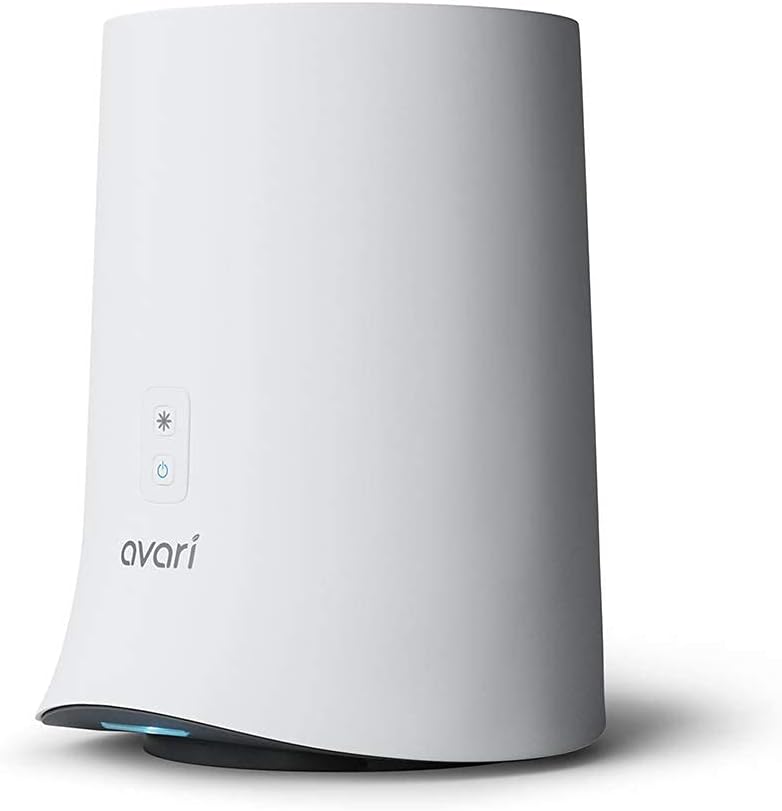
Image: The Avari 600 air purifier, a compact white cylindrical device with control buttons on the front.
This manual provides essential information for the safe and efficient operation, maintenance, and troubleshooting of your Avari 600 air purifier. Please read it thoroughly before use.
2. Important Safety Information
To reduce the risk of electric shock, fire, or injury, please observe the following safety precautions:
- Always unplug the air purifier before cleaning, performing any maintenance, or when not in use.
- Do not operate the unit with a damaged cord or plug. If the cord or plug is damaged, contact customer support.
- Do not use the air purifier in wet or damp environments, such as bathrooms or laundries. Keep it away from water and other liquids.
- Do not block air openings. Ensure there is adequate space around the unit for proper airflow.
- Keep the unit out of reach of children and pets.
- Do not insert any objects into the air openings or filter compartment.
- Use only genuine Avari replacement filters.
- Do not attempt to repair or modify the unit yourself. Refer all servicing to qualified personnel.
- Place the air purifier on a stable, flat surface to prevent it from tipping over.
3. Package Contents
Please check the package contents upon opening to ensure all items are present:
- Avari 600 Air Purifier Unit
- Electrostatic Charged Filter (pre-installed or separate)
- Power Adapter
- User Manual (this document)
4. Setup Guide
4.1 Unpacking
Carefully remove all components from the packaging. Retain the packaging for future storage or transport if needed.
4.2 Filter Installation (if not pre-installed)
- Ensure the air purifier is unplugged from the power outlet.
- Gently twist the bottom cover of the unit counter-clockwise to unlock and remove it.
- If the filter is wrapped in plastic, remove the plastic packaging.
- Insert the electrostatic filter into the base of the unit, ensuring it is seated correctly.
- Replace the bottom cover and twist clockwise to lock it securely in place.
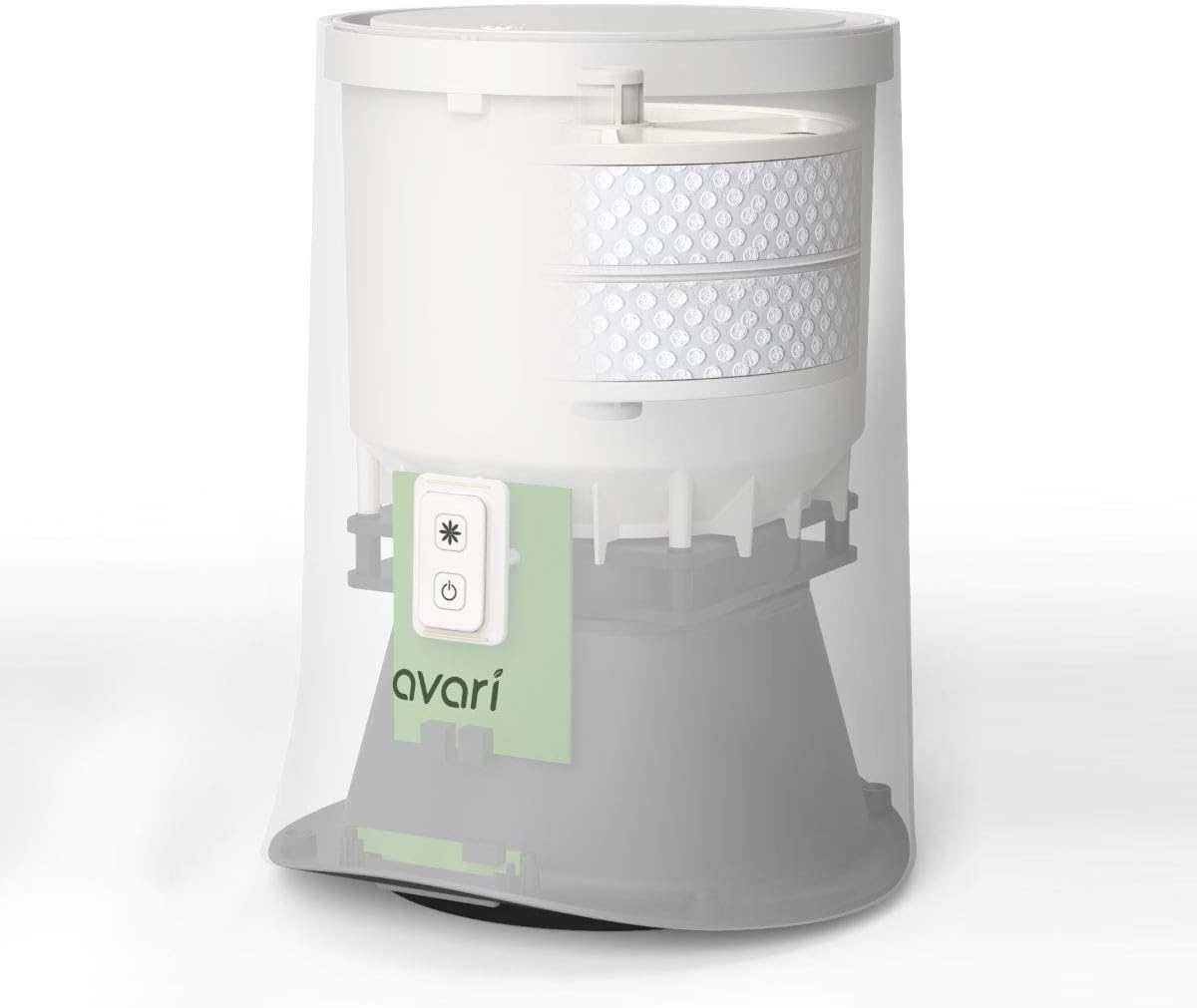
Image: An internal diagram of the Avari 600, illustrating the placement of the electrostatic filter within the unit's base.
4.3 Placement
Place the Avari 600 on a flat, stable surface in the area where you desire improved air quality. Ensure there is at least 6 inches of clear space around all sides of the unit for optimal airflow.

Image: The Avari 600 air purifier positioned on a wooden shelf, demonstrating its compact size suitable for personal spaces.
4.4 Power Connection
Connect the power adapter to the power input port on the back of the air purifier, then plug the adapter into a standard electrical outlet.
5. Operating Instructions
The Avari 600 features simple button controls on its front panel.

Image: Close-up of the Avari 600's control panel, showing the power button and the fan speed/mode button.
5.1 Power On/Off
- To turn the unit ON, press the Power button (circle with vertical line). The unit will start operating in its default mode.
- To turn the unit OFF, press the Power button again.
5.2 Adjusting Fan Speed / Modes
The Avari 600 typically has multiple operating modes, including a High mode for maximum filtering and a Night Mode for quiet operation.
- Press the Fan Speed / Mode button (asterisk symbol) to cycle through available fan speeds or operating modes.
- To activate Night Mode, press and hold the Fan Speed / Mode button for a few seconds until the unit enters a quieter operation and the indicator lights dim or turn off.
- To return to normal operation, press the Fan Speed / Mode button again.
6. Maintenance
Regular maintenance ensures the optimal performance and longevity of your Avari 600 air purifier.
6.1 Filter Cleaning and Replacement
The electrostatic filter is designed for long-term use and can be cleaned. However, it should be replaced periodically for best performance.
- Ensure the air purifier is unplugged from the power outlet.
- Twist the bottom cover counter-clockwise and remove it.
- Carefully remove the electrostatic filter.
- To clean, gently brush off accumulated dust and debris from the filter surface. A vacuum cleaner with a brush attachment can also be used. Do not wash the filter with water.
- For replacement, insert a new Avari electrostatic filter into the unit.
- Replace the bottom cover and twist clockwise to lock it securely.

Image: A hand demonstrating the removal of the filter from the bottom of the Avari 600 unit.

Image: A hand demonstrating the insertion of the filter into the Avari 600 unit.

Image: A visual guide illustrating the change in filter color from new (white) to after 1 year of use (dark gray), indicating accumulated dust.
It is recommended to check and clean the filter monthly, and replace it every 6 to 12 months depending on usage and air quality.
6.2 Exterior Cleaning
Wipe the exterior surface of the air purifier with a soft, dry cloth. Do not use abrasive cleaners, waxes, or solvents.
7. Troubleshooting
If you encounter issues with your Avari 600, please refer to the following table before contacting customer support.
| Problem | Possible Cause | Solution |
|---|---|---|
| Unit does not turn on. | Not plugged in; Power outlet not working; Power adapter damaged. | Ensure power adapter is securely plugged into the unit and a working outlet. Try a different outlet. If issue persists, contact support. |
| Poor air purification performance. | Filter is dirty or clogged; Filter not installed correctly; Unit placed in an obstructed area. | Clean or replace the electrostatic filter. Ensure the filter is seated properly. Relocate the unit to an area with clear airflow. |
| Unusual noise during operation. | Filter not seated correctly; Debris inside the unit; Unit not on a stable surface. | Check and re-seat the filter. Unplug and inspect for any foreign objects. Place the unit on a flat, stable surface. |
| Indicator light is too bright (especially at night). | Unit is not in Night Mode. | Press and hold the Fan Speed / Mode button to activate Night Mode, which dims or turns off the lights. |
8. Specifications
| Feature | Detail |
|---|---|
| Brand | AVARI |
| Model Number | AV-600 |
| Product Dimensions | 9.3"D x 10.1"W x 12.3"H |
| Item Weight | 4.8 pounds |
| Floor Area Coverage | 160.0 sq ft |
| Noise Level | 36 dB |
| Controller Type | Button Control |
| Wattage | 5.20 Watts |
| Certifications | CARB Certified, CE Certified, UL Certified |
| UPC | 880487693069 |
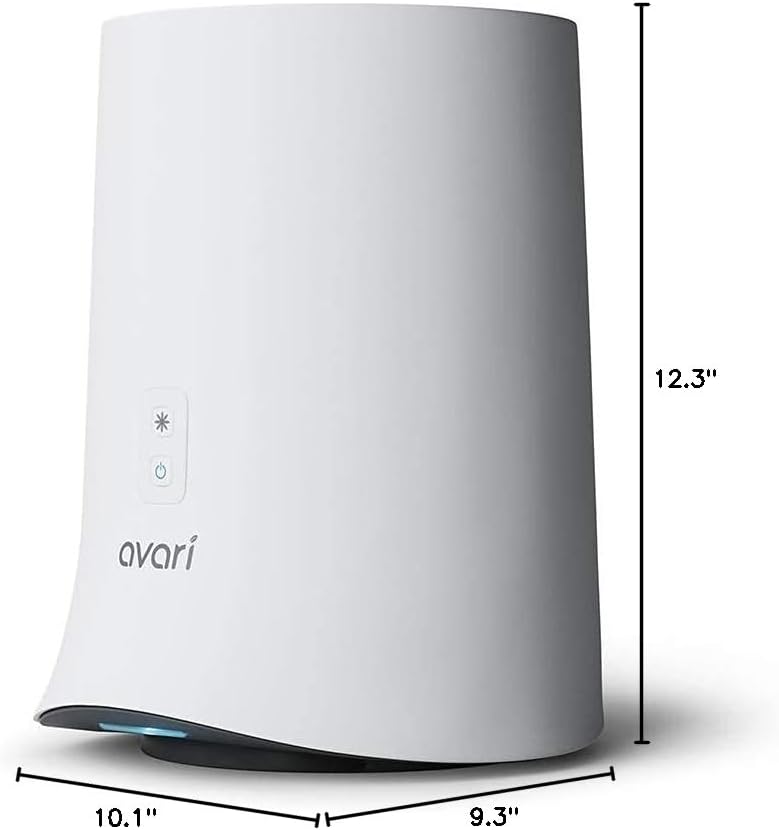
Image: The Avari 600 air purifier with its dimensions clearly marked: 9.3 inches deep, 10.1 inches wide, and 12.3 inches high.
9. Warranty and Support
For warranty information or technical support, please contact the seller or manufacturer directly. Keep your purchase receipt as proof of purchase for any warranty claims.
Seller: PadoUSA


