
1. Introduction
The Sky Viper v2450HD Streaming Drone is designed for both beginners and experienced pilots, offering stable flight and high-definition video streaming capabilities. Its advanced features simplify operation, allowing users to focus on capturing aerial footage.
Key Features:
- Professional-grade firmware provides simple and stable flight for beginners and hobbyists.
- Flight sensitivity allows you to choose the responsiveness to your controls based on your skill level.
- Adjustable wide-angle camera lens for video streaming.
- Micro SD card slot (card sold separately) enables direct video recording.
2. What's in the Box
Ensure all components are present before proceeding with setup:
- Sky Viper HD Streaming Video Drone
- Controller
- Phone Mount Holder
- 3.7V 650mAh LiPo Battery
- USB Charger Cable
- Replacement Blades (4)
- Pro-Style Thumb Sticks (2)
- Game-Style Thumb Sticks (2)
- Screwdriver & Extra Screws
- Operators Manual

Image: All included components of the Sky Viper v2450HD Streaming Drone, including the drone, controller, battery, charger, phone mount, replacement blades, and tools.
3. Setup
3.1. Battery Installation and Charging
- Drone Battery: Insert the provided 3.7V 650mAh LiPo Battery into the drone's battery compartment. Ensure it is securely connected.
- Controller Batteries: The controller requires 3 AAA batteries (not included). Open the battery compartment on the back of the controller and insert the batteries, observing correct polarity.
- Charging: Connect the LiPo battery to the USB Charger Cable. Plug the USB end into a compatible USB power source (e.g., computer USB port, USB wall adapter). The indicator light on the charger will show charging status. A full charge typically takes approximately 45 minutes.
Video: ATOYX AT-66 Mini Drone Operation Guidance. This video demonstrates battery installation and charging for a similar mini-drone, which can be used as a general guide for the Sky Viper v2450HD.
3.2. Propeller Guards Installation
For beginner pilots or indoor flying, it is recommended to install the blade guards to protect the propellers from damage during collisions. Use the provided screwdriver and extra screws if needed.

Image: The Sky Viper v2450HD drone shown with its propeller guards attached, providing protection for the blades.
3.3. Pairing and Calibration
- Place the drone on a flat, level surface.
- Turn on the drone. The indicator lights will flash.
- Turn on the remote controller. The indicator light on the controller will flash.
- Push the throttle stick (left joystick) on the controller fully up, then fully down. The drone and controller lights should become solid, indicating successful pairing.
- To calibrate, push both joysticks to the lower-right corner simultaneously. The drone's lights will flash rapidly and then become solid, confirming calibration.
Video: ATOYX AT-66 Mini Drone Operation Guidance. This video illustrates the pairing and calibration process for a similar mini-drone, providing a visual reference for the Sky Viper v2450HD.
4. Operating Instructions
4.1. Basic Flight Controls
- Throttle (Left Joystick Up/Down): Controls the drone's altitude. Push up to ascend, pull down to descend.
- Yaw (Left Joystick Left/Right): Rotates the drone left or right on its vertical axis.
- Pitch (Right Joystick Up/Down): Moves the drone forward or backward.
- Roll (Right Joystick Left/Right): Moves the drone sideways (strafe) left or right.
Video: ATOYX AT-66 Mini Drone Operation Guidance. This video demonstrates basic flight controls for a similar mini-drone, providing a visual reference for the Sky Viper v2450HD.
4.2. Take-off and Landing
- One-Key Take-off: Press the dedicated "Launch" button on the controller for automatic take-off and hover.
- Manual Take-off: Slowly push the throttle stick up to lift off.
- One-Key Landing: Press the dedicated "Land" button on the controller for automatic landing.
- Manual Landing: Slowly pull the throttle stick down until the drone lands. Release the stick once landed.
4.3. Stunts and Flight Modes
- Flight Assist: The v2450HD features Flight Assist for stable hovering, making it easier to control.
- Adjustable Sensitivity: Use the flight mode button (e.g., "Auto Flight Mode/Manual") to switch between different sensitivity levels, adapting to your skill.
- One-Touch Stunts: The drone supports one-touch stunts. Refer to the included Operator's Manual for specific button combinations to execute flips and rolls.
Video: Sky Viper Fury Stunt Drone Video. This video showcases stunt capabilities of a Sky Viper drone, providing an example of what the v2450HD may perform.
4.4. Video Streaming and Recording
The v2450HD features an adjustable wide-angle camera lens for live video streaming to your smartphone via a dedicated app (download required). Insert a Micro SD card (sold separately) into the drone's slot to record video directly.
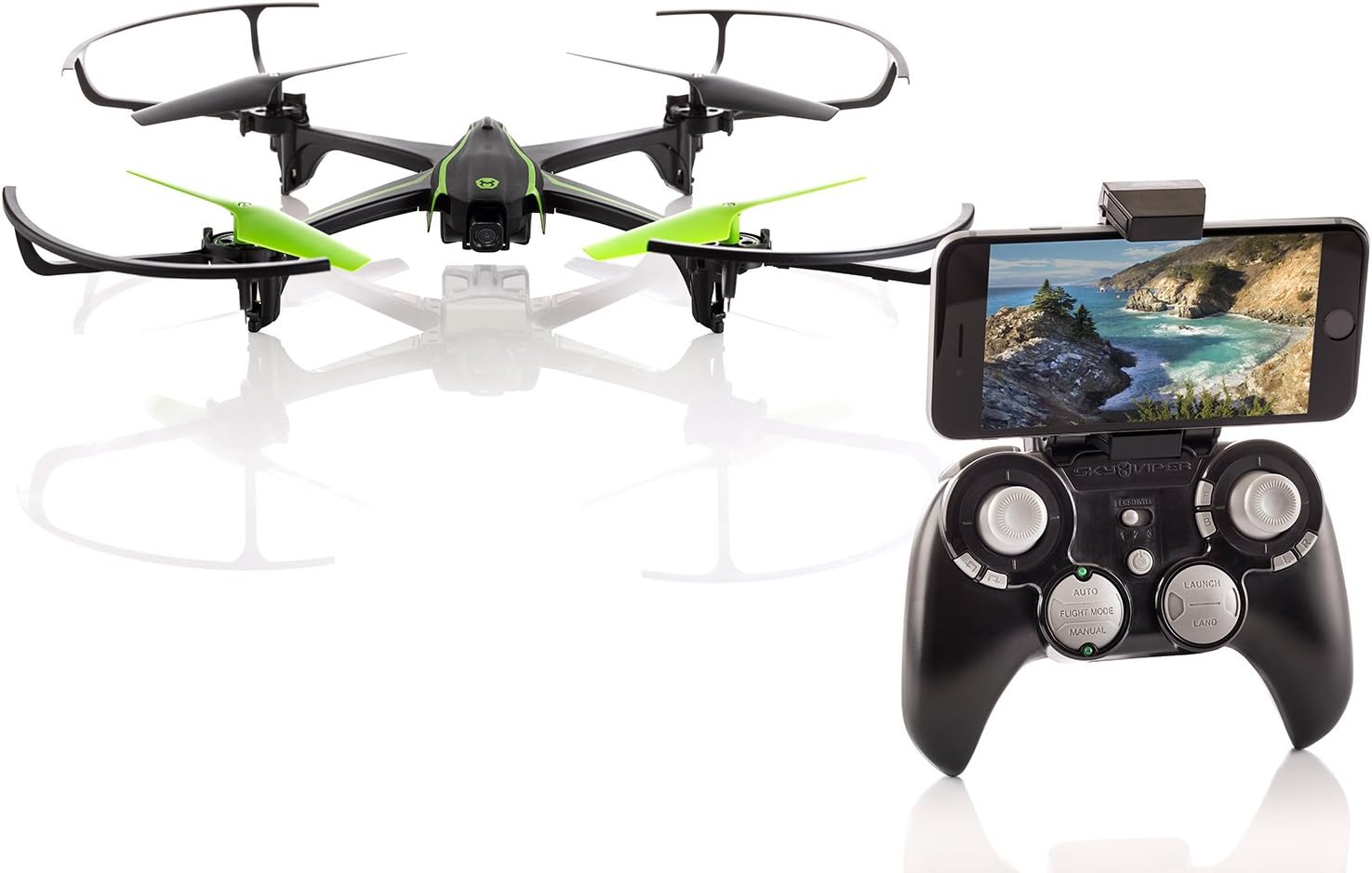
Image: The Sky Viper v2450HD drone and its controller with a smartphone attached, illustrating the video streaming feature.
5. Maintenance
- Blade Replacement: If propellers are damaged, use the provided spanner tool to carefully remove the old blades and install new ones. Ensure correct orientation (A and B blades).
- Cleaning: Use a soft, dry cloth to clean the drone and controller. Avoid using harsh chemicals or solvents.
- Storage: Store the drone and its components in a cool, dry place away from direct sunlight. Remove batteries from the controller if storing for extended periods.
6. Troubleshooting
- Drone not responding: Ensure both the drone and controller are powered on and successfully paired. Re-pair if necessary. Check battery levels.
- Unstable flight: Re-calibrate the drone on a flat surface. Check for damaged propellers and replace if needed. Ensure no obstructions are interfering with the propellers.
- Short flight time: Ensure the battery is fully charged. Flight time can be reduced in windy conditions or with aggressive flying.
- Video streaming issues: Ensure your smartphone is correctly connected to the drone's Wi-Fi network and the app is updated.
7. Specifications
| Feature | Detail |
|---|---|
| Brand | Sky Viper |
| Model Name | v2450HD |
| Age Range (Description) | 12 years and up |
| Color | Black and green |
| Video Capture Resolution | 1080p |
| Connectivity Technology | USB, Wi-Fi |
| Skill Level | Beginner |
| Battery Capacity | 650 Milliamp Hours (3.7V 650mAh LiPo) |
| Item Weight | 1.9 pounds |
| Product Dimensions | 20 x 3 x 13.5 inches |
8. Warranty and Support
For warranty information, technical support, or to purchase replacement parts, please refer to the official Sky Viper website or contact their customer service directly. Contact details are typically found in the included Operator's Manual or on the product packaging.


