
noblechairs ICON
noblechairs ICON Gaming and Office Chair Instruction Manual
Model: ICON (NBL-ICN-PU-BLA)
1. Introduction
The noblechairs ICON Gaming and Office Chair is designed to provide ergonomic support and comfort for extended periods of use, whether for gaming or office work. This manual provides essential information for the assembly, operation, and maintenance of your chair.

Image 1.1: The noblechairs ICON Gaming and Office Chair in a typical home office environment, showcasing its sleek black design and professional appearance.
The ICON chair features a robust steel frame, high-density cold foam upholstery, and a sophisticated rocking mechanism. It is upholstered in durable PU faux leather, offering both comfort and ease of maintenance. The chair is equipped with flexible 4D armrests and an adjustable backrest to cater to individual preferences.

Image 1.2: Detail of the chair's premium materials, highlighting the PU faux leather with diamond stitching and perforated sections for breathability.
2. Setup and Assembly
Your noblechairs ICON chair requires some assembly. All necessary tools and hardware are included in the packaging. Please follow the provided assembly instructions carefully.
2.1 Unpacking
- Carefully remove all components from the packaging.
- Ensure all parts are present according to the parts list in the separate assembly guide.
- Keep packaging materials for future transport or storage if needed.
2.2 Assembly Tips
- It is recommended to assemble the chair on a soft, clean surface to prevent scratches.
- Pay close attention to the backrest attachment. The mechanism can snap into place quickly; exercise caution to avoid injury.
- Ensure all screws are tightened securely, but do not overtighten.
The chair is designed for straightforward assembly, typically taking around 20 minutes. An assembly guide with pictures is included to assist you.
3. Operating and Adjustments
The noblechairs ICON offers multiple adjustment options to customize your seating experience for optimal comfort and ergonomic support.
3.1 Height Adjustment
- To raise the chair, lift the lever located under the seat on the right side while taking your weight off the seat.
- To lower the chair, lift the same lever while seated.
3.2 Backrest Recline
- The backrest can be reclined between 90° and 135°.
- To recline, pull the lever on the right side of the chair, near the seat base, and lean back to your desired angle. Release the lever to lock the position.
- To return the backrest to an upright position, pull the lever and lean forward slightly.
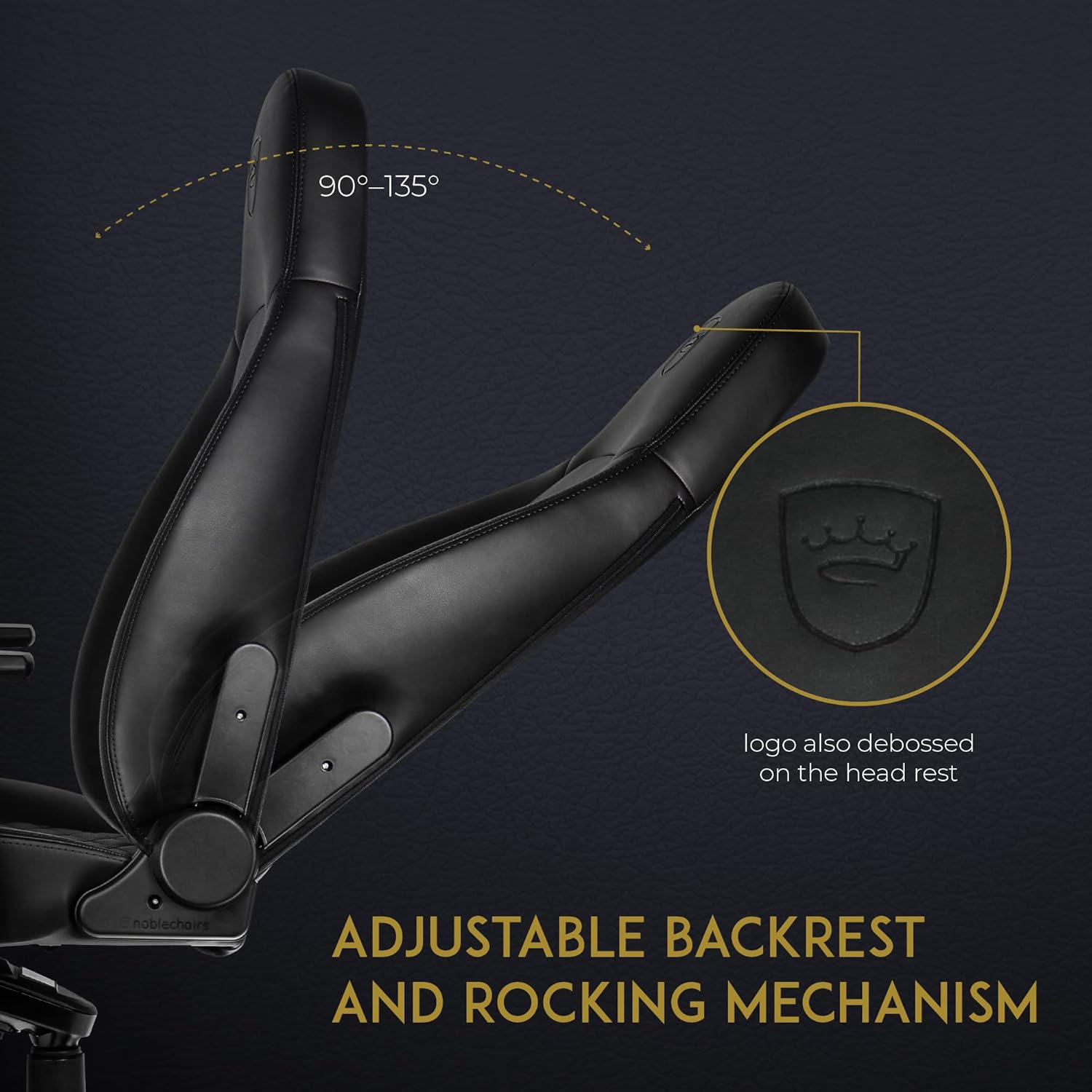
Image 3.1: Illustration of the adjustable backrest, demonstrating the recline range from 90 to 135 degrees.
3.3 Rocking Mechanism
- The chair features a sophisticated rocking mechanism. To activate, pull out the lever located under the seat on the left side.
- To lock the rocking function, push the lever back in.
- The tension of the rocking mechanism can be adjusted by turning the knob located under the front of the seat. Turn clockwise to increase tension, counter-clockwise to decrease.
3.4 4D Armrests
The armrests are 4-dimensional, allowing for extensive customization:
- Height Adjustment: Press the button on the side of the armrest support and move the armrest up or down.
- Forward/Backward: Slide the armrest pad forward or backward.
- Left/Right Rotation: Rotate the armrest pad left or right.
- Inward/Outward: Slide the armrest pad inward or outward.

Image 3.2: View of the ergonomic design, highlighting the flexible 4D armrests and the deformation-resistant breathable cold foam upholstery.
3.5 Lumbar and Neck Support Cushions
The chair includes detachable neck and lumbar support cushions for added comfort and posture support. These can be positioned as desired or removed if not preferred.
4. Maintenance and Care
Proper care will extend the lifespan and maintain the appearance of your noblechairs ICON chair.
4.1 Cleaning
- For general cleaning, wipe the PU faux leather surfaces with a damp cloth.
- Avoid using harsh chemicals, abrasive cleaners, or solvents, as these can damage the material.
- For stubborn stains, use a mild soap solution and a soft cloth, then wipe dry immediately.
4.2 General Care
- Regularly check and tighten any loose screws to ensure stability and safety.
- Avoid exposing the chair to direct sunlight for prolonged periods, as this can cause fading or material degradation.
- Keep the chair away from direct heat sources.
5. Troubleshooting
If you encounter any issues with your noblechairs ICON chair, please refer to the following common solutions:
5.1 Chair Squeaks or Wobbles
- Check all assembly screws and tighten them if loose.
- Apply a small amount of silicone lubricant to moving parts, such as the gas lift or rocking mechanism, if squeaking persists.
5.2 Gas Lift Not Functioning
- Ensure the height adjustment lever is fully engaged or disengaged as required.
- Verify that the gas lift cylinder is correctly seated in the base and seat mechanism.
5.3 Armrests Feel Loose
- Check the screws securing the armrests to the seat base and tighten them.
- For 4D armrests, ensure the internal locking mechanisms for movement are fully engaged after adjustment.
6. Specifications

Image 6.1: Detailed dimensions of the noblechairs ICON Gaming Chair, including maximum height and weight capacity.
| Feature | Detail |
|---|---|
| Brand | noblechairs |
| Model Name | ICON |
| Model Number | NBL-ICN-PU-BLA |
| Color | Black |
| Material | PU Faux Leather, Cold Foam, Steel Frame |
| Product Dimensions (D x W x H) | 19.3" x 20.5" x 54.3" (49cm x 52cm x 138cm) |
| Item Weight | 61.6 pounds (28 kg) |
| Maximum Weight Recommendation | 330 lbs (150 kg) |
| Backrest Recline Angle | 90° to 135° |
| Armrests | 4D Adjustable |
| Base Movement | Swivel, Rocking Mechanism |
| Casters | 60mm, suitable for hard floors |
| Included Components | Chair, Neck Cushion, Lumbar Cushion, Casters |
| Product Care Instructions | Wipe Clean |
7. Warranty and Support
7.1 Warranty Information
noblechairs products are manufactured to high-quality standards. The ICON chair comes with a 5-year EU spare part availability duration. For specific warranty terms and conditions applicable to your region, please refer to the warranty card included with your product or visit the official noblechairs website.
7.2 Customer Support
Should you require assistance with assembly, operation, or encounter any issues not covered in this manual, please contact noblechairs customer support. Contact details can typically be found on the noblechairs website or in your product documentation.
For additional information and resources, visit the noblechairs Store on Amazon.
Related documentsICON


Ask a question about this manual
Ask about setup, troubleshooting, compatibility, parts, safety, or missing instructions. Manuals+ will review the question and use this page’s manual context to help answer it.