
Makita DF012DSE
Makita DF012DSE 7.2V Lithium-Ion Cordless 1/4" Hex Driver-Drill Kit
Model: DF012DSE | Brand: Makita
Introduction
This manual provides essential information for the safe and effective operation, maintenance, and troubleshooting of your Makita DF012DSE 7.2V Lithium-Ion Cordless 1/4" Hex Driver-Drill Kit. Please read this manual thoroughly before using the tool to ensure proper handling and to maximize its performance and lifespan.
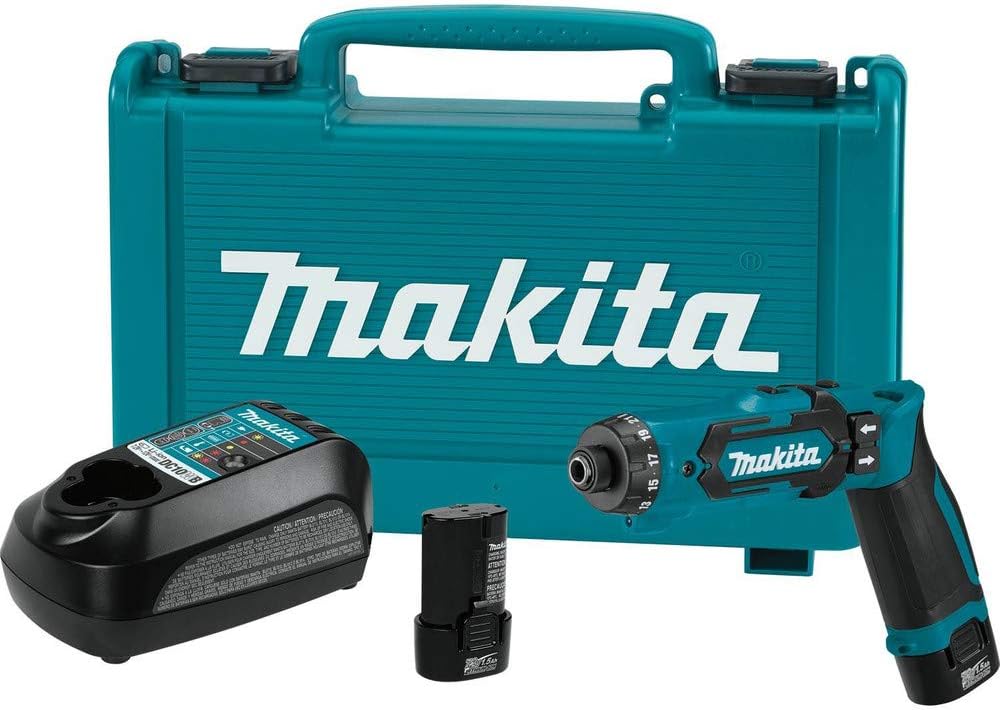
Figure 1: The Makita DF012DSE Driver-Drill Kit, including the driver-drill, charger, and two 7.2V Lithium-Ion 1.5Ah batteries, all contained within a durable teal tool case.
Safety Information
Always observe basic safety precautions when using power tools to reduce the risk of fire, electric shock, and personal injury. Keep your work area clean and well-lit. Do not operate power tools in explosive atmospheres, such as in the presence of flammable liquids, gases, or dust. Always wear appropriate personal protective equipment, including eye protection, hearing protection, and gloves.
- Ensure the tool is switched off before making any adjustments, changing accessories, or storing the tool.
- Use the correct tool for your application. Do not force the tool.
- Keep children and bystanders away while operating a power tool.
- Store idle tools out of reach of children and untrained persons.
- Maintain tools with care. Check for misalignment or binding of moving parts, breakage of parts, and any other condition that may affect the tool’s operation.
Components and Included Items
Your Makita DF012DSE kit includes the following components:
- Makita DF012DSE 7.2V Lithium-Ion Cordless 1/4" Hex Driver-Drill
- (2) 7.2V Lithium-Ion 1.5Ah Batteries (BL0715)
- 7.2V - 12V max Lithium-Ion Charger (DC10WB)
- #2 Double Ended Phillips Bit (784244-7)
- Tool Case
Setup
1. Charging the Battery
Before first use, fully charge the battery. Connect the charger (DC10WB) to a power outlet. Insert the 7.2V Lithium-Ion battery (BL0715) into the charger. The charging indicator light on the charger will show the charging status. A full charge typically takes approximately 30 minutes.
2. Installing the Battery
To install the battery, align the battery pack with the battery port on the tool and slide it in until it clicks into place. Ensure it is securely latched before operation.
3. Inserting a Bit
The DF012DSE features a 1/4" hex chuck. To insert a bit, pull the chuck collar forward, insert the 1/4" hex shank bit fully, and then release the collar. Tug on the bit to ensure it is securely locked in place.
Operating Instructions
1. Adjusting the Handle Position
The tool can operate in two positions: straight or pistol grip. To change the position, press the pivot release button (if present, or simply pivot the handle) and adjust the handle to the desired configuration. Ensure it locks securely in place.


Figure 2: The DF012DSE can be used in a pistol grip configuration (left) for general driving tasks or in a straight grip configuration (right) for reaching into confined spaces or for more precise control.
2. Selecting Speed
The DF012DSE features a 2-speed gear selection. Use the speed selector switch to choose between 200 RPM for low-speed, high-torque applications (e.g., driving screws) and 650 RPM for high-speed applications (e.g., drilling small holes).
3. Setting the Clutch and Auto-Stop Function
The tool has 21 clutch settings and a drill mode. Rotate the clutch ring to select the desired torque setting, from 32 in.Lbs. (setting #1) to 50 in.Lbs. (setting #21). For drilling, select the drill mode. The auto-stop clutch feature will automatically shut off the tool when the set torque is reached, preventing over-driving and damage to fasteners or materials.
4. Forward/Reverse Operation and LED Light
Use the forward/reverse rocker switch to select the direction of rotation. The tool also includes a built-in LED work light, operated by a separate switch, to illuminate the work area for improved accuracy.
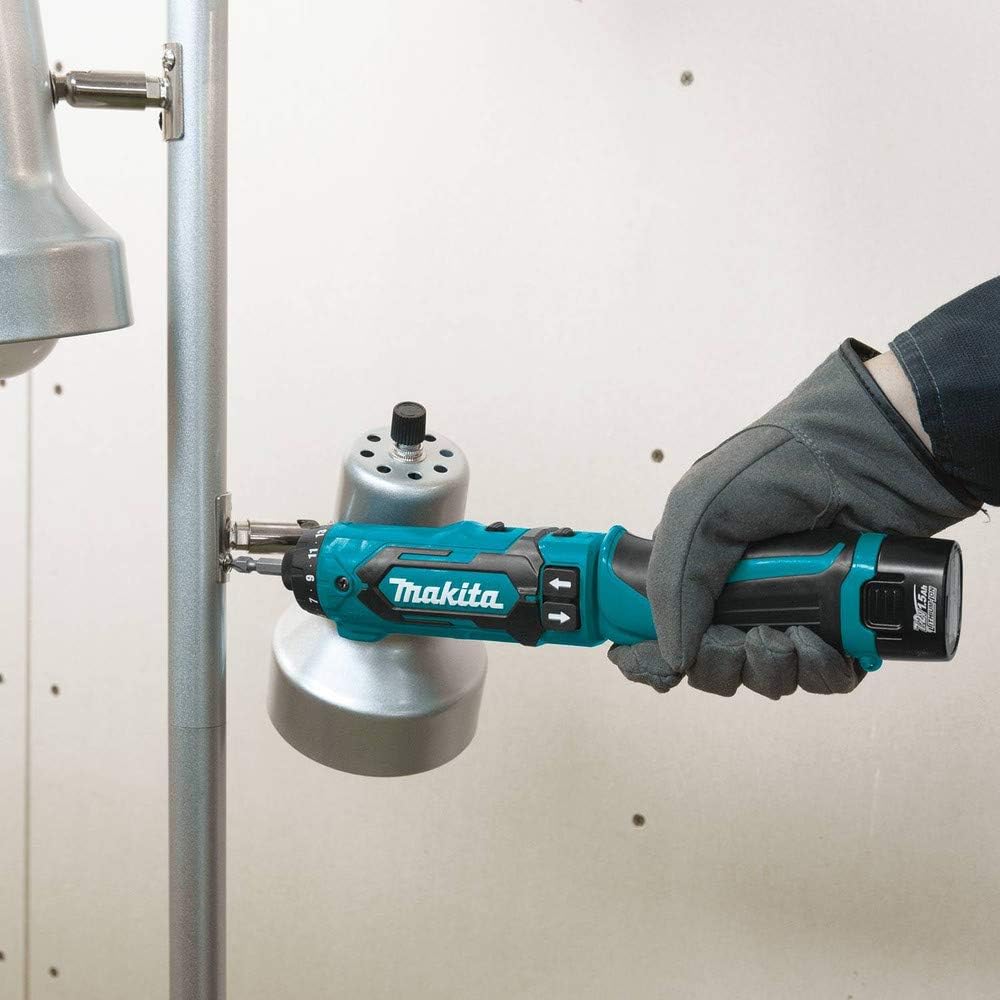
Figure 3: The driver-drill in use, demonstrating its capability for driving fasteners. The compact design allows for use in various orientations.

Figure 4: The tool can also be used for drilling pilot holes in wood, showcasing its versatility beyond just driving screws.
Maintenance
Cleaning
Regularly clean the tool's ventilation openings to prevent dust accumulation, which can cause overheating. Use a soft, damp cloth to wipe down the exterior. Do not use harsh chemicals or abrasive cleaners.
Storage
When not in use, store the tool, batteries, and charger in a cool, dry place, away from direct sunlight and moisture. Store batteries fully charged to prolong their lifespan. Use the provided tool case for organized and protected storage.
Troubleshooting
| Problem | Possible Cause | Solution |
|---|---|---|
| Tool does not operate. | Battery not installed correctly or discharged. | Ensure battery is fully inserted. Charge battery if low. |
| LED light blinks. | Low battery indicator. | Recharge the battery. |
| Bit slips or does not hold. | Bit not fully inserted or chuck collar not released properly. | Re-insert bit, ensuring it clicks into place. |
| Tool stops unexpectedly during use. | Auto-stop clutch engaged (if torque setting reached) or overload protection. | This is normal operation for the auto-stop clutch. If due to overload, reduce pressure or use a lower speed setting. |
Specifications
| Feature | Detail |
|---|---|
| Model Number | DF012DSE |
| Voltage | 7.2 Volts |
| Chuck Size | 1/4" Hex (6.35 mm) |
| No-Load Speed (Low) | 200 RPM |
| No-Load Speed (High) | 650 RPM |
| Max Torque (Drilling Mode) | 71 in.Lbs. |
| Clutch Settings | 21 (32-50 in.Lbs.) + Drill Mode |
| Battery Type | Lithium-Ion |
| Battery Capacity | 1.5 Ah |
| Item Weight | 0.9 Pounds (tool only) |
| Product Dimensions | 14.38"L x 10.75"W x 4.13"H (packaged) |
Warranty and Support
Makita provides a 3-year limited warranty on the tool, battery, and charger for the DF012DSE kit. This warranty covers defects in materials and workmanship. For warranty claims or technical support, please contact Makita customer service or visit their official website. Keep your proof of purchase for warranty validation.
For additional resources, you may refer to the official User Guide (PDF) or User Manual (PDF) provided by Makita.
Related Documents - DF012DSE
 |
Makita XFD10 Cordless Driver Drill Instruction Manual Comprehensive instruction manual for the Makita XFD10 Cordless Driver Drill, covering specifications, safety guidelines, operation, maintenance, and warranty information. |
 |
Makita DF010D 7.2V Cordless Driver Drill Technical Information and Repair Guide Detailed technical specifications, applications, and repair instructions for the Makita DF010D 7.2V Cordless Driver Drill. Includes disassembly, assembly, and wiring diagrams. |
 |
Makita DDF485 Cordless Driver Drill Instruction Manual Comprehensive instruction manual for the Makita DDF485 cordless driver drill, covering specifications, safety warnings, operation, maintenance, and optional accessories. |
 |
Makita DF488D Cordless Driver Drill Instruction Manual Comprehensive instruction manual for the Makita DF488D cordless driver drill, covering specifications, safety, operation, maintenance, and accessories. Available in multiple languages. |
 |
Makita DFR452/DFR453/DFR551/DFR552 Cordless Auto Feed Screwdriver Instruction Manual This is the official instruction manual for the Makita DFR452, DFR453, DFR551, and DFR552 Cordless Auto Feed Screwdrivers. It provides detailed operating instructions, safety warnings, specifications, and maintenance information for these power tools. |
 |
Makita DDF490 & DHP490 Cordless Driver & Hammer Driver Drills | Specifications and Features Explore the Makita DDF490 Cordless Driver Drill and DHP490 Cordless Hammer Driver Drill. Features include a powerful brushless motor, 65 N·m torque, 2-speed gearbox, keyless chuck, and LXT battery compatibility. View detailed specifications. |
Ask a question about this manual
Ask about setup, troubleshooting, compatibility, parts, safety, or missing instructions. Manuals+ will review the question and use this page’s manual context to help answer it.