1. Introduction
This manual provides essential information for the proper setup, operation, maintenance, and troubleshooting of your JustFine replacement remote control. Please read these instructions carefully before using the product to ensure optimal performance and longevity.
2. Product Overview
The JustFine replacement remote control is designed to function as a direct replacement for the original remote controls of various Pioneer Home Theater AV Receiver Systems. It is pre-programmed and requires no additional setup beyond battery installation.
Compatible Models:
- Pioneer VSX-421-K
- Pioneer AXD7583
- Pioneer VSX-821
- Pioneer VSX-823-K
- Pioneer VSX-1127

Image 2.1: Front view of the JustFine replacement remote control, showing its button layout.
3. Setup
This remote control is pre-programmed and does not require any manual programming. Simply install the batteries to begin use.
3.1 Battery Installation
- Locate the battery compartment on the back of the remote control.
- Slide the battery compartment cover downwards or press the latch and lift to open.
- Insert two AAA batteries (not included), ensuring the positive (+) and negative (-) terminals align correctly with the indicators inside the compartment.
- Replace the battery compartment cover by sliding it back into place until it clicks securely.
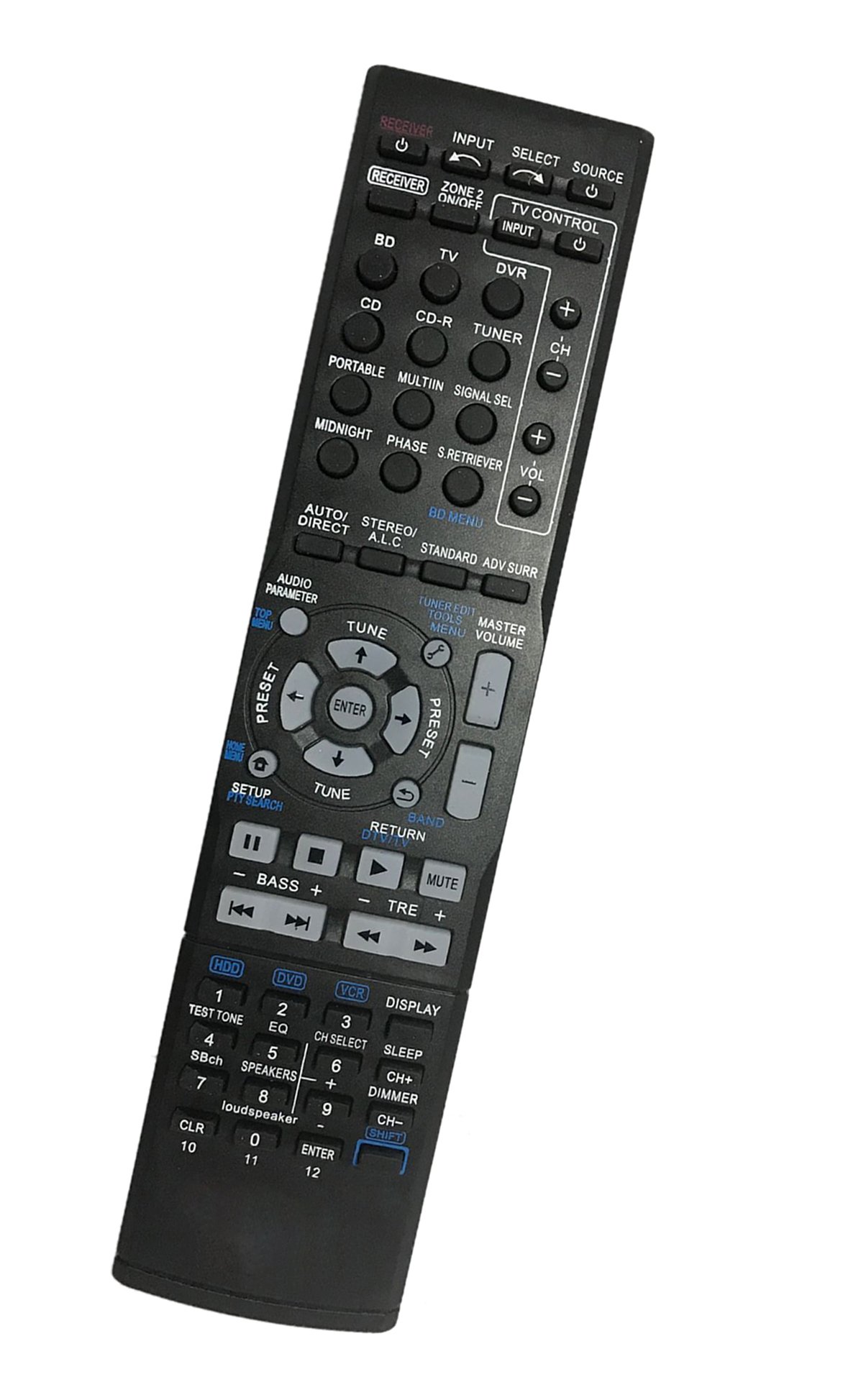
Image 3.1: Rear view of the remote control, highlighting the battery compartment for installation.
4. Operating Instructions
Once batteries are installed, the remote control is ready for use with your compatible Pioneer AV Receiver. Point the remote directly at the receiver and press the desired function button.
- Power On/Off: Press the POWER button to turn the receiver on or off.
- Volume Control: Use the VOLUME +/- buttons to adjust the audio level.
- Input Selection: Use the dedicated input buttons (e.g., CD, TUNER, HDMI) to switch between audio/video sources. Note that some specific input buttons found on original remotes may not be present on this replacement.
- Navigation: Use the arrow buttons and ENTER button for menu navigation if your receiver supports it.
Note: While this remote is designed for broad compatibility, some advanced or model-specific functions of your original remote may not be available or mapped to different buttons. Refer to your receiver's original manual for detailed function descriptions.
5. Maintenance
Proper care will extend the life of your remote control.
- Cleaning: Wipe the remote with a soft, dry cloth. Do not use liquid cleaners or abrasive materials.
- Battery Replacement: Replace batteries when the remote's response becomes sluggish or stops working. Always replace both batteries at the same time with new ones of the same type.
- Storage: If the remote will not be used for an extended period, remove the batteries to prevent leakage and potential damage. Store in a cool, dry place.
6. Troubleshooting
If you encounter issues with your remote control, refer to the following common solutions:
| Problem | Possible Cause | Solution |
|---|---|---|
| Remote not responding | Dead or incorrectly installed batteries. Obstruction between remote and receiver. Remote out of range. | Check battery orientation and replace if necessary. Ensure clear line of sight to the receiver's IR sensor. Move closer to the receiver. |
| Some buttons do not work | Function not supported by this replacement remote. Button malfunction. | Verify if the function was present on your original remote and if this replacement is expected to support it. If other buttons work, the specific button might be faulty. |
| Receiver not responding consistently | Weak batteries. Interference from other devices. | Replace batteries. Ensure no strong light sources or other IR devices are interfering. |
If troubleshooting steps do not resolve the issue, please contact customer support.
7. Specifications
| Product Dimensions | 4.53 x 1.57 x 1.38 inches |
| Item Weight | 2.72 ounces |
| Item Model Number | 8541714463 |
| Brand | JustFine |
| Special Feature | Ergonomic |
| Max Number of Supported Devices | 1 |
| Compatible Devices | Home Theater |
| Connectivity Technology | Infrared |
8. Warranty and Support
This product is sold with a money-back guarantee and a 30-day quality warranty, ensuring a hassle-free return process if needed.
For any problems, questions, or support inquiries, please contact us directly via email. Our customer service team is available to assist you.