
Introduction
This manual provides detailed instructions for the safe and efficient operation and maintenance of your LEVOIT LV-H132 Air Purifier. Designed to improve your indoor air quality, this air purifier features a high-efficiency 3-in-1 filtration system to capture smoke, dust, pollen, and odors, ensuring a cleaner and healthier environment in your home, office, or nursery.
Key Features
- AHAM VERIFIDE: Independently tested for air cleaning performance, safety, and energy efficiency.
- 3-Layer Filtration: Fine preliminary, Efficient filter, and activated carbon filter for comprehensive air purification.
- Official LEVOIT Filters: Ensures best fit and filtration, preventing damage from off-brand alternatives.
- High-Quality & Certified: ETL listed, FCC, and CARB certified for safety and reliability.
- Whisper-Quiet Operation: Noise levels as low as 28dB for undisturbed sleep.
- Optional Night Light: Two brightness settings or completely off for customized ambiance.
Setup Guide
Unpacking
- Carefully remove the air purifier and all accessories from the packaging.
- Remove any plastic wrapping from the air purifier and its filter.
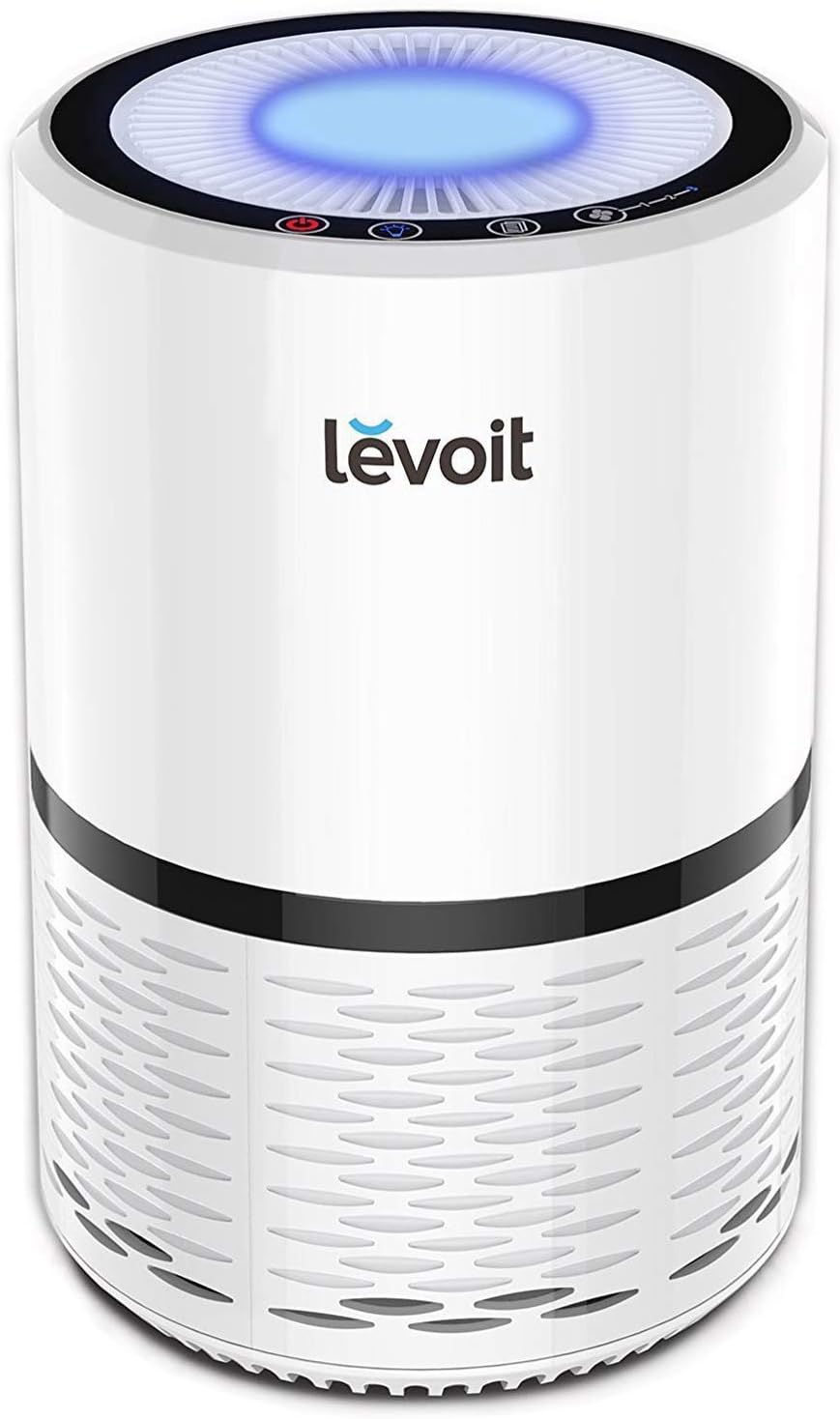
Image: The LEVOIT LV-H132 Air Purifier, a compact white cylindrical unit with a black band, ready for setup.
Filter Installation
The LEVOIT LV-H132 Air Purifier comes with a pre-installed 3-in-1 filtration system. Before first use, ensure the filter is properly unwrapped and installed.
- Turn the air purifier upside down.
- Twist the filter cover counter-clockwise to unlock and remove it.
- Remove the plastic packaging from the 3-in-1 filter.
- Place the filter back into the air purifier.
- Replace the filter cover and twist clockwise to lock it securely.
- Place the air purifier upright on a flat, stable surface. Ensure there is at least 15 inches (38 cm) of clearance on all sides for optimal airflow.

Image: Visual representation of the 3-layer filtration system, including pre-filter, efficient filter, and activated carbon filter.
Operating Instructions
Control Panel
The control panel is located on the top of the air purifier and features touch-sensitive buttons for easy operation.
- Power Button: Turns the air purifier on or off.
- Fan Speed Button: Cycles through three fan speeds: Low (1), Medium (2), and High (3).
- Night Light Button: Toggles the night light on/off or adjusts brightness.
- Filter Reset Indicator: Lights up red when the filter needs to be replaced.
Fan Speed Settings
Select the appropriate fan speed based on your air purification needs and desired noise level.
- Low (1): Quiet operation, ideal for sleeping or quiet environments (28 dB).
- Medium (2): Balanced performance for everyday use.
- High (3): Maximum purification for quick air cleaning.

Image: Diagram illustrating the low noise levels of the LV-H132 air purifier at different fan speeds, comparing it to common sounds.
Night Light Function
The optional night light provides a soft glow, perfect for bedrooms or nurseries.
- Press the Night Light Button to turn the light on.
- Press again to dim the light.
- Press a third time to turn the light off.

Image: The air purifier displaying its optional night light feature with different brightness levels.
Maintenance
Filter Replacement
The filter should be replaced every 6–8 months, or when the Filter Reset Indicator lights up red. Use only official LEVOIT LV-H132-RF replacement filters to ensure optimal performance and avoid damaging the unit.
- Unplug the air purifier.
- Turn the air purifier upside down.
- Twist the filter cover counter-clockwise to unlock and remove it.
- Remove the old 3-in-1 filter.
- Clean any remaining dust or debris from inside the air purifier using a vacuum hose.
- Unwrap a new LEVOIT LV-H132-RF filter and place it into the air purifier.
- Replace the filter cover and twist clockwise to lock it securely.
- Plug in the air purifier.
- Press and hold the Filter Reset Indicator button for 3 seconds until the light turns off.

Image: Comparison showing the benefits of using genuine Levoit filters for perfect match, efficient filtration, and reliable quality, versus off-brand filters that may be the wrong size or made of low-grade materials.
Cleaning
Regular cleaning helps maintain the efficiency of your air purifier.
- Always unplug the air purifier before cleaning.
- Wipe the exterior of the air purifier with a soft, dry cloth.
- Do not use abrasive cleaners or detergents.
- The pre-filter can be gently vacuumed to remove large particles, but the HEPA and Activated Carbon filters are not washable.
- Always allow 15 inches of clearance on all sides of the purifier.
Troubleshooting
| Problem | Solution |
|---|---|
| Air purifier does not turn on. | Ensure the power cord is securely plugged into a working outlet. Check if the filter cover is properly locked. |
| Airflow is significantly reduced. | Check if the filter is clogged and needs replacement. Ensure there is adequate clearance around the air purifier. |
| Unusual noise. | Check for any foreign objects inside the unit. Ensure the filter is installed correctly. |
| Filter Reset Indicator remains red after filter replacement. | Press and hold the Filter Reset Indicator button for 3 seconds until the light turns off. |
Specifications
| Feature | Detail |
|---|---|
| Color | White |
| Brand | LEVOIT |
| Product Dimensions | 7.9"D x 7.9"W x 12.6"H |
| Floor Area | 261 Square Feet |
| Specification Met | FCC Certified, ETL Certified, CARB Certified, EPA Certified |
| Noise Level | 28 dB |
| Particle Retention Size | 0.3 Micrometer |
| Controller Type | Touch |
| Wattage | 11 watts |
| UPC | 817915020869 817915026250 |
| Manufacturer | LEVOIT |
| Item Weight | 6 pounds |
| Item model number | LV-H132 |
| Country of Origin | China |
| Included Components | 1 x Air Purifier, 1 x Pre-Installed Original Filter, 1 x User Manual |
Warranty & Support
For detailed warranty information and further support, please refer to the official user manual PDF or visit the LEVOIT website.
Official User Manual: Download PDF
For additional assistance, contact LEVOIT Customer Support.


