
1. Introduction
This manual provides comprehensive instructions for the BOMAZ Replacement Remote Control, designed for use with specific Samsung Blu-ray Disc Player models. This remote offers a direct replacement solution, ensuring seamless operation without complex setup procedures.

Image 1: Overview of the BOMAZ Replacement Remote Control.
2. Setup
2.1 Battery Installation
The remote control requires two (2) AAA batteries (not included). Follow these steps to install them:
- Locate the battery compartment on the back of the remote control.
- Slide the battery compartment cover downwards to open it.
- Insert two AAA batteries, ensuring the positive (+) and negative (-) terminals align correctly with the markings inside the compartment.
- Replace the battery compartment cover by sliding it back into place until it clicks securely.
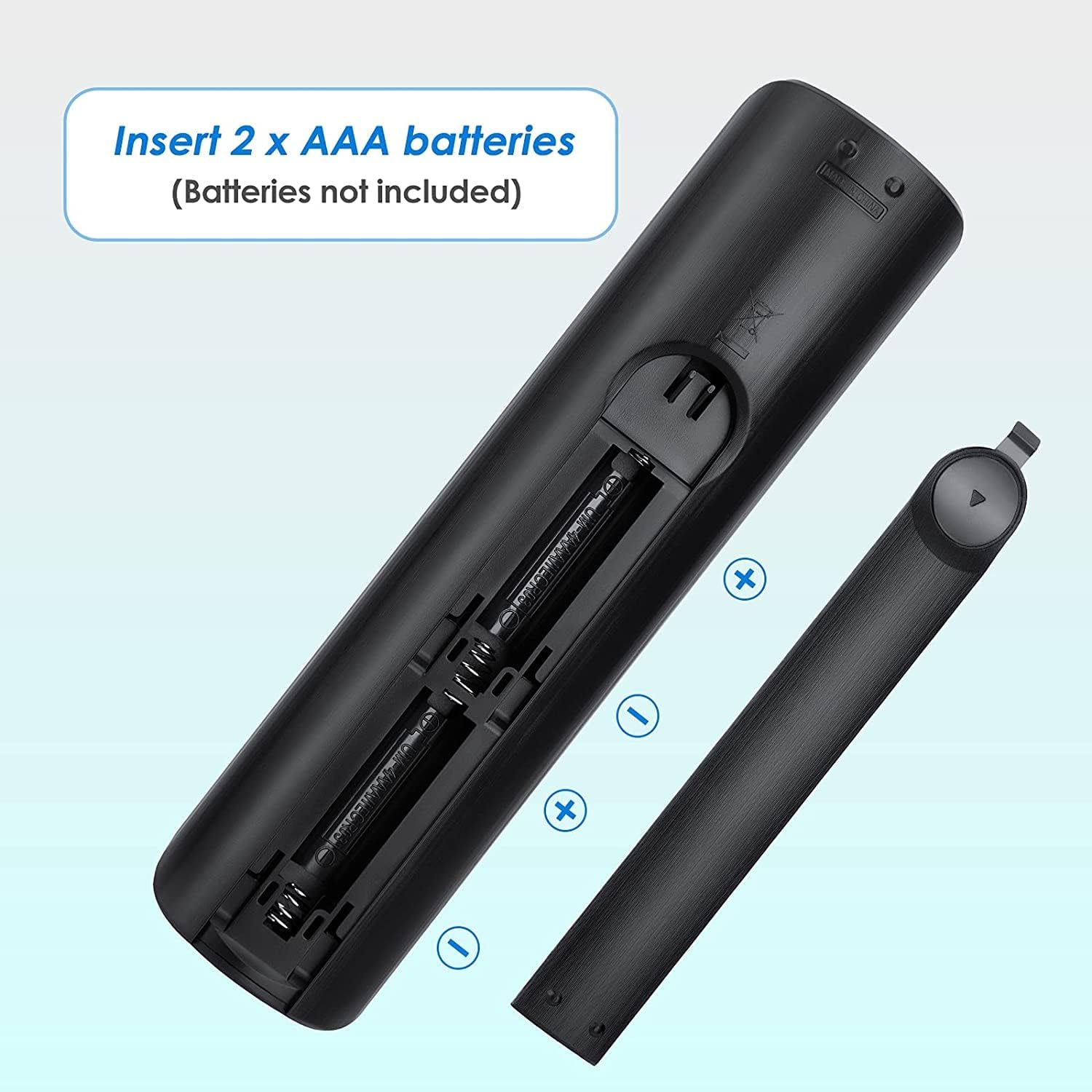
Image 2: Illustration of inserting AAA batteries into the remote control.
2.2 Initial Use (No Programming Required)
This replacement remote control is designed to work immediately with compatible Samsung Blu-ray Disc Players without any programming. Once batteries are installed, point the remote at your Blu-ray player and begin operation.

Image 3: The remote control being used with a television, demonstrating its ready-to-use functionality.
3. Operating Instructions
The remote control features standard buttons for Blu-ray disc player functions. Refer to the button layout for specific controls.
- Power Button (⏻): Turns the Blu-ray player on or off.
- Number Pad (0-9): For direct track selection or input.
- Volume Controls (VOL +, VOL -): Adjusts the volume of the connected display or audio system.
- Playback Controls (Play, Pause, Stop, Fast Forward, Rewind, Skip): Standard media playback functions.
- Directional Pad (Up, Down, Left, Right) & Enter: For menu navigation and selection.
- HOME: Accesses the main menu of the Blu-ray player.
- RETURN: Navigates back to the previous screen or menu.
- EXIT: Exits the current menu or function.
- DISC MENU / TITLE MENU / POPUP: Accesses disc-specific menus.
- AUDIO / SUBTITLE: Selects audio tracks or subtitle options.
- TOOLS / INFO: Provides additional options or information.
- Color Buttons (A, B, C, D): Functionality varies by disc or application.
4. Maintenance
4.1 Cleaning
To clean the remote control, use a soft, dry cloth. Do not use liquid cleaners or abrasive materials, as these may damage the remote's surface or internal components.
4.2 Battery Replacement
Replace batteries when the remote's response becomes sluggish or it ceases to function. Always replace both batteries simultaneously with new AAA batteries. Do not mix old and new batteries or different types of batteries.
5. Troubleshooting
- Remote not responding:
- Ensure batteries are installed correctly with the correct polarity.
- Replace old batteries with new ones.
- Verify there are no obstructions between the remote and the Blu-ray player's infrared sensor.
- Ensure you are within the operable distance (more than 8 meters) and pointing the remote directly at the player.
- Certain buttons not working:
- Check if the button is stuck or dirty.
- Confirm the Blu-ray player model is listed as compatible.
If issues persist after following these steps, please refer to the Support section.
6. Specifications
| Product Dimensions | 7.91 x 3.11 x 0.79 inches |
| Item Weight | 2.4 ounces |
| Compatible Devices | Samsung Blu-ray Disc Players (BD-JM57, BD-J5700/ZA, BD-FM51C, BD-FM51C/ZA) |
| Battery Type | 2 x AAA batteries (not included) |
| Operable Distance | More than 8 meters |
| Material | ABS Material |
| Model Number | 8541714461 |
7. Warranty
This BOMAZ replacement remote control comes with a 90-day warranty from the date of purchase. This warranty covers manufacturing defects. Please retain your proof of purchase for warranty claims.
8. Support
For technical assistance or warranty inquiries, please contact BOMAZ customer support. If the remote you receive has a problem, please reach out to us directly for assistance.
Contact information is typically provided by the seller at the point of purchase or on the product packaging.