
Plantronics 40203-14
Plantronics Tristar H81N-CD Monaural Over-Ear Headset User Manual
Model: 40203-14
Introduction
This manual provides essential instructions for the proper setup, operation, and maintenance of your Plantronics Tristar H81N-CD Monaural Over-Ear Headset. Please read this guide thoroughly before using the device to ensure optimal performance and longevity.
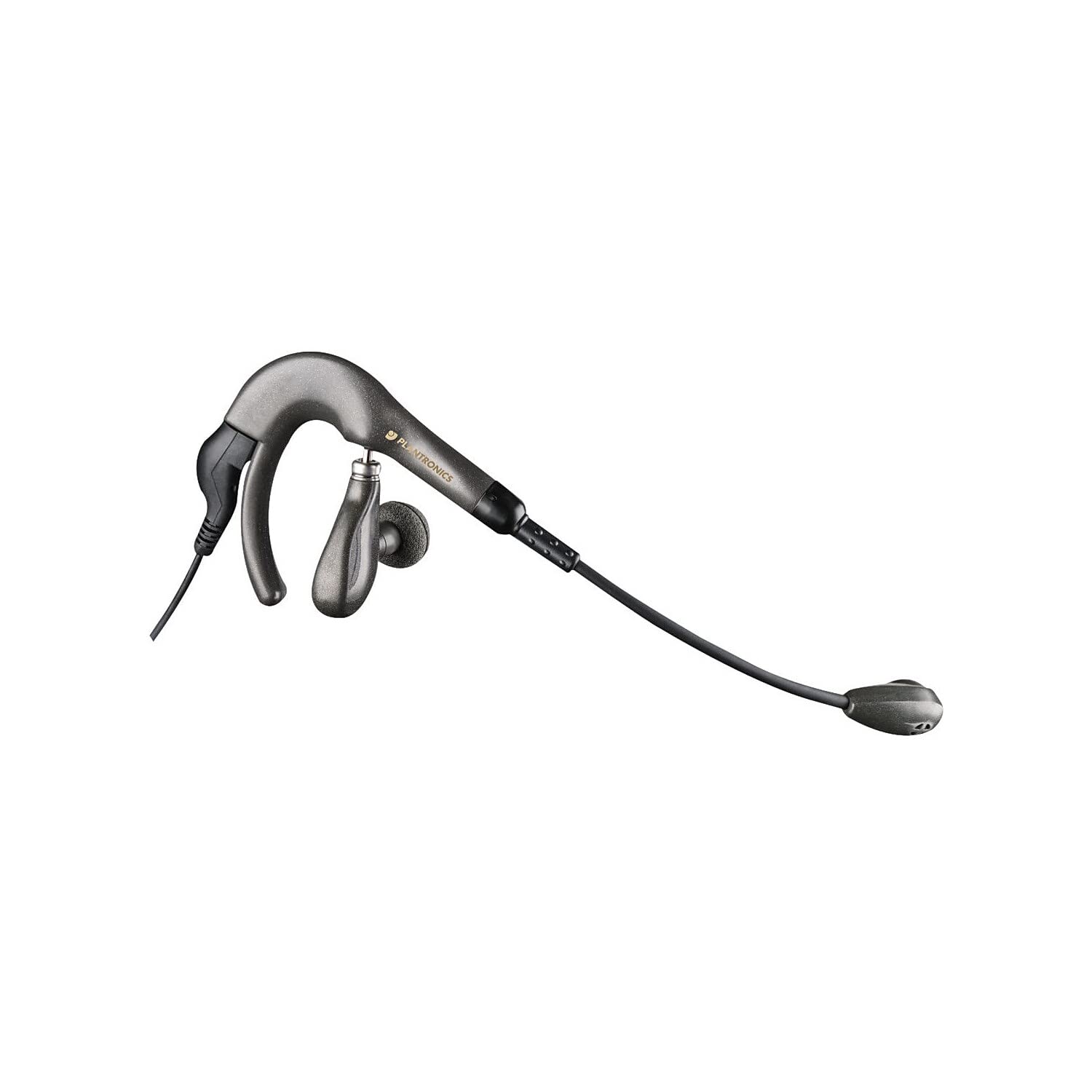
Image: The Plantronics Tristar H81N-CD Monaural Over-Ear Headset, featuring a single earpiece, an adjustable microphone boom, and a headband.
Setup
1. Unboxing and Initial Inspection
Carefully remove all components from the packaging. Verify that all items listed in the 'What's in the Box' section are present and undamaged. The headset includes ear buds and a microphone.
2. Connecting the Headset
The Plantronics Tristar H81N-CD is a wired headset designed for direct connection. It features a 3.5 mm jack for audio input. Connect the headset's 3.5 mm jack to the corresponding audio port on your device (e.g., desktop, laptop, telephone system).
Note: A bottom cord is NOT included with this headset and may need to be purchased separately depending on your specific connection requirements.
3. Adjusting for Comfort
The headset is designed for over-ear wear and includes multiple ear tips for a comfortable and secure fit. Adjust the headband and microphone boom to your preference. The microphone boom is flexible to allow optimal positioning near your mouth for clear communication.
Operation
1. Making and Receiving Calls
Once connected, the headset functions as your primary audio input and output device. For compatible telephone systems or computer applications, you can typically answer and end calls directly through your device's interface.
2. Microphone Usage
The headset features a noise-canceling microphone, ideal for environments with average to loud background noise. Position the microphone near your mouth for optimal voice pickup and to minimize ambient sound interference. This headset is specifically made for 911 dispatch centers, ensuring clear communication in critical environments. The microphone boom is adjustable.
3. Volume Control
Volume adjustments are typically managed through the connected device (desktop, laptop, telephone). Refer to your device's operating system or application settings for specific volume control options.
4. Mute Functionality
If your connected device or application supports it, you can mute the microphone through its interface. This headset does not feature an inline mute button.
Maintenance
To ensure the longevity and hygiene of your headset, follow these simple maintenance guidelines:
- Cleaning: Gently wipe the earpiece and microphone with a soft, dry cloth. Avoid using harsh chemicals or abrasive materials.
- Storage: Store the headset in a clean, dry place away from extreme temperatures and direct sunlight when not in use.
- Cable Care: Avoid sharp bends or excessive pulling on the cable to prevent internal damage. The cable features a retractable design for convenience.
Troubleshooting
If you encounter issues with your Plantronics Tristar H81N-CD headset, consider the following:
- No Audio/Microphone Not Working:
- Ensure the 3.5 mm jack is fully and securely plugged into your device's audio port.
- Check your device's audio settings to confirm the headset is selected as the input and output device.
- Verify that the volume on your device is not muted or set too low.
- If using with a telephone system, ensure the system is configured correctly for headset use.
- Poor Audio Quality:
- Adjust the microphone position closer to your mouth.
- Check for any physical damage to the cable or connectors.
- Ensure the ear tip is properly seated for optimal sound delivery.
- Headset Discomfort:
- Experiment with the multiple ear tips provided to find the most comfortable fit.
- Adjust the headband for a looser or tighter fit as needed.
Specifications
| Brand | Plantronics |
| Model Number | 40203-14 |
| Connectivity Technology | Wired |
| Headphones Jack | 3.5 mm Jack |
| Earpiece Shape | Over-Ear |
| Noise Control | Active Noise Cancellation (Microphone) |
| Special Feature | Lightweight, Microphone Included |
| Compatible Devices | Desktops, Laptops, Telephones |
| Product Dimensions | 2.76 x 0.85 x 2.17 inches |
| Item Weight | 3.84 ounces |
| Material | Plastic |
Warranty and Support
For warranty information and customer support, please refer to the documentation included with your product or visit the official Plantronics website. Some products may offer a 1-year warranty upon activation.
Related documents40203-14


Ask a question about this manual
Ask about setup, troubleshooting, compatibility, parts, safety, or missing instructions. Manuals+ will review the question and use this page’s manual context to help answer it.