
This manual provides instructions for the JustFine replacement remote control, designed for use with various Samsung Smart LED LCD HD TV models. This remote is pre-programmed and requires no additional setup beyond battery installation.
1. Setup
1.1 Battery Installation
The remote control requires two AA batteries (not included).
- Locate the battery compartment cover on the back of the remote.
- Slide the cover downwards to open.
- Insert two AA batteries, ensuring correct polarity (+ and - terminals).
- Slide the cover back into place until it clicks.
Note: For optimal performance and extended battery life, alkaline batteries are recommended.
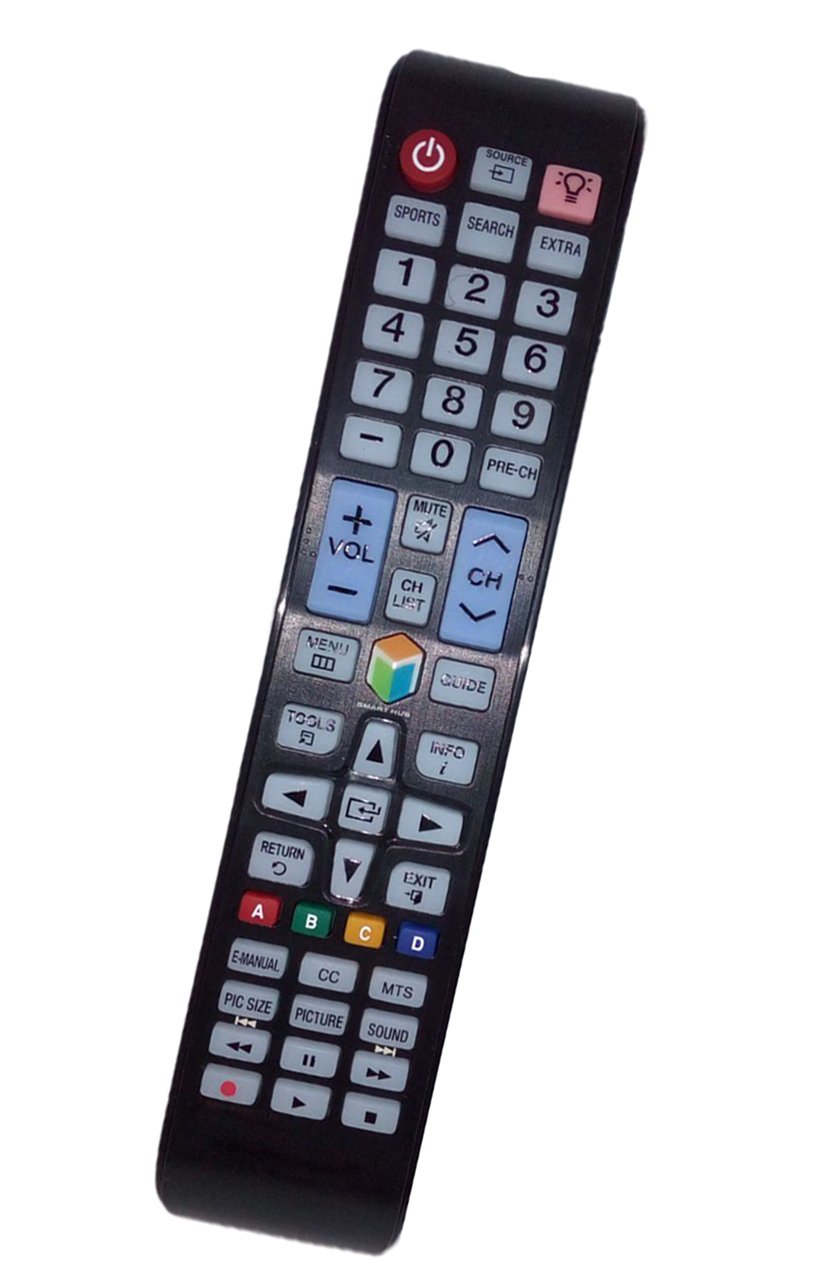
2. Operating the Remote Control
This replacement remote functions identically to your original Samsung TV remote for the compatible models. Point the remote directly at your television's infrared receiver.
2.1 Power On/Off
Press the POWER button to turn your television on or off.
2.2 Channel Selection
Use the CH +/- buttons to navigate through channels. Enter specific channel numbers using the numeric keypad.
2.3 Volume Control
Adjust the volume using the VOL +/- buttons. Press the MUTE button to silence the audio.
2.4 Smart Hub / Menu Access
Access your TV's Smart Hub or main menu functions using the dedicated buttons, typically labeled SMART HUB, MENU, or HOME.
2.5 Navigation and Selection
Use the directional arrow buttons (UP, DOWN, LEFT, RIGHT) to navigate menus and select options. Confirm selections with the ENTER or OK button.
3. Care and Maintenance
Proper care ensures the longevity of your remote control.
3.1 Cleaning
Wipe the remote control with a soft, dry cloth. Do not use liquid cleaners or abrasive materials, as these can damage the surface or internal components.
3.2 Battery Replacement
Replace batteries when the remote's response becomes sluggish or stops working. Always replace both batteries simultaneously with new ones of the same type (AA).
3.3 Storage
Store the remote in a dry place away from direct sunlight and extreme temperatures. If the remote will not be used for an extended period, remove the batteries to prevent leakage.
4. Troubleshooting Common Issues
If you experience problems with your remote control, refer to the following solutions:
4.1 Remote Not Responding
- Check Batteries: Ensure batteries are inserted correctly with the proper polarity. Replace old batteries with new AA alkaline batteries.
- Line of Sight: Make sure there are no obstructions between the remote control and the TV's infrared sensor.
- Remote Sensor: Clean the infrared emitter on the front of the remote and the TV's sensor with a soft cloth.
4.2 Short Battery Life
- If your remote features a backlight button and it is set to "ON", battery consumption will be higher. Consider turning off the backlight when not needed to extend battery life.
- Always use high-quality alkaline batteries for best performance and longevity.
5. Product Specifications
| Brand | JustFine |
| Compatible Devices | Samsung Televisions (UN40D550DAFXZA, UN48JU6500FX, UN55J6300AFZA, UN60JU650D, UN75JU6500FXZA, UN55JU6500F) |
| Connectivity Technology | Infrared |
| Controller Type | Button Control |
| Battery Type | AA (2 required) |
| Product Dimensions | 20.32 x 5.08 x 1.27 cm |
| Item Weight | 77 g |
6. Warranty and Customer Support
6.1 Quality Warranty
This product comes with a 30-day quality warranty. If you encounter any issues within this period, please contact customer support.
6.2 Return Policy
A hassle-free return policy is offered, along with a money-back guarantee.
6.3 Contact Support
For any problems or inquiries, please email customer support.