Product Overview
The Harbor Breeze Opal Globe Glass 1-Light CFL Ceiling Fan Light Kit is designed to enhance your existing ceiling fan. This kit includes an 8.4-inch opal frosted glass globe and features three interchangeable finishes: antique brass, white, and bright brass, allowing for customization to match various decor styles.
It utilizes one 13-watt CFL bulb, which is included with the kit. This CFL bulb is energy-efficient, consuming 75 percent less energy than standard 60-watt incandescent bulbs. Please note that the included CFL bulb is not compatible with dimmer switches.
The light kit is suitable for indoor use, including enclosed porches or patios, and is ETL listed for damp locations, ensuring safety and durability in appropriate environments. It features a built-in On/Off control switch for convenient operation. This product is a light fixture only; the ceiling fan is sold separately.

Image: The Harbor Breeze Opal Globe Glass 1-Light CFL Ceiling Fan Light Kit, featuring an opal frosted glass globe and a decorative brass top.
Setup and Installation
This light kit is designed for easy installation onto compatible ceiling fans. Before beginning installation, ensure the power supply to the ceiling fan is turned off at the circuit breaker to prevent electrical shock.
Package Contents:
- Opal Frosted Glass Globe
- Light Kit Housing (with built-in On/Off switch)
- Interchangeable Finishes: Antique Brass, White, Bright Brass
- 1 x 13-watt CFL Bulb
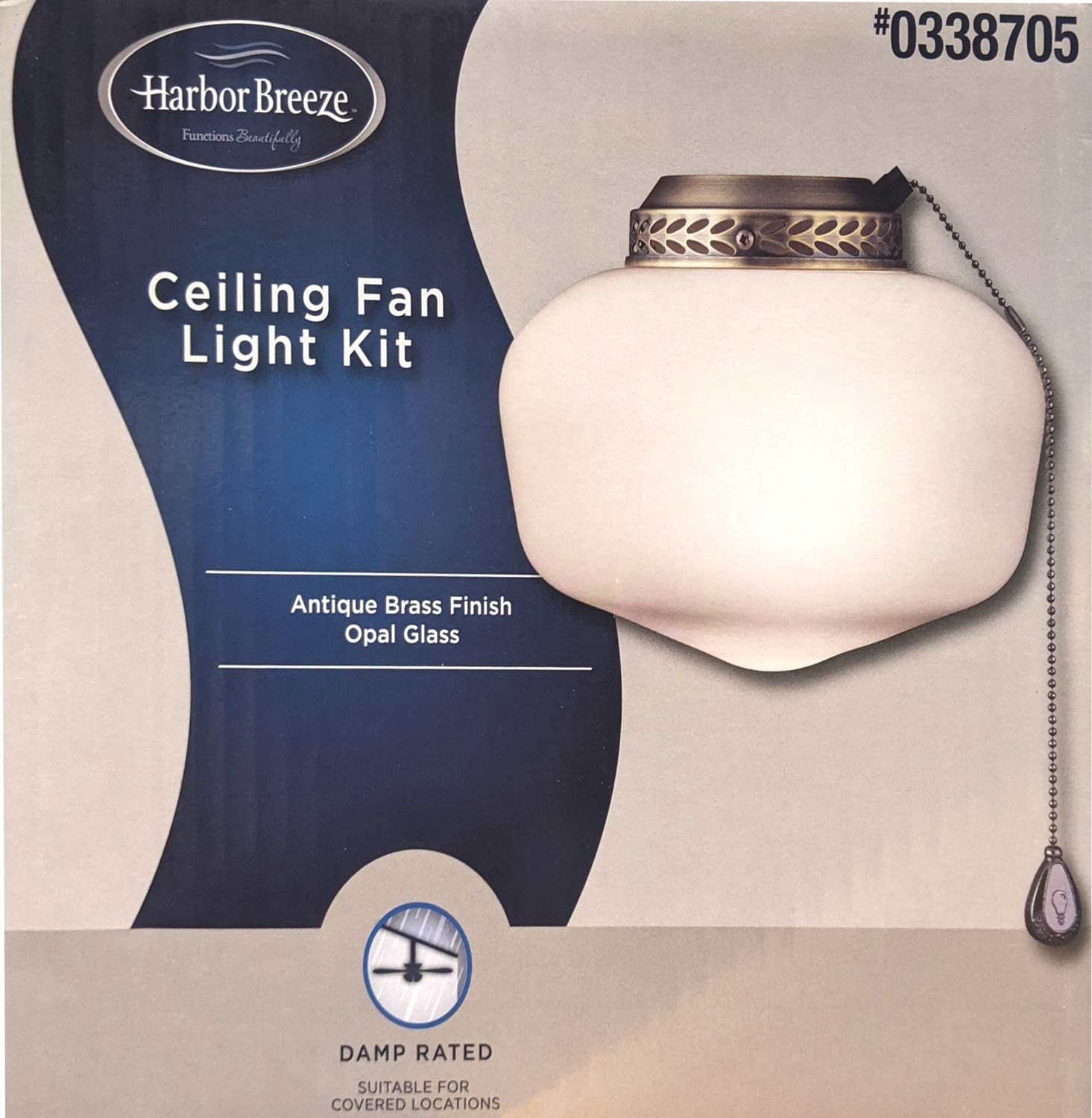
Image: The product packaging for the Harbor Breeze Ceiling Fan Light Kit, showing the light kit and indicating "Antique Brass Finish Opal Glass" and "Damp Rated".
Installation Steps (General Guidance):
- Safety First: Disconnect power to the ceiling fan at the main circuit breaker.
- Prepare Fan: Follow your ceiling fan's instructions for attaching a light kit. This typically involves removing any existing caps or covers from the fan's light housing.
- Connect Wiring: Carefully connect the light kit's wires to the corresponding wires from the ceiling fan. Ensure all connections are secure and insulated with wire nuts.
- Attach Light Kit: Secure the light kit housing to the ceiling fan according to the fan's design.
- Install Bulb: Screw the included 13-watt CFL bulb into the light socket.
- Attach Glass Globe: Secure the opal frosted glass globe to the light kit housing.
- Select Finish: Choose one of the three included finishes (antique brass, white, or bright brass) and attach it to the light kit housing as desired.

Image: A close-up view of the three interchangeable finishes included with the light kit: Polished Brass, White, and Antique Brass.
Important: This light kit is ETL listed for damp locations, making it suitable for use in covered outdoor areas like porches or patios. Always consult a qualified electrician if you are unsure about any electrical connections.
Operating Instructions
The Harbor Breeze Light Kit features a built-in On/Off control switch, typically a pull chain, for easy operation.
- Turning On/Off: Gently pull the chain extending from the light kit housing to toggle the light on or off.
- Dimmer Compatibility: The included 13-watt CFL bulb is not compatible with dimmer switches. Using a dimmer switch with this bulb may cause flickering, damage to the bulb, or premature failure. If a dimmer is desired, a compatible dimmable bulb must be purchased separately.
Maintenance
Regular maintenance will help ensure the longevity and optimal performance of your light kit.
Cleaning:
- Glass Globe: To clean the opal frosted glass globe, first ensure the light is off and cool. Remove the globe carefully and wash with mild soap and water. Rinse thoroughly and dry completely before reattaching.
- Metal Finishes: Wipe the metal housing and chosen finish with a soft, dry, or slightly damp cloth. Avoid using abrasive cleaners, solvents, or polishes, as these can damage the finish.
Bulb Replacement:
- Safety: Always turn off the power to the light kit at the circuit breaker before attempting to replace the bulb. Allow the bulb to cool completely.
- Removal: Carefully unscrew the old CFL bulb from the socket.
- Installation: Screw in a new 13-watt CFL bulb. Ensure the replacement bulb is compatible with the fixture and is not a dimmable type if you do not have a dimmer switch installed.
Troubleshooting
If you encounter issues with your Harbor Breeze Light Kit, refer to the following common troubleshooting steps:
| Problem | Possible Cause | Solution |
|---|---|---|
| Light does not turn on. |
|
|
| Light flickers or dims. |
|
|
| Light kit does not attach securely to fan. |
|
|
Specifications
| Feature | Detail |
|---|---|
| Brand | HARBOR BREEZE |
| Model Number | 40312 |
| Part Number | 338705 |
| Color | White, Brass (with interchangeable finishes) |
| Material | Glass (globe), Metal (housing/finishes) |
| Style | Antique |
| Light Fixture Form | Ceiling (for fan attachment) |
| Indoor/Outdoor Usage | Indoor (ETL listed for damp locations) |
| Power Source | Corded Electric |
| Control Method | Pull Chain (built-in On/Off switch) |
| Light Source Type | Fluorescent (CFL) |
| Number of Light Sources | 1 |
| Wattage | 60 watts (incandescent equivalent, uses 13-watt CFL) |
| Shade Material | Glass |
| Shade Color | White (Opal Frosted) |
| Item Weight | 8 ounces (approx. 0.23 kg) |
| Package Dimensions | 10 x 9 x 9 inches (approx. 25.4 x 22.86 x 22.86 cm) |
| Certification | ETL Listed for Damp Locations |
Warranty and Support
Specific warranty details for the Harbor Breeze Opal Globe Glass 1-Light CFL Ceiling Fan Light Kit are not provided in this manual. For information regarding product warranty, please refer to the documentation included with your purchase or contact the retailer where the product was acquired.
For technical support, replacement parts, or further assistance, please contact HARBOR BREEZE customer service. Contact information can typically be found on the product packaging or the official HARBOR BREEZE website.
When contacting support, please have your product model number (40312) and part number (338705) available for quicker assistance.


