
FLIR 435-0006-02
Contents
FLIR ONE Pro Thermal Imaging Camera for iOS User Manual
Model: 435-0006-02
Introduction
The FLIR ONE Pro is a powerful thermal imaging camera designed to connect directly to your iOS device, transforming it into a professional-grade thermal imager. This device allows you to see the world in a new way, detecting heat signatures that are invisible to the naked eye. It is ideal for a wide range of applications, from home inspections and electrical troubleshooting to outdoor adventures.
Setup
1. Charging the Device
Before first use, fully charge your FLIR ONE Pro. The device uses a Lithium Polymer battery. Connect the included charging cable to the FLIR ONE Pro and a compatible USB power source. The charging indicator light will show the charging status.
2. Installing the FLIR ONE App
Download and install the official FLIR ONE app from the Apple App Store on your iOS device. This app is essential for operating the camera and accessing its full features.
3. Connecting to Your iOS Device
The FLIR ONE Pro features a OneFit™ adjustable connector. This allows the device to connect securely to your iOS phone, even if it's in a protective case. Gently extend the connector to fit your phone's port, then plug in the FLIR ONE Pro. Ensure a firm connection.

Image: The FLIR ONE Pro thermal camera connected to the bottom of an iPhone, displaying a thermal image on the screen.

Image: A close-up view of the FLIR ONE Pro device, highlighting its adjustable Lightning connector.
Video: An official FLIR video demonstrating the various applications and features of the FLIR ONE and FLIR ONE Pro thermal cameras, including the adjustable connector and MSX technology.
Operating the FLIR ONE Pro
1. Powering On and Calibration
Once connected, open the FLIR ONE app. The camera will automatically power on. Allow a few seconds for the camera to calibrate. You may hear a slight click, which is normal as the shutter calibrates.
2. Understanding Thermal Imaging
The FLIR ONE Pro uses both a thermal camera and a visible light camera. It features MSX® Technology, which embosses the visual details from the visible light camera onto the thermal image. This enhances detail and makes it easier to identify the source of thermal anomalies. Additionally, VividIR™ Technology processes multiple image frames to deliver sharper, higher-resolution thermal images.

Image: A person holding an iPhone with the FLIR ONE Pro attached, displaying a thermal image of an electrical panel with hot spots.
3. Capturing Images and Videos
Within the FLIR ONE app, you can switch between still image and video capture modes. Use the on-screen controls to adjust settings, such as color palettes, spot meters, and temperature ranges, to optimize your thermal view. Tap the capture button to take a photo or start/stop video recording.

Image: An iPhone with the FLIR ONE Pro attached, showing a thermal image of a wall outlet with a visible heat signature.
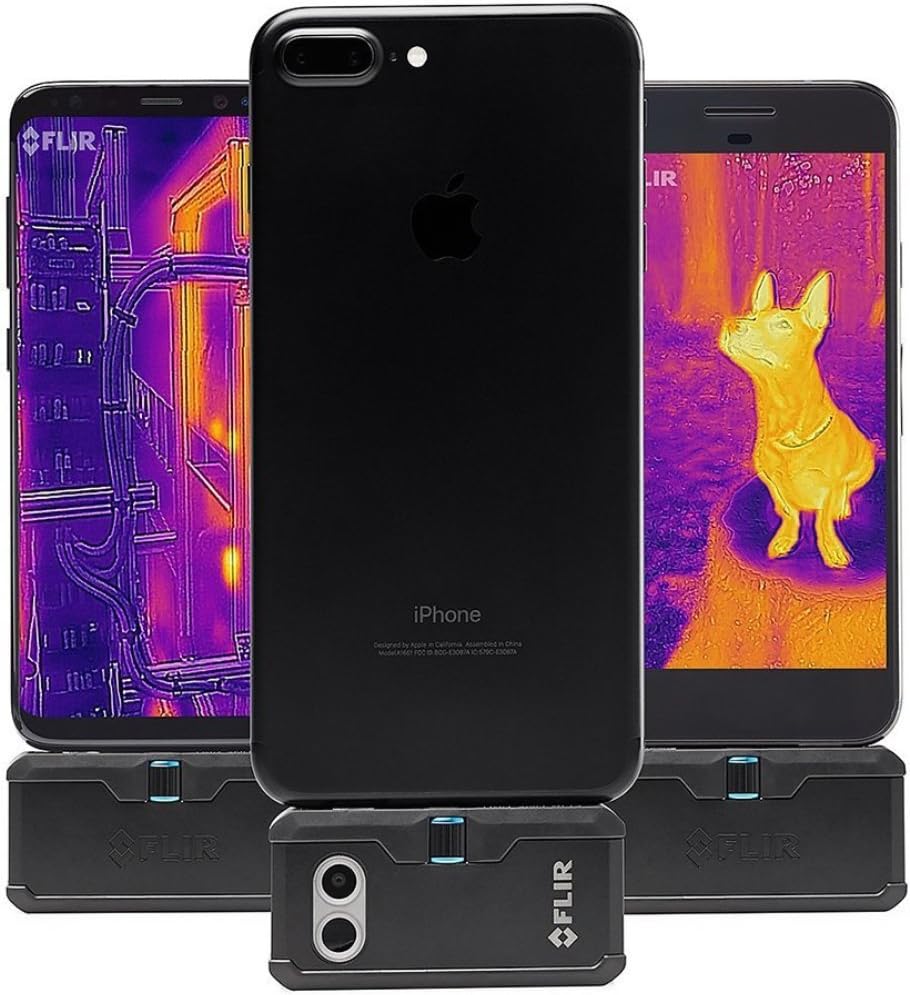
Image: An iPhone with the FLIR ONE Pro attached, displaying a thermal image of a dog, highlighting its body heat.
Maintenance
1. Cleaning the Lenses
Regularly clean the thermal and visible light lenses with a soft, lint-free cloth. For stubborn smudges, use a small amount of lens cleaning solution. Avoid abrasive materials or harsh chemicals that could damage the lenses.
2. Battery Care
To prolong battery life, avoid fully discharging the device frequently. Store the FLIR ONE Pro in a cool, dry place when not in use. If storing for extended periods, ensure it has a partial charge (around 50%).
3. Durability
The FLIR ONE Pro is designed to be ruggedized and drop-tested at 1.8 meters, offering enhanced durability for various work environments. However, always handle the device with care to prevent damage.
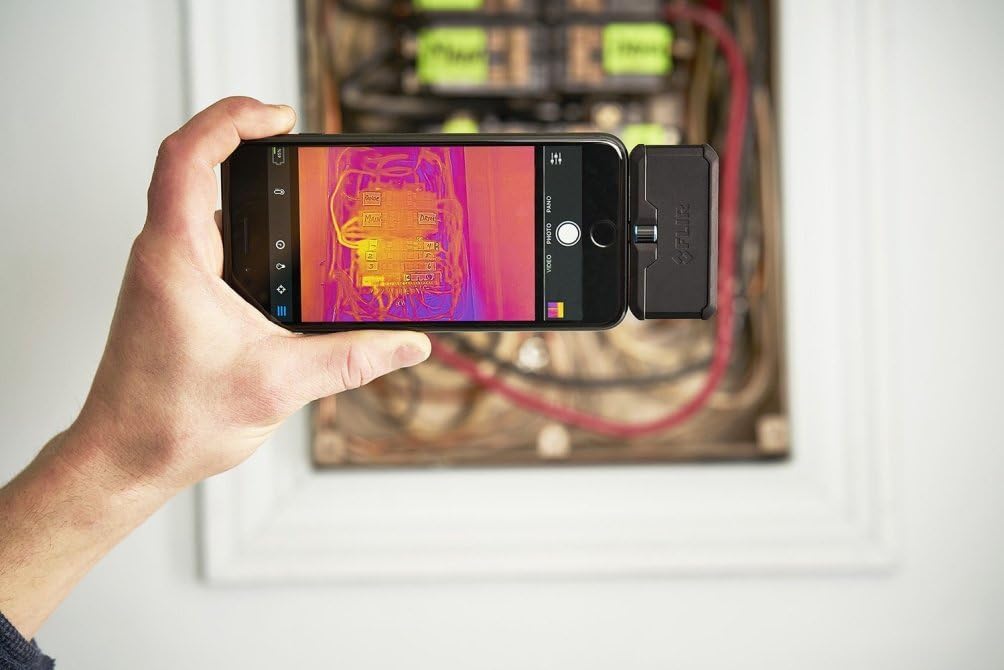
Image: A person using the FLIR ONE Pro attached to an iPhone to inspect an electrical box, showing thermal readings on the screen.
Troubleshooting
| Issue | Possible Cause | Solution |
|---|---|---|
| Device not powering on | Low battery or loose connection. | Ensure the device is fully charged. Check that the FLIR ONE Pro is securely connected to your iOS device. |
| Thermal image is blurry or distorted | Dirty lenses or calibration issue. | Clean both the thermal and visible light lenses. Restart the FLIR ONE app to re-initiate calibration. |
| App not recognizing the device | App permissions or software glitch. | Ensure the FLIR ONE app has necessary permissions (e.g., camera access). Try restarting your iOS device and the app. Reinstall the app if the issue persists. |
| Inaccurate temperature readings | Incorrect emissivity settings or environmental factors. | Adjust the emissivity setting in the app to match the material being measured. Avoid direct sunlight or extreme temperatures during use. |
Specifications
- Model Number: 435-0006-02
- Product Dimensions: 24 x 24 x 24 inches
- Item Weight: 1.29 ounces
- Battery: 1 Lithium Polymer battery required
- Manufacturer: FLIR
- First Available: May 31, 2017
- Compatibility: iOS devices (with Lightning port)
- Durability: Ruggedized, drop-tested at 1.8 meters
- Key Technologies: MSX® Technology, VividIR™ Technology, OneFit™ Adjustable Connector
Warranty and Support
For detailed warranty information, product registration, and technical support, please visit the official FLIR website or refer to the documentation included with your purchase. You can also find FAQs and additional resources on the FLIR support pages.
Official FLIR Store: Visit the FLIR Store on Amazon
Documents and downloads
Ask a question about this manual
Ask about setup, troubleshooting, compatibility, parts, safety, or missing instructions. Manuals+ will review the question and use this page’s manual context to help answer it.