
1. Introduction
Thank you for choosing the SCS Sentinel AAM0082 BatteryGate 2 Backup Battery Kit. This kit provides a reliable power backup solution for your gate automation system, ensuring continued operation during power outages. Please read this manual carefully before installation and use to ensure proper function and safety.
2. Product Description
The SCS Sentinel AAM0082 BatteryGate 2 kit consists of two rechargeable 12V/24V backup batteries designed to automatically take over power supply for your gate automation system in the event of a mains power failure. This allows you to continue opening and closing your gate without interruption. The kit includes connection cables (red and black, 30 cm each) for easy and secure installation.

Image 1: SCS Sentinel AAM0082 Backup Batteries. This image shows the two black, rectangular backup batteries with their connecting wires, ready for installation.
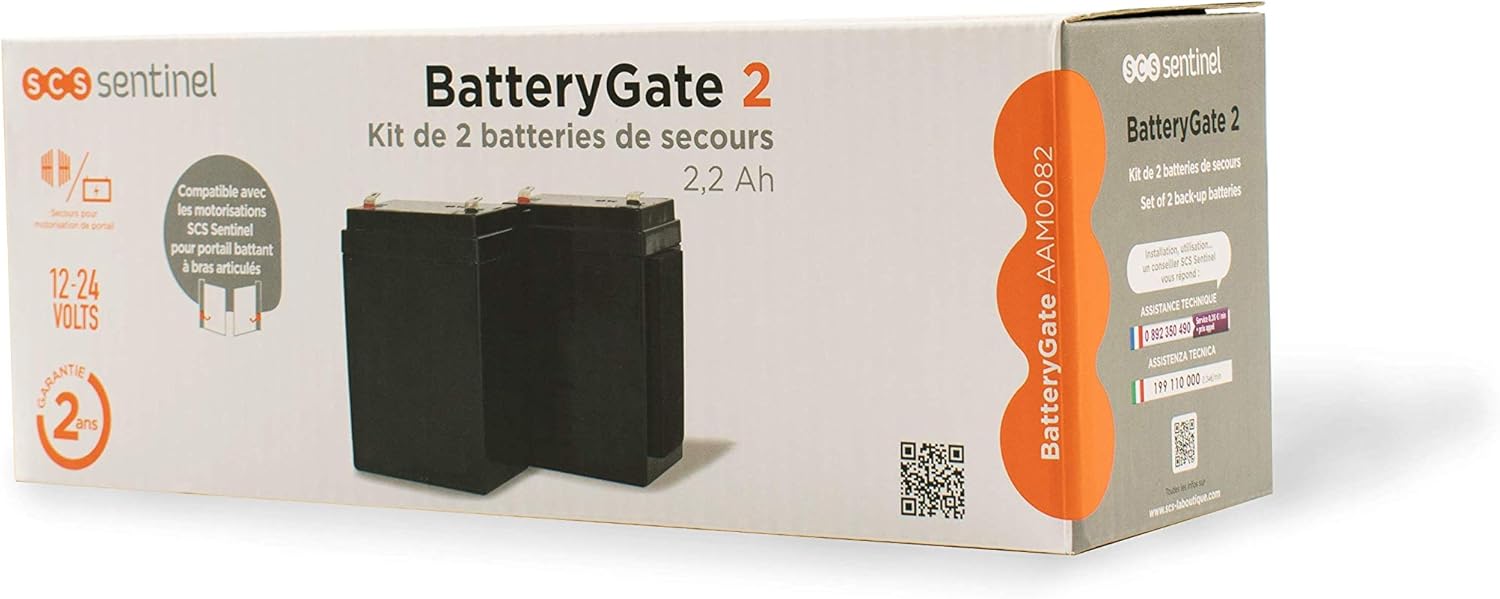
Image 2: SCS Sentinel BatteryGate 2 Product Packaging. The packaging highlights key features such as compatibility with SCS Sentinel gate motors, 12-24 Volts operation, 2.2 Ah capacity, and a 2-year warranty.
3. Key Features
- Automatic Power Takeover: Ensures continuous operation of your gate automation system during power outages.
- Rechargeable Batteries: Two 12V/24V batteries included, designed for long-term use.
- Easy Installation: Features a suitable housing in the electronic box for simplified setup and includes 30 cm red and black connection cables.
- Wide Compatibility: Compatible with SCS Sentinel HWay swing gate motors, OpenGate 2, and OneGate 2 (specifically with CB 100 / P100 PCB 2, CTR57, CTR58 circuit boards).
4. Setup and Installation
Installation of the BatteryGate 2 kit is designed to be straightforward. Always ensure the main power to your gate automation system is disconnected before beginning any installation work.
4.1 Safety Precautions
- Disconnect all power to the gate automation system before installation.
- Ensure proper polarity when connecting the batteries (red to positive, black to negative).
- Do not short-circuit the battery terminals.
- Keep batteries away from heat sources and direct sunlight.
- Handle batteries with care to avoid damage.
4.2 Installation Steps
- Locate the designated battery housing within your gate automation system's electronic control box. The system is designed with an adapted compartment for these batteries.
- Carefully insert the two backup batteries into their respective slots.
- Connect the provided red and black cables to the battery terminals. Ensure the red cable connects to the positive (+) terminal and the black cable connects to the negative (-) terminal.
- Connect the other end of the cables to the corresponding terminals on your gate automation system's circuit board (e.g., CB 100 / P100 PCB 2, CTR57, CTR58). Refer to your gate motor's manual for specific connection points.
- Once connections are secure, restore power to your gate automation system. The batteries will begin charging automatically.
- Test the system by temporarily disconnecting the main power supply to ensure the batteries take over and the gate operates correctly.
5. Operating Instructions
The SCS Sentinel BatteryGate 2 kit operates automatically. When installed correctly and the main power supply is active, the batteries will remain charged and in standby mode. In the event of a power outage, the batteries will seamlessly provide power to your compatible gate automation system, allowing normal operation until mains power is restored.
No manual intervention is required for the batteries to engage during a power failure or to recharge once power is restored.
6. Maintenance
The BatteryGate 2 kit requires minimal maintenance. Follow these guidelines to ensure optimal performance and longevity:
- Regular Checks: Periodically test the battery backup function by temporarily disconnecting the main power to your gate system. Ensure the gate operates smoothly on battery power.
- Cleanliness: Keep the batteries and their terminals clean and free from dust or corrosion. Use a dry cloth for cleaning.
- Storage: If the batteries are to be stored for an extended period, ensure they are fully charged and stored in a cool, dry place. Recharge them every 3-6 months to prevent deep discharge.
- Replacement: Batteries have a finite lifespan. If you notice a significant decrease in backup duration or the gate system struggles to operate on battery power, it may be time to replace the batteries.
7. Troubleshooting
If you encounter issues with your BatteryGate 2 kit, refer to the following common problems and solutions:
| Problem | Possible Cause | Solution |
|---|---|---|
| Gate does not operate during power outage. | Batteries not charged or faulty connections. |
|
| Batteries do not seem to be charging. | Faulty connection to charging circuit or damaged batteries. |
|
| Reduced backup operation time. | Batteries reaching end of life or not fully charged. |
|
If the problem persists after following these steps, please contact SCS Sentinel technical support.
8. Specifications
| Model Number: | AAM0082 |
| Brand: | SCS Sentinel |
| Number of Batteries: | 2 |
| Voltage: | 12V / 24V (System dependent) |
| Capacity: | 2.2 Ah |
| Dimensions (per battery L x W x H): | 46 x 74 x 74 mm (1.81 x 2.91 x 2.91 inches) |
| Weight (total): | 1.76 kg (3.88 lbs) |
| Color: | Black |
| Reusability: | Rechargeable |
9. Warranty and Support
SCS Sentinel guarantees the reliability of its innovative technical products, which are easy to install and use, combining comfort and security. The BatteryGate 2 kit benefits from a 2-year warranty against any material or manufacturing defects from the date of delivery or product availability. The warranty is applicable only upon presentation of proof of purchase.
Our technical support team, based in France, is available to assist you with the installation and use of your product. Our technicians will provide expert and personalized advice to ensure your satisfaction.
For further information or support, please visit the official SCS Sentinel website: scs-laboutique.com