1. Introduction
This manual provides instructions for the safe and effective use of your Accessory USA AC Adapter. This power supply cord is designed to provide reliable power to compatible JBL JEMBE JBLJEMBE 2.0 Speakers System and JBLJEMBEBTAM Wireless Multimedia Bluetooth Speaker systems.
The adapter is CE / FCC / RoHS certified and incorporates essential safety features including Over Voltage Protection (OVP), Over Current Protection (OCP), and Short Circuit Protection (SCP) to ensure the safety of your device.
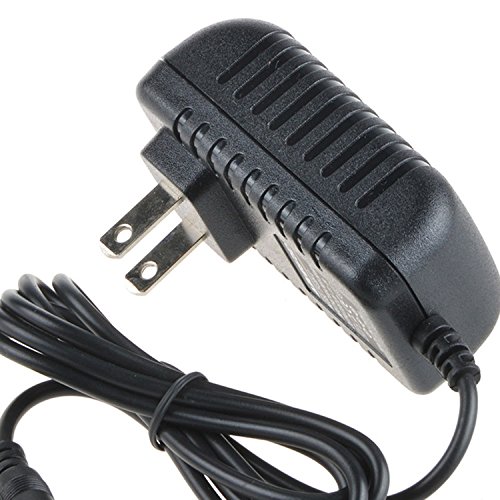
Image: The Accessory USA AC Adapter, a black power supply unit with a cable and connector.
2. Setup
Follow these steps to properly connect your AC adapter to your JBL JEMBE speaker system:
- Identify the Power Input: Locate the power input port on your JBL JEMBE speaker system. This is typically a circular port.
- Connect the Adapter Output: Carefully insert the output connector of the Accessory USA AC Adapter into the power input port of your speaker system. Ensure it is firmly seated.
- Connect to Power Outlet: Plug the AC input plug of the adapter into a standard wall power outlet (100-240V AC, 50/60Hz).
- Verify Connection: Ensure all connections are secure before powering on your speaker system.
3. Operating Instructions
The Accessory USA AC Adapter functions as a dedicated power supply for your compatible JBL JEMBE speaker system. Once properly connected as described in the Setup section, the adapter continuously supplies the necessary power to your speakers.
- The adapter is designed for continuous operation within its specified voltage range.
- The operation of the speaker system itself (e.g., Bluetooth pairing, volume control) is managed through the speaker's own controls and is detailed in the JBL JEMBE speaker manual.
4. Maintenance
To ensure the longevity and optimal performance of your AC adapter, follow these maintenance guidelines:
- Cleaning: Disconnect the adapter from both the power outlet and the speaker system before cleaning. Use a soft, dry cloth to wipe the adapter. Do not use liquid cleaners or solvents.
- Storage: Store the adapter in a cool, dry place away from direct sunlight and extreme temperatures when not in use.
- Cable Care: Avoid bending or crimping the power cord excessively. Do not place heavy objects on the cord. Regularly inspect the cable for any signs of damage, such as fraying or exposed wires.
- Disassembly: Do not attempt to open or disassemble the adapter. There are no user-serviceable parts inside, and doing so will void the warranty and may pose a safety risk.
5. Troubleshooting
If you encounter issues with your AC adapter, refer to the following common troubleshooting steps:
- No Power to Speakers:
- Ensure the adapter is securely plugged into both the wall outlet and the speaker system.
- Check if the wall outlet is functional by plugging in another device.
- Inspect the adapter's cable for any visible damage. If damaged, discontinue use and replace.
- Adapter Overheating:
- Disconnect the adapter immediately.
- Ensure the adapter is used in a well-ventilated area and not covered.
- Verify that the input voltage of your wall outlet is within the adapter's specified range (100-240V AC).
- Speaker System Malfunction: If the speaker system is not functioning correctly despite the adapter providing power, refer to the JBL JEMBE speaker system's own user manual for troubleshooting specific to the speakers.
6. Specifications
| Feature | Detail |
|---|---|
| Brand | Accessory USA |
| Compatible Devices | JBL JEMBE JBLJEMBE 2.0 Speakers System, JBLJEMBEBTAM Wireless Multimedia Bluetooth Speaker |
| Input Voltage | 100-240V AC, 50/60Hz |
| Safety Certifications | CE, FCC, RoHS |
| Protection Features | OVP (Over Voltage Protection), OCP (Over Current Protection), SCP (Short Circuit Protection) |
| Power Source | Corded Electric |
| UPC | 650234628404 |
| ASIN | B07148BCYN |
7. Warranty and Support
Your Accessory USA AC Adapter comes with the following warranty and support:
- Money Back Guarantee: 30 Days
- Free Exchange: 60 Days (with paid return label)
- Worry-Free Warranty: 365 Days
For technical support or warranty claims, please contact Accessory USA directly through their official channels or the retailer from whom the product was purchased.


