
1. Introduction
This manual provides detailed instructions for the assembly, installation, operation, and maintenance of your Digitus DN-19 12-U-S-SW 19-inch 12HE Network Cabinet. Please read this manual thoroughly before proceeding with installation to ensure safe and correct usage.
The Digitus DN-19 12-U-S-SW is a 19-inch, 12HE wall-mounted network cabinet designed for organizing and protecting network equipment. It features a glass door, robust alloy steel construction, and is suitable for various networking applications.
2. Safety Information
- Always ensure the cabinet is installed on a structurally sound wall capable of supporting its weight plus the maximum load capacity.
- The maximum load capacity for this cabinet is 60 kg. Do not exceed this limit.
- Use appropriate tools and follow all local safety regulations during assembly and installation.
- Keep children and pets away from the work area during installation.
- Ensure proper ventilation around the cabinet to prevent overheating of installed equipment.
3. Package Contents
Upon unpacking, verify that all components are present and undamaged. The Digitus DN-19 12-U-S-SW is delivered as a flat-pack for efficient transport and space-saving. The package should contain:
- Cabinet frame components (top, bottom, side panels, rear panel)
- Glass door with hinges and lock mechanism
- 19-inch profile rails
- Mounting hardware (screws, nuts, washers)
- Wall mounting brackets
- Keys for the door lock
- Instruction manual (this document)
4. Assembly and Installation
4.1 Assembly
The cabinet is supplied unassembled. Follow the included assembly diagram carefully. Typically, assembly involves:
- Connecting the side panels to the top and bottom frames.
- Attaching the rear panel.
- Installing the 19-inch profile rails. These rails are variable in depth to accommodate different equipment sizes.
- Mounting the glass door onto the front frame using the provided hinges. Ensure the door opens and closes smoothly and the lock functions correctly.
4.2 Wall Mounting
Before mounting, select a suitable location on a sturdy wall. The cabinet weighs approximately 33.3 pounds (15.1 kg) empty. When fully loaded with 60 kg of equipment, the total weight can exceed 75 kg. Ensure the wall structure can safely support this load.
- Mark the drilling points on the wall using the wall mounting brackets as a template.
- Drill holes and insert appropriate wall anchors (not always included, depending on wall type).
- Secure the wall mounting brackets to the wall.
- Carefully lift the assembled cabinet and hang it onto the secured wall brackets.
- Ensure the cabinet is level and securely fastened to prevent accidental detachment.
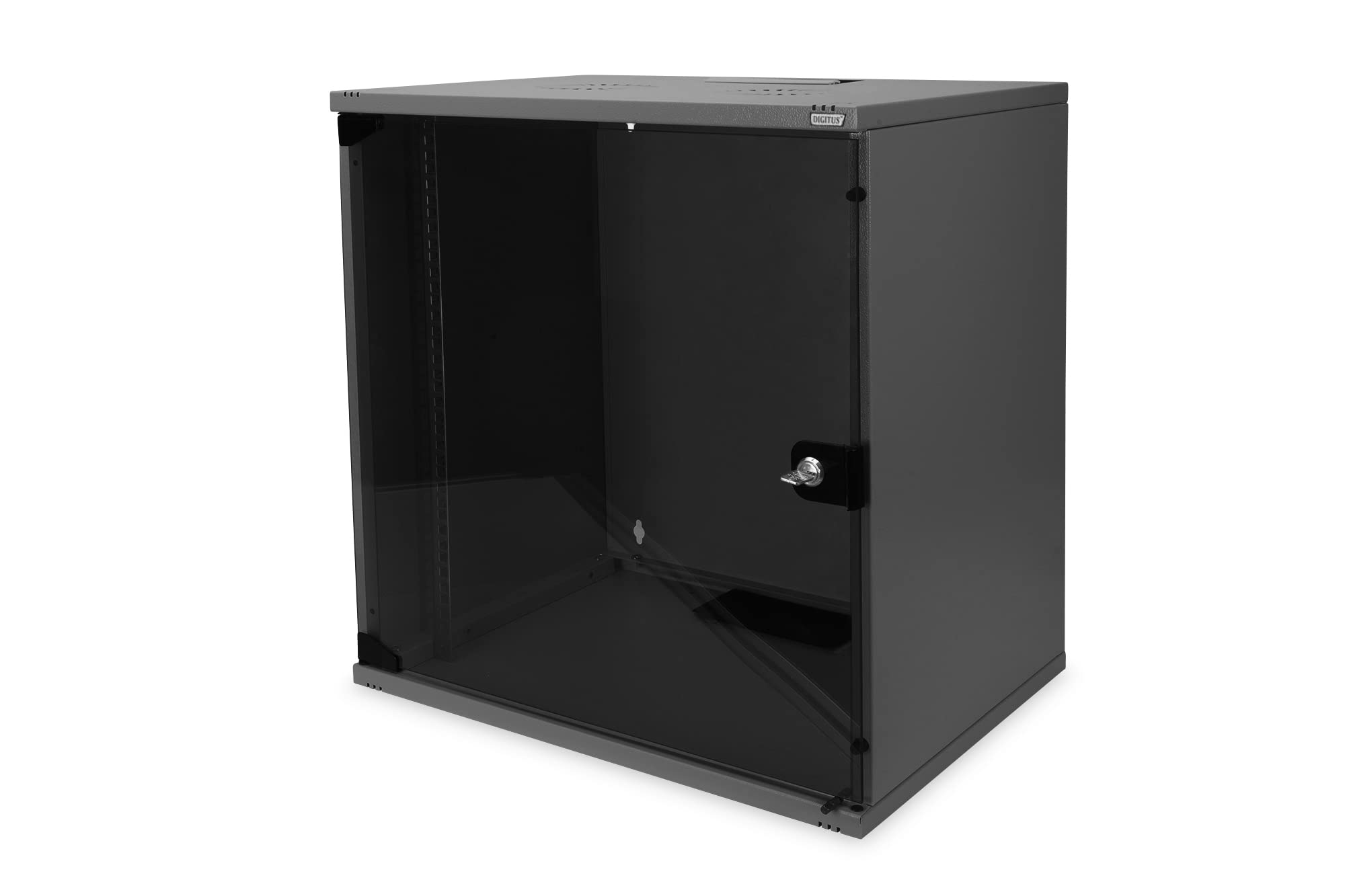
Image 1: Front view of the assembled Digitus 19-inch 12HE Network Cabinet, showing the glass door and black finish.
5. Operation
Once assembled and installed, the cabinet is ready for use.
- Access: Use the provided keys to unlock and open the glass door for access to your equipment.
- Equipment Installation: Mount your 19-inch compatible network devices (switches, patch panels, servers) onto the adjustable profile rails using appropriate rack screws.
- Cable Management: Utilize the cable feed at the bottom of the housing, equipped with a plastic cover, and the brush strip at the top for organized cable routing.
- Ventilation: The cabinet features ventilation slots for both active and passive airflow, aiding in heat dissipation from your equipment.
6. Maintenance
Regular maintenance ensures the longevity and optimal performance of your network cabinet.
- Cleaning: Clean the exterior surfaces and glass door with a soft, damp cloth. Avoid abrasive cleaners.
- Inspection: Periodically check all screws and fasteners for tightness. Ensure the wall mounting remains secure.
- Door Mechanism: Lubricate door hinges and the lock mechanism if they become stiff.
- Ventilation: Ensure ventilation slots are free from dust and obstructions to maintain proper airflow.
7. Troubleshooting
This section addresses common issues you might encounter.
- Door not closing/aligning properly: Check the hinge installation and adjustment. Ensure all screws on the door and frame are tightened correctly.
- Cabinet feels unstable: Verify that all wall mounting points are securely fastened and that the wall structure is adequate. Re-tighten all internal assembly screws.
- Equipment overheating: Ensure ventilation slots are clear. Consider adding active cooling solutions if necessary, especially in warm environments or with high-density equipment.
8. Specifications
| Feature | Specification |
|---|---|
| Brand | Digitus |
| Model Number | DN-19 12-U-S-SW |
| Type | Network Cabinet |
| Size | 12HE (Height Units) |
| Mounting | Wall Mounted |
| Depth | 400 mm (15.75 inches) |
| Material | Alloy Steel |
| Load Capacity | 60 kg |
| Product Dimensions (D x W x H) | 15.75"D x 21.26"W x 23.43"H |
| Item Weight (empty) | 33.3 pounds (15.1 kg) |
| Color | Black |
| Door Type | Glass Door |
| Features | 19-inch profile rails, ventilation slots, cable feed with brush strip |
9. Warranty and Support
For warranty information or technical support, please refer to the documentation provided with your purchase or contact Digitus customer service directly. Keep your purchase receipt as proof of purchase.


