1. Introduction
The Kantech KT-1 is an Ethernet-ready single door IP controller designed for access control systems. This manual provides essential information for the proper installation, operation, and maintenance of your KT-1 controller. It supports two readers for both IN and OUT access and features a simplified single-button enrollment process for quick setup. The KT-1 integrates seamlessly with EntraPass security management software, EntraPass Web, and the EntraPass Go mobile app, offering a scalable solution for various security needs.

Figure 1.1: Included Components. This image displays the Kantech KT-1 controller, the installation guide, and the necessary mounting hardware, including screws and anchors, as typically found in the product packaging.
2. Product Overview
The KT-1 controller is a robust and efficient solution for managing access to a single door. Its compact 1-gang mount design allows for discreet installation. Key features include:
- Ethernet Connectivity: Enables network integration for remote management.
- Power over Ethernet (PoE): Simplifies installation by delivering power and data over a single Ethernet cable.
- Two-Reader Support: Accommodates separate readers for entry and exit.
- Single Button Enrollment: Streamlines the device registration process.
- Integration Capabilities: Compatible with DSC PowerSeries and other alarm panels for enhanced security.
- Software Compatibility: Works with EntraPass security management software (v6.02 and higher), EntraPass Web, and EntraPass Go mobile app.
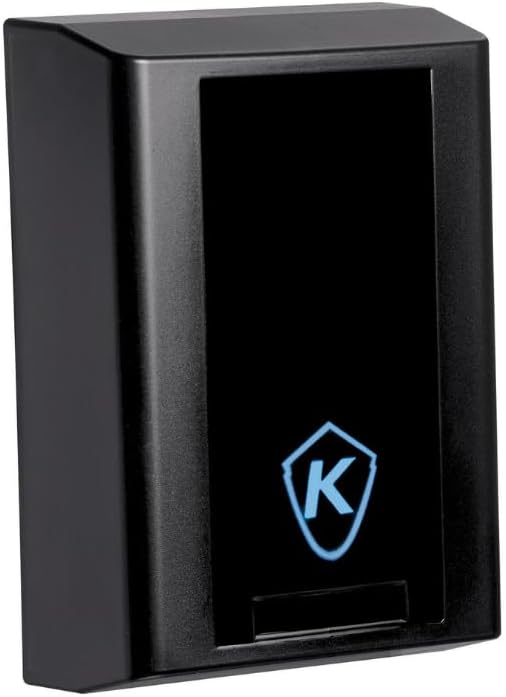
Figure 2.1: Kantech KT-1 Front View. This image shows the sleek, black exterior of the Kantech KT-1 One Door IP Controller, featuring the Kantech logo illuminated on the front panel.
3. Setup and Installation
Follow these steps for proper installation and initial setup of your KT-1 controller.
- Mounting: Secure the KT-1 controller to a standard 1-gang electrical box or directly to a wall using the provided mounting hardware. Ensure the mounting location is suitable for network and power connections.
- Wiring: Connect the Ethernet cable to the KT-1's Ethernet port. If using Power over Ethernet (PoE), no separate power supply is needed. If not using PoE, connect a 12V power supply (not included) to the designated power terminals. Connect the IN and OUT readers to their respective terminals as per the wiring diagram in the full installation guide.
- Network Connection: Ensure the Ethernet cable is connected to a network switch or router that provides network access and, if applicable, PoE.
- Enrollment: Once powered, press the touch-sensitive enrollment button on the KT-1 controller. This initiates the device's registration process with your EntraPass security management software. Refer to the EntraPass software manual for detailed enrollment procedures.
- Configuration: Use the EntraPass software (v6.02 or higher) to configure door parameters, reader settings, user access rights, and integrate with other security systems like DSC PowerSeries panels.

Figure 3.1: Internal Components and Mounting. This image provides an exploded view of the Kantech KT-1, illustrating its internal circuit board, connection terminals, and the separate mounting bracket designed for 1-gang installation.
4. Operating Instructions
The Kantech KT-1 controller operates in conjunction with the EntraPass security management software.
- Access Granting: Users present their credentials (e.g., card, fob) to the connected readers. The KT-1 processes the credential and communicates with the EntraPass software to verify access rights.
- Door Control: Upon successful verification, the KT-1 activates the door's locking mechanism, allowing entry or exit.
- Monitoring: All access events, alarms, and system statuses are logged and monitored through the EntraPass software interface, EntraPass Web, or the EntraPass Go mobile app.
- Remote Management: Administrators can manage user access, schedules, and system settings remotely via the EntraPass platforms.

Figure 4.1: System Integration. This diagram illustrates how the Kantech KT-1 controller connects to and interacts with the EntraPass security management software, accessible via desktop, web interface, and mobile applications.
5. Maintenance
Regular maintenance ensures the longevity and optimal performance of your KT-1 controller.
- Cleaning: Periodically wipe the exterior of the controller with a soft, dry cloth. Avoid using abrasive cleaners or solvents.
- Firmware Updates: Check the Kantech website or your EntraPass software for available firmware updates. Apply updates as recommended to ensure compatibility and access to new features.
- System Checks: Regularly verify network connectivity and power supply to the controller. Test reader functionality and door lock mechanisms periodically.
- Software Maintenance: Ensure your EntraPass security management software is up-to-date and perform regular database backups.
6. Troubleshooting
This section addresses common issues you might encounter with the KT-1 controller.
| Problem | Possible Cause | Solution |
|---|---|---|
| Controller not powering on. | No power from PoE switch or external power supply. | Verify Ethernet cable connection and PoE functionality. If using external power, check power supply and wiring. |
| Controller not visible in EntraPass software. | Network connectivity issue or enrollment failure. | Check Ethernet cable. Ensure network settings are correct. Re-attempt single button enrollment. Verify firewall settings. |
| Reader not responding to credentials. | Incorrect reader wiring, faulty reader, or invalid credentials. | Inspect reader wiring. Test with a known good credential. Check user access rights in EntraPass software. |
| Door not unlocking after valid credential. | Lock mechanism issue, wiring problem, or controller output fault. | Check wiring to the door lock. Test the lock mechanism independently. Consult EntraPass logs for any error messages. |
7. Specifications
| Feature | Detail |
|---|---|
| Model Number | KT-1 |
| Brand | Kantech |
| Mounting | 1-Gang Mount |
| Connectivity | Ethernet, Power over Ethernet (PoE) |
| Reader Support | Two readers (IN/OUT) |
| Material | Metal |
| Color | Black |
| Voltage | 12 Volts (if not using PoE) |
| Battery Cell Composition | NiMH (Note: This may refer to an optional backup battery or related system component, not the primary power source for the controller itself.) |
| First Available Date | April 4, 2017 |
8. Warranty and Support
For detailed warranty information, please refer to the documentation provided with your purchase or visit the official Kantech website.
For technical support, product inquiries, or assistance with troubleshooting beyond the scope of this manual, please contact Kantech customer support through their official channels.