
Introduction
The O2COOL Deluxe Necklace Fan provides personal cooling with a compact and portable design. This battery-powered fan features vertical airflow to direct a refreshing breeze towards your face and neck, making it suitable for various outdoor and indoor activities. Its lightweight and slim profile ensure comfortable wear and easy portability.
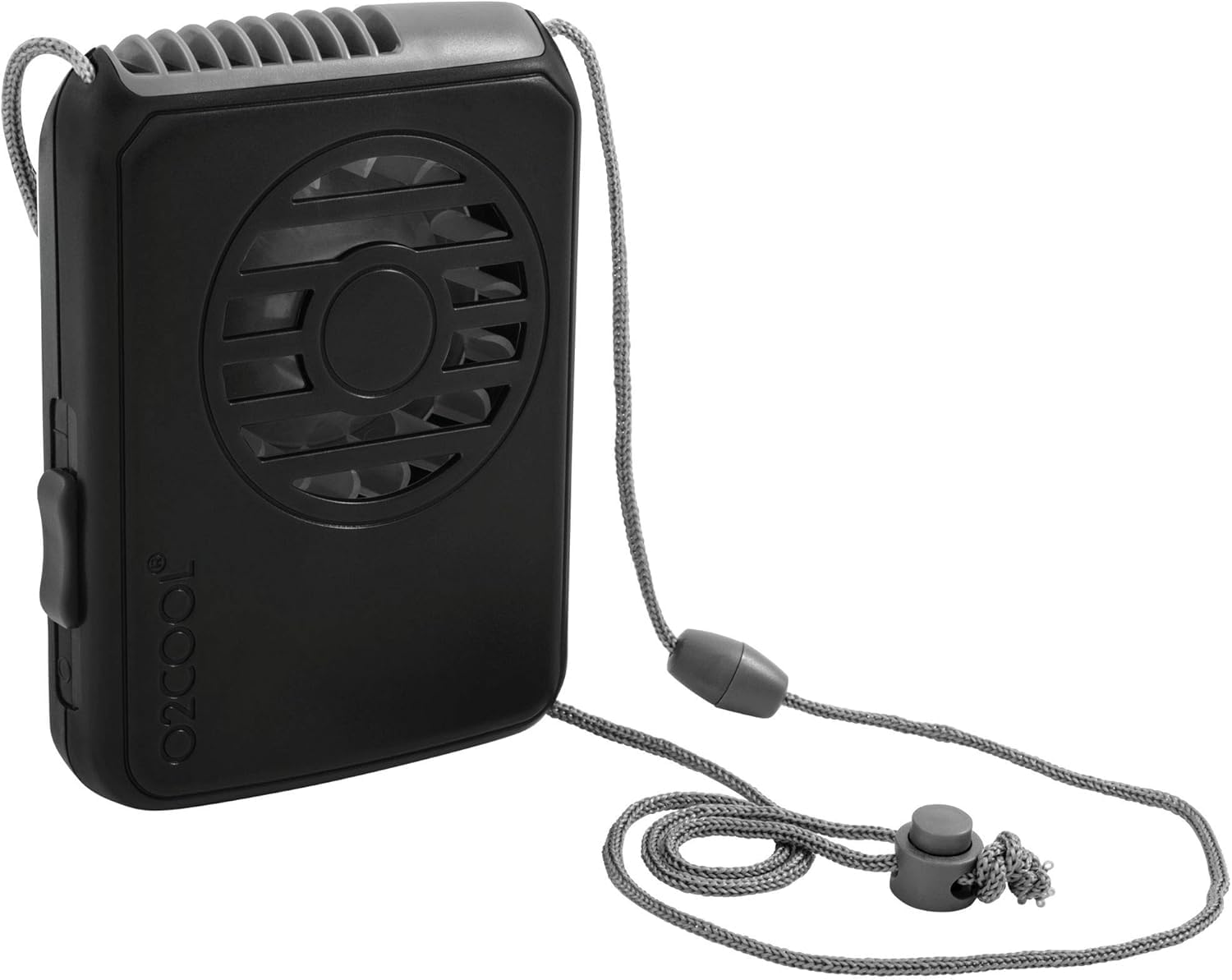
Image: O2COOL Deluxe Necklace Fan, showcasing its key features.
Safety Information
- Do not mix old and new batteries.
- Do not mix alkaline, standard (carbon-zinc), or rechargeable (nickel-cadmium) batteries.
- Ensure batteries are inserted with correct polarity (+ and -).
- Remove batteries if the fan will not be used for an extended period.
- Keep the fan away from water and excessive moisture.
- Do not insert fingers or foreign objects into the fan blades.
Package Contents
- 1 x O2COOL Deluxe Necklace Fan
- 1 x Adjustable Lanyard
Setup
1. Battery Installation
- Locate the battery compartment cover on the back of the fan.
- Slide the cover open.
- Insert 2 AA batteries (not included) according to the polarity indicators (+ and -) inside the compartment.
- Close the battery compartment cover securely.
2. Attaching the Lanyard
- Thread the adjustable lanyard through the designated loops on the top sides of the fan.
- Adjust the lanyard length for comfortable wear around your neck.

Image: Fan with dimensions and note about 2 AA batteries required.
Operating Instructions
Turning On/Off and Speed Adjustment
- Locate the power button/switch on the side of the fan.
- Press the button once for Low speed.
- Press the button a second time for High speed.
- Press the button a third time to turn the fan off.
The fan is designed with optimal vertical air vents to ensure efficient cooling directed upwards towards the user's face and neck.

Image: Diagram showing vertical airflow from the fan.
Maintenance
Cleaning
- Ensure the fan is turned off and batteries are removed before cleaning.
- Wipe the exterior of the fan with a soft, damp cloth.
- Do not use abrasive cleaners or immerse the fan in water.
- Use a dry brush or compressed air to gently clean dust from the fan blades and grilles.
Storage
- Store the fan in a cool, dry place when not in use.
- Remove batteries if storing for an extended period to prevent leakage.
Troubleshooting
| Problem | Possible Cause | Solution |
|---|---|---|
| Fan does not turn on. | Batteries are dead or incorrectly inserted. | Replace with fresh AA batteries, ensuring correct polarity. |
| Weak airflow. | Low battery power or obstructed fan grilles. | Replace batteries. Clean any dust or debris from the fan grilles. |
| Fan makes unusual noise. | Obstruction in fan blades or internal issue. | Turn off the fan and check for any obstructions. If the noise persists, discontinue use and contact support. |
Specifications
| Feature | Detail |
|---|---|
| Brand | O2COOL |
| Model Name | Deluxe Necklace Fan |
| Color | Black |
| Power Source | AA Battery (2 required) |
| Number of Speeds | 2 |
| Product Dimensions (D x W x H) | 3.5" x 6.1" x 1.2" |
| Material | Plastic |
| Special Features | 2 Speed, Portable, Compact |
| Control Method | Button Control |
| Voltage | 3 Volts |
| UPC | 755247172606 |
Warranty Information
This O2COOL product is covered by a standard manufacturer's warranty against defects in materials and workmanship. Please refer to the product packaging or the official O2COOL website for specific warranty terms and duration. Keep your proof of purchase for warranty claims.
Support
For further assistance, product inquiries, or troubleshooting not covered in this manual, please visit the official O2COOL website or contact their customer support. Contact details can typically be found on the product packaging or the brand's official online presence.
Online Support: www.o2cool.com

