
Introduction
This manual provides essential information for the safe and efficient operation of your LG 65UJ6520 65-inch 4K UHD Smart LED TV. Please read it thoroughly before using the product and retain it for future reference. This television features a 65-inch LED display with 4K resolution, Smart TV capabilities, Wi-Fi, Bluetooth, 4 HDMI ports, and 2 USB ports.
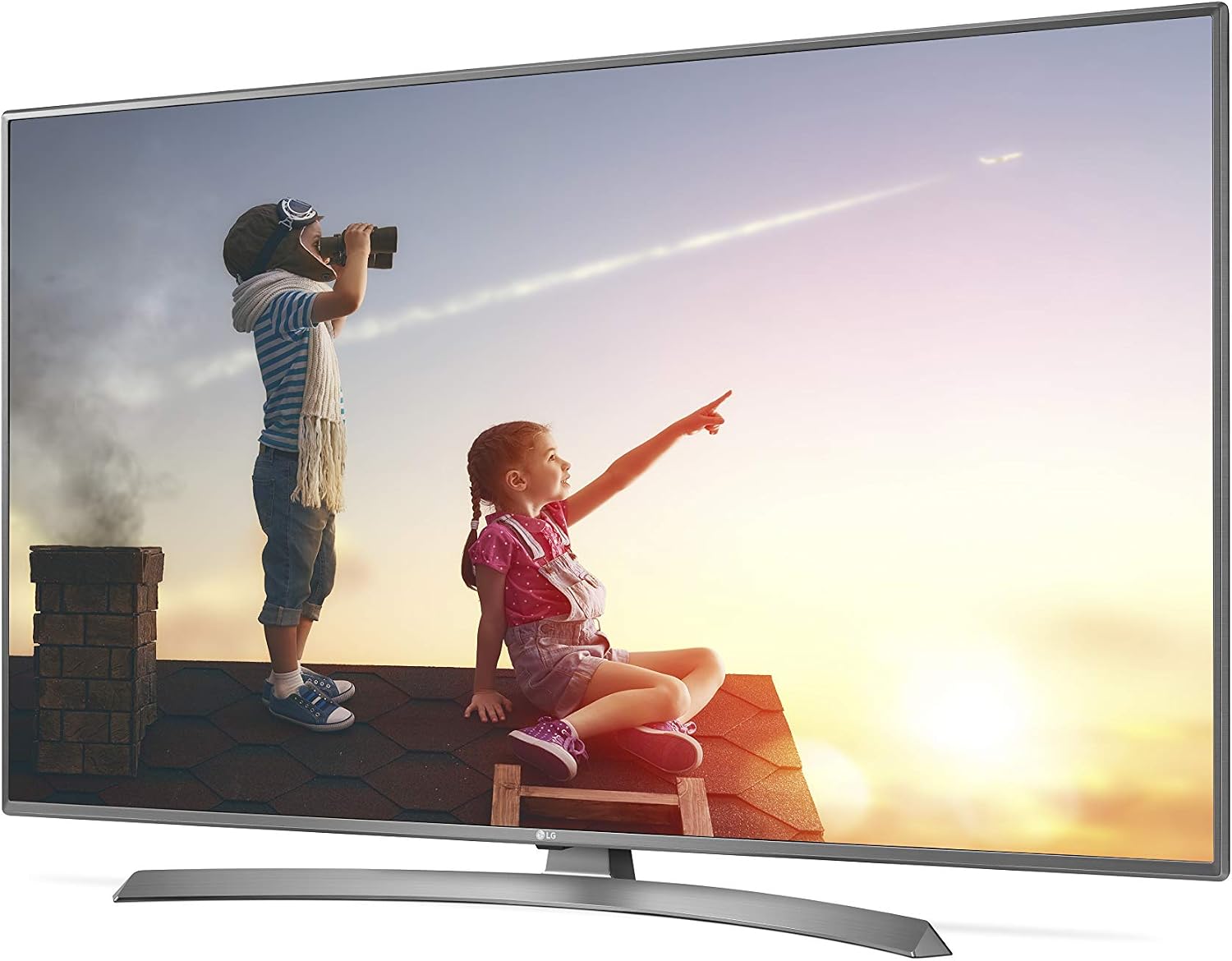
Image: Front view of the LG 65UJ6520 65-inch 4K UHD Smart LED TV, showcasing its slim bezel and stand.
Safety Information
Always follow these basic safety precautions to reduce the risk of fire, electric shock, or injury:
- Do not open the TV cabinet. There are no user-serviceable parts inside. Refer all servicing to qualified service personnel.
- Do not expose the TV to rain or moisture.
- Ensure proper ventilation. Do not block ventilation openings.
- Place the TV on a stable, level surface to prevent it from falling.
- Unplug the power cord during lightning storms or when unused for long periods.
- Keep the TV away from heat sources such as radiators, heat registers, stoves, or other appliances that produce heat.
Package Contents
Verify that all items are present in the box:
- LG 65UJ6520 65-inch 4K UHD Smart LED TV
- Remote Control (with batteries)
- Power Cord
- Stand Base and Screws
- User Manual (this document)
- Quick Setup Guide
Setup
1. Attaching the Stand
Carefully place the TV screen-down on a soft, flat surface to prevent damage. Align the stand base with the mounting holes on the bottom of the TV. Secure the stand using the provided screws.

Image: Bottom view of the LG 65UJ6520 TV, showing the attachment points for the stand base.
2. Connecting External Devices
Connect your external devices (Blu-ray player, game console, cable box, etc.) to the appropriate ports on the back of the TV. The LG 65UJ6520 features 4 HDMI ports and 2 USB ports.
- HDMI: For high-definition audio and video. Use HDMI 1 for ARC (Audio Return Channel) if connecting to a soundbar or AV receiver.
- USB: For connecting USB storage devices to play media files or for software updates.
- Antenna/Cable: For connecting an antenna or cable TV signal.
- Ethernet (LAN): For a wired internet connection.

Image: Rear view of the LG 65UJ6520 TV, highlighting the various input and output ports including HDMI, USB, and power input.
3. Power Connection
Connect the power cord to the TV's power input and then plug the other end into a wall outlet. Ensure the power cord is securely connected.
4. Initial Setup Wizard
Upon first power-on, the TV will guide you through an initial setup wizard. This includes language selection, network connection (Wi-Fi or wired), channel scanning, and agreeing to terms and conditions for Smart TV features.
Operating the TV
Remote Control
The included remote control allows you to navigate menus, change channels, adjust volume, and access Smart TV features. Insert the provided batteries into the remote control, ensuring correct polarity.
- Power Button: Turns the TV on or off.
- Number Buttons: Selects channels directly.
- Volume Up/Down: Adjusts the sound level.
- Channel Up/Down: Changes channels sequentially.
- Home Button: Accesses the Smart TV home screen (WebOS).
- Input Button: Selects the input source (HDMI 1, HDMI 2, USB, etc.).
- Navigation Buttons (Arrows/OK): Moves through menus and confirms selections.
Smart TV Features (WebOS)
Your LG 65UJ6520 runs on the WebOS platform, providing access to various streaming services, apps, and a web browser. Ensure your TV is connected to the internet via Wi-Fi or Ethernet to utilize these features.
- Connecting to Wi-Fi: Go to Settings > Network > Wi-Fi Connection and select your network.
- Bluetooth: Connect Bluetooth-enabled devices like headphones or soundbars via Settings > Sound > Sound Out > LG Sound Sync (Wireless) / Bluetooth.
- Web Browser: Access the internet directly from your TV.
Picture and Sound Settings
Customize your viewing experience through the TV's settings menu. Access these by pressing the Settings button on your remote.
- Picture Mode: Select from various presets (e.g., Vivid, Standard, Cinema, Game) or customize settings like brightness, contrast, and color.
- Sound Mode: Choose sound presets (e.g., Standard, Cinema, Music, Sports) or adjust equalizer settings.
- Aspect Ratio: Adjust the screen display to fit the content.
Maintenance
Proper maintenance ensures the longevity of your TV.
- Screen Cleaning: Gently wipe the screen with a soft, dry microfiber cloth. For stubborn marks, slightly dampen the cloth with water or a specialized screen cleaner (never spray directly onto the screen).
- Cabinet Cleaning: Wipe the TV cabinet with a soft, dry cloth. Avoid using abrasive cleaners or solvents.
- Ventilation: Ensure the ventilation openings on the back of the TV are not blocked to prevent overheating.
- Power Cord: Regularly check the power cord for any damage.
Troubleshooting
Before contacting service, try these common troubleshooting steps:
| Problem | Possible Cause | Solution |
|---|---|---|
| No power | Power cord disconnected; outlet issue. | Ensure power cord is securely plugged in. Test the outlet with another device. |
| No picture, but sound is present | Incorrect input source; external device issue. | Press the Input button on the remote to select the correct source. Check connections to external devices. |
| No sound, but picture is present | Volume muted or too low; incorrect audio output. | Unmute the TV or increase volume. Check audio output settings (e.g., internal speakers, external soundbar). |
| Wi-Fi connection issues | Incorrect password; router issue; signal interference. | Re-enter Wi-Fi password. Restart your router. Move TV closer to router or use a wired connection. |
| Remote control not working | Dead batteries; obstruction; remote not paired. | Replace batteries. Remove obstructions between remote and TV. Re-pair the remote if it's a Magic Remote. |
Specifications
Key technical specifications for the LG 65UJ6520 TV:
- Model: 65UJ6520
- Screen Size: 65 Inches
- Display Technology: LED
- Resolution: 4K (3840 x 2160)
- Refresh Rate: 60 Hz
- HDMI Ports: 4
- USB Ports: 2 (USB 2.0)
- Connectivity: Wi-Fi, Bluetooth
- Smart TV Platform: WebOS (with Browser)
- Mounting Type: Table Stand (VESA compatible)
- Weight: 32800 Grams (approx. 72.3 lbs)
- Model Year: 2017
- Special Features: Smart TV, Ultra High Definition, Voice Control
Warranty and Support
Your LG 65UJ6520 TV comes with a manufacturer's warranty.
- Warranty Period: 1 year (as per product data).
- Manufacturer: LGELZ
- For technical support, service, or warranty claims, please contact LG customer service. Refer to the official LG website or your purchase documentation for contact details specific to your region.