
Nikon
Nikon D7500 DX-Format Digital SLR Body
Instruction Manual
Product Overview
The Nikon D7500 is a DX-format digital SLR camera designed for advanced photography. It features a 20.9-megapixel image sensor, capable of recording 4K Ultra HD and 1080p Full HD video with stereo sound. The camera supports 8 frames per second continuous shooting and includes a 3.2-inch 922K dot tilting LCD touch screen. Its 51-point autofocus system, with 15 cross-type sensors, ensures precise focusing. Built-in Wi-Fi and Bluetooth facilitate easy connectivity.
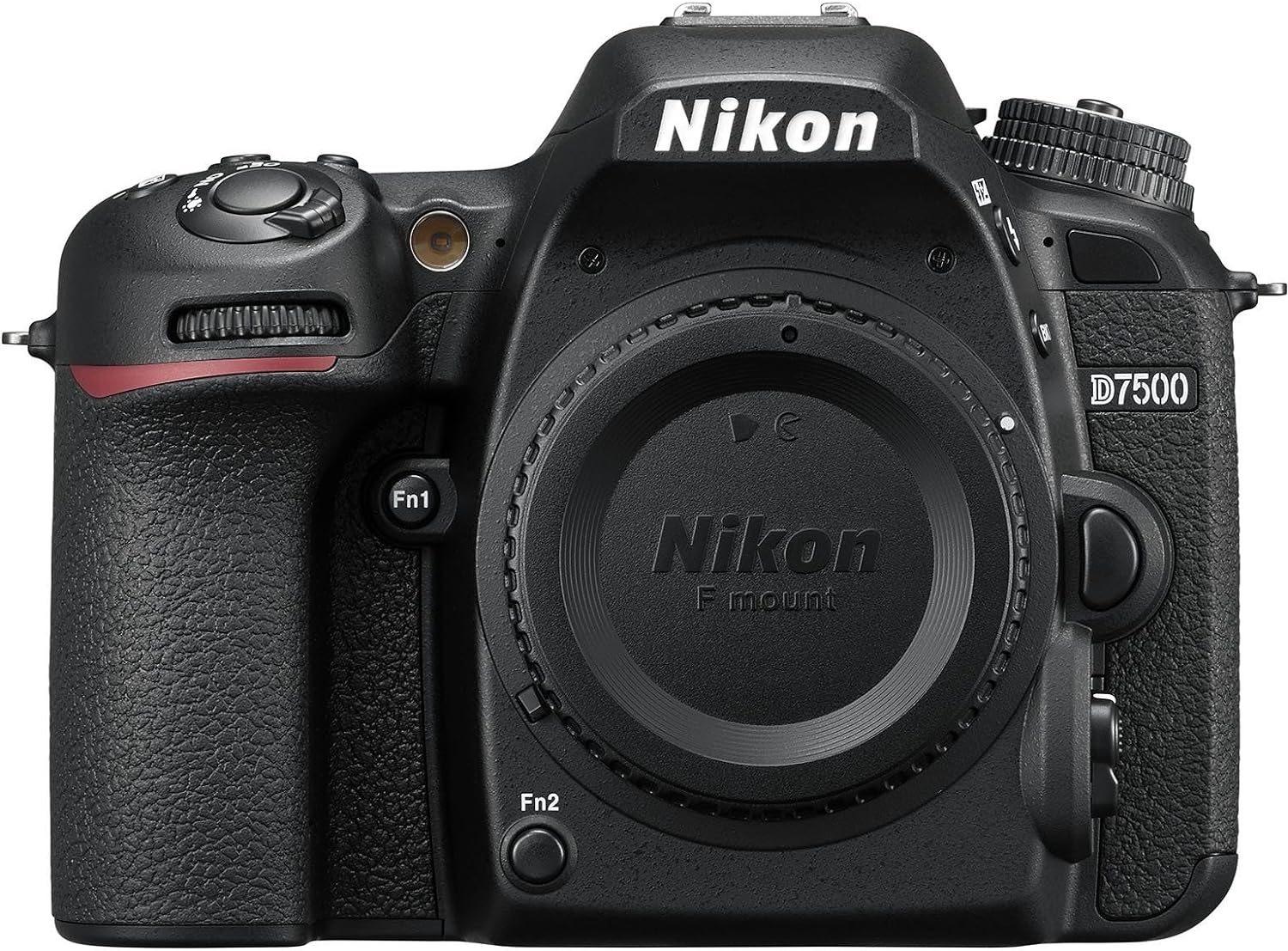
Figure 1: Front view of the Nikon D7500 camera body, showcasing the lens mount and ergonomic grip.
Setup Guide
1. Unpacking and Inspection
Carefully remove all components from the packaging. Verify that all items listed in the "What's in the Box" section are present. Inspect the camera body and accessories for any signs of damage.
- Camera Body Only
2. Battery Installation
The Nikon D7500 uses a Lithium Ion battery. Ensure the battery is fully charged before first use.
- Locate the battery chamber cover on the bottom of the camera.
- Slide the latch to open the cover.
- Insert the charged Lithium Ion battery into the chamber, ensuring the correct orientation as indicated inside the compartment.
- Close the battery chamber cover securely until it clicks into place.

Figure 2: Bottom view of the Nikon D7500, illustrating the battery compartment location.
3. Memory Card Insertion
The camera supports SD, SDHC (UHS-I compliant), and SDXC (UHS-I compliant) memory cards.
- Open the memory card slot cover on the side of the camera.
- Insert the memory card with the label facing the correct direction (usually towards the front of the camera) until it clicks into place.
- Close the memory card slot cover firmly.

Figure 3: Side view of the Nikon D7500, highlighting the memory card and connectivity ports.
4. Attaching a Lens
The Nikon D7500 is compatible with Nikon F mount lenses.
- Remove the body cap from the camera and the rear cap from the lens.
- Align the mounting mark on the lens with the mounting mark on the camera body.
- Rotate the lens counter-clockwise until it clicks into place.
5. Initial Power On and Basic Settings
After installing the battery and memory card, turn on the camera using the power switch. Follow the on-screen prompts to set the date, time, and language.
Operating Instructions
1. Understanding Shooting Modes
The D7500 offers various shooting modes to suit different photographic situations:
- Programmed Auto (P): Camera sets shutter speed and aperture for optimal exposure.
- Shutter-Priority Auto (S): You control shutter speed, camera sets aperture.
- Aperture-Priority Auto (A): You control aperture, camera sets shutter speed.
- Manual (M): You control both shutter speed and aperture.
- Scene Modes: Pre-set modes for specific scenes (e.g., Portrait, Landscape, Sports).
- Special Effects Modes (U1, U2): Apply creative effects to your photos.
- Auto Modes: Fully automatic shooting for simplicity.

Figure 4: Top view of the Nikon D7500, displaying the mode dial and various control buttons.
2. Autofocus System
The camera features a 51-point AF system with 15 cross-type sensors for precise and fast focusing. Focus modes include:
- Single-servo AF (AF-S): For stationary subjects. Focus locks when the shutter-release button is pressed halfway.
- Continuous-servo AF (AF-C): For moving subjects. Camera continuously adjusts focus as long as the shutter-release button is pressed halfway.
- Automatic AF (AF-A): Camera automatically selects AF-S or AF-C based on subject movement.
- Manual Focus (MF): Focus manually using the lens focus ring.
3. Video Recording
The D7500 can record 4K Ultra HD (2160p) and 1080p Full HD video with stereo sound. Key video features include power aperture control, auto ISO, and 4K UHD time-lapse.
- To start recording, rotate the live view selector to the movie position and press the movie-record button.
- Maximum recording capacity is 30 minutes per clip.
4. Using the Tilting LCD Touch Screen
The 3.2-inch 922K dot LCD screen can be tilted for flexible shooting angles and offers touch functionality for intuitive control.
- Tap the screen to select focus points or navigate menus.
- Tilt the screen up or down for high-angle or low-angle shooting.

Figure 5: Rear view of the Nikon D7500, illustrating the tilting LCD touch screen and control buttons.
5. Connectivity (Wi-Fi and Bluetooth)
The D7500 features built-in Wi-Fi and Bluetooth for seamless connectivity with smart devices via the Nikon SnapBridge app. This allows for easy image transfer and remote camera control.
- Download the Nikon SnapBridge app to your smartphone or tablet.
- Follow the app's instructions to pair your device with the camera using Bluetooth.
- Once paired, Wi-Fi can be used for faster image transfer.
Maintenance
1. Cleaning the Camera Body and Lens
- Use a soft, lint-free cloth to clean the camera body. For stubborn dirt, slightly dampen the cloth with water or a mild cleaning solution.
- For the lens, use a lens brush to remove dust, followed by a lens cleaning solution and a microfiber cloth. Avoid touching the lens surface with your fingers.
- Never use organic solvents like paint thinner or benzene to clean the camera.
2. Battery Care and Charging
- Always use the original Nikon charger for charging the battery.
- Store batteries in a cool, dry place when not in use.
- Avoid exposing batteries to extreme temperatures.
- If the camera will not be used for an extended period, remove the battery.
3. Proper Storage
- Store the camera in a dry, well-ventilated area, away from direct sunlight and high humidity.
- Use a camera bag or case to protect the camera from dust, dirt, and physical impact.
- If storing for long periods, remove the battery and memory card.
Troubleshooting
This section addresses common issues you might encounter with your Nikon D7500. For more detailed troubleshooting, please refer to the full user manual.
| Problem | Possible Cause / Solution |
|---|---|
| Camera does not turn on. | Battery is depleted or incorrectly inserted. Ensure battery is charged and properly seated. |
| Images are blurry. | Incorrect focus mode, insufficient light, or camera shake. Check focus settings, use a tripod, or increase ISO. |
| Memory card error. | Card is full, corrupted, or incompatible. Try formatting the card (this will erase all data) or use a different card. |
| Cannot connect to Wi-Fi/Bluetooth. | Ensure SnapBridge app is installed and updated. Check camera and device settings for correct pairing procedure. |
If the problem persists, or for issues not listed here, consult the comprehensive user manual or contact Nikon support.
Specifications
| Feature | Detail |
|---|---|
| Brand | Nikon |
| Model Name | Nikon D7500 |
| Compatible Mountings | Nikon DX |
| Photo Sensor Technology | CMOS |
| Effective Still Resolution | 20.9 MP |
| Video Resolution | 4K UHD 2160p |
| Continuous Shooting | 8 fps |
| Autofocus Points | 51 (15 cross-type sensors) |
| Screen Size | 3.2 Inches |
| Display Type | Tilting LCD Touch Screen |
| Flash Memory Type | SD, SDHC (UHS-I compliant), SDXC (UHS-I compliant) |
| Connectivity Technology | Wireless (Bluetooth, Wi-Fi) |
| Item Weight | 1.66 Pounds |
| Battery Type | Lithium Ion |
Warranty and Support
Nikon products are covered by a manufacturer's warranty. For specific details regarding your product's warranty period and terms, please refer to the documentation included with your purchase or visit the official Nikon website.
For comprehensive information, detailed operating instructions, and advanced troubleshooting, please refer to the official user manual:
For additional support, product registration, and access to the latest software and firmware updates, visit the Nikon Brand Store:
Related documents


Ask a question about this manual
Ask about setup, troubleshooting, compatibility, parts, safety, or missing instructions. Manuals+ will review the question and use this page’s manual context to help answer it.