
Introduction
This manual provides comprehensive instructions for the setup, operation, and maintenance of your SE ELECTRONICS X1 S Microphone System. The X1 S Vocal Pack includes the X1-S microphone, sE ISOLATION-PACK (with pop shield), and a 3-meter microphone cable, offering essential components for high-quality audio recording.
The X1 S features a custom-designed, hand-crafted true condenser capsule, capable of handling high Sound Pressure Levels (SPL) up to 160dB, making it suitable for a wide range of audio sources. The included ISO PACK provides a quick-lock shockmount and a metal pop filter, designed to absorb low-end rumble, footfall noise, and offer superb plosive protection.
Package Contents
- sE X1 S Condenser Microphone
- sE ISOLATION-PACK (Shockmount and Metal Pop Filter)
- 3-meter XLR Microphone Cable
Setup Guide
Follow these steps to set up your X1 S Microphone System:
- Attach the Shockmount: Carefully screw the sE ISOLATION-PACK shockmount onto a standard microphone stand. Ensure it is securely fastened.

Image: The SE ELECTRONICS X1 S microphone securely mounted within its shockmount, with the pop filter positioned in front.
- Insert the Microphone: Gently slide the X1 S microphone into the shockmount's cradle. The quick-lock mechanism will secure the microphone in place, isolating it from vibrations and handling noise.
- Position the Pop Filter: Attach the metal pop filter to the shockmount. Position it approximately 2-3 inches (5-7.5 cm) in front of the microphone capsule. This helps to reduce plosive sounds (e.g., 'p' and 'b' sounds) and protect the microphone from moisture.
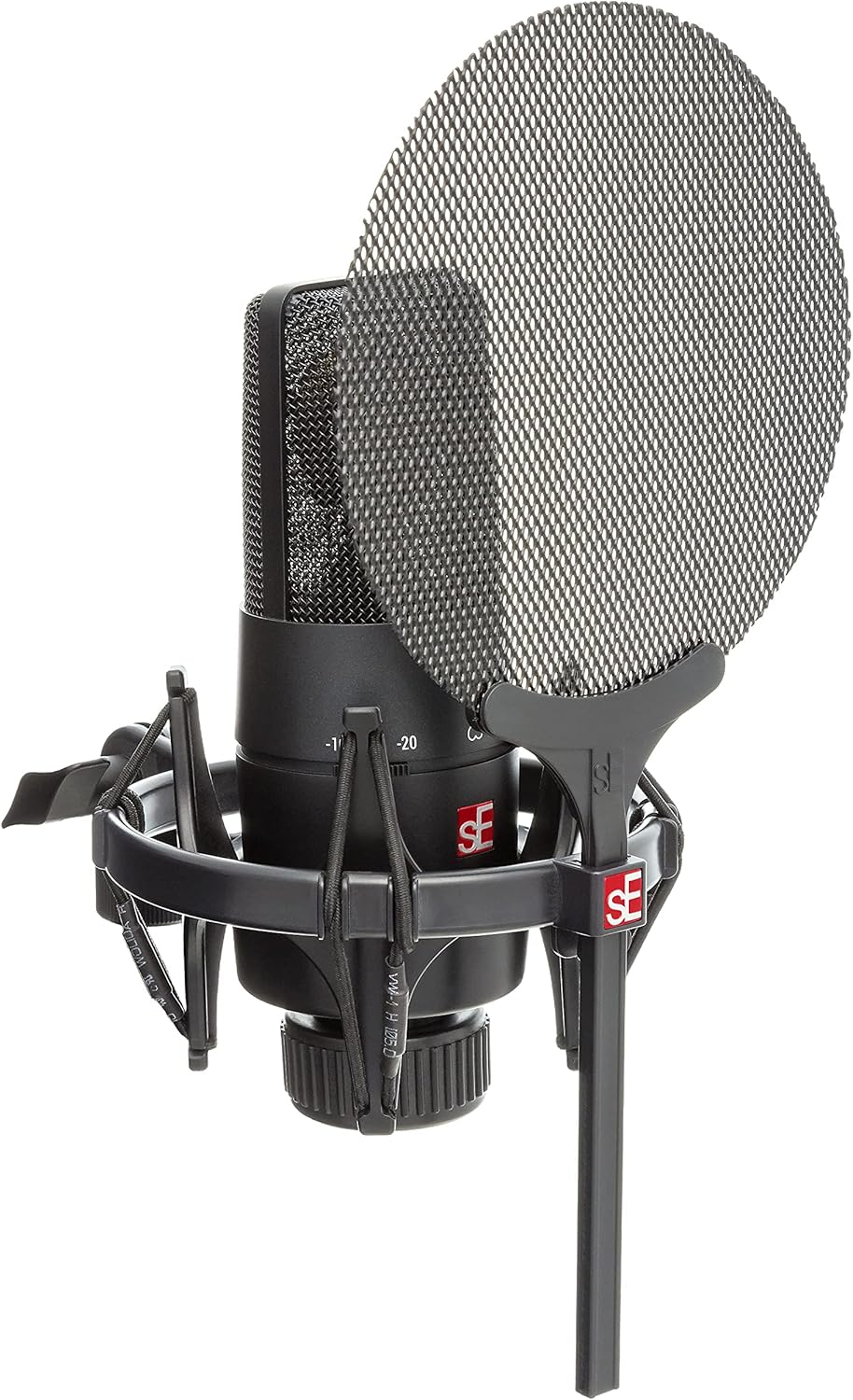
Image: A close-up view of the SE ELECTRONICS X1 S microphone, showing the integrated shockmount and the metal mesh pop filter.
- Connect the Cable: Connect one end of the supplied 3-meter XLR microphone cable to the XLR output on the bottom of the X1 S microphone. Connect the other end to an XLR input on your audio interface, mixer, or preamplifier.
- Apply Phantom Power: The X1 S is a condenser microphone and requires +48V phantom power to operate. Activate phantom power on your audio interface or mixer. Refer to your audio device's manual for instructions on enabling phantom power.
Operating Instructions
The X1 S is designed for versatile recording applications. Here are key operational considerations:
- Polar Pattern: The X1 S features a fixed cardioid (unidirectional) polar pattern. This means it is most sensitive to sounds coming from the front and rejects sounds from the sides and rear, making it ideal for isolating a sound source.
- Pad Switches: The microphone includes two switchable attenuation pads:
- -10dB Pad: Use this setting when recording louder sources to prevent input clipping on your audio interface.
- -20dB Pad: Engage this for extremely loud sources, such as close-miked drums or guitar amplifiers, to further reduce the signal level.
- Low-Cut Filter: The X1 S also features two switchable low-cut (high-pass) filters:
- 80Hz Low-Cut: Activates a filter at 80 Hz to reduce unwanted low-frequency rumble, such as HVAC noise or footfall vibrations.
- 160Hz Low-Cut: Provides a steeper cut at 160 Hz, useful for reducing proximity effect (excessive bass boost when close to the microphone) or further cleaning up low-end frequencies.
- Recommended Uses: The X1 S is highly versatile and recommended for:
- Vocals and Speech
- Broadcasting and Podcasting
- Electric Guitar Amplifiers
- Drums (overhead or close-miking)
- Video Recording and Streaming
Maintenance
Proper maintenance ensures the longevity and optimal performance of your microphone:
- Cleaning: Use a soft, dry cloth to wipe the microphone body. Do not use liquid cleaners or solvents, as they can damage the finish or internal components. For the pop filter, a soft brush can be used to remove dust.
- Storage: When not in use, store the microphone in its original packaging or a protective case to shield it from dust, moisture, and physical damage. Avoid storing in environments with extreme temperatures or high humidity.
- Handling: Always handle the microphone with care. Avoid dropping it or subjecting it to strong impacts, as this can damage the sensitive condenser capsule.
- Cable Care: Coil the XLR cable loosely when storing to prevent kinks and damage to the internal wiring. Avoid placing heavy objects on the cable.
Troubleshooting
If you encounter issues with your X1 S Microphone System, refer to the following common problems and solutions:
| Problem | Possible Cause | Solution |
|---|---|---|
| No Sound Output |
|
|
| Distorted Sound / Clipping |
|
|
| Excessive Bass / Muddy Sound |
|
|
| Background Noise / Hum |
|
|
Specifications
| Model Name | X1 S VOCAL PACK |
| Microphone Type | Condenser |
| Polar Pattern | Unidirectional (Cardioid) |
| Frequency Range | 20 Hz - 20 kHz |
| Audio Sensitivity | 160 dB (Max SPL) |
| Impedance | 1000 Ohm |
| Signal-to-Noise Ratio | 87 dB |
| Noise Level | 16 dB |
| Pad Switches | -10dB, -20dB |
| Low-Cut Filters | 80Hz, 160Hz |
| Power Source | +48V Phantom Power (XLR) |
| Connectivity Technology | XLR |
| Material | Metal |
| Product Dimensions (L x W x H) | 15.55 x 7.87 x 4.92 inches |
| Item Weight | 15.7 ounces (445 Grams) |
| Manufacturer | SE Electronics |
| UPC | 819032011201 |
Warranty Information
SE ELECTRONICS products are manufactured to the highest quality standards. For detailed warranty terms and conditions, please refer to the warranty card included with your product or visit the official SE ELECTRONICS website. Keep your proof of purchase for any warranty claims.
Note: Warranty terms may vary by region.
Support
For technical support, service, or further inquiries regarding your SE ELECTRONICS X1 S Microphone System, please contact SE ELECTRONICS customer support through their official website or the contact information provided in your product documentation.
Online Resources: www.seelectronics.com/support

