
Introduction
This manual provides essential information for the safe and effective use of POWERPLUS POWE90400 12 mm staples. These staples are designed for heavy-duty fastening applications and are compatible with specific POWERPLUS staplers, such as models POW735 and POW736. Please read these instructions carefully before use to ensure proper operation and to prevent damage to the product or injury.
Safety Instructions
Always observe the following safety precautions when handling and using staples and compatible tools:
- Wear Eye Protection: Always wear safety glasses or goggles to protect your eyes from flying debris or staple kickback.
- Keep Out of Reach of Children: Staples are small and sharp; store them in a secure location away from children.
- Use with Compatible Tools Only: Ensure these 12 mm staples are used only with staplers specified for this size and type, such as POWERPLUS POW735 and POW736. Using incorrect staples can damage the tool or cause malfunctions.
- Inspect Staples Before Use: Check for any bent or damaged staples before loading them into the tool. Damaged staples can cause jamming.
- Handle with Care: Staples have sharp points. Avoid direct contact with skin to prevent cuts or punctures.
Setup and Loading
Proper loading of staples is crucial for efficient operation of your stapler. Refer to your stapler's specific manual for detailed loading instructions, as procedures may vary slightly between models.
- Ensure Tool is Unplugged/Deactivated: Before loading, always ensure your stapler is disconnected from its power source or has its safety mechanism engaged to prevent accidental firing.
- Open Staple Magazine: Locate and open the staple magazine on your compatible POWERPLUS stapler (e.g., POW735, POW736). This usually involves pressing a release button or latch.
- Insert Staples: Place the strip of POWERPLUS POWE90400 12 mm staples into the magazine with the points facing forward and the crown (flat top) facing upwards. Ensure the staples fit snugly within the guide rails.
- Close Magazine: Securely close the staple magazine until it latches into place. A click sound often indicates it is properly closed.
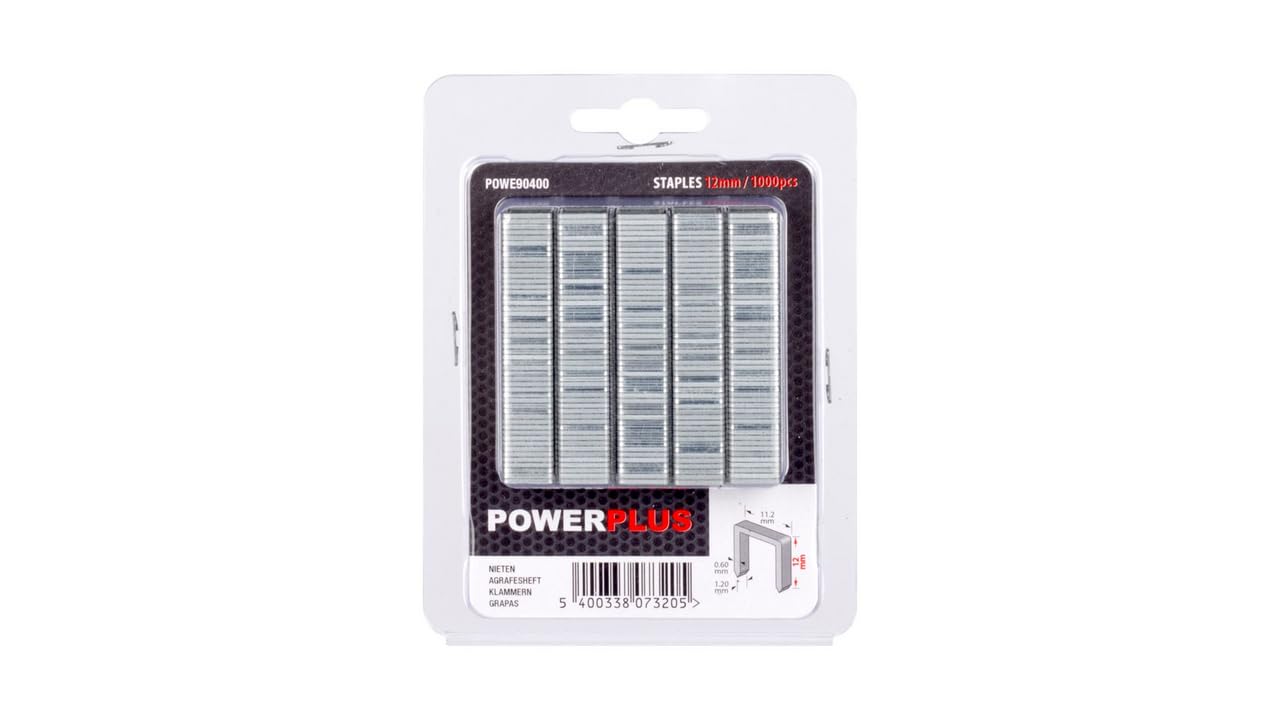
Image: Packaging of POWERPLUS POWE90400 12 mm staples. This image shows the typical appearance of the staple packaging, indicating the size and quantity.
Operation
Once the staples are loaded, refer to your stapler's instruction manual for specific operating procedures. General tips for effective stapling include:
- Test on Scrap Material: Before working on your final project, test the stapler and staples on a piece of scrap material to ensure proper penetration and fastening.
- Apply Firm Pressure: For best results, apply firm and even pressure to the stapler against the workpiece.
- Maintain Proper Angle: Hold the stapler perpendicular to the surface for straight staple insertion.
- Monitor Staple Supply: Periodically check the staple magazine to ensure you do not run out of staples mid-task.
Maintenance and Storage
Proper maintenance and storage will prolong the life of your staples and ensure they perform optimally when needed.
- Store in a Dry Place: Keep staples in their original packaging or a sealed container in a dry environment to prevent rust and corrosion.
- Avoid Extreme Temperatures: Do not expose staples to extreme heat or cold, as this can affect their material properties.
- Keep Clean: Ensure staples remain free from dust, dirt, and debris, which can cause jamming in the stapler.
Troubleshooting
If you encounter issues while using POWERPLUS POWE90400 staples, consider the following common troubleshooting steps:
- Stapler Jams:
- Ensure the stapler is unplugged or deactivated.
- Open the staple magazine and carefully remove any bent or jammed staples.
- Check if the staples are loaded correctly and are the appropriate size for your tool.
- Inspect the stapler's firing mechanism for any obstructions.
- Staples Not Feeding:
- Verify that the staple magazine is not empty.
- Ensure the staples are correctly seated in the magazine and the pusher mechanism is functioning.
- Check for any debris preventing the staples from moving freely.
- Staples Not Penetrating Material:
- Confirm that the material being stapled is suitable for 12 mm staples and your stapler's power.
- Ensure you are applying sufficient and even pressure to the stapler.
- The stapler itself might require adjustment or maintenance; refer to its specific manual.
Specifications
| Feature | Detail |
|---|---|
| Model Number | POWE90400 |
| Staple Size | 12 mm |
| Quantity per Pack | 1000 pieces |
| Compatible Crown Width | 12 Millimeter |
| Manufacturer | POWERPLUS |
| GTIN (Global Trade Item Number) | 05400338073205 |
| ASIN (Amazon Standard Identification Number) | B06Y3RFNPX |
| Item Dimensions (Packaging) | 10.4 x 8 x 3 centimeters |
| Recommended Use | Heavy-duty fastening for thick materials or industrial purposes |
Warranty and Support
As an accessory item, the POWERPLUS POWE90400 staples typically do not carry a separate warranty. Warranty coverage for the performance of the staples is generally tied to the compatible stapler tool with which they are used. Please refer to the user manual and warranty information provided with your POWERPLUS stapler (e.g., POW735, POW736) for details on warranty terms and conditions.
For technical support or further inquiries regarding POWERPLUS products, please visit the official POWERPLUS website or contact their customer service department. Contact information can usually be found in the documentation accompanying your POWERPLUS tool or on the manufacturer's website.
Note: Always use genuine POWERPLUS accessories to ensure optimal performance and to maintain the validity of your tool's warranty.