
Switchmate RSM001WCAN
Contents
Switchmate Smart Light Switch User Manual
Model: RSM001WCAN
Product Overview
The Switchmate Smart Light Switch is designed to instantly upgrade your existing rocker-style light switches to smart, voice-controlled lighting. It attaches magnetically over your current light switch, requiring no tools, wiring, or professional installation. This device allows for control via a smartphone app, voice commands (with compatible assistants), and includes a manual button for direct control at the wall.
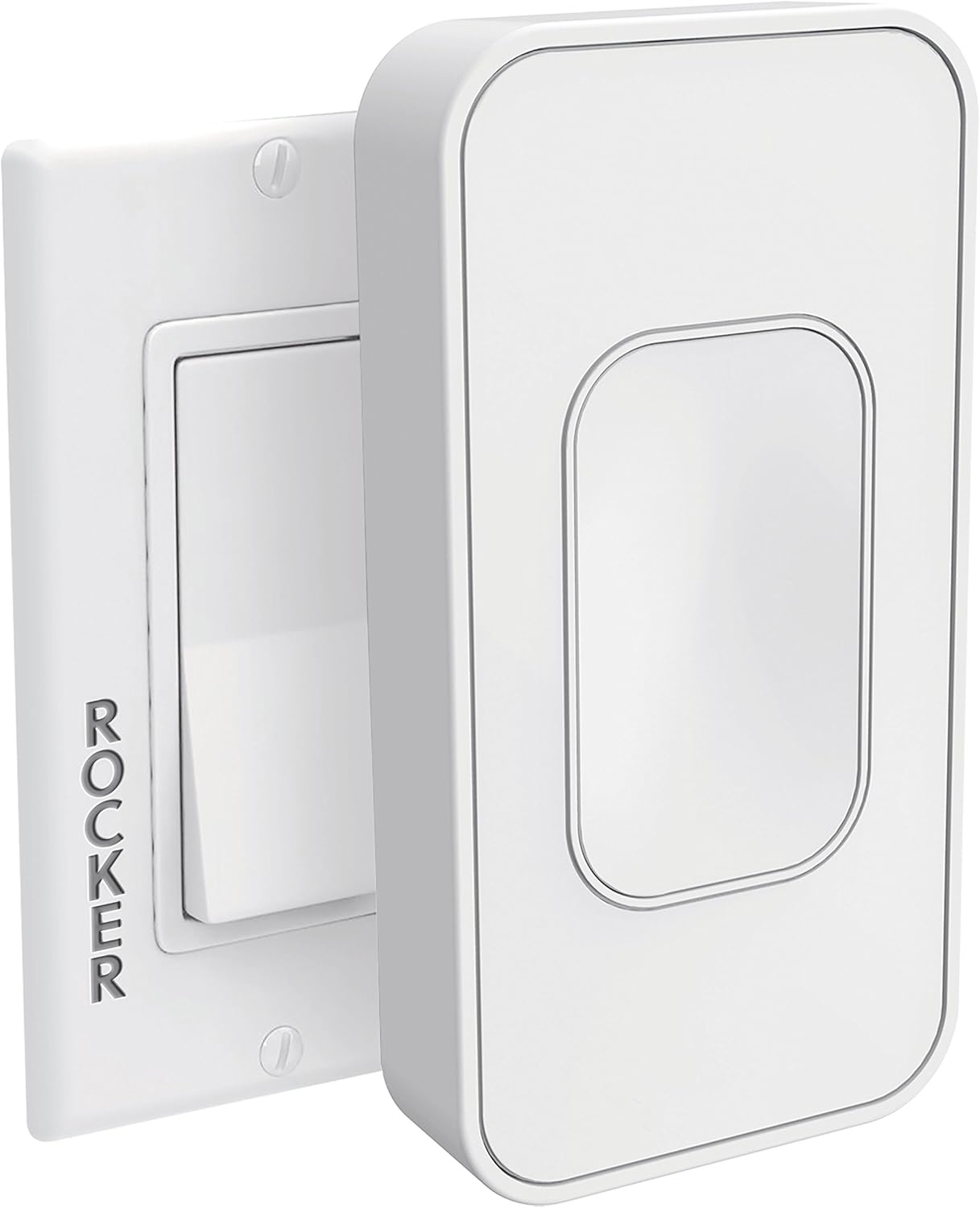
Image: The Switchmate device, a white rectangular unit designed to fit over a standard rocker light switch.
Package Contents
- 1 x Switchmate Smart Light Switch (Rocker Style)
- 1 x AA Battery (pre-installed or included)
- Quick Start Guide (refer to this manual for detailed instructions)
Setup and Installation
- Check Compatibility: Ensure your existing light switch is a standard rocker-style switch. The Switchmate is designed to snap directly over this type of switch plate.
- Install Batteries: The device typically comes with batteries pre-installed. If not, open the battery compartment and insert the included AA battery, ensuring correct polarity.
- Attach Switchmate: Align the Switchmate device over your existing rocker light switch. The device features magnets that will securely attach to the screws of your existing wall plate. Simply snap it into place.
- Download the App: Download the free Switchmate app from your device's app store (available for Android and iOS).
- Pair with App: Open the Switchmate app and follow the on-screen instructions to pair your device. Ensure Bluetooth is enabled on your smartphone.

Image: The Switchmate device positioned next to a standard rocker light switch, illustrating its intended fit.

Image: A person demonstrating the simple snap-on installation of the Switchmate over an existing light switch.

Video: An official demonstration of the Switchmate Smart Switch, showing its easy installation and various features. Note: This video may show both rocker and toggle versions; this product is specifically for rocker switches.
Operating Instructions
Manual Control
The Switchmate device features a manual button on its front surface. You can press this button to toggle your light switch on or off directly at the wall, just as you would with a traditional switch.

Image: A person demonstrating the manual operation of the Switchmate by pressing the central button.
App Control
Once paired, use the Switchmate app on your smartphone to control your lights remotely within Bluetooth range. The app allows you to:
- Turn lights on/off.
- Set multiple timers for automated lighting schedules.
- Utilize the "Welcome Home" feature to automatically turn on lights when you arrive.

Image: A man interacting with his smartphone, presumably controlling the Switchmate device.
Voice Control (Google Assistant)
The Switchmate is compatible with Google Assistant for voice control. Ensure your Switchmate is paired with the app and linked to your Google Assistant account. You can then use voice commands to control your lights.
For Amazon Alexa compatibility, the Switchmate Power by SimplySmart Home hub is required (sold separately).
Maintenance
- Battery Replacement: The Switchmate operates on one AA battery. When the battery level is low, the app will typically notify you. Replace the battery by gently removing the device from the wall plate and accessing the battery compartment.
- Cleaning: Wipe the device with a soft, dry cloth. Do not use abrasive cleaners or immerse the device in water.
Troubleshooting
- Device not responding to app:
- Ensure Bluetooth is enabled on your smartphone and you are within range of the Switchmate.
- Check the battery level in the app or replace the battery.
- Try restarting the Switchmate app or your smartphone.
- If issues persist, try unpairing and re-pairing the device in the app.
- Switchmate does not fit or operate the physical switch:
- Verify that your existing light switch is a standard rocker style. This model is not compatible with toggle switches.
- Ensure the Switchmate is correctly aligned and securely snapped onto the wall plate screws. Slight adjustments may be needed for optimal lever movement.
- Voice control not working:
- Confirm that your Switchmate is successfully linked to your Google Assistant account.
- If using Amazon Alexa, ensure you have the Switchmate Power hub and that it is properly configured.
- Check your internet connection and the status of your voice assistant device.
Specifications
| Brand | Switchmate |
| Model Number | RSM001WCAN |
| Style | Rocker |
| Operation Mode | ON-OFF |
| Connectivity Protocol | Bluetooth (Wi-Fi with optional hub) |
| Control Method | Voice, App, Manual Button |
| Controller Type | Google Assistant, iOS, Android (Amazon Alexa with hub) |
| Power Source | 1 x AA Battery (included) |
| Dimensions (L x W x H) | 1 x 4.9 x 2.5 inches |
| Item Weight | 7.2 ounces |
| Material | Metal (internal components) |
| Color | White |
Warranty and Support
For product support, troubleshooting assistance, or warranty information, please refer to the official Switchmate website or contact their customer service directly. A detailed User Manual PDF is also available for download:
Documents and downloads
Ask a question about this manual
Ask about setup, troubleshooting, compatibility, parts, safety, or missing instructions. Manuals+ will review the question and use this page’s manual context to help answer it.