

1. Product Overview
The SPT SD-2225DW is a compact countertop dishwasher designed for small living spaces such as apartments, offices, or small kitchens. It offers full-size dishwashing power in a portable design, accommodating up to six standard place settings. This unit features electronic controls with an LED display, multiple wash cycles, and a quick-connect system for easy installation.
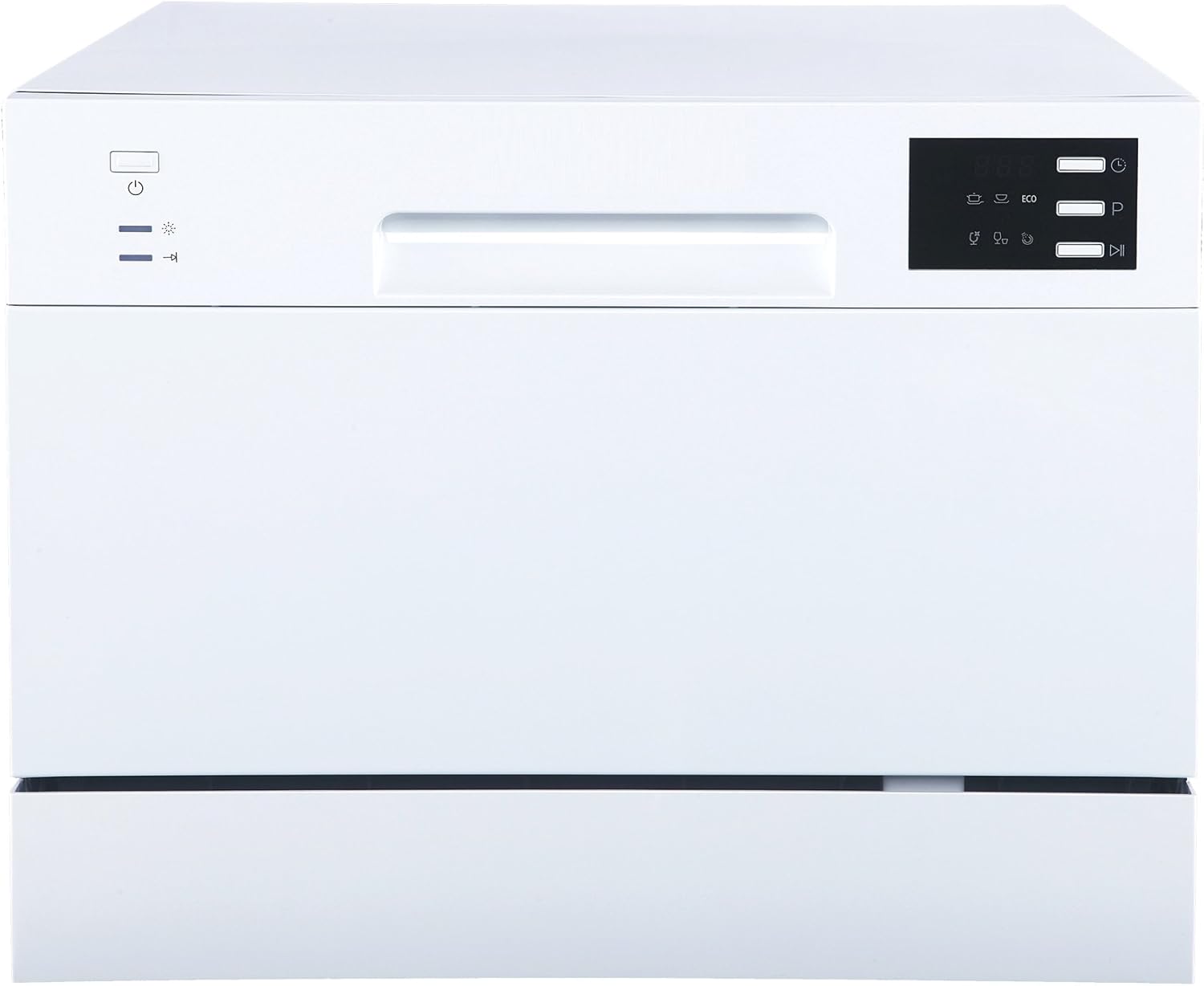
Image 1.1: Front view of the SPT SD-2225DW Compact Countertop Dishwasher, showcasing its sleek white design and control panel.
2. Safety Information
Please read all instructions carefully before using the appliance to prevent personal injury or property damage. Keep this manual for future reference.
General Safety Precautions:
- This appliance is intended for household use only.
- Do not operate the dishwasher if it is damaged or malfunctioning. Contact customer service.
- Keep children away from the dishwasher, especially when it is operating.
- Use only detergents and rinse aids specifically designed for automatic dishwashers.
- Do not touch the heating element during or immediately after operation.
- Ensure proper ventilation around the appliance.
Electrical Safety:
- Connect the appliance to a properly grounded outlet with the correct voltage (120 Volts).
- Do not use extension cords or adapter plugs.
- Unplug the dishwasher before cleaning or performing any maintenance.
- Do not immerse the appliance, cord, or plug in water or other liquids.
3. Product Components
The SPT SD-2225DW dishwasher comes with the following components:
- Dishwasher Unit
- Drain Hose
- Inlet Hose
- Faucet Adapter
- Quick Connect
- Silverware Basket
- User Manual
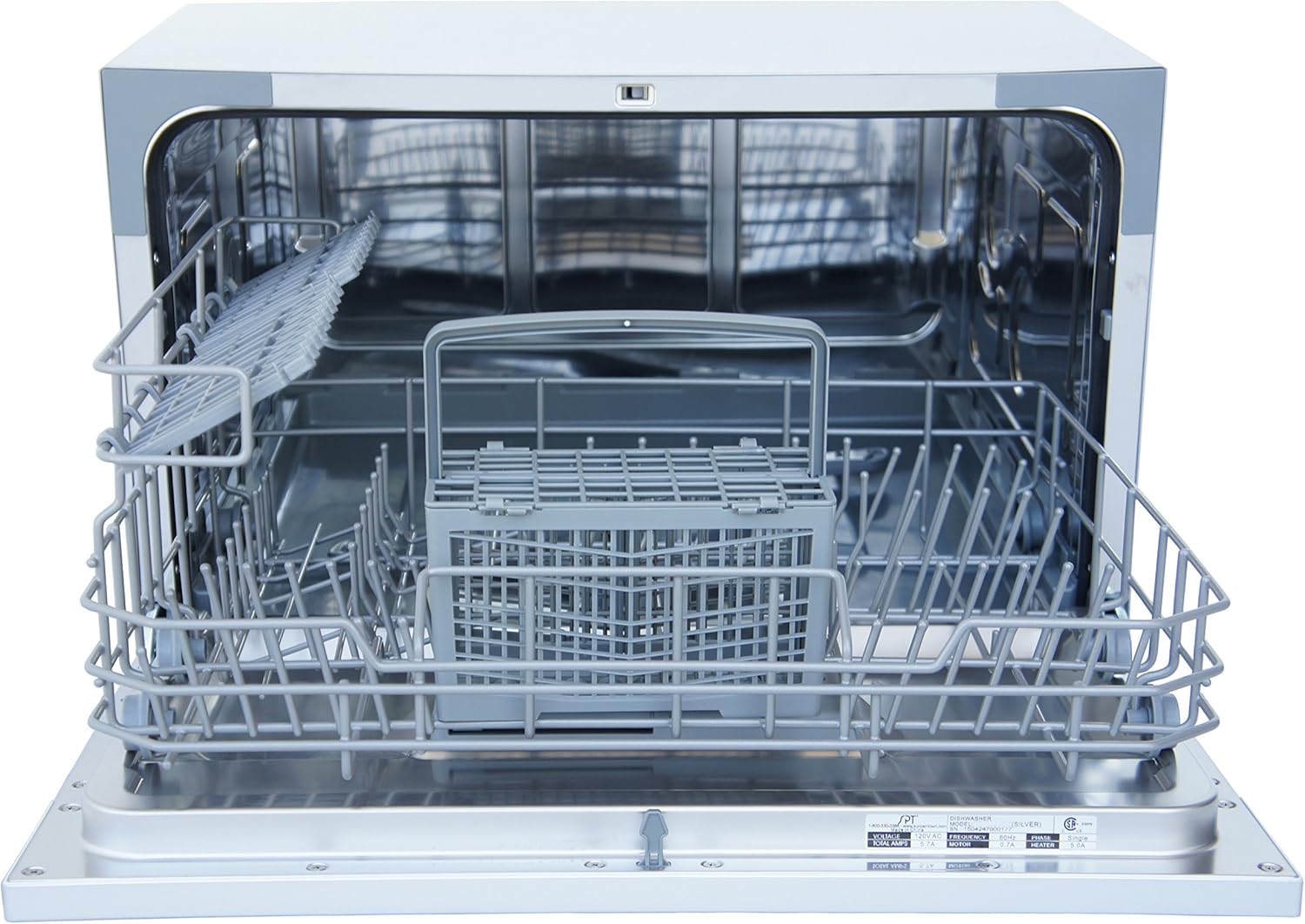
Image 3.1: Interior view of the dishwasher, showing the dish rack and silverware basket.
4. Setup and Installation
This dishwasher is designed for countertop placement and quick connection to most kitchen faucets. No permanent plumbing installation is required.
Placement:
- Place the dishwasher on a stable, level countertop near a sink and an electrical outlet.
- Ensure there is adequate space around the unit for ventilation and door opening. The unit dimensions are approximately 19.69"D x 21.65"W x 17.24"H.

Image 4.1: Diagram illustrating the dimensions of the SPT SD-2225DW dishwasher.
Water Connection:
- Attach the faucet adapter to your kitchen faucet. Ensure a tight seal to prevent leaks.
- Connect the quick connect fitting from the dishwasher's inlet hose to the faucet adapter.
- Place the drain hose into the sink to allow wastewater to drain.
- Ensure all connections are secure before turning on the water supply.
- Use only cold water. The dishwasher will heat the water as needed for each cycle.
Power Connection:
- Plug the dishwasher's power cord into a grounded 120V electrical outlet.
5. Operation
Control Panel:
The electronic control panel features an LED display and various buttons for program selection and settings.

Image 5.1: Angled view of the dishwasher, highlighting the control panel with LED display and function buttons.
Loading Dishes:
- Scrape off large food particles from dishes before loading.
- Place dishes securely in the rack, ensuring they do not block the spray arms.
- Load silverware into the silverware basket with handles down for optimal cleaning.
Detergent and Rinse Aid:
- Add appropriate dishwasher detergent to the dispenser.
- Fill the rinse aid dispenser with rinse aid to improve drying performance and prevent water spots. Adjust the rinse aid setting as needed.
Wash Cycles:
Select one of the six available wash cycles based on your dishwashing needs:
- Heavy: For heavily soiled dishes and pots.
- Normal: For regularly soiled dishes.
- ECO: An energy-efficient cycle for normal loads.
- Glass: Gentle cycle for delicate glassware.
- Speed: A quick wash for lightly soiled dishes.
- Rinse: For rinsing dishes that will be washed later.
Delay Start:
The delay start function allows you to postpone the start of a wash cycle by 2, 4, 6, or 8 hours.
6. Maintenance and Care
Regular maintenance ensures optimal performance and longevity of your dishwasher.
Cleaning the Filters:
- The dishwasher has a filter system that collects food particles. Regularly remove and clean the filters under running water to prevent blockages and ensure efficient cleaning.
Cleaning the Interior:
- Wipe down the interior with a damp cloth periodically.
- Run a dishwasher cleaning cycle with a specialized cleaner if mineral deposits or odors occur.
Cleaning the Exterior:
- Wipe the exterior surfaces with a soft, damp cloth. Do not use abrasive cleaners or solvents.
7. Troubleshooting
Refer to the following common issues and solutions before contacting customer service.
| Problem | Possible Cause / Solution |
|---|---|
| Unit gets hot during operation. | This is normal. The exterior may reach up to 90°F due to water heating. |
| Hoses need to be extended. | Hose extension is not recommended as it may cause draining issues and potential pump failure. |
| Dishes have spots or water marks. | Increase the Rinse Aid Dispenser setting. |
| White stains on dishes or bluish film on glassware. | Too much Rinse Aid. Lower the Rinse Aid Dispenser setting. |
| Dishwasher interior is damp after cycle. | This unit uses residual heat drying, which is energy efficient. It is normal for the interior to be slightly damp. For faster drying, open the door slightly (ajar) for 10-15 minutes after the cycle. |
| Water supply warning indicator is on. | Check water connection and ensure water supply is turned on. |
| Rinse aid warning indicator is on. | Refill the rinse aid dispenser. |
8. Specifications
| Feature | Specification |
|---|---|
| Model | SD-2225DW |
| Brand | SPT |
| Installation Type | Countertop |
| Finish Type | White |
| Product Dimensions (D x W x H) | 19.69" x 21.65" x 17.24" |
| Item Weight | 43 Pounds |
| Voltage | 120 Volts |
| Number of Place Settings | 6 |
| Wash Cycles | 6 (Heavy, Normal, ECO, Glass, Speed, Rinse) |
| Special Features | Delay Start (2, 4, 6, 8 hours), Energy Star Certified |
| Display Type | LED |
| Noise Level | 55 dB |
| Material | Iron (Interior: Stainless Steel) |
9. Warranty and Support
Specific warranty details are not provided in this manual. For warranty information, product support, or service inquiries, please refer to the documentation included with your purchase or contact SPT customer service directly.


