
Introduction
This manual provides essential information for the proper use and maintenance of your BOMAZ replacement remote control. This remote is designed to be a direct replacement for original Samsung remote model AK59-00177A, compatible with various Samsung Blu-Ray and DVD player models including BD-H6500, BD-F5700, BD-HM57C, and BD-F5100 series.
No programming or complex setup is required. Simply insert batteries, and the remote is ready for immediate use.

Image: The BOMAZ replacement remote control, designed for Samsung Blu-Ray and DVD players.
Setup
To begin using your remote control, follow these simple steps:
- Battery Installation: Locate the battery compartment on the back of the remote control.
- Insert Batteries: Insert two (2) AAA batteries (not included) into the compartment, ensuring the positive (+) and negative (-) terminals align correctly with the indicators inside.
- Close Compartment: Replace the battery compartment cover securely.
The remote control is now ready for use. No additional programming or pairing is necessary.
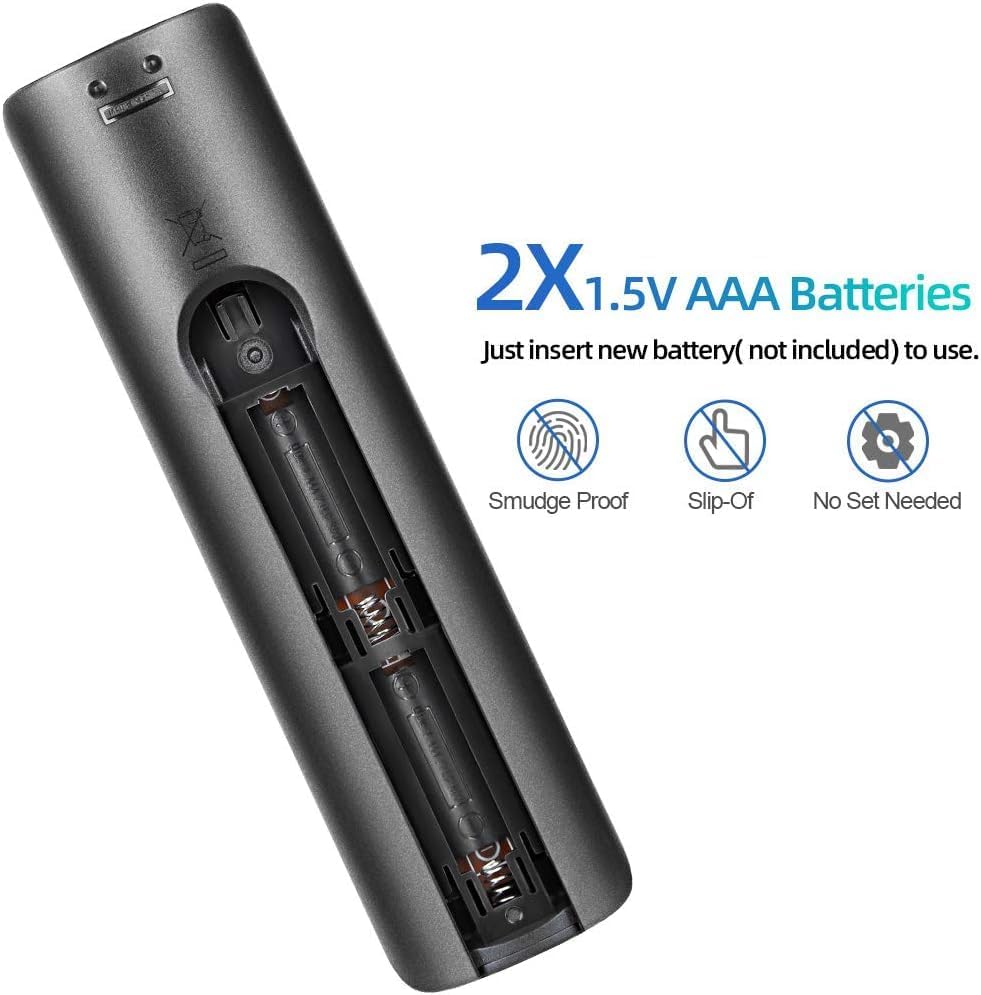
Image: The battery compartment of the remote control, showing space for two AAA batteries.
Operating Instructions
This remote control provides full functionality for your compatible Samsung Blu-Ray or DVD player. Point the remote directly at your player for optimal performance.
- Power Button: Turns the player on or off.
- Volume Control: Adjusts the volume of your connected audio system (if controlled by the player).
- Navigation Buttons: Use the directional arrows and OK/Enter button to navigate menus.
- Playback Controls: Play, Pause, Stop, Fast Forward, Rewind, Skip Track.
- Number Pad: Directly input track numbers or other numerical selections.
- Source Button: Selects input source (if applicable).
- Menu/Home Buttons: Access player menus and home screen.
The remote features sensitive buttons for fast response and is designed for long-distance precise control, with an operable range of over 8 meters (approximately 33 feet) using infrared technology.

Image: The remote control being used to operate a Samsung television, demonstrating its long-distance control capability.

Image: A close-up view highlighting the sensitive and durable buttons of the remote control.

Image: An illustration of the remote control's internal chip, indicating upgraded technology for higher matching and improved stability.
Maintenance
To ensure the longevity and optimal performance of your remote control, consider the following maintenance tips:
- Cleaning: Wipe the remote control with a soft, dry cloth. For stubborn dirt, a slightly damp cloth can be used, followed by immediate drying. Avoid using harsh chemicals or abrasive cleaners.
- Battery Replacement: Replace batteries when the remote's response becomes sluggish or it stops functioning. Always replace both batteries at the same time with new AAA batteries. Do not mix old and new batteries, or different types of batteries.
- Storage: If the remote will not be used for an extended period, remove the batteries to prevent leakage and potential damage.
- Protection: Avoid dropping the remote or exposing it to extreme temperatures or moisture.
Troubleshooting
If you encounter issues with your remote control, try the following solutions:
- Remote Not Responding:
- Ensure batteries are inserted correctly with the correct polarity (+/-).
- Replace old batteries with new AAA batteries.
- Check for any obstructions between the remote and the Blu-Ray/DVD player's infrared sensor.
- Ensure you are within the operable range (up to 10 meters).
- Intermittent Functionality:
- This could indicate low battery power. Replace batteries.
- Ensure there is no strong light source (like direct sunlight or bright fluorescent lights) interfering with the infrared signal.
- Specific Buttons Not Working:
- Clean the remote control, especially around the problematic buttons, to remove any dirt or debris that might be causing sticking.
If the problem persists after trying these steps, please refer to the Support section for further assistance.
Specifications
| Brand | BOMAZ |
| Model Number | 8541714419 |
| Compatible Devices | Samsung BD-H6500, BD-F5700, BD-HM57C, BD-F5100, BD-H6500/ZA, BD-F5100/ZX DVD/Blu-ray Players (Replaces AK59-00177A) |
| Connectivity Technology | Infrared (IR) |
| Power Source | 2 x AAA Batteries (not included) |
| Maximum Range | 10 Meters (33 feet) |
| Material | ABS |
| Special Feature | No Programming Required |
| Color | Black |
Warranty Information
This BOMAZ replacement remote control comes with a 30-day warranty from the date of purchase. This warranty covers manufacturing defects and ensures the product functions as described under normal use.
Please retain your proof of purchase for any warranty claims. The warranty does not cover damage caused by misuse, accidents, unauthorized modifications, or battery leakage.
Support
For any questions, concerns, or troubleshooting assistance not covered in this manual, please contact our customer support team.
While specific contact details are not provided here, you can typically find support information through the retailer where you purchased the product or by searching for "BOMAZ customer support" online.
We test every remote before shipment to ensure quality. If you receive a remote with a problem, please do not hesitate to contact us for assistance.