
OxyLED T-01
Contents
OxyLED T-01 Tap Closet Lights User Manual
Model: T-01 | Brand: OxyLED
Introduction
The OxyLED T-01 Tap Closet Lights provide convenient, battery-operated illumination for various spaces. Featuring a touch-sensitive switch and 140-degree rotation, these lights are designed for easy installation and versatile use in areas such as closets, cabinets, and hallways.
Package Contents
- OxyLED T-01 Tap Closet Light(s)
- 3M Adhesive Pads
- User Manual
Note: AAA batteries are not included and must be purchased separately.
Setup and Installation
- Battery Installation:
To install batteries, gently slide the back panel of the light to remove it. Insert three (3) AAA alkaline batteries (not included) into the battery compartment, ensuring correct polarity. Replace the back panel by sliding it back into place until it clicks securely.

Detailed view of the light's back panel removed, revealing the battery slots. Three AAA batteries are shown being inserted.
Important: Use new batteries only. Do not mix old and new batteries.
- Mounting the Light:
The light comes with 3M adhesive pads for easy installation. Peel the protective film from the adhesive pads located on the detachable back panel. Choose a clean, dry surface for mounting. Press the light firmly onto the desired surface for several seconds to ensure secure adhesion.
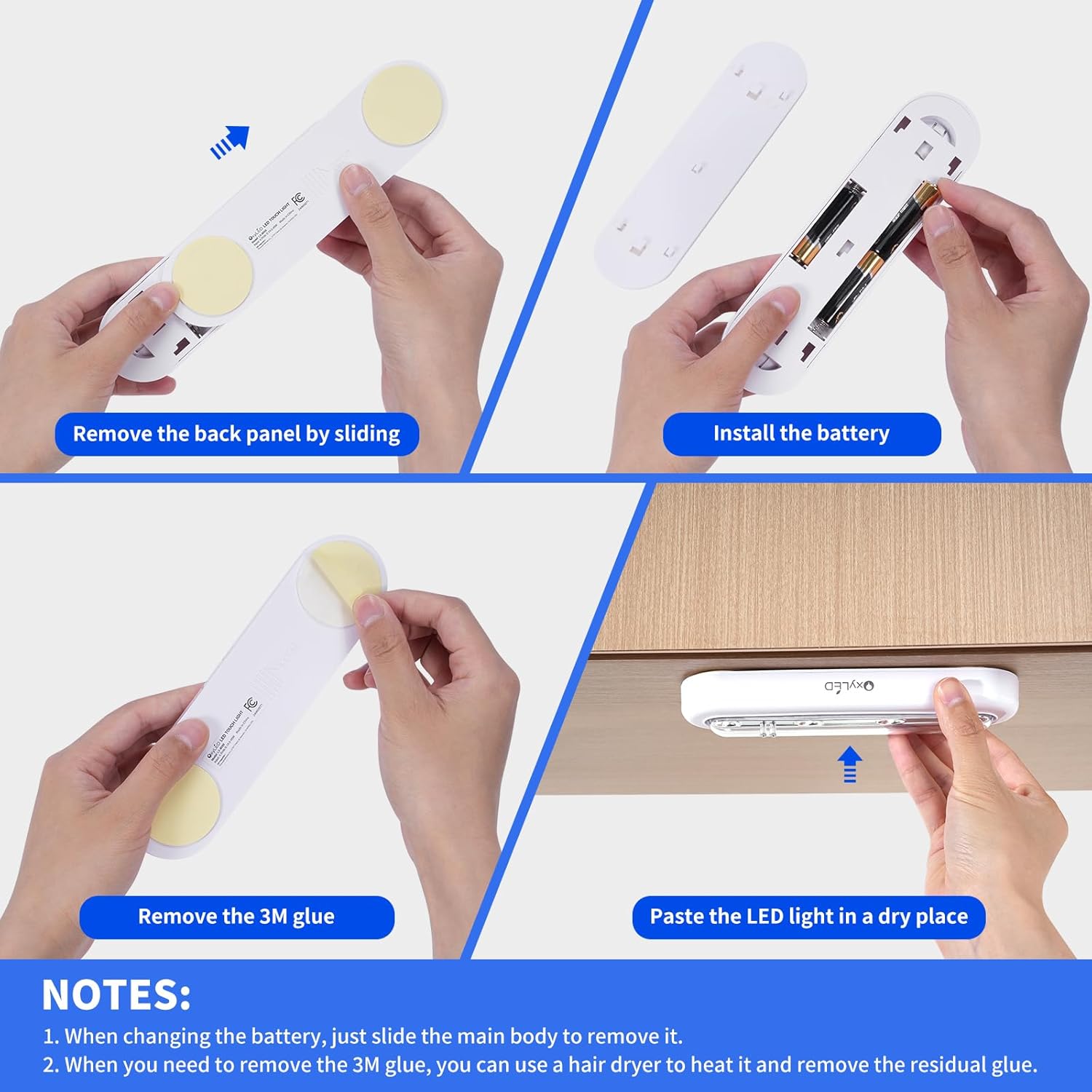
Visual guide demonstrating the steps for battery installation and mounting the light using 3M adhesive pads.
Note: The 3M adhesive may lose its stickiness if repositioned multiple times. If removal is necessary, a hairdryer can be used to gently heat the adhesive for easier removal and to minimize residual glue.
Operating Instructions
- Turning On/Off:
The OxyLED T-01 features a touch-sensitive switch. To turn the light on, gently touch the sensor pins located on the front of the light. To turn the light off, touch the sensor pins again.

A finger activating the touch-sensitive switch on the light.
- Adjusting Light Direction:
The light panel can be rotated up to 140 degrees (70 degrees forward and 70 degrees backward). This allows you to direct the light precisely where it is needed.

The light fixture demonstrating its 140-degree rotational feature.
Maintenance
- Cleaning: Wipe the light with a soft, dry cloth. Do not use abrasive cleaners or solvents.
- Battery Replacement: Replace all three AAA batteries when the light dims significantly or stops working. Follow the battery installation steps outlined in the Setup section.
- Storage: If storing the light for an extended period, remove the batteries to prevent leakage.
Troubleshooting
| Problem | Possible Cause | Solution |
|---|---|---|
| Light does not turn on. |
|
|
| Light is dim. |
|
|
| Light falls off mounting surface. |
|
|
Specifications
- Model: T-01
- Light Source: 4 LED
- Brightness: 80 Lumens
- Color Temperature: 5200-6000K (White Light)
- Power Source: 3 x AAA Batteries (Not Included)
- Control Method: Touch Sensor
- Rotation: 140° (70° forward, 70° backward)
- Material: Plastic
- Product Dimensions: 1.8"D x 6.9"W x 1.1"H (approximately 4.5cm D x 17.5cm W x 2.8cm H)
- Item Weight: 6.7 Ounces (approximately 190g)
- Installation Type: 3M Sticker
- Indoor/Outdoor Usage: Indoor
- Water Resistance Level: Not Water Resistant
Product Overview Video
Official product video demonstrating the features and usage of the OxyLED Tap Closet Lights. This video covers installation, operation, and various application scenarios.
Usage Scenarios
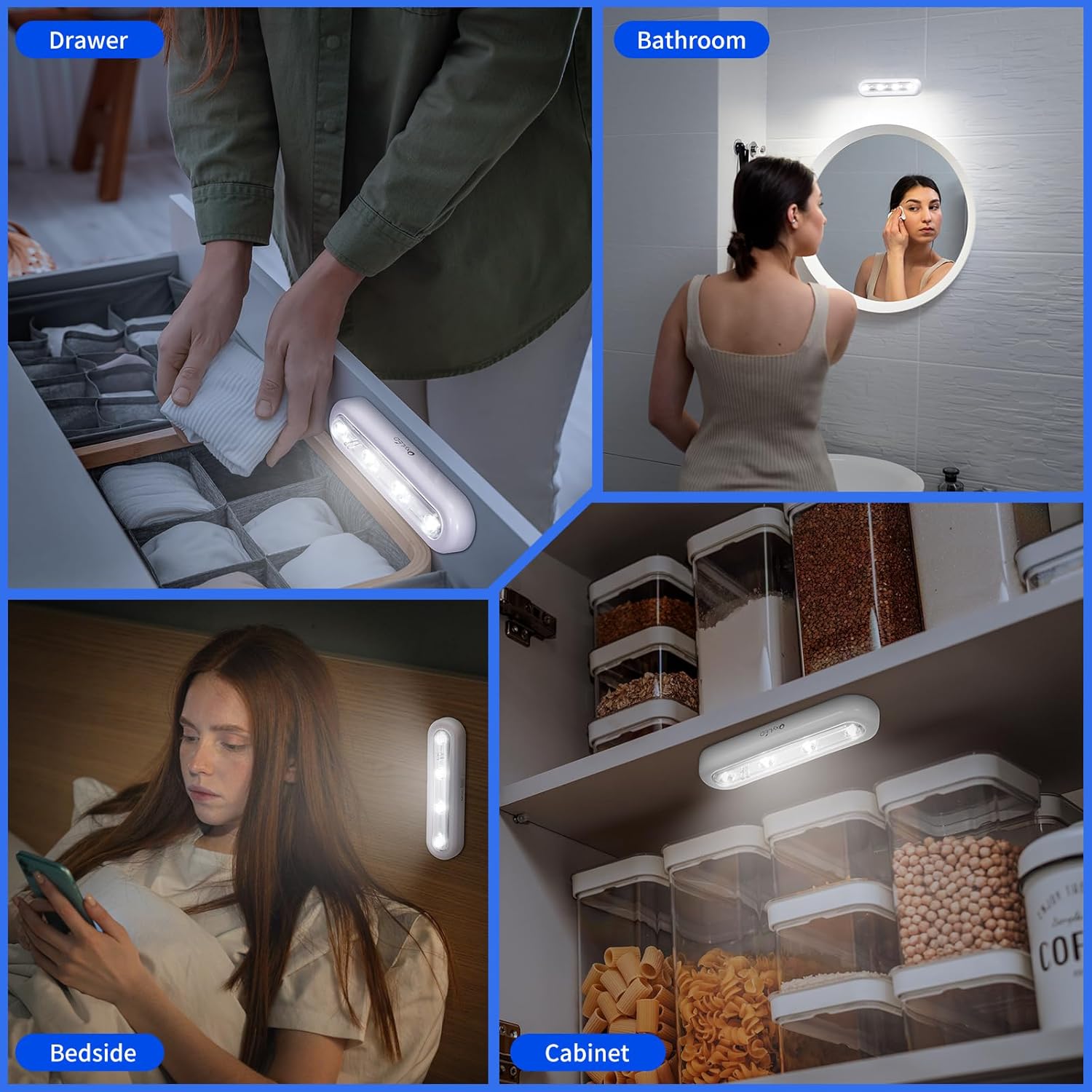
The versatile design of the OxyLED T-01 Tap Closet Lights makes them suitable for a variety of indoor applications where additional lighting is needed.

Safety Information
- This product is for indoor use only. Do not expose to water or high humidity.
- Do not attempt to disassemble or modify the light, as this may void the warranty and cause damage.
- Keep out of reach of children.
- Dispose of used batteries responsibly according to local regulations.
Warranty and Support
Specific warranty details are not provided in the product information. For warranty claims or technical support, please refer to the contact information provided with your purchase or visit the official OxyLED website.
Documents and downloads
Ask a question about this manual
Ask about setup, troubleshooting, compatibility, parts, safety, or missing instructions. Manuals+ will review the question and use this page’s manual context to help answer it.