
1. Product Overview
The Diamond Audio DEK3 is a 3.5-inch, 50W RMS add-on component system designed to enhance your vehicle's audio experience. This kit includes passive crossovers and is engineered for easy integration into existing 2-way component systems, transforming them into a 3-way setup. It features a composite foam core carbon fiber cone and a composite ABS frame design, optimized for sound quality and durability.

Image 1.1: The Diamond Audio DEK3 component system, showcasing two 3.5-inch speakers and two passive crossover networks. These components work together to deliver a balanced audio output.
Key Features:
- Power Handling: 25 Watts RMS per speaker, 50 Watts Peak per speaker.
- Nominal Impedance: 4 Ohms.
- Frequency Response: 130Hz - 8kHz.
- Sensitivity: 83dB (at 1W/1M).
- Adaptors: Includes three adaptors for versatile installation: 4-inch Square, 3.5-inch "Triangle" for BMW, and Universal 4x6-inch.
- Cone Material: Composite Fiber Weave Cone.
- Midrange Basket Material: Composite ABS.
- Crossover: External 3-Way 12dB/Octave passive crossover network.
2. What's in the Box
Upon unpacking your Diamond Audio DEK3 component system, please verify that all the following items are present:
- Two (2) 3.5-inch Midrange Speakers
- Two (2) Passive Crossover Networks
- Three (3) Sets of Mounting Adaptors (4-inch Square, 3.5-inch "Triangle" for BMW, Universal 4x6-inch)
- Mounting Hardware (screws, clips, etc. - specific hardware may vary)
- User Manual (this document)
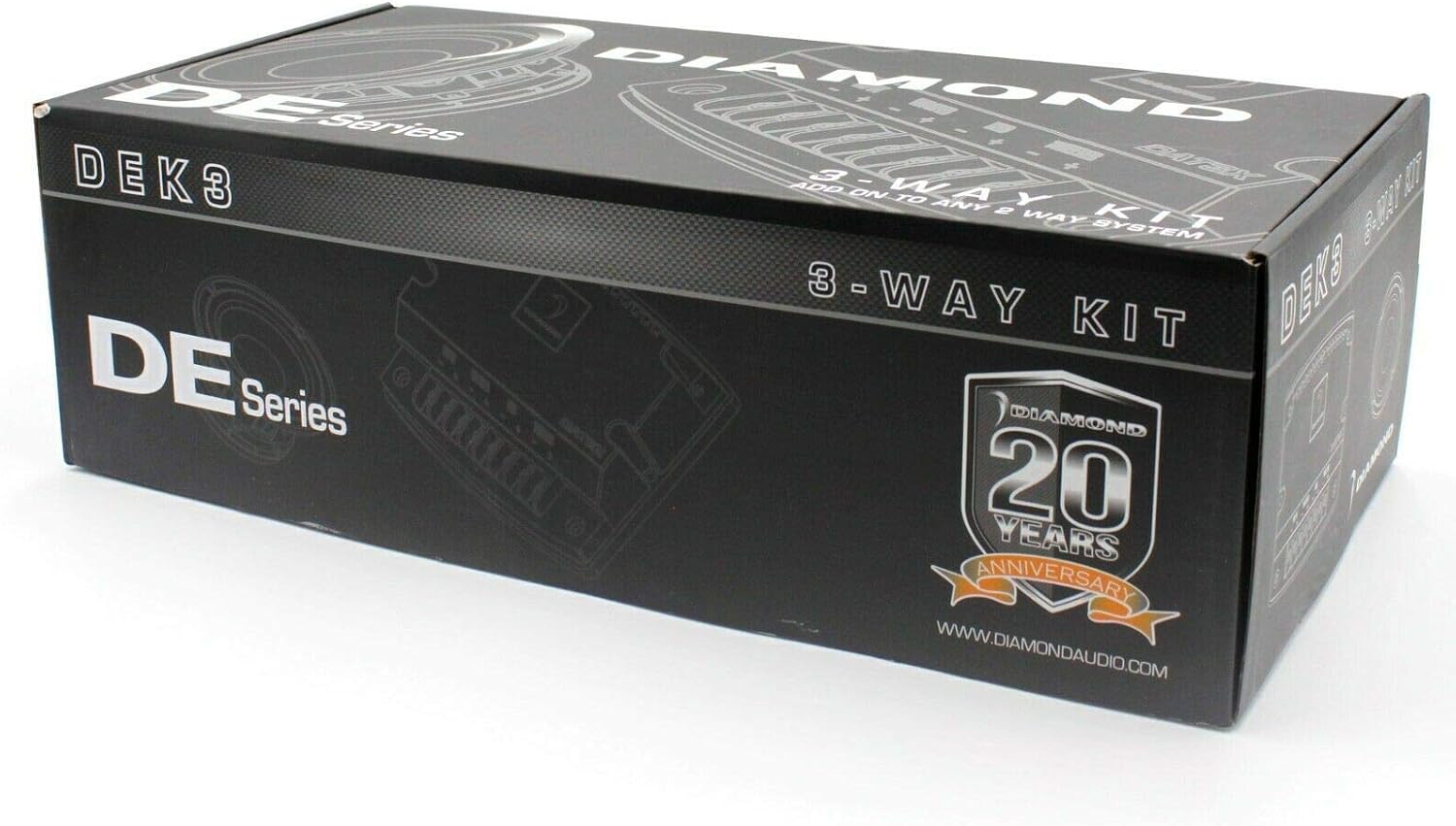
Image 2.1: The retail packaging for the Diamond Audio DEK3 3-Way Kit. The box indicates the product series and brand.
3. Setup and Installation
Proper installation is crucial for optimal performance and longevity of your DEK3 component system. If you are unsure about any steps, it is recommended to seek professional installation.
3.1 Safety Precautions
- Disconnect the vehicle's battery before starting any electrical work to prevent short circuits and damage.
- Wear appropriate safety gear, including eye protection.
- Ensure all wiring is properly insulated and secured to prevent chafing or damage.
- Do not mount speakers or crossovers in locations that obstruct vehicle operation or safety features.
3.2 Mounting the Speakers
- Choose Location: Identify suitable mounting locations in your vehicle. The DEK3 speakers are designed as add-ons, typically for dashboard, door, or pillar locations where a 3.5-inch speaker can fit.
- Select Adaptor: Use one of the provided adaptors (4-inch Square, 3.5-inch "Triangle" for BMW, or Universal 4x6-inch) if needed to fit the speaker into your vehicle's existing openings.
- Prepare Opening: If a new opening is required, carefully cut the opening to the specified mounting diameter (2.81 inches) and ensure sufficient mounting depth (1.56 inches).
- Secure Speaker: Mount the speaker securely using the provided hardware. Ensure it is flush and stable.

Image 3.1: Rear view of the DEK3 speaker, illustrating the connection terminals for wiring. Proper polarity is essential for correct audio reproduction.
3.3 Wiring the Crossover Network
The DEK3 includes external 3-way passive crossover networks. These units manage the audio signal distribution to ensure each speaker receives the appropriate frequency range.
- Mount Crossover: Find a secure, dry location for the crossover network, away from heat sources and moisture. Ensure it is easily accessible for wiring.
- Connect Input: Connect the output from your amplifier or head unit's midrange/full-range channel to the "INPUT" terminals on the crossover. Observe correct polarity (+ to + and - to -).
- Connect Midrange Speaker: Connect the DEK3 3.5-inch speaker to the "MID" or "WOOFER" terminals on the crossover. Again, ensure correct polarity.
- Connect Tweeter (if applicable): If you are integrating this into an existing 2-way component system, connect your existing tweeter to the "TWEETER" terminals on the crossover.
- Connect Woofer (if applicable): Connect your existing mid-bass woofer to the "WOOFER" terminals on the crossover.
Note: The DEK3 is designed to add a midrange to an existing 2-way system. The crossover has dedicated terminals for Input, Woofer, Mid, and Tweeter. Refer to the diagram on the crossover unit for specific connections.
4. Operating Instructions
Once installed, operating your Diamond Audio DEK3 component system involves proper audio system configuration to achieve the best sound quality.
4.1 Initial Power-Up and Testing
- Reconnect Battery: After all wiring is complete and checked, reconnect the vehicle's battery.
- Power On System: Turn on your vehicle's head unit and amplifier (if separate).
- Low Volume Test: Start with the volume at its lowest setting. Play a familiar audio track.
- Gradually Increase Volume: Slowly increase the volume, listening for clear sound from all speakers, including the new DEK3 midranges.
- Check Balance and Fading: Ensure audio balance (left/right) and fading (front/rear) are working correctly.
4.2 Audio System Tuning
- Gain Settings: Adjust amplifier gain settings carefully. Do not set the gain too high, as this can introduce distortion and damage speakers. Set the gain to match the output voltage of your head unit.
- Equalization (EQ): Use your head unit's or amplifier's equalizer to fine-tune the sound. Start with a flat EQ and make small adjustments to suit your listening preferences.
- Crossover Frequencies: If your head unit or amplifier has adjustable crossover settings, ensure they complement the passive crossovers of the DEK3 system. The DEK3 speakers are designed for midrange frequencies (130Hz - 8kHz).
- Avoid Distortion: If you hear any distortion, immediately reduce the volume or adjust your gain settings. Prolonged listening at distorted levels can cause permanent damage to the speakers.
5. Maintenance
The Diamond Audio DEK3 component system is designed for durability and requires minimal maintenance to ensure long-lasting performance.
- Cleaning: Gently wipe the speaker cones and surrounds with a soft, dry cloth to remove dust. Avoid using harsh chemicals or excessive moisture.
- Inspection: Periodically inspect speaker surrounds and cones for any signs of damage, tears, or deterioration. Check wiring connections for tightness and corrosion.
- Environmental Protection: While designed for in-car use, avoid exposing the speakers to extreme temperatures, direct sunlight for prolonged periods, or excessive moisture. The product is not waterproof.
- Professional Check: If you notice any significant changes in sound quality or suspect damage, consult a professional car audio technician.
6. Troubleshooting
If you encounter issues with your DEK3 component system, refer to the following common problems and solutions:
| Problem | Possible Cause | Solution |
|---|---|---|
| No sound from speakers |
|
|
| Distorted or unclear sound |
|
|
| Sound only from one side |
|
|
If these steps do not resolve the issue, please contact Diamond Audio customer support or your authorized dealer.
7. Specifications
| Feature | Specification |
|---|---|
| Model Number | DEK3 |
| Speaker Type | Add-on Component Midrange |
| Speaker Size | 3.5 Inches |
| RMS Power Handling | 25 Watts (per speaker) |
| Peak Power Handling | 50 Watts (per speaker) |
| Nominal Impedance | 4 Ohms |
| Frequency Response | 130Hz - 8kHz |
| Sensitivity (dB @ 1W/1M) | 83dB |
| Mounting Depth | 1.56 inches |
| Mounting Diameter | 2.81 inches |
| Total Diameter | 3.5 inches |
| Magnet Diameter | 2.58 inches |
| Cone Material | Composite Fiber Weave |
| Basket Material | Composite ABS |
| Crossover Type | External 3-Way 12dB/Octave Passive |
| Included Adaptors | 4" Square, 3.5" "Triangle" for BMW, Universal 4x6" |
| Item Weight | 6 Pounds (total package) |
| Connectivity Technology | XLR (Note: This likely refers to the connection type on the crossover, not the speaker itself. Speakers typically use spade terminals.) |
| Compatible Devices | Vehicle's Audio System |
| UPC | 847169020544 |
8. Warranty Information
The Diamond Audio DEK3 component system is covered by a 1-year factory warranty from the date of purchase. This warranty covers defects in materials and workmanship under normal use.
The warranty does not cover damage resulting from improper installation, accident, misuse, abuse, neglect, unauthorized modification, or normal wear and tear. Proof of purchase is required for all warranty claims.
For detailed warranty terms and conditions, please refer to the official Diamond Audio website or contact their customer support.
9. Customer Support
For technical assistance, troubleshooting beyond this manual, or warranty inquiries, please contact Diamond Audio Technology customer support or your authorized dealer.
- Manufacturer: Diamond Audio
- Brand: Diamond Audio Technology
- Website: www.diamondaudio.com (Note: This is an assumed URL based on brand name. Please verify.)
- Dealer: Contact the retailer where you purchased the product for immediate assistance.
When contacting support, please have your product model number (DEK3) and proof of purchase readily available.


