
Armitron 40/8309BLK
Armitron Sport Men's Digital Chronograph Resin Strap Watch Instruction Manual
Model: 40/8309BLK | Brand: Armitron
Product Overview
The Armitron Sport Men's Digital Chronograph Resin Strap Watch, model 40/8309BLK, features a quartz movement with a multifunctional digital display. Designed for durability and functionality, this watch is suitable for various activities.
Key Features:
- Black resin case and top ring with a 52mm case diameter.
- LCD display showing time, seconds, day, and date.
- Integrated functions include chronograph, lap time, alarm, dual time, military time, and backlight.
- Durable black resin strap with a secure buckle closure.
- Water resistant up to 330 feet (100 meters).


Setup
This watch comes with a pre-installed lithium metal battery. Initial setup primarily involves setting the time, date, and configuring desired functions.
Setting Time and Date:
- Press the MODE button repeatedly until the time setting mode is displayed.
- Use the RESET button to select the digit or setting you wish to adjust (e.g., hours, minutes, year, month, day).
- Use the ST/STP button to increase the selected value.
- Once all settings are correct, press the MODE button to exit the setting mode.
Initial Battery Information:
The watch requires 1 Lithium Metal battery (included). For optimal performance, ensure the battery is properly seated upon first use. The battery is designed for long-term use, but replacement will eventually be necessary.
Operating Instructions
The Armitron Sport watch offers multiple functions accessible via its side buttons. Familiarize yourself with the button layout and their corresponding actions.

Function Modes:
Press the MODE button to cycle through the following functions:
- Time Display: Shows current time, day, and date.
- Chronograph (Stopwatch):
- Press MODE until "CHRONO" or similar indicator appears.
- Press ST/STP to start/stop the timer.
- Press RESET to reset the timer to zero.
- For lap time, press RESET while the chronograph is running to record a lap, then press again to resume.
- Alarm:
- Press MODE until "ALARM" is displayed.
- Use RESET and ST/STP to set the alarm time.
- Press MODE to confirm and activate the alarm.
- Dual Time: Allows setting and viewing a second time zone.
- Press MODE until "DUAL TIME" is displayed.
- Use RESET and ST/STP to set the second time zone.
- Press MODE to confirm.
- Military Time: The watch supports both 12-hour and 24-hour (military) time formats. This setting can typically be toggled within the time setting mode.
Backlight Function:
To illuminate the display in low-light conditions, press the EL (Electroluminescent) button. The backlight will typically remain on for a few seconds.
Product Videos:
Armitron Sport Men's Digital Chronograph Watch Overview
This video provides a general overview of the Armitron Sport Men's Digital Chronograph Watch, demonstrating its features and design.
What is Armitron? Brand Story
Learn about the history and legacy of the Armitron brand in this informational video.
Maintenance
Water Resistance:
The watch is water resistant to 330 feet (100M). This means it is suitable for swimming and snorkeling, but not for scuba diving. Avoid operating buttons while the watch is submerged to prevent water ingress.

Battery Replacement:
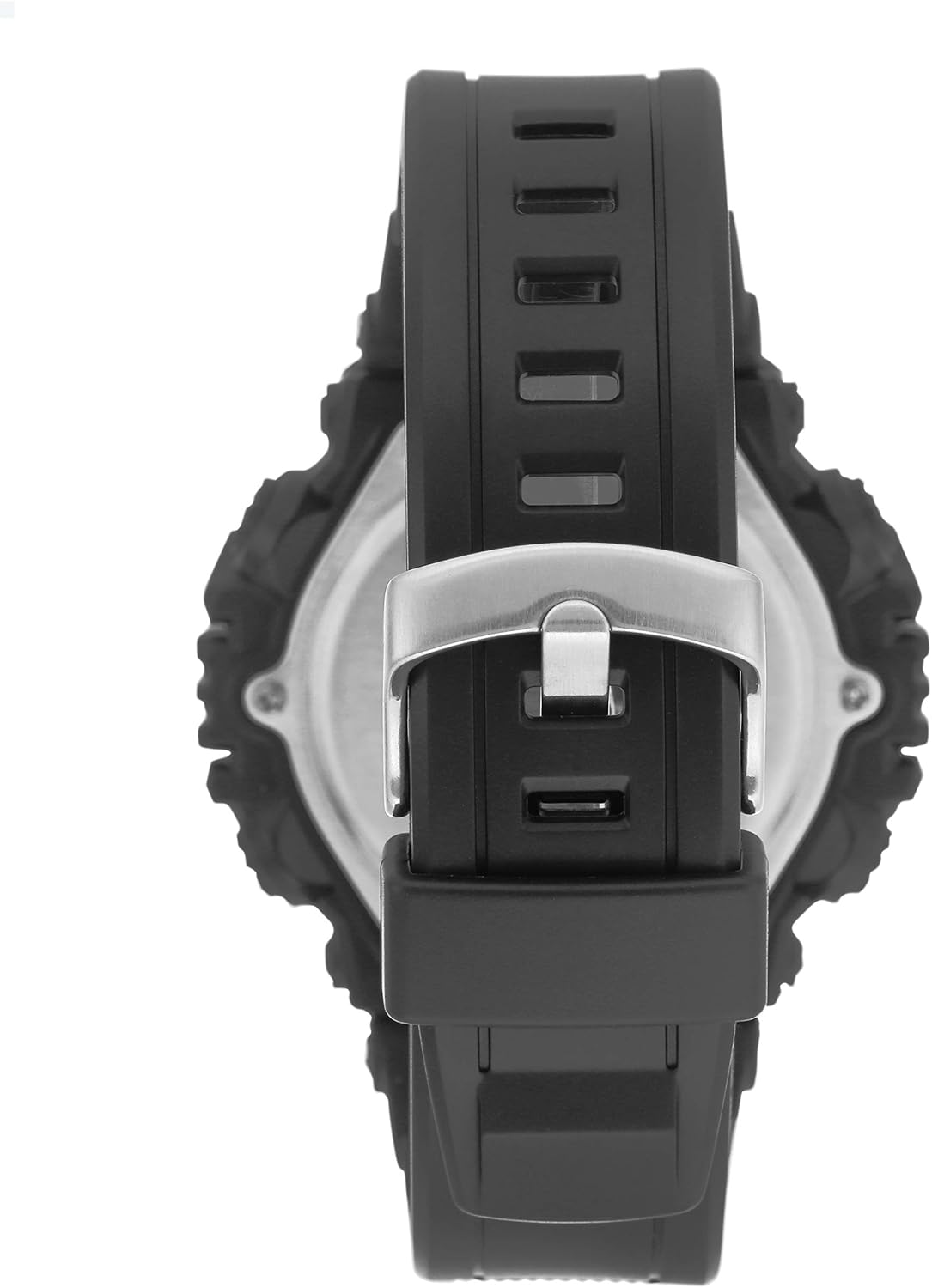
When the display fades or stops functioning, the battery may need replacement. The watch features a screw-down back case for battery access. It is recommended to have battery replacement performed by a qualified watch technician to ensure water resistance is maintained.
Cleaning:
Clean the watch case and strap with a soft, damp cloth. Avoid using harsh chemicals or abrasive materials, which can damage the resin and display.
Troubleshooting
- Display is blank or dim: This typically indicates a low battery. Refer to the "Battery Replacement" section.
- Buttons are unresponsive: Ensure the watch is not in a locked mode (if applicable, consult specific model instructions if this feature exists). If unresponsive, a battery issue or internal malfunction may be present.
- Time is inaccurate: Re-set the time following the "Setting Time and Date" instructions. If inaccuracy persists, the battery may be weak or the quartz movement may require servicing.
- Condensation under crystal: This indicates a breach in water resistance. Immediately cease water exposure and seek professional servicing to prevent further damage.
Specifications
| Attribute | Detail |
|---|---|
| Model Number | 40/8309BLK |
| Brand | Armitron |
| Movement | Quartz |
| Display Type | Digital |
| Case Material | Resin |
| Case Diameter | 52mm |
| Strap Material | Resin |
| Water Resistance | 100M (330 Feet) |
| Battery Type | 1 Lithium Metal battery (included) |
| Country of Origin | China |

Warranty and Support
Armitron watches typically come with a limited warranty covering manufacturing defects. For specific warranty details, claims, or technical support, please refer to the warranty card included with your purchase or visit the official Armitron website.
You can also visit the official Armitron store on Amazon for more product information and support: Armitron Store.
Related documents40/8309BLK


Ask a question about this manual
Ask about setup, troubleshooting, compatibility, parts, safety, or missing instructions. Manuals+ will review the question and use this page’s manual context to help answer it.