
1. Product Overview
This manual provides essential information for the safe and effective use of your PK Power AC/DC Adapter. This adapter is designed to provide reliable power to compatible Meike portable electronic keyboards, including models MK-810, MK-805, MK-920, MK-922, MK-962, MK-980, and MK-908.

Figure 1.1: The PK Power AC/DC Adapter with its integrated power cord. This image displays the compact design of the adapter unit and the coiled cable, ready for connection.
The adapter converts standard AC wall power to the DC power required by your electronic keyboard, ensuring stable operation. It features a durable design and incorporates multiple safety protections.
2. Important Safety Information
Please read all safety instructions carefully before using the adapter. Failure to follow these instructions may result in electric shock, fire, or damage to the product or connected devices.
- Use the adapter only with compatible devices as specified in this manual.
- Do not expose the adapter to water, moisture, or extreme temperatures.
- Do not disassemble, modify, or attempt to repair the adapter. Refer all servicing to qualified personnel.
- Ensure the power outlet is easily accessible and unplug the adapter during lightning storms or when unused for long periods.
- Avoid placing heavy objects on the power cord or subjecting it to excessive bending.
- This product is designed with multiple protection features including Over Voltage Protection (OVP), Over Current Protection (OCP), and Short Circuit Protection (SCP) to ensure safe operation.

Figure 2.1: Illustration of the adapter's built-in safety features. This diagram highlights icons representing Over Voltage Protection, Over Current Protection, Over Temperature Protection, Quality Microchip, Electromagnetic Wave Protection, and Short Circuit Protection, indicating comprehensive safety design.
3. Setup Instructions
- Unpack the Adapter: Carefully remove the AC/DC adapter and its cable from the packaging.
- Inspect for Damage: Before use, visually inspect the adapter and cable for any signs of damage. Do not use if damaged.
- Connect to Device: Locate the power input jack on your Meike electronic keyboard. Insert the barrel connector of the adapter firmly into the keyboard's power input.
- Connect to Power Outlet: Plug the adapter's two-prong plug into a standard 100-240V AC wall outlet or a power strip. Ensure the connection is secure.
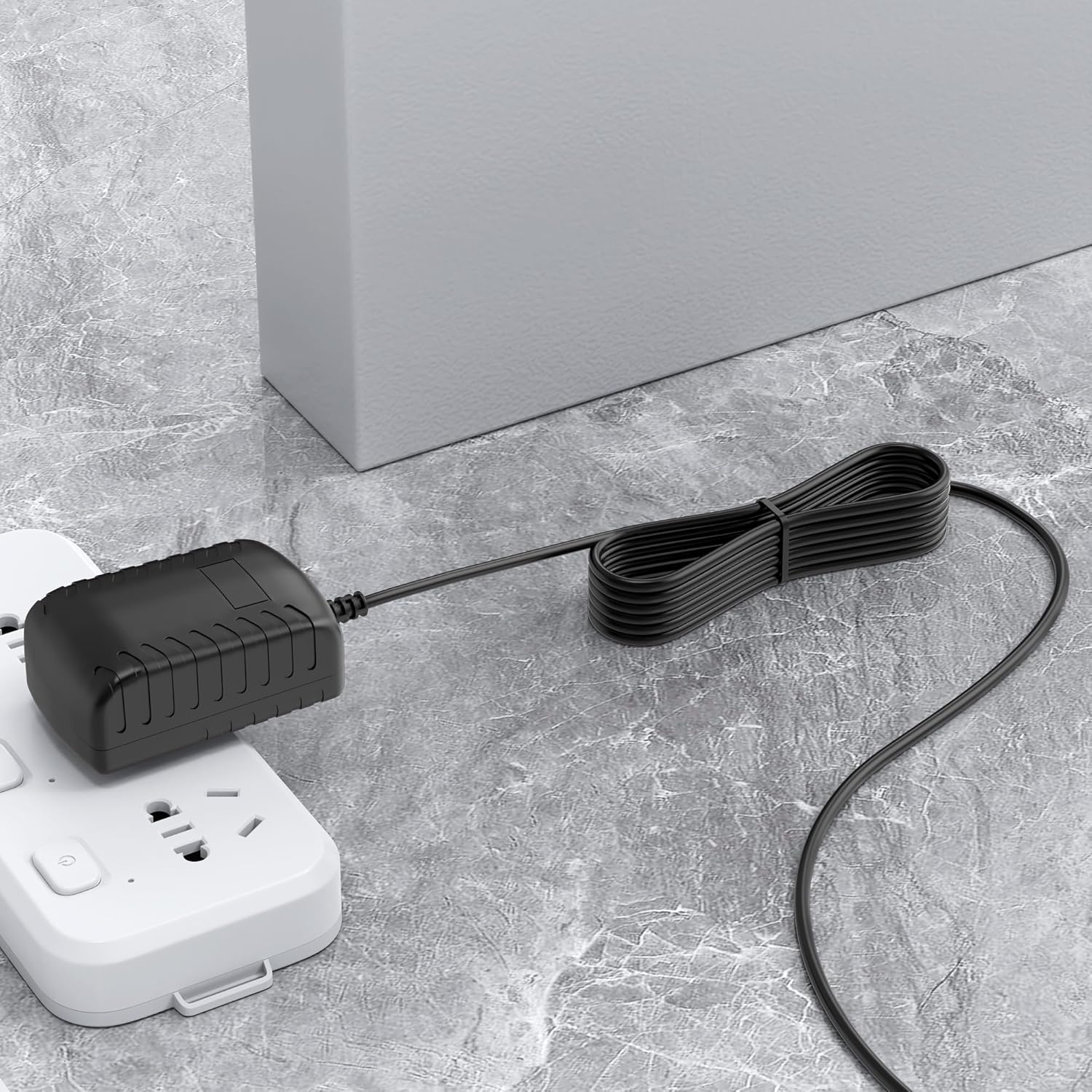
Figure 3.1: The adapter connected to a power strip. This image demonstrates how the adapter can be plugged into a multi-outlet power strip, showing the cable neatly coiled near the adapter unit.

Figure 3.2: The adapter plugged directly into a wall outlet. This image illustrates the adapter's compact size, allowing it to be plugged into a standard wall socket without obstructing adjacent outlets, with the cable coiled on the surface below.
Once connected, your electronic keyboard should be ready to power on.
4. Operating Instructions
Using the PK Power AC/DC Adapter is straightforward:
- Power On: After connecting the adapter to both the keyboard and a power outlet, turn on your Meike electronic keyboard using its dedicated power button.
- Stable Power: The adapter will provide continuous and stable power to your device.
- Power Off: To turn off your keyboard, use its power button. To disconnect power completely, unplug the adapter from the wall outlet first, then from the keyboard.
Always ensure the adapter is unplugged from the power source when not in use or during electrical storms.
5. Care and Maintenance
- Cleaning: Disconnect the adapter from all power sources and devices before cleaning. Use a soft, dry cloth to wipe the surface. Do not use liquid cleaners or aerosols.
- Storage: When not in use, store the adapter in a cool, dry place, away from direct sunlight and extreme temperatures. Avoid tightly coiling the cable to prevent damage.
- Inspection: Periodically inspect the adapter and cable for any signs of wear, cuts, or damage. If any damage is observed, discontinue use immediately and replace the adapter.
6. Troubleshooting
| Problem | Possible Cause | Solution |
|---|---|---|
| Keyboard does not power on. | Adapter not properly connected. Power outlet is not active. Adapter or keyboard is faulty. | Ensure adapter is firmly plugged into both keyboard and wall outlet. Test the outlet with another device. Contact customer support if connections are secure and outlet is active. |
| Adapter feels unusually hot. | Overload or poor ventilation. Internal fault. | Ensure the adapter is not covered and has adequate airflow. Disconnect and allow to cool. If problem persists, discontinue use. |
| Intermittent power to keyboard. | Loose connection. Damaged cable. | Check all connections. Inspect the cable for kinks or damage. Replace if cable is damaged. |
If troubleshooting steps do not resolve the issue, please contact PKPOWER customer support.
7. Product Specifications
- Input Voltage: 100-240V AC (Worldwide Compliant)
- Connector Type: Barrel Connector
- Cable Length: Approximately 1.2m / 4ft (Integrated cable)
- Dimensions (Adapter Unit): Approximately 1.18in (width) x 1.58in (depth) x 2.92in (height)
- Safety Certifications: CE, FCC, RoHS compliant
- Protection Features: Over Voltage Protection (OVP), Over Current Protection (OCP), Short Circuit Protection (SCP)
- Compatible Devices: Meike MK-810, MK-805, MK-920, MK-922, MK-962, MK-980, MK-908 61 Keys Portable Piano Music Electronic Keyboards

Figure 7.1: Detailed dimensions of the PK Power AC/DC Adapter. This image provides measurements for the adapter unit (1.18in, 1.58in, 2.92in) and the cable length (1.2m/4ft), offering a clear understanding of its physical size.
8. Warranty and Customer Support
PKPOWER products are designed for reliability and performance. This product is covered by a standard return policy, allowing for refund or replacement within 30 days of purchase.
For any questions, concerns, or technical assistance, please contact PKPOWER customer service. Our friendly and reliable customer service team aims to respond to inquiries within 24 hours.
You can visit the PKPOWER Store on Amazon for more information and contact options.