
Introduction
This manual provides instructions for the setup, operation, and maintenance of your Hatch Rest Baby Sound Machine and Night Light (1st Generation, Bluetooth only). The device is designed to assist in creating a conducive sleep environment for infants and toddlers through customizable soundscapes, night light features, and a time-to-rise function.
Product Overview
The Hatch Rest combines multiple functionalities into one compact device:
- Sound Machine: Offers a selection of soothing sounds, including white noise, ocean, wind, birds, and rain, to help mask disruptive noises and promote sleep.
- Night Light: Features an adjustable night light with infinite custom color hues. It can be used to provide gentle illumination for nighttime feedings or as a comforting presence.
- Time-to-Rise: A programmable feature that uses color and sound cues to signal to a child when it is acceptable to wake up, aiding in sleep training.
- App Control: All settings, including sound, light, and programs, can be adjusted remotely via a smartphone application connected via Bluetooth.
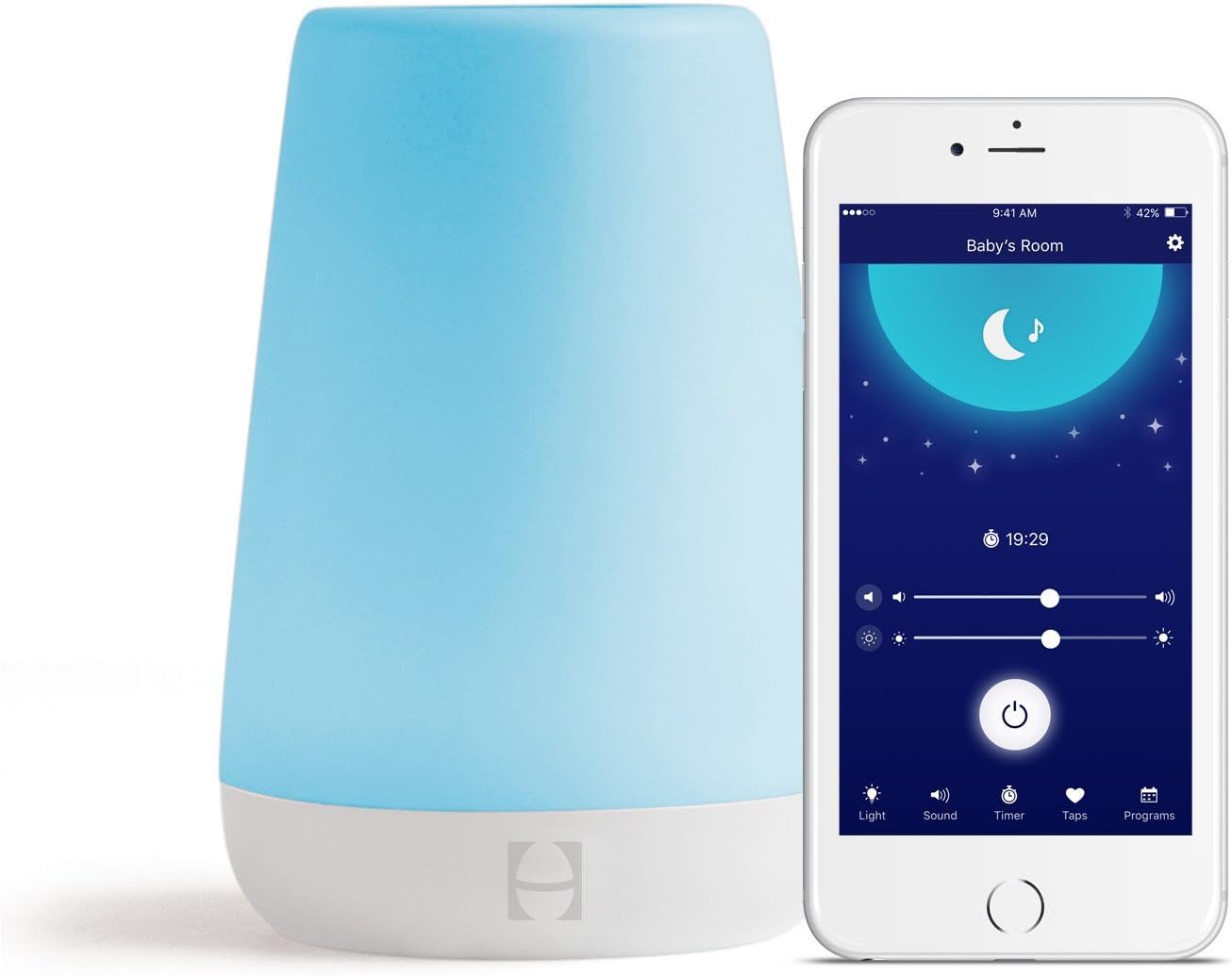
Image: The Hatch Rest device, a conical white unit with a blue glowing top, shown alongside a smartphone displaying its control application. The app interface shows options for light, sound, timer, taps, and programs.

Image: A young child sits on a bed next to a nightstand where the Hatch Rest device, glowing green, is placed. A smartphone in the foreground displays the Hatch app, showing various programmed routines like "Nap Time," "Bath Time," "Bed Time," and "Okay to Wake."
Setup
- Unpack the Device: Carefully remove the Hatch Rest from its packaging.
- Power Connection: Plug the power adapter into the Hatch Rest and then into a standard electrical outlet. The device will power on.
- Download the App: Download the Hatch Rest app from your smartphone's app store (available for iOS and Android).
- Bluetooth Pairing:
- Ensure Bluetooth is enabled on your smartphone.
- Open the Hatch Rest app and follow the on-screen instructions to pair your device. The app will guide you through the connection process.
- Once paired, you can control all functions of the Hatch Rest through the app.
Operating Instructions
Using the Hatch Rest App
The primary method of controlling your Hatch Rest is through the dedicated smartphone application. The app allows for comprehensive customization of all features.
- Sound Selection: Browse and select from various soothing sounds. Adjust the volume level to your preference.
- Light Customization: Choose from a spectrum of colors and adjust the brightness of the night light.
- Creating Programs: Set up custom routines for nap time, bedtime, and wake-up times. Each program can include specific sound, light color, and brightness settings.
- Time-to-Rise: Configure the time-to-rise feature within a program. Select a specific color and sound to indicate when it's okay for your child to wake up.
- Timer Function: Set timers for sounds and lights to turn off automatically after a specified duration.
Manual Controls (Touch Buttons)
The Hatch Rest also features physical buttons on the device for basic control:
- Volume Control: Buttons on the device allow for direct adjustment of sound volume.
- Night Light Control: Buttons can be used to cycle through basic light settings or turn the light on/off.
- Power Button: A dedicated button to turn the device on or off.
Maintenance
To ensure the longevity and proper functioning of your Hatch Rest, follow these maintenance guidelines:
- Cleaning: Wipe the device with a soft, dry cloth. Do not use abrasive cleaners, solvents, or harsh chemicals. Ensure the device is unplugged before cleaning.
- Avoid Moisture: Keep the device away from water and excessive humidity. It is not waterproof.
- Storage: When not in use for extended periods, store the device in a cool, dry place.
- Cord Care: Regularly inspect the power cord for any signs of damage. Do not use the device if the cord is damaged.
Troubleshooting
If you encounter issues with your Hatch Rest, refer to the following common solutions:
- Device Not Turning On:
- Ensure the power adapter is securely plugged into both the device and a working electrical outlet.
- Check if the outlet is functional by plugging in another device.
- Bluetooth Connectivity Issues:
- Make sure Bluetooth is enabled on your smartphone.
- Ensure the Hatch Rest app is open and attempting to connect.
- Move your smartphone closer to the Hatch Rest to ensure it's within Bluetooth range.
- Try restarting both your smartphone and the Hatch Rest device.
- If issues persist, try unpairing and re-pairing the device through your phone's Bluetooth settings and the Hatch app.
- Sound or Light Not Working:
- Check the settings in the Hatch Rest app to ensure sound and light are enabled and volume/brightness levels are not set to zero.
- Verify that no programs are overriding your manual settings.
- App Not Responding:
- Close and reopen the Hatch Rest app.
- Check for app updates in your app store.
- Ensure your smartphone's operating system is up to date.
Specifications

Image: A side view of the white Hatch Rest device with a ruler graphic indicating its height as 6.3 inches (16 cm).
| Feature | Detail |
|---|---|
| Manufacturer | Hatch Baby |
| Model Number | HBREST |
| Item Weight | 1 pounds |
| Product Dimensions | 4 x 4 x 6.25 inches |
| Color | White |
| Style | Bluetooth |
| Material | Plastic |
| Power Source | Corded Electric |
| Type of Bulb | LED |
| Special Features | Dimmable, Color Changing |
| Switch Style | Touch |
| Batteries Included? | Yes (for internal clock/memory, not primary power) |
| Battery Cell Type | NiMH |
Safety Information
Important Safety Warnings:
- Keep out of reach of children.
- Do not damage the power cord to prevent the risk of electric shock.
- Not intended for use as a toy.
- Always ensure the device is placed on a stable, flat surface.
- Do not expose the device to extreme temperatures or direct sunlight.
Warranty and Support
Warranty Description: The Hatch Rest Baby Sound Machine comes with a 3-month warranty from the date of purchase.
For technical support, troubleshooting assistance beyond this manual, or warranty claims, please contact Hatch Baby customer service. Refer to the official Hatch Baby website for the most current contact information and support resources.
Online Resources: For additional tips, FAQs, and software updates, visit the official Hatch Baby support page.