
ORICO DUK-10P
ORICO 120W 10-Port USB Charging Station (Model DUK-10P) Instruction Manual
Brand: ORICO
Model: DUK-10P
Introduction
Thank you for choosing the ORICO 120W 10-Port USB Charging Station. This device is designed to efficiently charge up to ten USB-powered devices simultaneously, providing an organized and convenient charging solution for your home or office. Please read this manual carefully to ensure proper setup and operation.
Key Features
- 10 USB Ports: Charge up to ten devices concurrently.
- 120W Total Output: Provides ample power for fast charging multiple devices.
- Smart Charging Technology: Built-in smart chip automatically recognizes and delivers optimal output for each connected device, ensuring maximum charging speed.
- Integrated Cooling Fan: Features an internal cooling fan and air duct design to dissipate heat, maintaining optimal operating temperature. The fan activates at ≥65°C and the unit automatically shuts down if the temperature reaches 100°C to protect devices.
- Durable Construction: Made from industrial fireproof PC material, resistant to 750℃.
- Organized Design: Thick, undetachable partitions keep devices upright and organized, reducing clutter.
- Universal Compatibility: Supports a wide range of USB-powered devices including iPhones, iPads, Samsung Galaxy phones, Android smartphones, tablets, power banks, cameras, speakers, and headsets.
Setup Instructions
- Unpack the Device: Carefully remove the ORICO 10-Port USB Charging Station and its power cord from the packaging.
Video: Unboxing the ORICO 10-Port USB Charging Station. The video shows the charging station and its power cord being removed from the box.
- Connect Power: Insert the provided power cord into the power input port located at the back of the charging station.

Image: Rear view of the charging station, highlighting the power input and on/off switch.
- Plug into Outlet: Plug the other end of the power cord into a standard 100-240V AC power outlet.
- Power On: Press the power button located on the back of the charging station. The LED indicator light on the front will illuminate, indicating the unit is powered on and ready for use.
Operating Instructions
- Place Devices: Insert your smartphones, tablets, or other USB-powered devices into the designated slots on the charging station. The slots are designed to hold devices upright for easy access and organization.

Image: The charging station with various devices placed in its slots, illustrating its organizational function.
- Connect Charging Cables: Connect your device's USB charging cable to one of the 10 USB-A ports on the front of the charging station, and then connect the other end to your device.
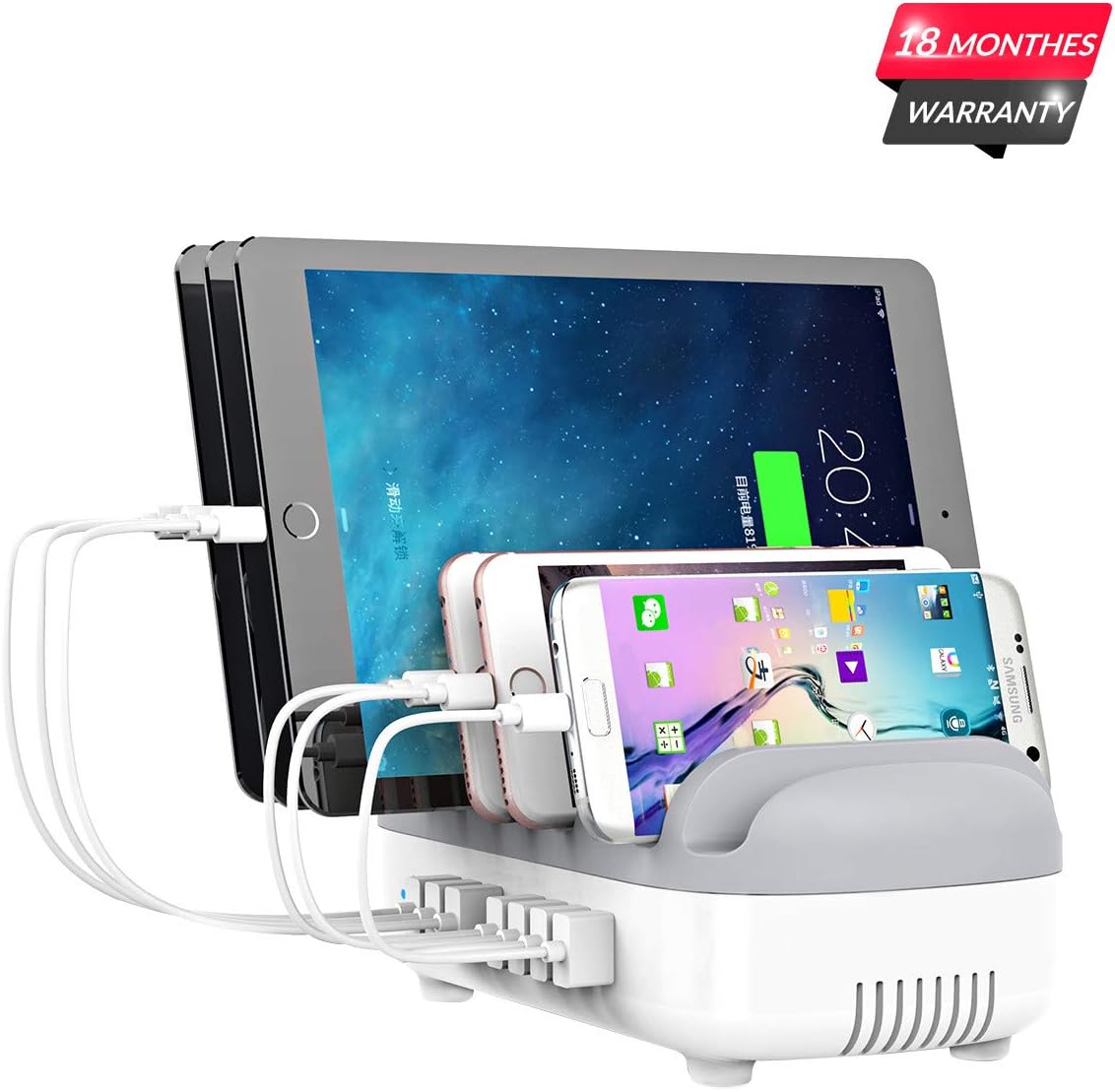
Image: A close-up of the charging station showing USB cables connected to devices, demonstrating the charging process.
- Smart Charging: The charging station will automatically detect your device and deliver the optimal charging current up to 2.4A per port, with a total output of 120W.
Video: Demonstrates the ORICO 10-Port USB Charging Station in use, highlighting its smart charging capabilities and ability to charge multiple devices simultaneously.
- Charging Status: Monitor your device's screen for its charging status. The charging station does not have individual charging indicator lights per port.
Maintenance and Care
- Cleaning: Disconnect the charging station from the power outlet before cleaning. Use a soft, dry cloth to wipe the surface. Do not use liquid cleaners or aerosols.
- Heat Dissipation: The internal cooling fan helps manage the device's temperature. Ensure the ventilation holes on the sides and bottom are not obstructed to allow for proper airflow. The fan activates when the internal temperature reaches 65°C or higher.

Image: A visual representation of the charging station's cooling system, detailing how the internal fan and ventilation work to maintain temperature.
- Automatic Shut-off: For safety, the charging station is equipped with an automatic shut-off feature that activates if the internal temperature reaches 100°C to prevent damage to the unit and connected devices.
- Storage: When not in use for extended periods, unplug the charging station and store it in a cool, dry place.
Troubleshooting
- Device Not Charging:
- Ensure the charging station is properly plugged into a power outlet and the power button is pressed (LED indicator should be on).
- Check if the USB cable is securely connected to both the charging station and your device.
- Try a different USB port on the charging station.
- Test with a different USB cable, as faulty cables can prevent charging.
- Verify that your device is compatible with USB-A charging.
- Slow Charging:
- Ensure you are using high-quality charging cables that can support optimal charging rates. Low-quality or damaged cables can limit charging speed.
- While the station provides smart charging, some devices may have specific fast-charging protocols that are not universally supported by all USB-A ports.
- Devices Not Fitting in Slots:
- The slots are designed to accommodate most devices. If a device with a bulky case does not fit, it may need to be removed from its case or placed outside the slot while charging.
- Overheating/Automatic Shut-off:
- If the unit shuts off, it indicates an internal temperature exceeding 100°C. Unplug all devices and the power cord, allow the unit to cool down for at least 30 minutes.
- Ensure adequate ventilation around the charging station. Do not place it in an enclosed space or cover the ventilation holes.
Specifications
| Feature | Detail |
|---|---|
| Model Number | DUK-10P |
| Product Dimensions | 9.37 x 3.54 x 5.12 inches |
| Item Weight | 2.59 pounds |
| Total USB Ports | 10 |
| Wattage | 120 watts |
| Input Voltage | 100-240 Volts (AC) |
| Output per Port | Up to 5V/2.4A (Smart Recognition) |
| Material | Industrial Fireproof PC |
| Cooling System | Internal Cooling Fan, Air Duct Design |
| Safety Features | Overcharging, surges, overheating, short circuit, overload protection, automatic shut-off at 100°C |
Warranty and Support
The ORICO 120W 10-Port USB Charging Station comes with an 18-month warranty from the date of purchase. For technical support, warranty claims, or further assistance, please contact ORICO customer service through the official website or your retailer.
Related documentsDUK-10P


Ask a question about this manual
Ask about setup, troubleshooting, compatibility, parts, safety, or missing instructions. Manuals+ will review the question and use this page’s manual context to help answer it.