
1. Introduction and Overview
The Sony STR-DN1080 is a 7.2-channel surround sound home theater AV receiver designed to deliver an immersive audio-visual experience. It supports advanced audio formats like Dolby Atmos 3D and DTS:X object-based surround sound, alongside 4K HDR and HDCP 2.2 compatibility for high-quality video. This receiver offers flexible connectivity options including 6-in/2-out HDMI, Bluetooth, Wi-Fi, Google Chromecast built-in, and AirPlay, enabling multi-room listening and voice control via Google Home. Its compact chassis design allows for versatile placement in various home environments.

Figure 1.1: Front view of the Sony STR-DN1080 AV Receiver, showcasing its sleek black design and front panel controls.
2. Setup
2.1 Unpacking and Placement
Carefully remove the receiver from its packaging. Place the receiver on a stable, flat surface with adequate ventilation to prevent overheating. Ensure there is sufficient space around the unit for airflow.
2.2 Connecting Speakers
The STR-DN1080 supports a 7.2-channel speaker configuration. Connect your speakers to the corresponding terminals on the rear panel. Ensure correct polarity (positive to positive, negative to negative) for optimal sound quality. For a 5.1.2 Dolby Atmos setup, connect front, center, surround, and two height/Dolby Atmos enabled speakers, along with up to two subwoofers.

Figure 2.1: Rear panel of the Sony STR-DN1080, showing various input/output terminals for speakers, HDMI, and other audio/video devices.
2.3 Connecting Audio/Video Devices
Connect your audio and video sources (e.g., Blu-ray player, game console, cable box) to the HDMI inputs on the receiver. Connect the receiver's HDMI OUT to your TV's HDMI input. The receiver supports 6 HDMI inputs and 2 HDMI outputs. Optical and coaxial digital audio inputs, as well as analog audio inputs, are also available for other devices.
2.4 Network and Power Connection
Connect the receiver to your home network via Ethernet cable or Wi-Fi for access to streaming services and firmware updates. Plug the power cord into the receiver and then into a wall outlet.
2.5 Automatic Calibration
Utilize the included calibration microphone and the receiver's auto-calibration feature (Digital Cinema Auto Calibration - DCAC) to optimize speaker settings for your room's acoustics. This process measures speaker distance, level, and frequency response to create an ideal listening environment.
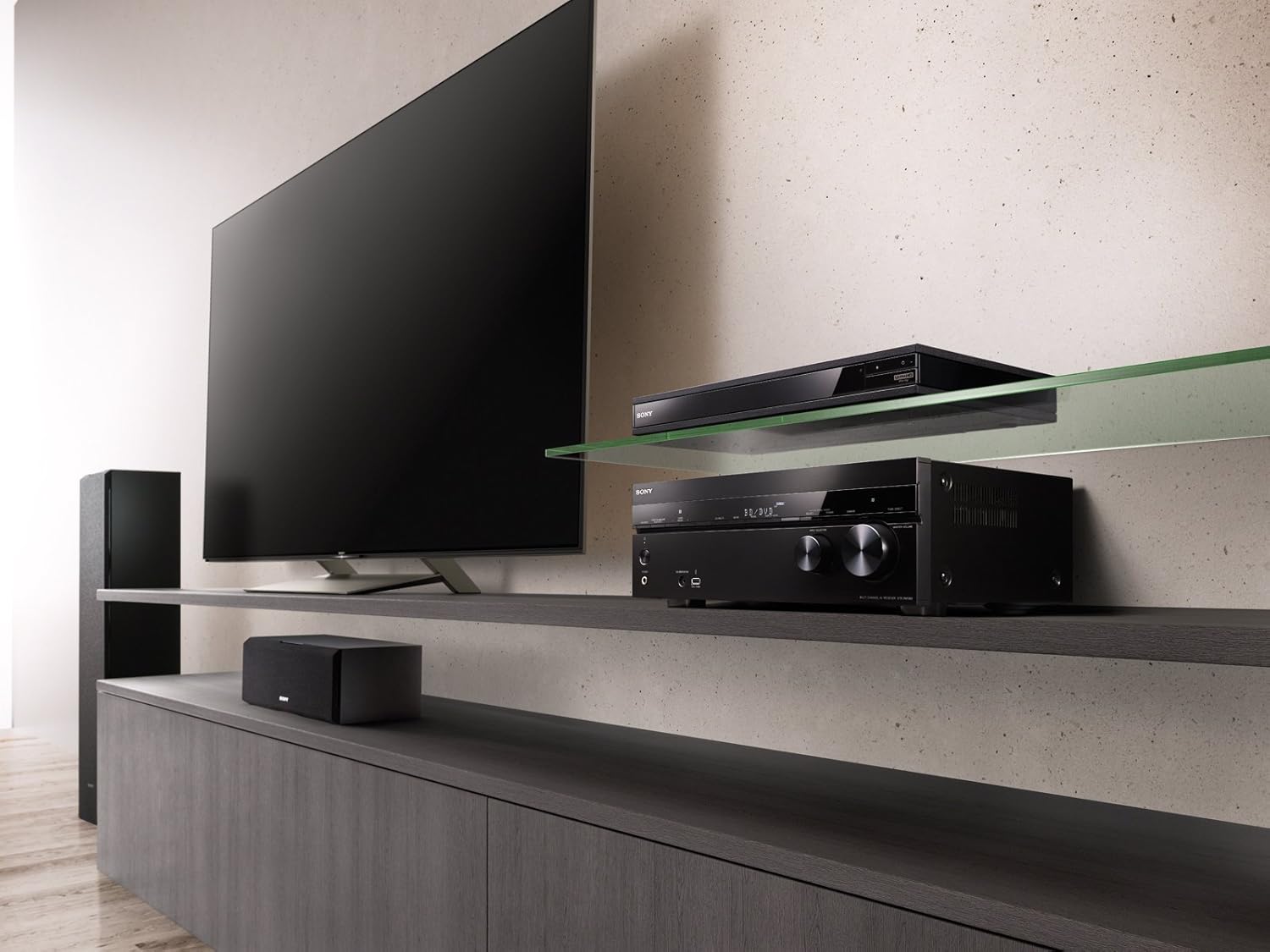
Figure 2.2: The Sony STR-DN1080 integrated into a sleek home entertainment system, demonstrating a typical setup with a television and speakers.

Figure 2.3: A spacious living room featuring the Sony STR-DN1080 home theater system, highlighting the potential for immersive sound in a larger environment.
3. Operating Instructions
3.1 Power On/Off
Press the POWER button on the front panel or the remote control to turn the receiver on or off.
3.2 Input Selection
Use the INPUT SELECTOR dial on the front panel or the dedicated input buttons on the remote control (e.g., BD/DVD, SAT/CATV, GAME) to switch between connected devices.
3.3 Volume Control
Adjust the master volume using the large MASTER VOLUME dial on the front panel or the VOLUME +/- buttons on the remote control.
3.4 Sound Modes
Press the 2CH/MULTI, MOVIE, or MUSIC buttons on the remote to select different sound fields optimized for various content types. The receiver automatically detects and decodes supported audio formats like Dolby Atmos and DTS:X.

Figure 3.1: The remote control for the Sony STR-DN1080, featuring dedicated buttons for input selection, sound modes, and volume control.
4. Audio Features
The STR-DN1080 is equipped with advanced audio technologies to deliver a superior listening experience:
- Dolby Atmos 3D: Experience sound that moves all around you, including overhead, for a truly immersive experience.
- DTS:X: Object-based surround sound that adapts to your speaker configuration in real-time, providing flexible and dynamic audio.
- Phantom Surround Setting: Enjoy 7-channel surround sound even with a 5-channel speaker setup, creating a virtual surround field.
- High-Resolution Audio: Supports high-resolution audio formats for superior sound quality, capturing the nuances of studio-quality sound.
- Multi-Channel Stereo: Enjoy stereo sound from all connected speakers.
Video 4.1: An official Sony video demonstrating the immersive sound capabilities of the STR-DN1080, including Dolby Atmos and Phantom Surround Sound features, and its integration with Google Assistant and Chromecast built-in.
5. Video Features
The STR-DN1080 ensures high-quality video pass-through and compatibility:
- 4K HDR Pass-Through: Supports the latest 4K HDR video signals, allowing you to enjoy content with enhanced contrast, brightness, and color.
- HDCP 2.2 Compatibility: Ensures compatibility with the latest copy protection standards for 4K content, allowing seamless playback from various sources.
6. Connectivity
The receiver offers a wide range of connectivity options:
- HDMI: 6 inputs and 2 outputs, supporting 4K HDR and HDCP 2.2.
- Bluetooth: Wireless audio streaming from compatible devices.
- Wi-Fi: Connects to your home network for streaming and updates.
- Google Chromecast built-in: Stream music, podcasts, and more from your mobile device to the receiver.
- AirPlay: Stream audio from Apple devices.
- USB: Front USB port for audio playback from USB storage devices.
- Ethernet Port: Wired network connection.
- Analog Audio Input: 4 inputs for traditional audio components.
- Optical/Coaxial Digital Audio Input: 1 optical and 1 coaxial input for digital audio sources.
- Headphone Output: 1 output for private listening.
- Pre Out Subwoofer: 2 outputs for connecting powered subwoofers.
7. Maintenance
To ensure the longevity and optimal performance of your receiver:
- Cleaning: Regularly wipe the exterior with a soft, dry cloth. Avoid using abrasive cleaners or solvents.
- Ventilation: Ensure the ventilation openings on the top and sides of the receiver are not blocked. Proper airflow is crucial to prevent overheating.
- Power Cord: Periodically check the power cord for any damage.
8. Troubleshooting
If you encounter issues with your receiver, try the following basic troubleshooting steps:
- No Power: Check if the power cord is securely connected and the wall outlet is functioning.
- No Sound: Verify speaker connections, input selection, and volume level. Ensure the correct audio output is selected on your source device.
- No Picture: Check HDMI cable connections between the source, receiver, and TV. Ensure the correct HDMI input is selected on both the receiver and TV.
- Distorted Sound: Check speaker wiring for shorts or loose connections. Ensure the input signal is not overdriven.
- Network Connectivity Issues: Restart your router and the receiver. Re-run the network setup.
For more detailed troubleshooting, refer to the comprehensive user manual available on the Sony support website.
9. Specifications
| Feature | Specification |
|---|---|
| Product Dimensions | 19 x 15 x 8.38 inches |
| Item Weight | 23 pounds |
| Manufacturer | Sony |
| Item model number | STRDN1080 |
| Batteries | 1 Lithium Ion batteries required. (included) |
| Connectivity Technology | Wi-Fi |
| Controller Type | Google Assistant |
| Special Feature | Equalizer, Pandora, Spotify |
| Compatible Devices | Speaker |
| Total HDMI Ports | 6 |
| Connector Type | HDMI, USB |
| Audio Encoding | Surround |
| Audio Output Mode | Surround |
| Surround Sound Channel Configuration | 7.2 |
10. What's in the Box
- Sony STR-DN1080 AV Receiver
- Calibration Microphone
- FM Wire Antenna
- Remote Control
- Batteries
11. Warranty and Support
For warranty information and technical support, please refer to the documentation included with your product or visit the official Sony support website. Keep your purchase receipt for warranty claims.