1. Introduction
Thank you for choosing the Mighty Bright DuoFlex Music Stand Light, Model 57920. This versatile light is designed to provide optimal illumination for various tasks, from reading music to detailed work in tight spaces. It features two independent goosenecks, each equipped with warm-tone High CRI LEDs, offering 40 lumens of dimmable light. The precision-engineered optical grade lenses ensure a wide and consistent light field without harsh edges. This manual will guide you through the product's features, setup, operation, and care.
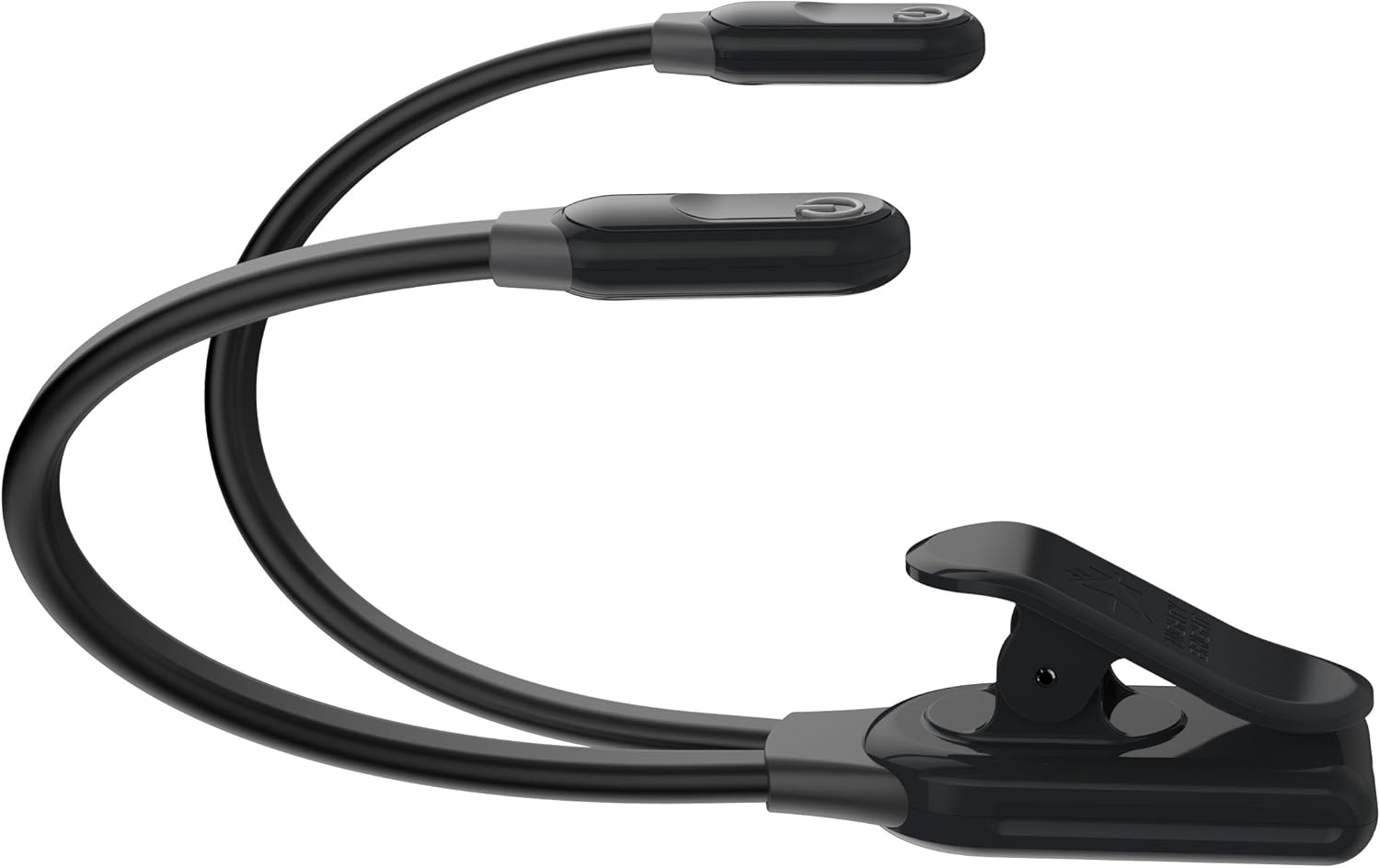
Image 1.1: The Mighty Bright DuoFlex Music Stand Light, featuring its two flexible goosenecks and a sturdy clip for attachment.
2. Important Safety Information
Please read all safety instructions before using the Mighty Bright DuoFlex Music Stand Light. Keep this manual for future reference.
- Do not expose the light to extreme temperatures or humidity.
- Avoid direct eye exposure to the LED light.
- Use only the specified battery type (3 AAA batteries) or the provided micro USB cable for power.
- Do not attempt to disassemble or modify the product. This will void the warranty and may cause damage or injury.
- Dispose of batteries according to local regulations.
- This product complies with FCC, CE, RoHS, Reach, UL, and California Prop 65 standards.
3. Package Contents
Verify that all items are present in your package:
- 1 x Mighty Bright DuoFlex Music Stand Light (Model 57920)
- 1 x 13-foot Micro USB Cable
- 3 x AAA Batteries (included in kit)
- 1 x Gig Bag (may be included with certain kits)

Image 3.1: The Mighty Bright DuoFlex LED Music Light Kit packaging, illustrating the included components.
4. Setup Instructions
4.1. Battery Installation
- Locate the battery compartment on the underside of the clip base.
- Open the battery compartment cover.
- Insert three (3) AAA batteries, ensuring correct polarity (+/-) as indicated inside the compartment.
- Close the battery compartment cover securely.

Image 4.1: The DuoFlex light showing its base, where the battery compartment is located.
4.2. Power Connection (Optional)
The DuoFlex light can also be powered via the included micro USB cable.
- Insert the micro USB end of the cable into the micro USB port on the side of the clip base.
- Connect the standard USB end of the cable to a compatible USB power source (e.g., wall adapter, computer USB port, power bank).

Image 4.2: The included micro USB cable for external power.
4.3. Attaching the Light
The sturdy clip base allows for easy attachment to various surfaces.
- Open the clip by pressing the lever.
- Attach the clip to the edge of a music stand, book, table, or other suitable surface.
- Ensure the clip is firmly secured before adjusting the goosenecks.

Image 4.3: The DuoFlex light securely clipped to a music stand, providing illumination.
5. Operating Instructions
5.1. Powering On/Off and Adjusting Brightness
Each light head operates independently.
- To turn on a light head, press the power button located on top of the head.
- To adjust brightness, press the power button repeatedly. Each press cycles through three brightness levels (low, medium, high).
- To turn off a light head, press the power button after the highest brightness setting.

Image 5.1: Close-up view of the light heads, showing the power/brightness adjustment buttons.
5.2. Positioning the Light
The two flexible goosenecks allow for precise light positioning.
- Gently bend and twist each gooseneck to direct the light exactly where needed.
- The independent necks enable multi-angle illumination, ideal for wide surfaces or specific focal points.

Image 5.2: The DuoFlex light demonstrating its flexibility and utility in a detailed work environment.
6. Maintenance
6.1. Cleaning
To clean the light, wipe it with a soft, dry cloth. Do not use abrasive cleaners or immerse the unit in water.
6.2. Battery Replacement
When the light dims significantly or fails to turn on, it may be time to replace the batteries. Follow the battery installation steps in Section 4.1.
7. Troubleshooting
| Problem | Possible Cause | Solution |
|---|---|---|
| Light does not turn on. |
|
|
| Light is too dim. |
|
|
| Clip does not hold securely. |
|
|
8. Specifications
| Model Number | 57920 |
| Light Source Type | LED (High CRI, Warm-Tone) |
| Lumen Output | 40 lumens |
| Power Source | 3 x AAA Batteries or Micro USB Cable (5V DC) |
| Battery Life | Up to 15 hours (with AAA batteries) |
| Material | Silicone, Plastic |
| Color | Black |
| Product Dimensions (LxWxH) | 1"D x 1"W x 1"H (Note: These dimensions appear to be placeholder/generic, actual dimensions may vary with gooseneck positioning) |
| Item Weight | 10.6 ounces |
| Special Feature | Dimmable, Independent Goosenecks |
| Control Method | Touch (button on each head) |
| Certifications | FCC, CE, RoHS, Reach, UL, California Prop 65 |
9. Warranty and Customer Support
Specific warranty details for the Mighty Bright DuoFlex Music Stand Light (Model 57920) are not provided in this document. For information regarding warranty coverage, please refer to the product packaging or visit the official Mighty Bright website.
For technical assistance, troubleshooting beyond this manual, or general inquiries, please contact Mighty Bright customer support through their official channels.


