
Leviton 88601
Leviton 88601 1-Gang Decora GFCI Device Wallplate Instruction Manual
1. Introduction
This manual provides essential information for the installation, operation, and maintenance of the Leviton 88601 1-Gang Decora GFCI Device Wallplate. This oversized wall plate is designed to accommodate a single Decora-style device, such as a GFCI outlet or switch, and is suitable for residential and commercial applications.
The Leviton 88601 wall plate is constructed from thermoset plastic, offering durability and resistance to various environmental factors. Its oversized design helps conceal wall irregularities, providing a clean and finished appearance.
2. Key Features
- Oversized Design: Used to conceal greater wall irregularities compared to standard or midway wall plates.
- Dimensions: Approximately 0.75 inches higher and wider than standard size wall plates.
- Smooth Finish: Features a smooth face and rounded edges to resist dust accumulation.
- Durable Material: Designed for high dielectric strength and arc resistance.
- Chemical Resistance: Resistant to fading, discoloration, grease, oil, organic solvents, and moisture scratches.
3. Installation Instructions
Safety Precaution: Before beginning any electrical installation, always turn off power at the circuit breaker or fuse box to prevent electrical shock. Verify that power is off using a voltage tester.
- Prepare the Device: Ensure the Decora-style electrical device (e.g., GFCI receptacle, switch) is properly installed and secured within the electrical box.
- Position the Wallplate: Align the Leviton 88601 wall plate over the installed device and the electrical box. The oversized dimensions are intended to cover any gaps or imperfections around the box opening.
- Secure the Wallplate: Use the provided metal mounting screws to attach the wall plate to the electrical device. Do not overtighten the screws, as this may cause the thermoset plastic to crack. Tighten just enough to hold the plate firmly in place.
- Restore Power: Once the wall plate is securely installed, restore power at the circuit breaker or fuse box.

Figure 1: Front view of the Leviton 88601 1-Gang Decora Wallplate. This image displays the white, single-gang wall plate with a rectangular opening for a Decora-style device and two screw holes for mounting.
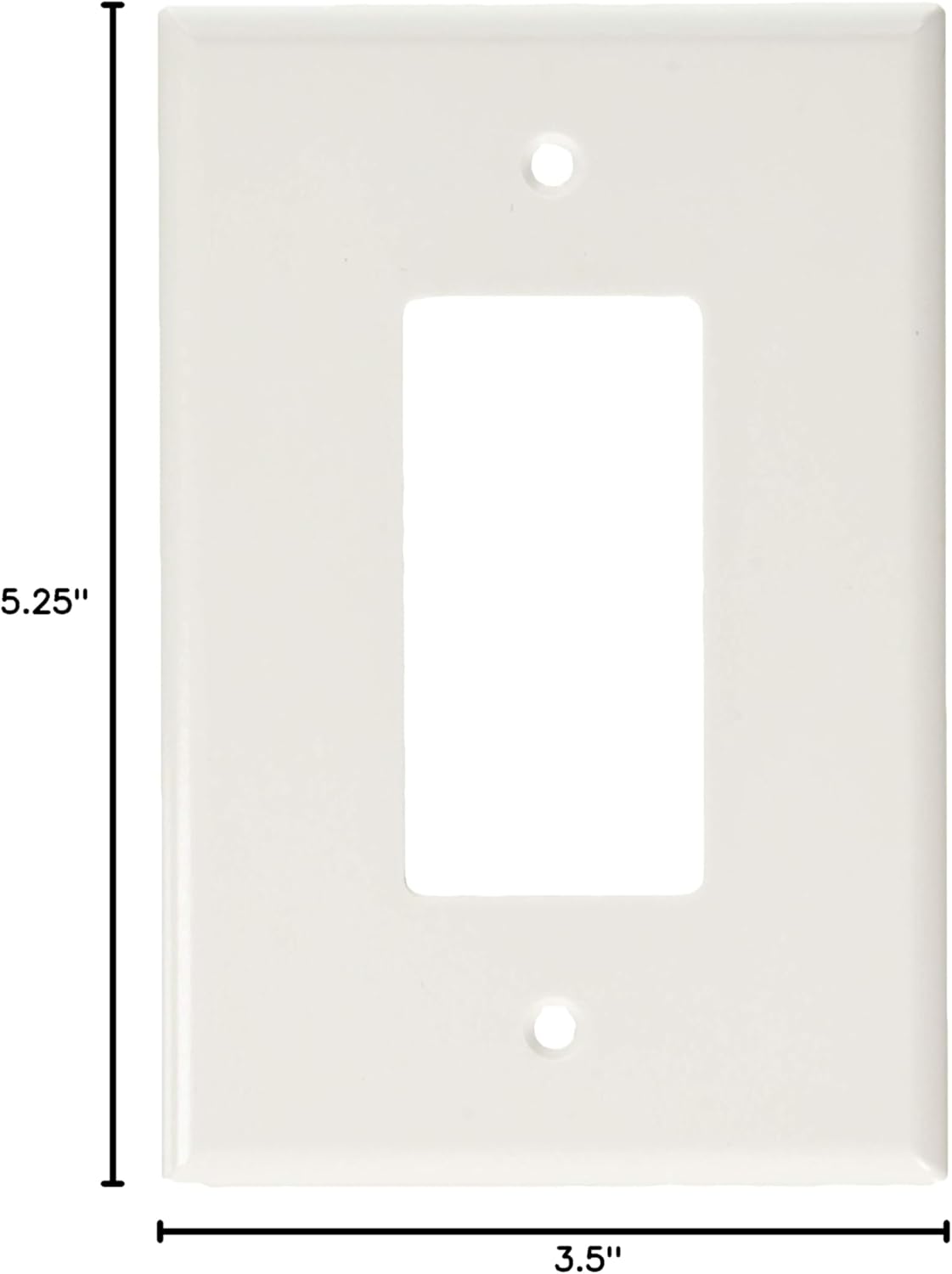
Figure 2: Leviton 88601 1-Gang Decora Wallplate showing its dimensions. The image indicates a width of 3.5 inches and a height of 5.25 inches, highlighting its oversized nature.
4. Operation
The Leviton 88601 wall plate is a passive component designed to cover and protect electrical devices. Its operation is directly tied to the functionality of the electrical device it covers. No specific operational steps are required for the wall plate itself beyond its proper installation.
5. Care and Maintenance
To maintain the appearance and integrity of your Leviton 88601 wall plate, follow these guidelines:
- Cleaning: Wipe the wall plate with a soft, damp cloth. For stubborn marks, a mild soap solution can be used. Avoid abrasive cleaners, harsh chemicals, or solvents, as these can damage the finish or material.
- Inspection: Periodically inspect the wall plate for any signs of damage, such as cracks or discoloration. While the thermoset plastic is resistant to many factors, physical impact can cause damage.
- Material Properties: The wall plate is designed to resist fading, discoloration, grease, oil, organic solvents, and moisture scratches, ensuring long-term aesthetic appeal and durability.
6. Troubleshooting
- Wall Plate Does Not Fit Flush: Ensure the electrical device is properly seated and secured within the electrical box. Check for any obstructions behind the wall plate. The oversized design is intended to cover larger openings, but extreme irregularities may require additional wall repair.
- Wall Plate Cracks During Installation: This can occur if mounting screws are overtightened. The thermoset plastic, while durable, can crack under excessive torque. Loosen the screws slightly or replace the wall plate if damage is significant. Always tighten screws just until the plate is snug.
- Discoloration or Stains: While resistant to many substances, prolonged exposure to certain harsh chemicals or extreme conditions might affect the finish. Refer to the cleaning instructions in Section 5.
7. Specifications
| Attribute | Specification |
|---|---|
| Brand | Leviton |
| Model Number | 88601 |
| Configuration | 1-Gang |
| Material | Plastic (Thermoset) |
| Color | White |
| Product Dimensions (W x H) | 3.5" x 5.25" |
| Installation Type | Screw-In |
| Switch Style Compatibility | Decorator (Decora) |
| Item Weight | 1.28 ounces |
8. Warranty and Support
For information regarding product warranty or technical support, please refer to the official Leviton website or contact Leviton customer service directly. Specific warranty terms may vary by region and purchase date.
Related documents88601


Ask a question about this manual
Ask about setup, troubleshooting, compatibility, parts, safety, or missing instructions. Manuals+ will review the question and use this page’s manual context to help answer it.