
Introduction
This manual provides essential information for the safe and proper handling, installation, and maintenance of the Samsung BN44-00873A Power Supply Unit. This unit is designed as a replacement part for compatible Samsung television models, such as the UN65KU7500F. Please read all instructions carefully before proceeding with any installation or service.
Safety Information
- Electrical Hazard: Always disconnect the television from the main power supply before attempting any installation, removal, or maintenance of the power supply unit. Failure to do so can result in electric shock, serious injury, or death.
- Professional Installation Recommended: Installation of this component requires technical knowledge and experience with electronic repairs. If you are not comfortable performing this procedure, seek assistance from a qualified technician.
- Static Discharge: Electronic components are sensitive to electrostatic discharge (ESD). Use an anti-static wrist strap and work on an anti-static mat to prevent damage to the power supply unit and other television components.
- Component Handling: Handle the power supply unit by its edges. Avoid touching the circuit board components directly.
Setup and Installation
The following steps outline the general procedure for replacing a power supply unit. Specific steps may vary depending on the television model.
- Preparation: Ensure the television is unplugged from the wall outlet. Place the television face down on a soft, clean surface to protect the screen.
- Access the Back Panel: Remove the screws securing the television's back panel. Carefully detach the back panel and set it aside.
- Locate the Existing Power Supply Unit: Identify the power supply unit within the television chassis. It is typically a large circuit board with various connectors for power input and output to other boards.
- Disconnect Cables: Carefully disconnect all cables connected to the existing power supply unit. Note the position and orientation of each connector for reassembly. Take photos if necessary.
- Remove Old Unit: Unscrew the mounting screws that secure the old power supply unit to the television chassis. Gently lift and remove the old unit.
- Install New Unit: Position the new Samsung BN44-00873A Power Supply Unit in the chassis, aligning it with the screw holes. Secure it with the mounting screws.
- Reconnect Cables: Reconnect all cables to the new power supply unit, ensuring they are firmly seated in their correct positions.
- Test (Optional but Recommended): Before reattaching the back panel, you may perform a preliminary power-on test. Plug in the television and observe if it powers on correctly. If successful, unplug the television again.
- Reassemble: Reattach the television's back panel and secure it with the screws.

Image 1: Front view of the Samsung BN44-00873A Power Supply Unit. The white label displays the SEC S/N: CN07BN4400873ADY82H3TW12S Rev R.B, which is a unique serial number and revision identifier for the board. This image shows the general layout of the components on the primary side of the board.

Image 2: A close-up view of the power supply unit, highlighting the model number L65E6N_KSM (BN44-00873A) printed on the board. Various jumper points (J878, J879, J821, J830) and connection labels (CNM803, ANA_DIM, OD_ON, A13V) are visible, indicating specific test points or connections for the television's main board and backlighting.
Operating
The Samsung BN44-00873A Power Supply Unit functions automatically once correctly installed and connected to the television's main power. It converts the incoming AC power into the various DC voltages required by the television's internal components, including the main board, T-con board, and LED backlights. There are no user-operable controls on the power supply unit itself.
Maintenance
The power supply unit is a sealed electronic component and requires minimal maintenance. However, to ensure its longevity and proper function:
- Dust Removal: Periodically, when the television's back panel is open for other service, gently remove any accumulated dust from the power supply unit using compressed air or a soft brush. Ensure the television is unplugged before doing so.
- Ventilation: Ensure the television's ventilation openings are not blocked to allow for proper airflow and heat dissipation from the power supply and other internal components.
- Environmental Conditions: Operate the television within recommended temperature and humidity ranges to prevent stress on electronic components.

Image 3: Rear view of the Samsung BN44-00873A Power Supply Unit, displaying the intricate circuit traces and solder points. This side of the board is typically mounted against the television chassis.
Troubleshooting
If your television is experiencing power-related issues after installing the BN44-00873A Power Supply Unit, consider the following:
- No Power/No Standby Light: Double-check all cable connections to the power supply unit and ensure they are secure. Verify the television is plugged into a working power outlet.
- Intermittent Power: Ensure all mounting screws are tightened, as loose connections can sometimes cause intermittent power.
- Incorrect Voltages (Advanced): For experienced technicians, use a multimeter to test the output voltages from the power supply unit at designated test points (if available and labeled) to confirm it is supplying the correct power to other boards. Refer to the service manual for your specific TV model for expected voltage values.
- Other Components: If the power supply unit appears to be functioning correctly, the issue might lie with other television components (e.g., main board, T-con board, LED drivers).
Specifications
| Specification | Value |
|---|---|
| Model Name | BN44-00873A |
| Brand | SAMSUNG |
| Compatible Devices | Televisions (e.g., UN65KU7500F) |
| Wattage | 100 watts |
| Cooling Method | Air |
| Manufacturer | Samsung |
| Mfr Part Number | BN44-00873A |
Warranty and Support
This power supply unit is a replacement part. Warranty coverage for replacement parts can vary. Please refer to the terms and conditions of your purchase or contact the seller directly for specific warranty information.
For technical support or further assistance, it is recommended to consult a qualified television repair technician or refer to the official service documentation for your specific Samsung television model.
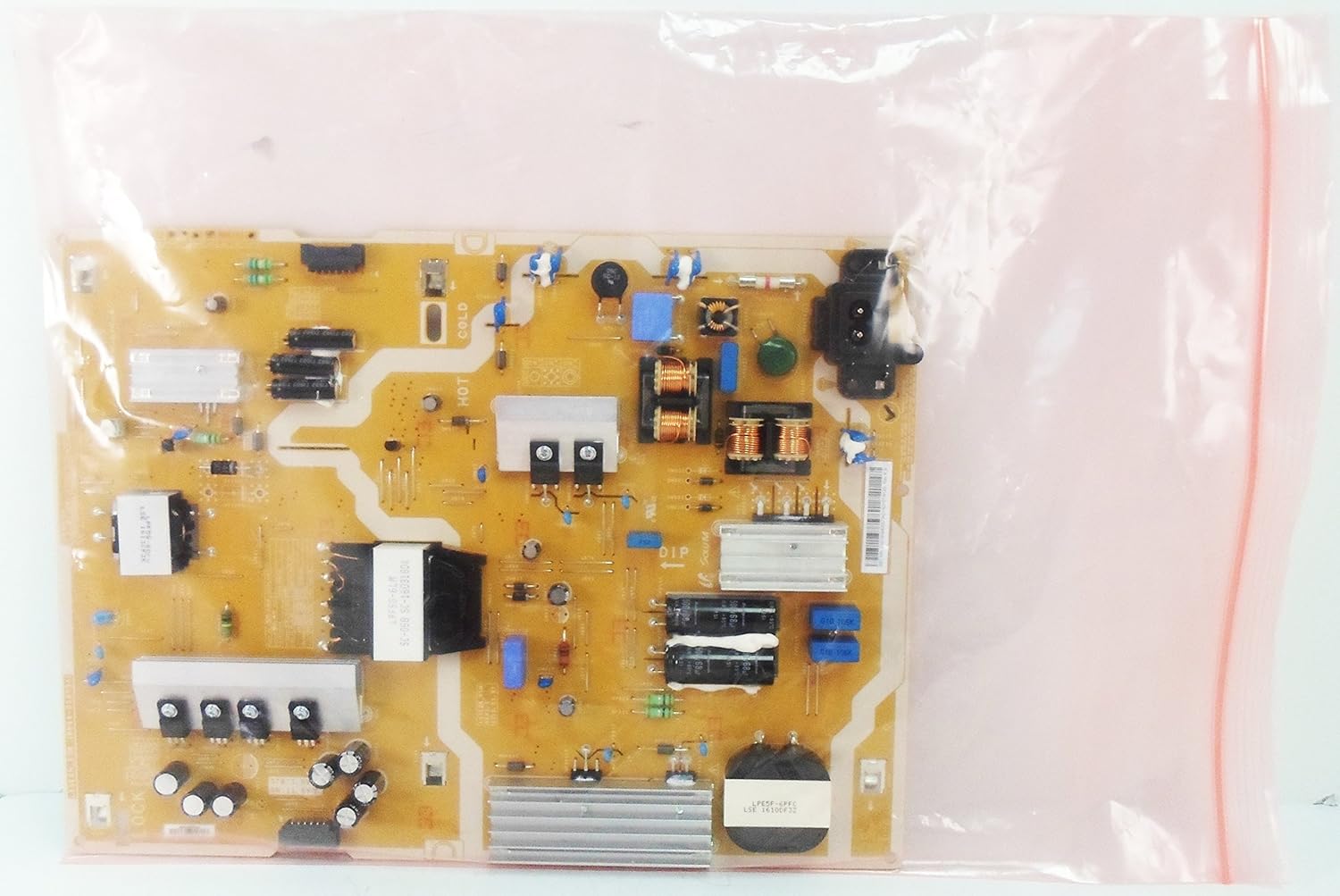
Image 4: The Samsung BN44-00873A Power Supply Unit shown inside a clear anti-static bag, indicating proper packaging for electronic components to prevent electrostatic discharge damage during shipping and handling.


