
Introduction
The FreedConn TCOM-VB is a professional Bluetooth intercom system designed for motorcycle helmets. It allows for wireless communication between riders, hands-free phone calls, stereo music streaming, and FM radio reception. This manual provides detailed instructions for installation, operation, and maintenance of your TCOM-VB unit to ensure optimal performance and a safe riding experience.
Package Contents
Please verify that all items are present in your package:
- TCOM-VB Main Unit (x2)
- HIFI Speaker with Boom and Button Microphone (x2)
- Speaker Pads (x12)
- Mounting Bracket (x2)
- 3M Adhesive Bracket (x2)
- Allen Wrench (x1)
- Charging Cable (x2)
- User Manual (x1)

Product Overview and Features
The TCOM-VB offers a range of features designed for motorcycle communication and entertainment:
- Intercom System: Supports up to 3 riders for pairing, with 2 riders communicating simultaneously over a range of up to 800 meters.
- Bluetooth Connectivity: Connects to mobile phones, MP3 players, and GPS devices for hands-free calls, music, and navigation audio.
- FM Radio: Integrated FM radio for listening to broadcasts on the go.
- Noise Cancellation: Advanced DSP and CVC noise cancellation technology reduces wind and engine noise for clear audio up to 120 km/h.
- Music Sharing: Allows two riders to share the same music during a trip.
- Water Resistance: IP65 rated for water resistance, suitable for various weather conditions.
- Long Battery Life: 400 mAh battery provides 6 hours of music streaming, 8-10 hours of talk time, and 300 hours of standby time. Full charge in approximately 2.5 hours.
- Interchangeable Microphones: Includes both a boom microphone for open-face and flip-up helmets, and a soft cable microphone for full-face helmets.

Setup and Installation
Follow these steps to install the TCOM-VB unit on your helmet:
- Choose Mounting Method: Decide whether to use the clamp bracket or the adhesive bracket. The clamp bracket offers a more secure attachment, while the adhesive bracket is suitable for helmets where clamping is not feasible.
- Attach Bracket:
- Clamp Bracket: Loosen the screws on the clamp bracket. Slide the bracket between the helmet shell and the inner padding on the left side of the helmet. Tighten the screws securely.
- Adhesive Bracket: Clean the desired mounting area on the left side of the helmet. Peel off the protective film from the 3M adhesive bracket and firmly press it onto the helmet for at least 30 seconds. Allow 24 hours for the adhesive to cure before use.
- Mount the Intercom Unit: Slide the TCOM-VB main unit onto the mounted bracket until it clicks into place.
- Install Speakers: Remove the helmet's inner padding. Attach the speaker pads to the back of the speakers. Position the speakers inside the helmet's ear pockets, ensuring they are centered over your ears for optimal audio quality. Secure them with the hook-and-loop fasteners.
- Install Microphone:
- Boom Microphone (for open-face/flip-up helmets): Attach the boom microphone to the inside of the helmet, positioning it in front of your mouth.
- Soft Cable Microphone (for full-face helmets): Tuck the soft cable microphone into the helmet's cheek pad, positioning it close to your mouth.
- Route Cables: Carefully route all speaker and microphone cables under the helmet's padding to avoid interference and ensure comfort. Connect the speaker/microphone cable to the main TCOM-VB unit.
- Reassemble Helmet: Reinstall the helmet's inner padding.


Operating Instructions
Power On/Off and Charging
- Power On: Press and hold the Power/Intercom button for approximately 3 seconds until the blue indicator light flashes.
- Power Off: Press and hold the Power/Intercom button for approximately 5 seconds until the red indicator light flashes and the unit powers off.
- Charging: Connect the charging cable to the unit's charging port and a USB power source. The red light indicates charging; the light turns off when fully charged.
Bluetooth Pairing with Phone/GPS
- Ensure the TCOM-VB unit is off.
- Press and hold the Power/Intercom button for approximately 5-7 seconds until the red and blue indicator lights flash alternately, indicating pairing mode.
- On your phone or GPS device, enable Bluetooth and search for new devices. Select "FreedConn" or "TCOM-VB" from the list.
- If prompted, enter the PIN code "0000".
- Once paired, the blue light will flash slowly.
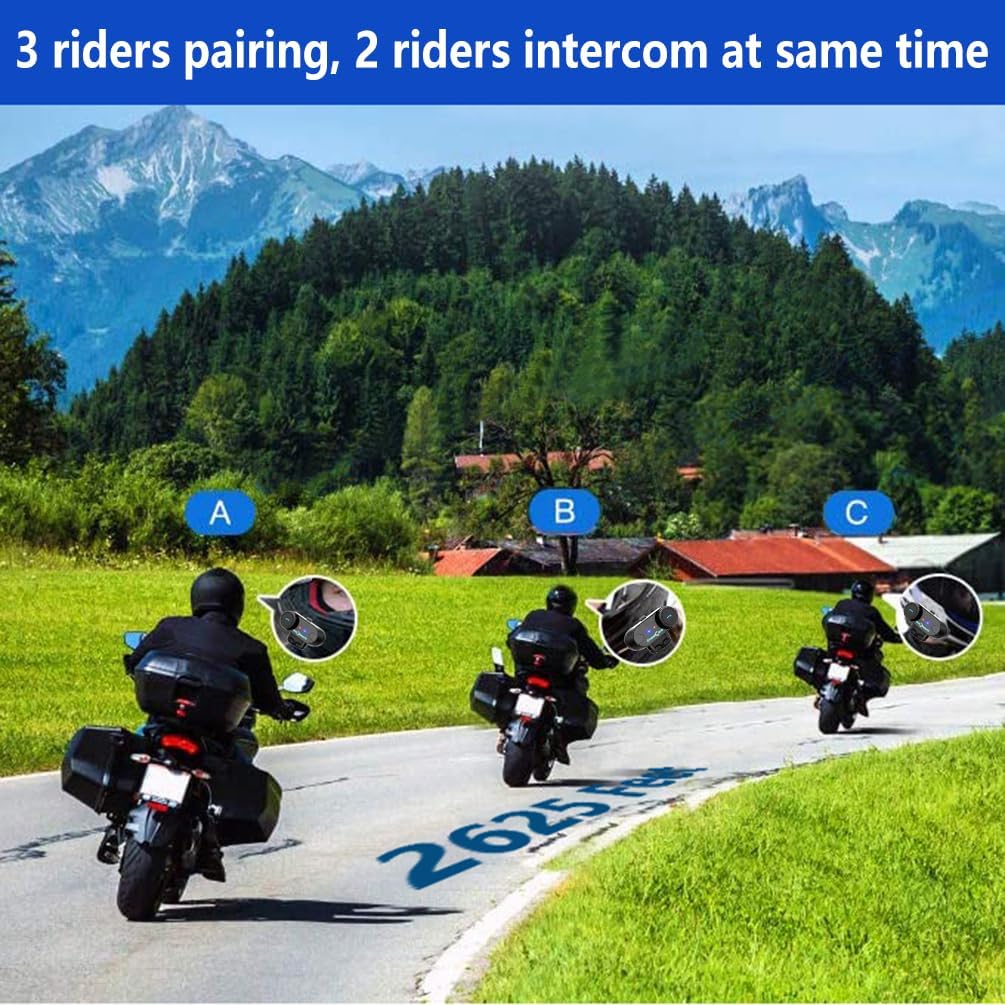
Intercom Communication
The TCOM-VB supports pairing with up to 3 riders, with 2 riders communicating simultaneously.
- Pairing Two Units:
- Ensure both TCOM-VB units are off.
- On both units, press and hold the Power/Intercom button for 5-7 seconds until red and blue lights flash alternately.
- Press the Power/Intercom button on one of the units. It will search for the other unit.
- Once connected, both units will show a slow blue light flash.
- Pairing Three Units:
- Pair Unit A with Unit B as described above.
- Turn off Unit B.
- Pair Unit A with Unit C (following the two-unit pairing steps).
- Turn on Unit B.
- To initiate intercom between A and B, press the Power/Intercom button on A.
- To initiate intercom between A and C, press the Power/Intercom button on A twice.
- Start/End Intercom: Press the Power/Intercom button once to start or end an intercom conversation.


Phone Functions
- Answer Call: Press the Phone button once.
- Reject Call: Press and hold the Phone button for 2 seconds.
- End Call: Press the Phone button once.
- Redial Last Number: Press the Phone button twice.
- Voice Assistant (Siri/Google Assistant): Press the Phone button three times to activate your phone's voice assistant.
Music Playback
- Play/Pause: Press the Play/Pause button once.
- Next Track: Rotate the multi-function knob clockwise.
- Previous Track: Rotate the multi-function knob counter-clockwise.
- Volume Up: Press the Volume Up button.
- Volume Down: Press the Volume Down button.
- Music Sharing: While music is playing, press the Power/Intercom button twice to share music with a paired intercom unit.

FM Radio
- Turn On/Off FM Radio: Press the FM button once.
- Scan Stations: Press and hold the FM button for 2 seconds to automatically scan and save available stations.
- Next Station: Rotate the multi-function knob clockwise.
- Previous Station: Rotate the multi-function knob counter-clockwise.

Maintenance
- Cleaning: Wipe the unit with a soft, damp cloth. Do not use harsh chemicals or abrasive cleaners.
- Water Exposure: While the unit is IP65 water-resistant, avoid prolonged submersion in water. Ensure the charging port cover is securely closed.
- Storage: Store the unit in a cool, dry place when not in use. For long-term storage, charge the battery every 3 months to maintain its lifespan.
- Battery Care: Do not expose the battery to extreme temperatures. Avoid fully discharging the battery frequently.
Troubleshooting
| Problem | Possible Cause | Solution |
|---|---|---|
| Unit does not power on. | Low battery. | Charge the unit for at least 2.5 hours. |
| Cannot pair with phone/intercom. | Not in pairing mode; devices too far apart; interference. | Ensure unit is in pairing mode (red/blue flashing). Bring devices closer. Restart both devices. |
| No audio or low volume. | Volume too low; speakers not positioned correctly; loose connection. | Increase volume. Adjust speaker position. Check cable connections. |
| Intercom connection drops frequently. | Out of range; environmental interference. | Stay within the 800m range. Avoid areas with strong electromagnetic interference. |
| Poor sound quality/excessive noise. | Microphone not positioned correctly; high wind noise. | Ensure microphone is close to your mouth and protected from wind. |
Specifications
- Model: TCOM-VB (T-COMVB-800M)
- Bluetooth Version: 3.0
- Intercom Range: Up to 800 meters (depending on environment)
- Max Intercom Riders: 3 (2 simultaneous talk)
- Noise Control: Active Noise Cancellation (DSP & CVC)
- Audio Driver Size: 40 mm
- Impedance: 32 Ohm
- Frequency Range: 20 Hz - 20,000 Hz
- Battery Capacity: 400 mAh
- Charging Time: Approximately 2.5 hours
- Talk Time: 8-10 hours
- Music Streaming Time: 6 hours
- Standby Time: 300 hours
- Water Resistance: IP65
- Compatible Devices: Mobile phones, MP3 players, GPS devices

Warranty and Support
FreedConn products are designed for durability and performance. For warranty information, technical support, or service inquiries, please refer to the contact details provided in your product packaging or visit the official FreedConn website.
Please retain your proof of purchase for warranty claims.