
1. Product Overview
The Xanlite APS300 is a solar-powered LED wall light designed for outdoor use. It features an integrated motion detector and a dusk-to-dawn sensor, providing automatic illumination when movement is detected in low-light conditions. This light is energy-efficient, utilizing solar energy for charging, and boasts an IP44 rating for weather resistance.
- Solar Powered: Charges during the day using sunlight, eliminating the need for electrical wiring.
- Motion Sensor: Automatically activates the light when motion is detected.
- Dusk-to-Dawn Sensor: Ensures the light only operates when ambient light is low.
- IP44 Weather Resistance: Protected against solid objects larger than 1mm and splashing water from any direction.
- Light Output: Provides 300 lumens of cool white light (6000K).

Image 1.1: Front view of the Xanlite APS300 Solar LED Wall Light, showing the LED array and motion sensor.
2. Safety Instructions
Please read and understand all safety instructions before installing or using the product. Keep this manual for future reference.
- Do not immerse the solar product in water.
- Ensure the solar panel is clean and unobstructed for optimal charging. Clean with a damp cloth if necessary.
- Do not attempt to open or modify the product. There are no user-serviceable parts inside.
- Keep the product away from open flames or extreme heat sources.
- Dispose of the product and its battery responsibly according to local regulations.
3. Package Contents
Verify that all components are present in the package:
- 1 x Xanlite APS300 Solar LED Wall Light
- Mounting hardware (screws, wall plugs) - (Typically included, though not explicitly listed as separate item in source data)
- User Manual
4. Setup & Installation
Follow these steps for proper installation of your solar LED wall light:
- Choose an Optimal Location: Select a mounting location that receives direct sunlight for at least 6-8 hours daily. This ensures the solar panel can fully charge the internal battery. Avoid areas under eaves, trees, or other obstructions that might block sunlight.
- Prepare for Mounting: The light is designed for wall mounting. You will need to drill three holes for the mounting plate. Use a pencil to mark the desired positions on the wall.
- Drill Holes: Using an appropriate drill bit for your wall material, drill the marked holes. Insert wall plugs if necessary.
- Attach Mounting Plate: Secure the mounting plate to the wall using the provided screws.
- Mount the Light: Slide the Xanlite APS300 light onto the secured mounting plate until it clicks into place. Ensure it is firmly attached.
- Activate the Light: Locate the ON/OFF switch, usually on the back or bottom of the unit. Ensure it is set to the "ON" position. The battery will not charge if the switch is in the "OFF" position.

Image 4.1: Illustration of the solar light charging during the day and automatically illuminating at night.
5. Operating Instructions
The Xanlite APS300 operates automatically once installed and activated:
- Automatic Charging: During daylight hours, the integrated solar panel converts sunlight into electricity, charging the internal rechargeable battery.
- Dusk-to-Dawn Operation: The light features a built-in light sensor (crépusculaire detector) that detects ambient light levels. It will automatically enter standby mode at dusk when light levels are low.
- Motion Detection: While in standby mode at night, the motion sensor will detect movement within its range. Upon detection, the light will illuminate at full brightness (300 lumens) for approximately 25 seconds before returning to standby mode if no further motion is detected.
Important Note:
- Ensure the ON/OFF switch is always in the "ON" position for the light to charge and operate.
- The light will not turn on during daylight hours, even if motion is detected, to conserve energy.

Image 5.1: The light automatically illuminates when motion is detected.
6. Maintenance
To ensure optimal performance and longevity of your Xanlite APS300, follow these maintenance guidelines:
- Clean the Solar Panel: Regularly wipe the solar panel with a soft, damp cloth to remove dust, dirt, leaves, or snow. A clean panel ensures efficient charging.
- Inspect for Damage: Periodically check the light for any signs of physical damage or wear.
- Avoid Harsh Chemicals: Do not use abrasive cleaners or solvents on the light, as they may damage the finish or components.

Image 6.1: The light is designed to withstand rain and garden watering (IP44 protection).
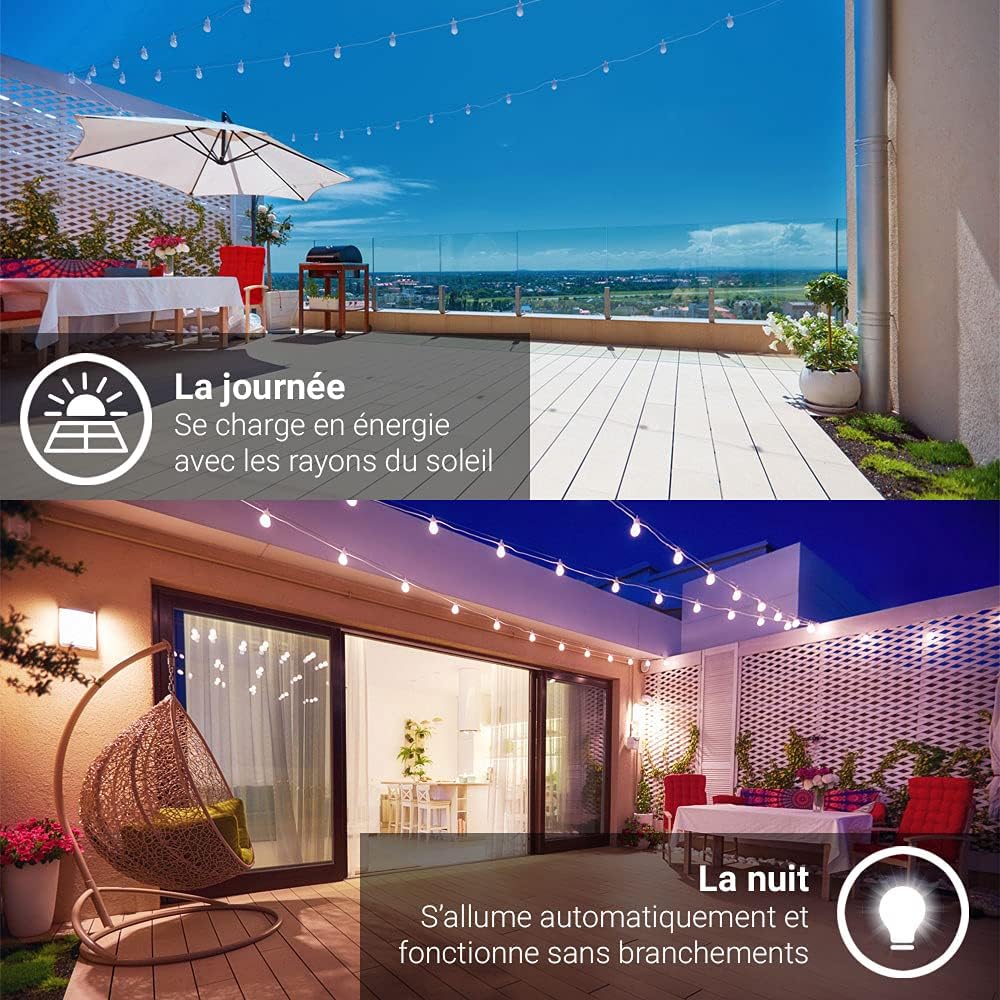
Image 6.2: The light is resistant to cold temperatures and snow.
7. Troubleshooting
If you encounter issues with your Xanlite APS300, refer to the table below for common problems and solutions:
| Problem | Possible Cause | Solution |
|---|---|---|
| Light does not turn on at night. | 1. ON/OFF switch is in "OFF" position. 2. Insufficient solar charge. 3. Solar panel is dirty or obstructed. 4. Ambient light is too high. | 1. Ensure the switch is set to "ON". 2. Relocate the light to an area with more direct sunlight. 3. Clean the solar panel. Remove any obstructions. 4. Ensure the installation location is dark enough at night. |
| Light stays on constantly or flashes. | 1. Motion sensor is continuously triggered. 2. Faulty sensor. | 1. Ensure no constant movement (e.g., tree branches) is within the sensor's range. Adjust light angle if possible. 2. Contact customer support if the issue persists. |
| Light is dim or only stays on for a short time. | 1. Insufficient solar charge. 2. Battery degradation (over time). | 1. Ensure the light receives full, direct sunlight for 6-8 hours daily. Clean solar panel. 2. If the product is old, battery capacity may have decreased. |
| Water inside the light enclosure. | Seal integrity compromised. | While the product is IP44 rated, extreme weather or manufacturing defects can cause ingress. If within warranty, contact customer support. Otherwise, replace the unit. |
8. Specifications
Detailed technical specifications for the Xanlite APS300 Solar LED Wall Light:
| Feature | Specification |
|---|---|
| Model Number | APS300 |
| Brand | Xanlite |
| Dimensions (L x W x H) | 25 x 25 x 25 cm (approx. 19.3L x 25W x 25H cm from other spec) |
| Weight | 499 g |
| Material | Aluminum (body), Polycarbonate (lampshade) |
| Color | Black |
| Light Source | LED |
| Luminous Flux | 300 lumens |
| Color Temperature | 6000K (Cool White) |
| Beam Angle | 120° |
| Ingress Protection (IP) Rating | IP44 |
| Energy Efficiency Class | A++ |
| Installation Type | Wall Mount |
| Special Features | Solar Powered, Motion Sensor, Dusk-to-Dawn Sensor, Robust |

Image 8.1: Dimensional diagram of the light (193mm width, 65mm height).
9. Warranty & Support
Warranty Information:
This Xanlite APS300 product comes with a 2-year warranty from the date of purchase. This warranty covers manufacturing defects under normal use. It does not cover damage caused by misuse, accidents, unauthorized modifications, or improper installation.
Customer Support:
For technical assistance, warranty claims, or any questions regarding your Xanlite APS300, please contact Xanlite customer service. Refer to the official Xanlite website or your purchase documentation for specific contact details.
This product is recyclable. Please dispose of it at designated collection points (e.g., Recyclum in France) to support environmental protection.


