
1. Introduction
The Pyle PDWM8325 is an 8-channel UHF wireless microphone system designed for professional audio applications. This system provides clear, reliable wireless audio transmission for up to eight microphones simultaneously, making it suitable for live performances, presentations, studio productions, and karaoke. The rack-mountable receiver features independent volume controls for each channel, digital LCD displays, and versatile audio output options.
2. Package Contents
Please inspect the package carefully to ensure all items are present and in good condition.

Figure 1: Contents of the Pyle PDWM8325 package. This image displays the main receiver unit, eight handheld wireless microphones, four detachable antennas, a 1/4 inch audio connection cable, a wall power adapter, and AA batteries for the microphones.
- Microphone Receiver Base (1 unit)
- Handheld Microphones (8 units)
- 1/4 inch Audio Connection Cable (1 unit)
- Wall Power Adapter (1 unit)
- AA Batteries (16 units, 2 per microphone)
- Telescoping Receiver Antennas (4 units)
3. Product Overview
3.1 Receiver Unit
The receiver unit is the central component of the wireless system, designed to receive signals from all eight microphones. It features a rack-mountable design for integration into existing audio setups.

Figure 2: Front and rear panels of the receiver. The front panel includes digital LCD displays for each channel's frequency, power switch, and wireless netting indicator. The rear panel features antenna connectors, individual channel volume controls, 1/4 inch mixed output, XLR balanced output, and the DC power input.
Front Panel Features:
- Digital LCD Displays: Show the operating frequency for each of the 8 channels.
- Power Switch: Turns the receiver unit on or off.
- Wireless Netting Indicator: Indicates wireless signal status.
Rear Panel Features:
- Antenna Connectors: For attaching the included telescoping antennas.
- Individual Channel Volume Controls: Rotary knobs to adjust the output level for each microphone channel independently.
- 1/4 inch Mix Output Jack: Unbalanced audio output for connecting to mixers or amplifiers.
- XLR Balanced Output Jack: Professional balanced audio output for connecting to mixers or audio interfaces.
- DC Input: For connecting the wall power adapter.
3.2 Handheld Microphones
The system includes eight handheld wireless microphones, each designed for comfortable use and reliable performance.
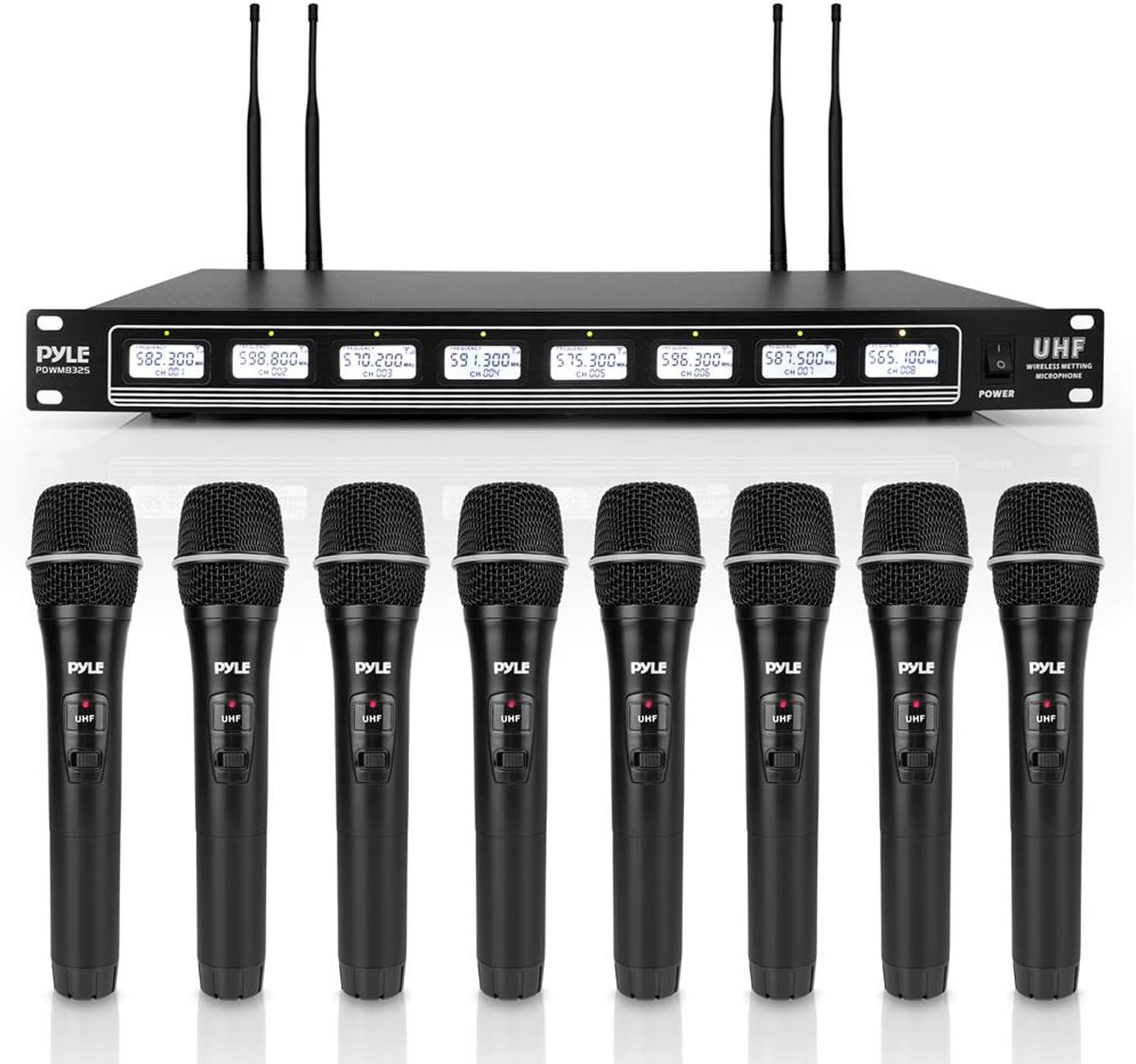
Figure 3: The complete Pyle PDWM8325 system, featuring the receiver and eight handheld microphones. Each microphone has an on/off switch and operates on UHF frequency.
- Power Switch: Located on the microphone body to turn the microphone on or off.
- Battery Compartment: Located at the base of the microphone for two AA batteries.
- UHF Frequency: Each microphone operates on a fixed UHF frequency, corresponding to one of the receiver's channels.
4. Setup Instructions
Follow these steps to set up your Pyle PDWM8325 wireless microphone system.
4.1 Receiver Placement
- Place the receiver unit in a stable location, preferably within a standard audio equipment rack. Ensure adequate ventilation around the unit.
- Keep the receiver away from strong electromagnetic interference sources (e.g., computers, motors, large metal objects) to prevent signal disruption.
4.2 Antenna Connection
- Screw the four telescoping antennas securely into the antenna connectors on the rear panel of the receiver.
- Adjust the antennas to an upright position for optimal signal reception.
4.3 Power Connection
- Connect the included wall power adapter to the DC input jack on the rear of the receiver.
- Plug the power adapter into a suitable electrical outlet.
4.4 Audio Output Connection
Connect the receiver to your audio mixer, amplifier, or PA system using one of the following methods:

Figure 4: A hand connecting a 1/4 inch audio cable to the receiver's mixed output jack. The image also shows the power switch on the front panel and the XLR balanced output jack on the rear.
- 1/4 inch Mix Output: Use the supplied 1/4 inch audio cable to connect the receiver's 'AUDIO MIX OUT' jack to an available input on your mixer or amplifier. This output combines all 8 microphone signals into a single mono output.
- XLR Balanced Output: For professional connections, use an XLR cable (not included) to connect the receiver's 'BALANCED' XLR output to a balanced input on your mixer or audio interface. This also provides a combined output of all channels.
4.5 Microphone Battery Installation
- Unscrew the bottom cap of each handheld microphone to reveal the battery compartment.
- Insert two AA batteries (included) into each microphone, ensuring correct polarity (+/-).
- Screw the bottom cap back on securely.
5. Operating Instructions
Once the system is set up, follow these steps for operation.
5.1 Powering On the System
- Turn on your audio mixer or amplifier first, ensuring its volume is set to a low level.
- Press the 'POWER' button on the front panel of the receiver unit. The LCD displays should illuminate, showing the operating frequencies.
- Slide the power switch on each microphone to the 'ON' position. The microphone's indicator light should illuminate.
5.2 Adjusting Volume
- Use the individual volume control knobs on the rear of the receiver to adjust the output level for each microphone channel.
- Gradually increase the master volume on your mixer or amplifier to the desired listening level.
- Speak into each microphone to test its sound and adjust the individual channel volume as needed.
5.3 Microphone Usage

Figure 5: A user holding and speaking into a Pyle handheld wireless microphone. For optimal sound, hold the microphone approximately 2-6 inches from your mouth.
- Hold the microphone approximately 2-6 inches from your mouth for optimal sound pickup.
- Avoid covering the microphone grille with your hand, as this can affect sound quality and signal reception.
5.4 Operating Range
The Pyle PDWM8325 system offers an extended operating range under ideal conditions.

Figure 6: Visual representation of the system's wireless range, indicating an ultra-long distance connection of up to 600 feet between the microphone and the receiver.
- The system has an operation range of up to 600+ feet in open, unobstructed environments.
- Walls, metal structures, and other wireless devices can reduce the effective operating range. Maintain a clear line of sight between the microphones and the receiver whenever possible.
5.5 Powering Off the System
- Turn off each handheld microphone by sliding its power switch to the 'OFF' position.
- Press the 'POWER' button on the receiver unit to turn it off.
- Turn off your audio mixer or amplifier.
6. Maintenance
Proper maintenance ensures the longevity and optimal performance of your wireless microphone system.
- Cleaning: Use a soft, dry cloth to clean the receiver and microphones. Do not use liquid cleaners or solvents, as they may damage the finish or internal components.
- Battery Replacement: Replace microphone batteries when the indicator light dims or audio quality degrades. Always use fresh AA batteries. Remove batteries if the microphones will not be used for an extended period to prevent leakage.
- Storage: Store the system in a cool, dry place away from direct sunlight and extreme temperatures.
- Antennas: Handle antennas carefully to avoid bending or breaking.
7. Troubleshooting
If you encounter issues with your Pyle PDWM8325 system, refer to the following troubleshooting guide:
| Problem | Possible Cause | Solution |
|---|---|---|
| No sound from microphone | Microphone not powered on Dead batteries Receiver not powered on Audio cable disconnected Receiver volume too low Mixer/amplifier volume too low | Ensure microphone power switch is ON Replace batteries Ensure receiver power switch is ON Check all audio cable connections Increase individual channel volume on receiver Increase volume on mixer/amplifier |
| Poor sound quality / Static / Dropouts | Interference from other devices Microphone too far from receiver Obstructions between mic and receiver Low microphone batteries Antennas not properly positioned | Move away from other wireless devices or electronics Reduce distance between microphone and receiver Ensure clear line of sight Replace batteries Adjust receiver antennas for optimal reception |
| Short operating range | Environmental interference Obstructions Antennas not fully extended or positioned | Minimize interference sources Ensure clear line of sight Fully extend and properly position receiver antennas |
| Microphone indicator light off | Microphone not powered on Dead batteries | Slide power switch to ON Replace batteries |
8. Specifications
Technical specifications for the Pyle PDWM8325 8 Channel UHF Wireless Microphone System:
| Feature | Specification |
|---|---|
| Operation Range | Up to 600+ ft. (line of sight) |
| Frequency Response | 50Hz - 16kHz |
| Signal to Noise Ratio | 90dB |
| Dynamic Range | 92dB |
| Total Harmonic Distortion | 0.5% |
| Microphone Power | (2) x AA Batteries (each) |
| Receiver Dimensions (without Rack Mount) | 1.8" x 16.5" x 8.7" (H x W x D) |
| Receiver Dimensions (with Rack Mount) | 1.8" x 18.9" x 8.7" (H x W x D) |
| Power Supply | 110/240V (DC 12V Power Adapter) |
| Number of Channels | 8 |
| Microphone Form Factor | Handheld |
| Connectivity Technology | UHF Wireless, XLR, 1/4" Jack |
| Material | Plastic (Microphones), Metal (Receiver) |
| Item Weight | 6.3 lbs (Receiver) |
9. Warranty and Support
For warranty information or technical support regarding your Pyle PDWM8325 wireless microphone system, please refer to the warranty card included with your product or visit the official Pyle website. You may also contact Pyle customer service directly for assistance with product operation, troubleshooting, or parts replacement.


