
Introduction
This manual provides essential information for the safe and effective use of your PKPower AC/DC Adapter, designed specifically for the Brother PT-D210 P-Touch Printer. Please read this manual thoroughly before use and retain it for future reference.
The PKPower AC/DC Adapter is engineered to deliver reliable power to your compatible device. It features a wide input voltage range (100-240V, 50-60Hz) for global compatibility and incorporates multiple safety protections, including Over Voltage Protection (OVP), Over Current Protection (OCP), and Short Circuit Protection (SCP), ensuring the safety of both the adapter and your connected device. The product is CE, FCC, and RoHS certified.
Setup
- Unpack the Adapter: Carefully remove the PKPower AC/DC Adapter from its packaging. Inspect it for any visible damage.
- Locate the Power Port: Identify the DC input power port on your Brother PT-D210 P-Touch Printer.
- Connect to Device: Insert the DC output plug of the PKPower adapter firmly into the power port of your Brother PT-D210 P-Touch Printer. Ensure a secure connection.
- Connect to Power Outlet: Plug the AC input prongs of the adapter into a standard wall power outlet (100-240V, 50-60Hz).
- Verify Power: Once connected, your Brother PT-D210 P-Touch Printer should receive power. Refer to your printer's manual for specific power indicator lights or startup procedures.
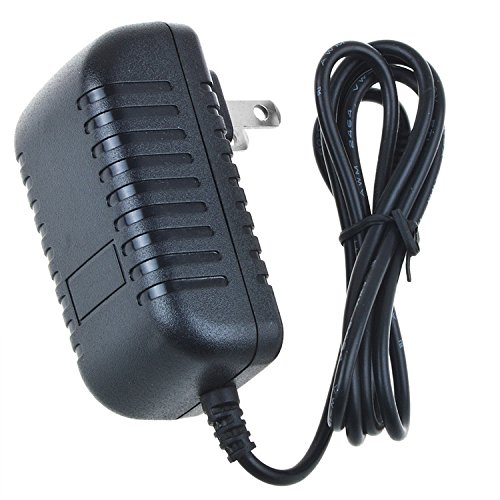
Image: The PKPower AC/DC Adapter with its cable neatly coiled, ready for connection.
Operating Instructions
The PKPower AC/DC Adapter is designed for continuous operation when connected to a compatible device and a power source. No specific operational steps are required for the adapter itself beyond proper connection.
- Ensure the adapter is always connected to a power outlet within the specified voltage range (100-240V).
- Only use the adapter with compatible devices, such as the Brother PT-D210 P-Touch Printer, to prevent damage.
- Disconnect the adapter from the power outlet when not in use for extended periods or during electrical storms.

Image: Side view of the PKPower AC/DC Adapter, highlighting the compact design and standard US plug.
Maintenance
Proper maintenance ensures the longevity and safe operation of your PKPower AC/DC Adapter.
- Cleaning: Disconnect the adapter from both the power outlet and the device before cleaning. Use a soft, dry cloth to wipe the surface. Do not use liquid cleaners or abrasive materials.
- Storage: Store the adapter in a cool, dry place away from direct sunlight and extreme temperatures. Avoid tightly coiling the cable to prevent damage.
- Inspection: Periodically inspect the adapter's casing and cable for any signs of damage, such as cuts, fraying, or bent prongs. If damage is found, discontinue use immediately and replace the adapter.
- Environmental Conditions: Avoid exposing the adapter to moisture, rain, or excessive humidity. Do not operate it in environments with poor ventilation.
Troubleshooting
If you encounter issues with your PKPower AC/DC Adapter, refer to the following troubleshooting steps:
| Problem | Possible Cause | Solution |
|---|---|---|
| Device not receiving power | Adapter not properly connected | Ensure the adapter's DC plug is fully inserted into the device and the AC prongs are fully inserted into the wall outlet. |
| Device not receiving power | Wall outlet is not active | Test the wall outlet with another known working device. Check circuit breakers if necessary. |
| Device not receiving power | Damaged adapter or cable | Inspect the adapter and cable for visible damage. If damaged, discontinue use and replace. |
| Adapter feels excessively hot | Overload or poor ventilation | Ensure the adapter is used with a compatible device. Provide adequate ventilation around the adapter. Disconnect if overheating persists. |
Specifications
- Input: 100-240V AC, 50-60Hz
- Output: (Specific output voltage/current not provided in source, typically matches device requirements)
- Connector Type: Auxiliary (DC Barrel Connector)
- Compatible Devices: Brother PT-D210 P-Touch Printer and other compatible models
- Color: Black
- Safety Certifications: CE, FCC, RoHS
- Protection Features: Over Voltage Protection (OVP), Over Current Protection (OCP), Short Circuit Protection (SCP)
- Power Source: Corded Electric
Support
For any questions, concerns, or assistance regarding your PKPower AC/DC Adapter, please contact our customer service. Our friendly and reliable customer service team aims to respond to your inquiries within 24 hours.
Please refer to the contact information provided with your purchase or visit the official PKPower website for support details.